Page 2 - DWL-G680 User’s Manual; Table of Contents
2 DWL-G680 User’s Manual D-Link Systems, Inc. Table of Contents Table of Contents Table of Contents ............................................................................................... 2 Package Contents ........................................................................................
Page 3 - Package Contents; Minimum System Requirements; A laptop with an available 32-bit Cardbus slot
3 DWL-G680 User’s Manual D-Link Systems, Inc. At least 64MB of memory and a 500MHz processor An 802.11g or 802.11b access point (for Infrastructure mode), or another 802.11g or802.11b wireless adapter (for Ad-Hoc, Peer-to-Peer networking mode.) Package Contents Package Contents D-Link DWL-G680...
Page 4 - Introduction
4 DWL-G680 User’s Manual D-Link Systems, Inc. Introduction Introduction *Maximum wireless signal rate derived from IEEE Standard 802.11g specifications. Actual data throughputwill vary. Network conditions and evironmental factors lower actual data throughput rate. D-Link’s AirPremier® line of networ...
Page 5 - Features and Benefits; Provides maximum wireless signal rate of up
5 DWL-G680 User’s Manual D-Link Systems, Inc. Features and Benefits Features and Benefits Provides maximum wireless signal rate of up to 108Mbps* * Maximum wireless signal rate derived from IEEE Standard 802.11g specifications. Actual data throughput will vary. Network conditions and environmental...
Page 6 - Wireless Basics; Mobility; - Installing a WLAN system can be fast and easy; Inexpensive Solution; - Wireless network devices are as competitively priced as; Scalability
6 DWL-G680 User’s Manual D-Link Systems, Inc. Wireless Basics Wireless Basics Wireless users can use the same applications they use on a wired network. Wirelessadapter cards used on laptop and desktop systems support the same protocols asEthernet adapter cards. D-Link wireless products are based on ...
Page 7 - Standards-Based Technology; OFDM
7 DWL-G680 User’s Manual D-Link Systems, Inc. Standards-Based Technology The DWL-G680 Wireless 108G Notebook Adaper utilizes the 802.11g standard. The IEEE 802.11g standard is an extension of the 802.11b standard. It increases the data rate up to 54Mbps within the 2.4GHz band, utilizing OFDM technol...
Page 8 - Installation Considerations
8 DWL-G680 User’s Manual D-Link Systems, Inc. Installation Considerations The DWL-G680 lets you access your network using a wireless connection from virtuallyanywhere within its operating range. Keep in mind, however, that the number, thicknessand location of walls, ceilings, or other objects that t...
Page 9 - Getting Started; Infrastructure; Infrastructure Network; and an; Infrastructure; network contains an access point or router.
9 DWL-G680 User’s Manual D-Link Systems, Inc. Getting Started Getting Started There are basically two modes of networking: Infrastructure – using an access point or router, such as the DI-624. Ad-Hoc – directly connecting to another computer, for Peer-to-Peer communication, using wireless network ad...
Page 10 - Setting up a Wireless Infrastructure Network; See the Quick Installation Guide included with your router.)
10 DWL-G680 User’s Manual D-Link Systems, Inc. Infrastructure Network Setting up a Wireless Infrastructure Network For a typical wireless setup at home, please do the following: You will need broadband Internet access (a cable or DSL-subscriber lineinto your home or office). Consult with your cable ...
Page 11 - Setting up a Wireless Ad-Hoc Network; Notebook Adapter; IP Address; D-Link DWL-G680 Wireless 108G Notebook Adaper
11 DWL-G680 User’s Manual D-Link Systems, Inc. Ad Hoc Network For a typical wireless setup at home (as shown above), please do the following: Setting up a Wireless Ad-Hoc Network 1 2 3 DWL-G680 Wireless 108G Notebook Adapter 1 Set the wireless configuration for the adapters to Ad-Hoc mode, set thead...
Page 12 - Using the Configuration Utility; uses the; Configuration Utility; Configuration Utility; starts automatically and; Configuration Utility
12 DWL-G680 User’s Manual D-Link Systems, Inc. Using the Configuration Utility Using the Configuration Utility If you are using Windows XP, you can use either the Zero Configuration Utility or theD-Link Configuration Utility. To use the D-Link Configuration Utility with XP,right-click on the wireles...
Page 13 - Current Status; Server Based
13 DWL-G680 User’s Manual D-Link Systems, Inc. Using the Configuration Utility Current Status Profile Name: Displays the current profile being used. Displays the adapter’s connection to the network. Wireless Mode: Displays the wireless mode. IP Address: Displays the IP address of the DWL-G680. Netwo...
Page 14 - Current Status - Advanced
14 DWL-G680 User’s Manual D-Link Systems, Inc. Using the Configuration Utility Current Status - Advanced The Advanced screen will display specific information regarding your wireless network.
Page 15 - Profile Management - Overview; Click the Import button to load a saved profile.
15 DWL-G680 User’s Manual D-Link Systems, Inc. Using the Configuration Utility New: To create a new profile, click the New button. To edit the network information of an existing profile, highlight aprofile from the list and click the Modify button. Remove: To delete an existing profile, highlight a ...
Page 16 - Profile Management - Create/Modify a Profile; From the Profile Management menu select; Add; to create a new profile or; Modify; to edit an existing profile. The following screen will appear:; Security; Enter a name of your profile.
16 DWL-G680 User’s Manual D-Link Systems, Inc. Using the Configuration Utility Profile Management - Create/Modify a Profile From the Profile Management menu select Add to create a new profile or Modify to edit an existing profile. The following screen will appear: Click the Security tab to enter the...
Page 17 - Profile Management - Advanced; Transmit Power
17 DWL-G680 User’s Manual D-Link Systems, Inc. Using the Configuration Utility Profile Management - Advanced Transmit Power Level: Select the amount of power transmission of the antenna. Select the wireless mode of your wireless network. 2.4GH/54Mbps - Connect to an 802.11b/g network. 2.4GH/11Mbps -...
Page 18 - Profile Management - Import/Export Profiles
18 DWL-G680 User’s Manual D-Link Systems, Inc. Using the Configuration Utility Profile Management - Import/Export Profiles You can save profiles to your computer by using the Export function. This willallow you to copy to a disk and load a profile containing your wireless networkconfiguration settin...
Page 19 - Network Name; Displays the signal strength of the wireless network.
19 DWL-G680 User’s Manual D-Link Systems, Inc. Using the Configuration Utility Network Name (SSID): The Service Set Identifier is the name assigned to the wirelessnetwork. The factory SSID setting is default . If a key icon is displayed, the wireless network is using either WEPor WPA security. You m...
Page 20 - Profile Management - Order Profiles; From the Profile Management menu, click; Order Profiles; . The Move Up and Move Down buttons will allow you to prioritize; Remove
20 DWL-G680 User’s Manual D-Link Systems, Inc. Using the Configuration Utility Profile Management - Order Profiles The Order Profiles section will allow you to select profiles to activate whenthe computer is turned on or when the DWL-G680 is inserted into thecomputer. From the Profile Management men...
Page 21 - Diagnostics; Adapter Information
21 DWL-G680 User’s Manual D-Link Systems, Inc. Using the Configuration Utility Diagnostics This screen will display basic statistics for the current wireless connection. The Adapter Information screen will display information regarding the DWL-G680 such as the MAC address and driver version. The Adv...
Page 23 - Configure; to save your settings.
23 DWL-G680 User’s Manual D-Link Systems, Inc. Using the Configuration Utility Security - WPA/WPA2 Wi-Fi Protected Access (WPA) improves upon WEP security. In conjunction with aRADIUS server and EAP (Extensible Authentication Protocol), WPA ensures that onlyauthenticated users access the network. To...
Page 24 - Temporal Key Integrity; To enable WPA/WPA2 Passphrase, click the radio button next to; Passphrase; and click the Configure button.; OK; button to save your settings.
24 DWL-G680 User’s Manual D-Link Systems, Inc. Using the Configuration Utility Security - WPA/WPA2 Passphrase WPA (passphrase) offers improved data encryption through the Temporal Key Integrity Protocol (TKIP). By using TKIP (Temporal Key Integrity Protocol), the security keys change at set interval...
Page 26 - Wired Equivalent Privacy)
26 DWL-G680 User’s Manual D-Link Systems, Inc. Using the Configuration Utility Security - WEP WEP ( Wired Equivalent Privacy) is based on the IEEE 802.11 standard and uses the RC4 encryption algorithm. Enabling WEP allows you to increase security by encryptingdata being transferred over your wireles...
Page 27 - Networking Basics; Using the Network Setup Wizard in Windows XP; Microsoft; Select; Set up a home or small office network; When this screen appears, click
27 DWL-G680 User’s Manual D-Link Systems, Inc. Networking Basics Networking Basics Using the Network Setup Wizard in Windows XP In this section you will learn how to establish a network at home or work, using Microsoft Windows XP. Note: Please refer to websites such as http://www.homenethelp.comand ...
Page 28 - Click; Next
28 DWL-G680 User’s Manual D-Link Systems, Inc. Networking Basics Please follow all the instructions in this window: Click Next . In the following window, select the best description of your computer. If your computerconnects to the Internet through a router, select the second option as shown. Click ...
Page 29 - Computer description
29 DWL-G680 User’s Manual D-Link Systems, Inc. Networking Basics Enter a Computer description and a Computer name (optional). Click Next. Enter a Workgroup name. All computers on your network should have the same Workgroup name. Click Next.
Page 30 - Network Setup Wizard
30 DWL-G680 User’s Manual D-Link Systems, Inc. Networking Basics Please wait while the Network Setup Wizard applies the changes. When the changes are complete, click Next . Please wait while the Network Setup Wizard configures the computer. This may take a few minutes.
Page 31 - Create a; has been selected. You will run this disk on each of the computers; Insert a disk into the Floppy Disk Drive, in this case drive
31 DWL-G680 User’s Manual D-Link Systems, Inc. Networking Basics In the window below, select the option that fits your needs. In this example, Create a Network Setup Disk has been selected. You will run this disk on each of the computers on your network. Click Next . Click Next . Insert a disk into ...
Page 32 - Here’s how
32 DWL-G680 User’s Manual D-Link Systems, Inc. Networking Basics Please read the information under Here’s how in the screen below. After you complete the Network Setup Wizard you will use the Network Setup Disk to run the Network Setup Wizard once on each of the computers on your network. Click Next...
Page 35 - Naming your Computer
35 DWL-G680 User’s Manual D-Link Systems, Inc. Networking Basics Naming your Computer To name your computer using Windows XP , please follow these directions: Click Start (in the lower left corner of the screen). Right-click on My Computer . Select Properties . Select the Computer Name Tab in the Sy...
Page 36 - Naming Your Computer
36 DWL-G680 User’s Manual D-Link Systems, Inc. Networking Basics Naming Your Computer Checking the IP Address in Windows XP In this window, enter the Computer name . Select Workgroup and enter the name of the Workgroup . All computers on your network must have the same Workgroup name. Click OK . All...
Page 37 - Support tab; Close; Assigning a Static IP Address in Windows XP/2000; Go to; Start; Click on; Control Panel; Checking the IP Address in Windows XP
37 DWL-G680 User’s Manual D-Link Systems, Inc. Click the Support tab . Click Close . Assigning a Static IP Address in Windows XP/2000 Note: Many broadband routers will automatically assign IP addresses to thecomputers on the network, using DHCP (Dynamic Host Configuration Protocol)technology. If you...
Page 38 - Network Connections; Properties
38 DWL-G680 User’s Manual D-Link Systems, Inc. Networking Basics Double-click on Network Connections . Click on Properties . Right-click on Local Area Connections . Assigning a Static IP Address in Windows XP/2000
Page 39 - IP address and subnet mask.; (The IP addresses on your network must be
39 DWL-G680 User’s Manual D-Link Systems, Inc. Networking Basics Input your IP address and subnet mask. (The IP addresses on your network must be within the same range. For example, if one computer has an IP address of 192.168.0.2,the other computers should have IP addresses that are sequential, lik...
Page 41 - Device Manager; Select the; Hardware Tab; Troubleshooting
41 DWL-G680 User’s Manual D-Link Systems, Inc. 1. How do I check to see that the drivers for the DWL-G680 are installed properly? Click Device Manager . Select the Hardware Tab . Troubleshooting Go to Start > My Computer > Properties . This chapter provides solutions to problems that can occur...
Page 42 - Network Adapters; to check that the drivers are installed properly.; Device Status; to check that the device is working properly.
42 DWL-G680 User’s Manual D-Link Systems, Inc. Double-click on Network Adapters . Right-click on D-Link DWL-G680 Wireless 108G Notebook Adaper . Select Properties to check that the drivers are installed properly. Look under Device Status to check that the device is working properly. Click OK . Troub...
Page 43 - in the; section of this; Why does my wireless connection keep dropping?; default
43 DWL-G680 User’s Manual D-Link Systems, Inc. Troubleshooting 2. What variables may cause my wireless products to lose reception? D-Link products let you access your network from virtually anywhere you want. However,the positioning of the products within your environment will affect the wireless ra...
Page 44 - Technical Specifications
44 DWL-G680 User’s Manual D-Link Systems, Inc. Standards Technical Specifications Technical Specifications Data Rates 802.11b: Typical 21dBm at 11, 5.5, 2 an 1Mbps 802.11g: Typical +15 - 18dBm for 54MbpsTypical +16 - 19dBm for 48MbpsTypical +17 - 20dBm for 36MbpsTypical +18 - 21dBm for 24, 18, 12, 9...
Page 45 - Weight
45 DWL-G680 User’s Manual D-Link Systems, Inc. Technical Specifications ReceiverSensitivity 802.11b: DQPSKDBPSKDSSSCCK 802.11g: PSKPSK6QAMFDM 30,000 Hours Mean Time BeforeFailure L = 1.75 inches (44.6mm)W = 1.99 inches (50.75mm)H = 0.19 inches (5mm) PhysicalDimensions 0.12 lb. (5.5g) Weight 1 year W...
Page 46 - Tech Support for customers within the United States:; Serial number of the unit; Contacting Technical Support
46 DWL-G680 User’s Manual D-Link Systems, Inc. Contacting Technical Support You can find software updates and user documentation on the D-Link website. D-Link provides free technical support for customers within the United States and withinCanada for the duration of the warranty period on this produ...
Page 47 - Warranty
47 DWL-G680 User’s Manual D-Link Systems, Inc. Warranty Warranty Subject to the terms and conditions set forth herein, D-Link Systems, Inc. (“D-Link”) provides this Limited Warranty: · Only to the person or entity that originally purchased the product from D-Link or its authorized reseller or distri...
Page 50 - Registration
50 DWL-G680 User’s Manual D-Link Systems, Inc. Registration Registration 04012005 Product registration is entirely voluntary and failure to complete or return this form willnot diminish your warranty rights.


 D-Link COVR-1102 User Manual
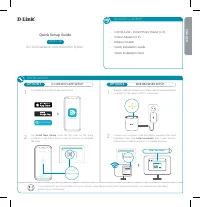 D-Link COVR-1102 AC1200 User Manual
 D-Link DAP -2310 Manual
 D-Link DCS-942L Manual
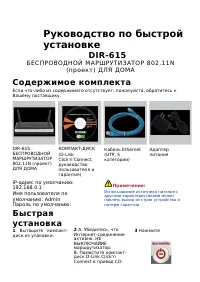 D-Link DIR-615 Manual
 D-Link DIR-632 Manual
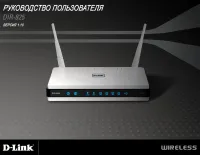 D-Link DIR-825 Manual
 D-Link DSR-250 Manual
 D-Link DSR-250N Manual
 D-Link DWA-125 User Manual
 D-Link DWA-140 Manual
 D-Link DWA-160 Manual
 D-Link DWA-547 Manual
 D-Link DWL-2100AP Manual
 D-Link DWL-3200AP Manual
 D-Link DWL-G650+ Manual
 D-Link DWR-921 Manual

