Page 2 - WARNING: RISK OF FIRE OR ELECTRIC SHOCK
2 IMPORTANT SAFEGUARDS When using electrical appliances, basic safety precautions should always be taken to reduce the risk of fire, electric shock and/or injury to persons, including the following: 1. READ ALL INSTRUCTIONS. 2. Do not touch hot surfaces. Use handles and knobs. 3. To protect against ...
Page 3 - WARNING; NOTICE; Remove the instruction book and any
WARNING R I S K O F F I R E O R E L E C T R I C S H O C K D O N OT O P E N WARNING: TO REDUCE THE RISK OF FIRE OR ELECTRIC SHOCK, DO NOT REMOVE COVER (OR BACK) NO USER-SERVICEABLE PARTS INSIDE REPAIR SHOULD BE DONE BY AUTHORIZED SERVICE PERSONNEL ONLY A. Circuit Grounding Conductor Connected Properl...
Page 4 - Contents
4 Important Safeguards . . . . . . . . . . . . . . . . . . . . . 2 Important Unpacking Instructions . . . . . . . . . . . . 3 The Quest for the Perfect Cup . . . . . . . . . . . . . . 5 Features and Benefits. . . . . . . . . . . . . . . . . . . . . 6 Set-Up & First Brew . . . . . . . . . . . . ....
Page 5 - WATER; Premium; COFFEE; Reusable; GRIND; No matter which cup size you choose, the Cuisinart; The Quest
5 Element 1: WATER Any hot beverage is made up primarily of water. Often overlooked, the quality of the water is as important as the quality of the coffee, tea or cocoa. A good rule of thumb is that if your water doesn’t taste good from the tap, it won’t taste any better in your beverage. That’s why...
Page 6 - Features and Benefits
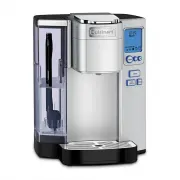
6 1. Charcoal Filter Holder 1a. Charcoal Water Filter 2. Water Reservoir Lid Removes for easy filling. 3. Removable 72 oz. Water Reservoir Offers large capacity, eliminating the need for frequent refills. 4. Removable Drip Tray Plate Allows extra space for travel mugs. 5. Drip Tray 6. Drip Tray Base...
Page 9 - Inserting the Water Filter; Brewing
figure 4 figure 5 figure 6 Charcoal Water Filter holder Charcoal Water Filter 9 Inserting the Water Filter 1. Remove the filter and filter holder from the polybags. 2. Soak the filter, fully immersed in cold tap water, for 15 minutes. 3. Remove lower portion of filter holder by pulling toward you to...
Page 10 - Caution: There are two sharp
Ready Mode figure 7 figure 8 10 Caution: There are two sharp needles that puncture the capsule, one above and one below. To avoid risk of injury, do not put your fingers in the capsule brewing chamber. 6. Lower the handle to close the brew head. When closed completely, the control panel will indicat...
Page 12 - CAUTION: There are two sharp
12 Brewing with the HomeBarista ™ Reusable Filter Cup (included) The Cuisinart ® Premium Single-Serve Coffeemaker can be used with a Reusable Filter Cup, which allows you to use your own ground coffee. The dishwasher-safe, capsule conveniently stores in the easy-open compartment. 1. Open the storage...
Page 13 - OR; Adding Water; Setting the Clock
13 Stopping the Brew Process If for any reason you need to stop brewing after the process has started, press the BREW button, OR press the power switch on the rear right side of the coffeemaker to turn the coffeemaker off. The flow of coffee, tea or hot cocoa will stop, the heater will shut off, and...
Page 14 - Programming On/Off Features; Set the coffeemaker to
Set Hours figure 16 AUTO OFF Set in Ready Mode figure 17 14 Clock set in READY Mode figure 15 Note: Depending upon the coffeemaker’s current mode, other icons will be displayed as well. Note: If power is interrupted to the coffeemaker, the clock will need to be reset. Follow the procedure on page 13...
Page 15 - Program your coffeemaker for a
figure 18 Set Hours Set Minutes figure 19 Set Hours Set Minutes ON OFF TIME SET in Ready Mode figure 20 15 3. Program your coffeemaker for a specific ON and/or OFF TIME. By programming your coffeemaker to turn on each morning, you will never have to wait to start brewing your cup of coffee. Note: To...
Page 16 - Programming Your Brew Size
figure 21 Increase Temp Decrease Temp figure 22 Set Larger Brew Size Set Smaller Brew Size 16 Programming Brew Temperature The coffeemaker brews at a pre-set temperature of XHOT. If you prefer a cooler cup of coffee, hot water, tea, or cocoa, you may adjust this temperature down to HOT. Simply follo...
Page 17 - Cleaning & Maintenance; Cleaning External Parts; Cleaning the Funnel
figure 23 figure 24 figure 25 17 Cleaning & Maintenance Cleaning External Parts We recommend regular cleaning of the coffeemaker’s external components. 1. Never immerse the coffeemaker in water or other liquids. The housing and other external components may be cleaned with a soapy, damp, non-abr...
Page 18 - Cleaning the Piercing Needle; De-Scaling Your Coffeemaker; Though the coffeemaker will continue
figure 27 figure 26 18 Replace funnel onto capsule holder by lining up tabs in funnel with notches on capsule holder, twist toward you until it locks into place. After cleaning, replace capsule holder, being sure to align the arrow on the capsule holder rim with arrow on the brewing chamber. Cleanin...
Page 20 - Troubleshooting
20 Troubleshooting Problem: Solution: Coffeemaker does not have power. Plug coffeemaker into an independent outlet. Make sure the coffeemaker is securely plugged in. Plug into a different outlet. Reset your home’s circuit breaker. Confirm the power has been turned on and the LCD is illuminated. Coff...
Page 22 - Printed in China
©2016 Cuisinart 150 Milford Road East Windsor, NJ 08520 Printed in China 16CE014223 IB-13633-ESP ss10_16ce014223_ib_final.indd 22 2/22/16 4:10 PM