Page 3 - Never open the filter basket during; WARNING
3 WARNING: RISK OF FIRE OR ELECTRIC SHOCK The lightning flash with arrowhead symbol within an equilateral triangle is intended to alert the user to the presence of uninsulated, dangerous voltage within the product’s enclosure that may be of sufficient magnitude to constitute a risk of fire or electr...
Page 4 - Element 4: Proportion
4 CONTENTS Important Safeguards. . . . . . . . . . . . . . . . . . . .2Important Unpacking Instructions . . . . . . . . . .4The Quest for the Perfect Cup of Coffee . . . . .4Features and Benefits . . . . . . . . . . . . . . . . . . .5Control Panel . . . . . . . . . . . . . . . . . . . . . . . . . .6...
Page 5 - FEATURES AND BENEFITS; Charcoal Water Filter Holder; Filter Basket Cover; Permanent Gold-Tone
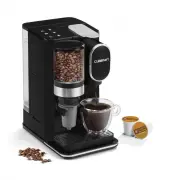
5 FEATURES AND BENEFITS 1. Hopper Holds up to ½ lb. of coffee beans. 2. Hopper Lid Seals out moisture and air to keep beans fresh. 3. Water Reservoir Cover flips back for easy filling. 4. Water Level Window 5. Brew Pause ™ Interrupts flow of coffee to pour a quick cup mid-brew (20 seconds max). 6. G...
Page 6 - GETTING TO KNOW YOUR CONTROL PANEL; LCD INDICATORS
6 GETTING TO KNOW YOUR CONTROL PANEL A. EMPTY Will appear in display when the filter basket has not been emptied since the last brew cycle. B. AUTO ON Appears on LCD to indicate Auto On is active. C. AUTO OFF Will only appear during programming mode. D. CLEAN Appears on display when in clean mode. S...
Page 7 - SETTING THE CLOCK; Entering Time Set Mode; Exiting Time Set Mode; SETTING THE PROGRAM TIME; ntering Set Program Time Mode; To Deactivate Auto ON
7 PROGRAMMING YOUR COFFEEMAKER SETTING THE CLOCK When the coffeemaker is plugged in, 12:00 will flash in the display, indicating the unit is in Clock Set mode. If the 12:00 stops flashing, simply press and hold the Hour or Minute button to return to flashing Clock Set mode. Entering Time Set Mode Ho...
Page 8 - Entering Automatic Shutoff Time Mode; Programming Automatic Shutoff Time; CHARCOAL WATER FILTER; Inserting the Water Filter
8 SETTING THE AUTOMATIC SHUTOFF TIME Your coffeemaker can be programmed to automatically shut off from 0 to 4 hours after brewing is complete. Shutoff time can be programmed before, during or after brewing. Default shutoff time is 2 hours. Entering Automatic Shutoff Time Mode To view the current set...
Page 9 - MAKING COFFEE WITH; Fill the Water Reservoir; Doing so could cause carafe to overflow.
9 BEFORE BREWING YOUR FIRST POT OF COFFEE During the manufacturing process, dust can get trapped in your coffeemaker. We recommend flushing out the system before brewing your first pot of coffee. Simply follow Making Coffee with Pre-Ground Beans, page 10. Be sure to use only water and a paper filter...
Page 11 - TIPS AND HINTS; MAINTENANCE
11 TIPS AND HINTS • If you buy large portions of beans, separate them into one- or two-week portions and store them in airtight containers in the freezer. Preserve freshness by minimizing exposure to air, light, and moisture. Once beans are removed from the freezer, keep them in a sealed container a...
Page 13 - TROUBLESHOOTING
13 TROUBLESHOOTING PROBLEM CAUSE SOLUTION The coffeemaker is beeping. Filter door is not closed • Check to be sure that all components of the filter compartment are in place• Close filter door (you will hear a click if the door is properly shut) Filter basket is not in place • Open filter door by pr...
Page 14 - WARRANTY; CALIFORNIA RESIDENTS ONLY
14 WARRANTY Limited Three-Year Warranty (U.S. and Canada only) This warranty is available to consumers only. You are a consumer if you own a Cuisinart ® Fully Automatic Burr Grind & Brew ™ Coffeemaker that was purchased at retail for personal, family or household use. Except as otherwise require...
Page 17 - Cafetera automática con molinillo incorporado Grind & Brew; MANUAL DE INSTRUCCIONES
Para su seguridad y para disfrutar plenamente de este producto, siempre lea cuidadosamente las instrucciones antes de usarlo. Cafetera automática con molinillo incorporado Grind & Brew ™ Serie DGB-800 MANUAL DE INSTRUCCIONES
Page 19 - nunca abra la tapa durante la; ADVERTENCIA
3 ADVERTENCIA: RIESGO DE INCENDIO O DESCARGA ELÉCTRICA El símbolo representado por un relámpago con punta de flecha dentro de un triángulo equilátero tiene como fin alertar al usuario de la presencia de voltajes peligrosos no aislados en el interior del aparato, los cuales pueden ser de suficiente m...
Page 20 - Elemento 4: las proporciones
4 ÍNDICE Medidas de seguridad importantes . . . . . . . . .2Instrucciones de desembalaje . . . . . . . . . . . . 4Sugerencias para la preparación de un buen café. . . . . . . . . . . . . . . . . . . . . . . . . . . . . . . . . .4Piezas y características . . . . . . . . . . . . . . . . . 5Panel de co...
Page 22 - PANEL DE CONTROL; MENSAJES LCD
6 PANEL DE CONTROL A. EMPTY (VACIAR EL PORTAFILTROS) Aparece cuando el portafiltros no ha sido vaciado desde el último ciclo de preparación. B. AUTO ON (ENCENDIDO AUTOMÁTICO) Aparece para indicar que el encendido automático está activado. C. AUTO OFF (APAGADO AUTOMÁTICO) Solamente aparece durante la...
Page 23 - PROGRAMACIÓN; CÓMO FIJAR LA HORA; Para fijar la hora:; Para salir del modo de fijación de la hora:; CÓMO FIJAR LA HORA DE
7 CONSEJOS Y SUGERENCIAS • Si usted compra grandes cantidades de café en grano a la vez, divida los granos en porciones para una o dos semanas y guárdelos en el congelador, en recipientes herméticos. Para maximizar el aroma del café, evite exponer los granos al aire, a la luz o a la humedad. La cond...
Page 24 - FILTRO DE AGUA DE CARBÓN; Instalación del filtro de agua
8 3. Para activar el encendido automático usando una hora previamente fijada: Presione el botón PROG. El mensaje “AUTO ON” y la hora previamente fijada aparecerán en la pantalla. Después de 5 segundos, la pantalla mostrará la hora del día y el mensaje “AUTO ON”. NOTA: cuando el encendido automático ...
Page 25 - ANTES DEL PRIMER USO; CÓMO PREPARAR CAFÉ; Instale el filtro de agua de carbón; no pase la línea de; Agregue café en grano
9 ANTES DEL PRIMER USO Puede acumularse polvo en el aparato durante el proceso de fabricación. Le recomendamos que limpie el sistema interno de la cafetera antes de preparar café por primera vez. Para esto, haga funcionar la cafetera según la sección “Cómo preparar café con café molido”, pero con ag...
Page 27 - Instale el filtro de agua de carbón
11 CÓMO PREPARAR CAFÉ CON CAFÉ MOLIDO Limpie la cafetera antes de usarla por primera vez, según se indica en la sección “Antes del primer uso”. 1. Instale el filtro de agua de carbón Siga las instrucciones de preparación e instalación en la página 8. 2. Llene el depósito de agua Abra la tapa del dep...
Page 28 - LIMPIEZA DEL MOLINILLO; MANTENIMIENTO
12 LIMPIEZA DEL MOLINILLO 1. Quite la cubierta del depósito de café.2. Saque los granos de café restantes.3. Coloque el portafiltros limpio y seco en su puesto (puede usar un filtro de papel si desea). 4. Gire la perilla GRIND CONTROL para seleccionar 4 tazas, y presione el botón STRENGTH para elegi...
Page 29 - RESOLUCIÓN DE PROBLEMAS
13 RESOLUCIÓN DE PROBLEMAS PROBLEMA CAUSA SOLUCIÓN La cafetera emite un pitido La puerta del compartimiento del portafiltros no está debidamente cerrada • Asegúrese de que todos los componentes del portafiltros están correctamente instalados • Cierre la puerta del compartimiento del portafiltros (es...
Page 30 - GARANTÍA; RESIDENTES DE CALIFORNIA
14 GARANTÍA GARANTÍA LIMITADA DE TRES AÑOS (válida en los EE.UU. y en Canadá solamente) Esta garantía es para los consumidores solamente. Usted es un consumidor si posee un aparato Cuisinart ® que fue comprado en una tienda para uso personal, familiar o casero. A excepción de los estados donde la le...