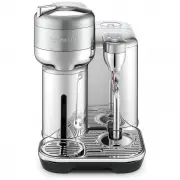
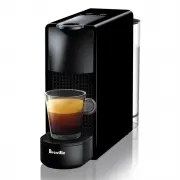
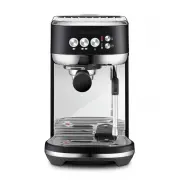
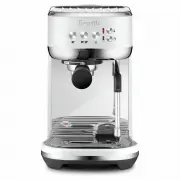
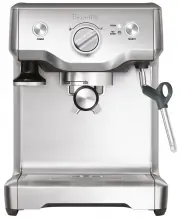
Page 2 - PACKAGING CONTENT
2 EN CONTENTS PACKAGING CONTENT 2 SPECIFICATIONS 2 MACHINE OVERVIEW 3 CONNECTIVITY 4 MACHINE SET UP 5 SETTING THE WATER HARDNESS 6 FIRST USE / RINSE CYCLE 7 COFFEE PREPARATION 8 MILK COFFEE PREPARATION 10 RECIPE SUGGESTIONS 13 MILK COFFEE RECIPES 14 DAILY CLEANING 15 CLEANING THE COFFEE SYSTEM 15 CL...
Page 3 - MACHINE OVERVIEW
3 EN MACHINE OVERVIEW A. Waste ContainerB. Drip Tray GridC. Milk Jug RecessD. Drip Tray SeparatorE. Drip Tray FloatF. Drip TrayG. ON/OFFandCoffeeButtonH. Locking / Unlocking LeverI. CoffeeSpoutJ. Water Tank and LidK. Descaling AlertL. Cleaning AlertM. Milk Texture Button (FlatWhite&Latte,Cappucc...
Page 4 - CONNECTIVITY
4 EN CONNECTIVITY Benefits of connecting your machine: GET THE APP *AppStoreisatrademarkofAppleinc.,registeredintheU.S.andothercountries. **GooglePlayandtheGooglePlaylogoaretrademarksofGoogleLLC. LaunchtheNespressoapp.Selectthemachineicon.Followtheinstructionsviatheapp. Bydefault,theBluetooth ® / Wi...
Page 5 - MACHINE SET UP
5 EN Pluginthepowercordandturnonthemachine. Singlepresscoffeebutton. MACHINE SET UP 1 1 2 2 Rinse and dry all removable parts. Reassemblethemachine. Fillthewatertankwithfreshpotablewater. 1 2 3 5 6 4 Properlyattachwatertanktothemachine.
Page 6 - SETTING THE WATER HARDNESS
6 EN SETTING THE WATER HARDNESS 2 1 1s 5s Dipthewaterhardnessstripbriefly(1second)inacontainerof potablewater.Shakeoffexcesswaterandcompareresultsafter1min. PresstheSteamButtontosaveandexit. PressandholdtheMilkTemperatureand Milk Texture buttons for 5 seconds. Setthehardnessaccordingtotheresultofthe...
Page 7 - FIRST USE / RINSE CYCLE
7 EN FIRST USE / RINSE CYCLE WARNING: Makesurenocapsuleisinsertedintothemachineduringtherinsingprocess. 1 2 2s 3x 7m Placethe1Lcontainerontopofthedriptray. Liftupthesteamwandandinsertinthemilkjug. Pressthecoffeebuttonthreetimeswithin2seconds. Thisprocesswilltakeupto7minutesbutcanbe stoppedatanytimeb...
Page 9 - COFFEE PREPARATION
9 EN COFFEE PREPARATION 2 3 4 1 Openthecoffeesystem. Insertacoffeecapsule. Closeandlockthecoffeesystem. Adjusttheheightpositionofthecupsupport. Removethecupsupportanddriptraywhenusingacarafe. Placeacupofsufficientcapacityunder thecoffeespout. Pressthecoffeebutton.Tostopthecoffeeflowearly, presstheco...
Page 11 - MILK COFFEE PREPARATION
11 EN MILK COFFEE PREPARATION 4 5 6 CAUTION: Riskofscaldingmayoccurduetohotcoffeeoverflowing. 2 3 4 1 7 Select Milk Temperature level and Milk Texture level. PresstheSteamButtontostartfrothing. Unlockandopenthecoffeesystem. Insertacoffeecapsule. Closeandlockthecoffeesystem. Adjusttheheightpositionof...
Page 13 - RECIPE SUGGESTIONS
13 EN RECIPE SUGGESTIONS CAPPUCCINO + FLAT WHITE LATTE MACCHIATO CAFÉ LATTE Min Level 1 Level 2 S M L 25ml/0.8floz* 40ml/1.3floz* 80ml/2.7floz* Level 1 Level 2 Max Level 1 Level 2 Max NOTE: ForBaristaCreationscapsules,pleaserefertotheinformationonthecoffeesleeve.
Page 14 - MILK COFFEE RECIPES
14 EN 1 2 3 1 2 3 CAPPUCCINO 1 2 3 1 2 3 LATTE MACCHIATO 1 2 3 1 2 3 FLAT WHITE 2 1 2 3 1 2 3 LATTE / CAFÉ LATTE MILK COFFEE RECIPES 2 3 3
Page 16 - CLEANING THE COFFEE SYSTEM
16 EN CLEANING THE COFFEE SYSTEM 2s 3x 3 1 2 7m Oncetheprocessiscomplete,washthedriptrayand capsulecontainerinwarmwaterwithmilddetergent. NOTE: Thecleancyclecanbeinterruptedbypressingthecoffeebutton. Drywithacleandampcloth. Thencloseandlockthecoffeesystem. Placea34fl.oz/1Lcontainer underthecoffeeout...
Page 17 - CLEANING THE STEAM WAND
17 EN CLEANING THE STEAM WAND 2 3 4 5 1 Reassemblethesteamtipand returnthisontothesteamwand. Putthepincleaningtoolonthemachine locatedunderthewatertank. Fillthemilkjugtothemaxlinewithfresh potable water. Liftandplacethesteamwandinthemilkjug. Removethepincleaningtoolfromunderthewatertank. Unscrew and...
Page 19 - DESCALING
19 EN DESCALING 2 2 1 1 2 1 3 5s TIP: Beforedescaling,itisrecommendedtocleanthesteamwandtip.Refertotheinstructionsonthepreviouspage. NOTE: ThedescaleandrinsecyclecanbepausedatanytimebypressingtheSteambutton.Toresume,presstheSteambuttonagain. Fillthewatertankwithpotablewatertothedescale line,thenadd2...
Page 21 - RESET TO FACTORY SETTINGS; TURN THE BLUETOOTH
21 EN RESET TO FACTORY SETTINGS THIS WILL RESET ALL REPROGRAMMED VOLUMES, WATER HARDNESS SETTING, MILK TEMPERATURE AND MILK TEXTURE SETTINGS. ON 2s 1 2 3 1 2 Bydefault,theBluetooth ® / Wi-Fi ® isswitchedon.FactoryresetwillalsoswitchtheBluetooth ® / Wi-Fi ® on. TURN THE BLUETOOTH ® / WI-FI ® ON-OFF P...
Page 22 - EMPTYING THE SYSTEM
22 EN EMPTYING THE SYSTEM EMPTYING THE SYSTEM BEFORE A PERIOD OF NON-USE , FOR FROST PROTECTION OR BEFORE A REPAIR. 1 1 2 2 3 Placeacontainerunderthecoffeeoutlet. Emptythewatertank. Replace back on to themachine. PressandholdtheSteambuttonandMilkTexturebuttonfor5seconds. Themachinewillbeclearedofliq...
Page 24 - TROUBLESHOOTING
24 EN TROUBLESHOOTING PROBLEM POSSIBLE CAUSES EASY SOLUTION Nolightonbuttons. • Themachinehasturned“off”automatically. • Pushcoffeeorsteambuttontoturnmachineon. • Checkthemains,plug,voltage,andfuse. Nocoffee. • Checkthatthewatertankisfilled. • Checkthatafreshcapsuleisinsertedincorrectposition, thatt...
Page 27 - BLINKING SUMMARY / ERRORS
27 EN BLINKING SUMMARY / ERRORS INDICATION PowerOff - - - - - Heat up mode (coffee) - - Ready mode - - Brewing mode - - - Recipe Brewing mode - - - Steaming mode - - Pre-order Brew - - Pre-order recipe brew - - * NOTE: Last user milk settings may vary. *
Page 31 - NOTES