Page 2 - CONTENTS
2 CONTENTS 3 Breville recommends safety first 6 Know your Breville product 9 Features of your Breville product 10 Operating your Breville product 24 Coffee making tips & preparation 28 Care & cleaning 34 Troubleshooting 39 Coffees to try
Page 3 - BREVILLE RECOMMENDS SAFETY FIRST; FOR ALL ELECTRICAL; surface is level, clean and free; IMPORTANT SAFEGUARDS
3 BREVILLE RECOMMENDS SAFETY FIRST At Breville we are very safety conscious. We design and manufacture consumer products with the safety of you, our valued customer, foremost in mind. In addition we ask that you exercise a degree of care when using any electrical appliance and adhere to the followin...
Page 4 - in the electrical circuit; SPECIFIC INSTRUCTIONS; understand the hazards
4 • The installation of a residual current device (safety switch) is recommended to provide additional safety protection when using electrical appliances. It is advisable that a safety switch with a rated residual operating current not exceeding 30mA be installed in the electrical circuit supplying ...
Page 5 - Ensure the product is; SAVE THESE INSTRUCTIONS; liable to get hot during use.
5 BREVILLE RECOMMENDS SAFETY FIRST Always switch Off the espresso machine by pressing the POWER button to Off, switch Off at the power outlet and unplug. • Ensure the product is properly assembled before first use. • Do not use any other liquid apart from cold mains/town water. We do not recommend t...
Page 6 - KNOW YOUR BREVILLE PRODUCT; With integrated temperature sensor.
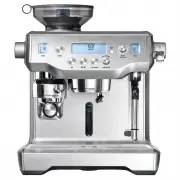
6 KNOW YOUR BREVILLE PRODUCT A. Integrated conical burr grinder With removable 280g bean hopper. B. Top-fill 2.5L removable water tank With integrated water filter and backlit level indicator. C. Grind Size dial Select the desired espresso grind size to suit your coffee beans. D. Grind LCD Displays ...
Page 9 - FEATURES OF YOUR BREVILLE PRODUCT; espresso extraction.
9 FEATURES OF YOUR BREVILLE PRODUCT HANDS FREE AUTOMATIC GRIND, DOSE & TAMP Automatically grinds, doses and tamps the required amount of coffee, mess free. GRIND SIZE DIAL Adjustable grind settings from fine to coarse for optimal espresso extraction. STAINLESS STEEL CONICAL BURRS Maximise ground...
Page 10 - Machine Preparation; washing liquid. Rinse well then dry thoroughly.; TIP; INSTALLING THE WATER FILTER; Soak the filter in a cup of water for; machine and locking into place.; NOTE
10 OPERATING YOUR BREVILLE PRODUCT BEFORE FIRST USE Machine Preparation Remove and discard all labels and packaging materials attached to your espresso machine. Ensure you have removed all parts and accessories before discarding the packaging.Remove the water tank located at the back of the machine ...
Page 11 - Setting Water Hardness
11 OPERATING YOUR BREVILLE PRODUCT FIRST USE 1. Ensure tank is filled with cold water. You can do this by either opening the top-fill water tank lid (push to open), or by removing the water tank at the back of the machine. 2. Press POWER button to turn the machine on. 3. The main LCD will display 'H...
Page 12 - OPERATING YOUR BREVILLE PRODUCT; Flushing The Machine; button again to stop the flow of water.; MANUAL will flash on LCD; GRINDING OPERATION; SELECTING GRIND SIZE; as required to control espresso flow rate.
12 OPERATING YOUR BREVILLE PRODUCT Flushing The Machine When the machine has reached STANDBY mode: 1. Press 2 CUP button to run water through the group head for 30 seconds. 2. Press HOT WATER button to run water through the hot water outlet. After 30 seconds, press HOT WATER button again to stop the...
Page 13 - to the centre position.; ESPRESSO EXTRACTION; CUP BUTTON
13 PAGE HEADER..... OPERATING YOUR BREVILLE PRODUCT SELECT YOUR FILTER BASKET Insert the correct Filter Basket into the Portafilter for the number of coffees or strength you are making. Use the 1 Cup Filter Basket for making a single cup or a weaker tasting espresso.Use the 2 Cup Filter Basket for m...
Page 14 - ADJUSTING MILK TEXTURE; AUTO MILK TEXTURING
14 PAGE HEADER..... OPERATING YOUR BREVILLE PRODUCT The machine will stop after 2 CUP duration has been extracted and will return to STANDBY mode. MANUAL OVERRIDE Press and hold either the 1 CUP or 2 CUP button to commence pre-infusion. When the required pre-infusion duration is met, release the but...
Page 15 - Wipe the wand and tip; Lower steam wand to; MANUAL MILK TEXTURING; Wipe the wand and; Pressurised steam can still be released,; PRESET LONG BLACK; PRESET CUP SIZE; extraction rate and shot volume.
15 PAGE HEADER..... OPERATING YOUR BREVILLE PRODUCT MILK MUST COVER THIS SEAL To start, press down and release steam lever. The LCD will display the temperature of the milk as it heats. Milk texturing will stop automatically when the selected milk temperature is reached. Lift steam wand to remove mi...
Page 16 - MANUAL LONG BLACK; the pour of hot water.
16 PAGE HEADER..... TIP You can conduct a manual Long Black extraction each time, or program this as a custom setting. Once programmed, your custom setting will appear after the 3 preset settings. Refer to 'long Black Adjust - Programming Custom Settings’, page 20. HOT WATER The HOT WATER button can...
Page 17 - PROGRAMMING SHOT
17 PAGE HEADER..... OPERATING YOUR BREVILLE PRODUCT PROGRAMMABLE FUNCTIONS To enter program mode, press the MENU button. Rotate SELECT dial to the desired function.Program mode allows you to program: • Shot Volume • Shot Temperature • Clean Cycle • Set Clock • Auto Start • Auto Off • Tamp Set • Pre-...
Page 18 - AUTO START
18 PAGE HEADER..... OPERATING YOUR BREVILLE PRODUCT SHOT TEMPERATURE While 'SHOT TEMP' is displayed on the LCD, press the SELECT dial. The current temperature will flash. Turn the SELECT dial to required temperature then press SELECT dial to set. Machine will beep once to confirm new temperature. SE...
Page 20 - Rotate the SELECT dial to the custom; NOT PROGRAMMED
20 PAGE HEADER..... OPERATING YOUR BREVILLE PRODUCT LONG BLACK ADJUST - PROGRAMMING CUSTOM SETTINGS There are 6 custom Long Black settings for you to program to suit your cup size and strength preferences. To program your custom setting: 1. Fill the portafilter using the auto grind, dose & tamp ...
Page 21 - PROGRAMMED; ADVANCED FEATURES; These features should only be accessed; Shot Temperature: 93 ̊C
21 PAGE HEADER..... 6. To start programming, press the SELECT dial. The LCD will show a moving cup icon and espresso will extract from the portafilter spouts. When the required amount has been extracted, press the SELECT dial to stop the flow of espresso and start the flow of hot water. When the req...
Page 22 - Set units to metric or imperial. Rotate SELECT
22 PAGE HEADER..... OPERATING YOUR BREVILLE PRODUCT + POWER 'Hrd3' will flash on screen. Machine is now in Water Hardness mode. See 'Water Hardness (Hrd3)' to set. Water Hardness (Hrd3) Determine water hardness with the supplied water hardness test strip. Refer to 'Setting Water Hardness', page 11.R...
Page 24 - COFFEE MAKING TIPS & PREPARATION; Heating your cup or glass; and place on the cup warming tray.; Heating the portafilter and filter basket; THE GRIND; AUTOMATIC GRINDING,
24 COFFEE MAKING TIPS & PREPARATION PRE-HEATING Heating your cup or glass A warm cup will help maintain the coffee’s optimal temperature. Pre-heat your cup by rinsing with hot water from the hot water outlet and place on the cup warming tray. Heating the portafilter and filter basket A cold port...
Page 25 - EXTRACTION; TEXTURING MILK
25 COFFEE MAKING TIPS & PREPARATION • When the auto grind, dose & tamp function is complete, rotate the portafilter handle to the INSERT position and lower to remove. • Wipe any excess coffee from the rim of the filter basket to ensure a proper seal in the group head is achieved. . PURGING T...
Page 26 - Wipe the wand and tip with a damp
26 COFFEE MAKING TIPS & PREPARATION • Always start with fresh cold milk. • Fill milk jug to below the spout position. At a minimum, there should be enough milk to cover the steam wand seal. • To remove any condensed water from the system, ensure the steam wand is in the down position over the dr...
Page 27 - COFFEE BEAN HINTS & TIPS
27 PAGE HEADER..... COFFEE MAKING TIPS & PREPARATION • Wipe the wand and tip with a damp cloth. Lower steam wand to the down position and the wand will automatically purge. • Tap the jug on the counter-top to collapse any bubbles. • Swirl the jug to polish and re-integrate the texture. • Pour mi...
Page 28 - CLEANING CYCLE
28 PAGE HEADER..... CARE & CLEANING CLEANING CYCLE • CLEAN ME! will be displayed on the LCD to indicate when a cleaning cycle is required (after approx. 200 shots). The cleaning cycle cleans the shower screen and back-flushes the group head. • Insert the supplied grey silicone cleaning disc, fol...
Page 29 - CLEANING CONICAL BURRS
Burr brush Tamp removal magnet Grind outlet brush 29 PAGE HEADER..... 13 Replace & lock hopper Remove beans Run grinder until empty Unlock & remove hopper Remove upper burr Unlock hopper 1 2 3 4 5 6 Clean lower burr with burr brush Remove tamping fan with tamp removal magnet Clean upper burr...
Page 30 - CLEANING THE STEAM WAND; IMPORTANT; After every use, thoroughly wipe the; If steam wand remains blocked, remove; Steam Wand Cleaning Powder; Add 1 packet into an empty milk jug.; Steam Wand
30 CLEANING THE STEAM WAND IMPORTANT After every use, thoroughly wipe the steam wand and tip with a damp cloth & purge immediately. Failure to clean the steam wand may affect the milk texturing performance. • If any of the holes in the tip of the steam wand become blocked, ensure the steam lever...
Page 32 - – Prepare for Descale; Empty the drip tray and insert into; – Empty Boilers; REMOVE; Repeat the above process on the left valve.; Empty the drip tray, use caution as the drip
32 1 – Prepare for Descale a) Empty the drip tray and insert into position. b) With the machine off, press and hold the 1 CUP button, then press and hold the POWER button together for 3 seconds. rSEt will appear on the LCD. POWER THEN PRESS & HOLD c) Rotate SELECT dial until ‘dESc” appears on LC...
Page 34 - TROUBLESHOOTING
34 PROBLEM POSSIBLE CAUSE WHAT TO DO Motor starts but no ground coffee coming from grind outlet • No coffee beans in bean hopper. • Grinder/bean hopper is blocked. • Coffee bean may have become stuck in hopper. • Fill bean hopper with fresh coffee beans. • Remove bean hopper. Inspect bean hopper &am...
Page 35 - PROBLEM
35 TROUBLESHOOTING PROBLEM POSSIBLE CAUSE WHAT TO DO Grinder running continuously • No beans in hopper. • Fill hopper with beans. • Rotate the portafilter to the left to stop the auto grind, dose & tamp function. • Tamping fan has been removed. • Check that the tamping fan is in position and mou...
Page 39 - COFFEES TO TRY
39 COFFEES TO TRY CAPPUCCINO A single shot of espresso with textured milk and garnished with drinking chocolate. ESPRESSO Intense and aromatic, it is also known as a short black and is served in a small cup or glass. LATTÉ A latté consists of a single espresso with textured milk and approx. 10mm of ...
Page 40 - AUSTRALIA; Breville Customer Service Centre
Breville is a registered trademark of Breville Pty. Ltd. A.B.N. 98 000 092 928. Copyright Breville Pty. Ltd. 2017. Due to continued product improvement, the products illustrated/photographed in this brochure may vary slightly from the actual product. BES980 Issue - O17 Australian CustomersMail: Lock...