Page 3 - General Safety Information; Complete the unit assembly before attempting to operate.
3 1. General Safety Information Thank you for purchasing a quality Bonaire Evaporative Portable Cooler. We care about your safety and would ask you to spend a few minutes reading these simple instructions before operating this product. Safety! Read carefully prior to attempting to assemble, install,...
Page 4 - Do not allow children to operate or service this cooler.; Product Description
4 - Do not use the power cord with an adaptor plug that converts the 3-pin plug into a 2-prong connector. - If the power cord is damaged, it should be replaced by a service agent or qualified personnel to avoid risk of bodily injury or property damage. - Remove the plug from the electrical receptacl...
Page 5 - Product Specifications
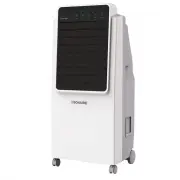
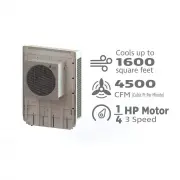
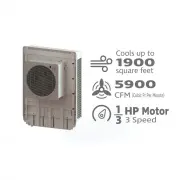
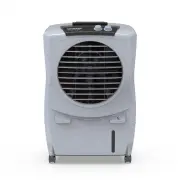
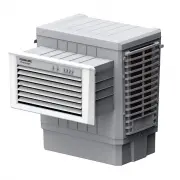
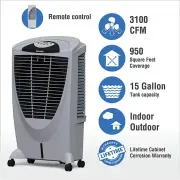
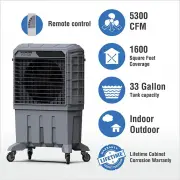
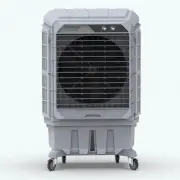
5 3. Unpacking Handle the unit with care. Visually inspect for shipping damage. If any part is damaged, immediately file a claim with the carrier. 4. Product Specifications Model Bonaire Durango 350 Bonaire Durango 600 Bonaire Durango 800 Voltage 120 VAC, 60 Hz, 1 phase 120 VAC, 60 Hz, 1 phase 120 V...
Page 6 - Electrical Connection and Installation; front; Remote Control; short “B; COOL
6 5. Electrical Connection and Installation 1. Front Wheel Installation: Insert the small wheels with brake into the round hole at the front of bottom. 2. Back Wheel Installation: a. 350: Insert the big wheels into the slot at the back of bottom. (Insert the small end first, the big end should align...
Page 7 - SPEED; : Press the button to change the air speed after starting the; TIMER; The timer can set the unit’s on; WATER LEVEL; side water inlet; Air Renewal Requirements:; WARNING
7 4. SPEED : Press the button to change the air speed after starting the unit. Air speed can be changed between high, natural, sleep, low and medium. There is an indicator light for each of these air speed functions. Wait for 2 seconds after changing the speed to feel the effect of the new air speed...
Page 8 - Troubleshooting; Problem
8 8. Wiring Diagram 9. How to change controller batteries 1. Press pad with thumb and slide battery cover off. 2. Remove old batteries and insert new batteries according to orientation shown on controller. 3. Slide cover back into position, while pressing pad. WARNING A. Do not mix old and new batte...
Page 9 - Supplier’s Declaration of Conformity; This device complies with part 15 of the FCC rules.; Warranty; er’s instructions and for its designed and intended purpose
9 11. Supplier’s Declaration of Conformity a. This device complies with part 15 of the FCC rules. b. Responsible supplier listed as per SDoC: Bonaire USA LLC. Contact 800-939-2983 or www.bonaire-usa.com 12. Warranty Statement on Product Warranty (U.S.A.) 1. Warranty Subject to the Conditions and Exc...
Page 11 - How to obtain service; the “Conditions and Exclusions” section are found, then the 1; Climate Technologies Pty Ltd
11 3. How to obtain service Subject to the aforementioned conditions and exclusions, Climate Technologies Pty Ltd will repair or replace (at its discretion) any evaporative cooler which, after examination, is determined to be defective for the duration of warranty delineated in “Warranty” section. B...
Page 13 - El manual del propietario; Enfriadores de aire evaporativo; No volver a la tienda; Para ayuda con problemas de instalación o garantía; Para piezas, visite nuestro sitio web seguro:; Durango; IMPORTANTE; LEA Y GUARDE ESTAS INSTRUCCIONES.
13 El manual del propietario Enfriadores de aire evaporativo Bonaire Durango 350 Bonaire Durango 600 Bonaire Durango 800 No volver a la tienda Para ayuda con problemas de instalación o garantía llamada: 800-939-2983 o visitar: www.bonaire-usa.com Para piezas, visite nuestro sitio web seguro: www.bon...
Page 15 - información de seguridad general; Lea y guarde estas instrucciones. No deseche estas instrucciones.; No use el enfriador en superficies irregulares o inestables.
15 1. información de seguridad general Gracias por comprar un enfriador portátil evaporativo de calidad Bonaire. Nos preocupamos por su seguridad y le pedimos que pase unos minutos leyendo estas sencillas instrucciones antes de utilizar este producto. La seguridad! Lea cuidadosamente antes de intent...
Page 16 - No permita que los niños operen o mantengan este refrigerador.; Descripción del producto
16 - No pase el cable de alimentación por debajo de la alfombra u otro revestimiento del piso. Coloque el cable lejos del área de tráfico y donde no se tropezará. - No utilice el cable de alimentación con un enchufe adaptador que convierta el enchufe de 3 clavijas en un conector de 2 clavijas. - Si ...
Page 18 - Conexión eléctrica e instalación; Panel de control y control remoto
18 5. Conexión eléctrica e instalación 1. Instalación de la rueda delantera: Inserte las ruedas pequeñas con freno en el orificio redondo en la parte frontal inferior. 2. Instalación de la rueda trasera: c. 350 : Inserte las ruedas grandes en la ranura en la parte posterior de la parte inferior. (In...
Page 19 - : Presione el botón para cambiar la velocidad del aire; Requisitos de renovación de aire:; ADVERTENCIA
19 esta función, presione este botón una vez más. La luz indicadora también se apagará. Empujarlo una vez más comenzará a balancear la tabla de viento una vez más. 4. SPEED ( VELOCIDAD) : Presione el botón para cambiar la velocidad del aire después de encender la unidad. La velocidad del aire se pue...
Page 20 - Diagrama de cableado; Presione la almohadilla con el pulgar y extraiga la tapa de la
20 8. Diagrama de cableado 9. Cómo cambiar las baterías del controlador 1. Presione la almohadilla con el pulgar y extraiga la tapa de la batería. 2. Retire las baterías viejas e inserte baterías nuevas de acuerdo con la orientación que se muestra en el controlador. 3. Deslice la tapa nuevamente a s...
Page 21 - Solución de problemas; Problema; Declaración, De Conformidad Del Proveedor; Este dispositivo cumple con la parte 15 de las reglas de la FCC.; Garantía
21 10. Solución de problemas Problema Razón Solución No hay flujo de aire 1. La energía no está conectada. 2. La alimentación no está encendida. 3. Cuerpo dañado. 1. Enchufe el cable de alimentación correctamente. 2.Presione el botón Air Speed para comenzar. 3.Vuelva al centro de servicio. Sonido an...
Page 23 - Todas las garantías no son transferibles.; Cómo obtener servicio
23 l) No se cubren las situaciones ambientales adversas como el aire salado que pueden causar daños. m) No se acepta responsabilidad u obligación por daños a los contenidos, alfombras, paredes, techos, cimientos o cualquier otra pérdida o daño consecuente de cualquier naturaleza, ya sea directa o in...
Page 24 - Distribuidor / Información del producto
24 Distribuidor / Información del producto Distribuidor / Minorista: La dirección: Número de teléfono: Número de modelo de unidad: Número de serie: LA ACEPTACIÓN DE LOS RECURSOS EXCLUSIVOS DE REPARACIÓN Y REEMPLAZO DESCRITOS AQUÍ ES UNA CONDICIÓN DEL CONTRATO PARA LA COMPRA DE CADA PRODUCTO DE ENFRI...