Page 2 - The following symbols are used throughout this user manual:; Important information or useful hints about usage.
Dear Customer, Please read this user manual before using the product. Thank you for preferring this product. We hope that you get the best results from your product which has been manufactured with high quality and state-of- the-art technology.. Therefore, please read this entire user manual and all...
Page 4 - sons and pets; - Safety Instructions
4 / 26 EN Refrigerator/User Manual • This section contains safety instructions that will help you to be protected against risks of personal injury or property damage. • The Manufacturer shall not be responsible for damages that may arise when these instructions are not followed. Installation and rep...
Page 5 - Safety instructions; Electrical safety
5 / 26 EN Refrigerator/User Manual Safety instructions 5. Keep the product in a way that it will not tip over. 6. Do not allow children play with the old product. • Never throw the product into fire for disposal. There is the risk of explosion! • If there is a lock on the door of the product, the ke...
Page 6 - Operational safety
6 / 26 EN Refrigerator/User Manual Safety instructions product may tip over and cause injuries. • The installation location must be dry and well ventilated. Do not place carpets, rugs or similar covers under the product. Insufficient ventilation causes the risk of fire! • Do not cover or block the v...
Page 8 - Maintenance and
8 / 26 EN Refrigerator/User Manual Safety instructions • Cooling system of your product contains R600a refrigerant: Type of the refrigerant used in the product is indicated on the type label. This refrigerant is flammable. Therefore, pay attention not to damage the cooling system or the piping while...
Page 9 - Environment instructions
9 / 26 EN Refrigerator/User Manual 2.1.Compliance with the WEEE Directive and Disposing of the Waste Product: This product complies with EU WEEE Directive (2012/19/EU). This product bears a classification symbol for waste electrical and electronic equipment (WEEE). This symbol indicates that this pr...
Page 10 - Your Freezer
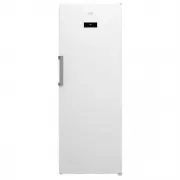
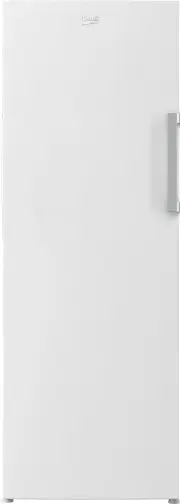
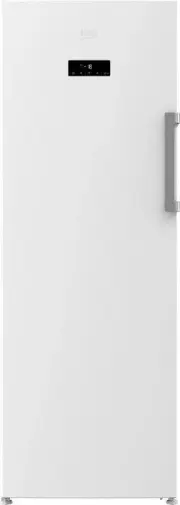
10 / 26 EN Refrigerator/User Manual 3 Your Freezer C Figures that take place in this instruction manual are schematic and may not correspond exactly with your product. If the subject parts are not included in the product you have purchased, then it is valid for other models. 1. Control Panel 2. Door...
Page 11 - Installation; Installation Location; WARNING
11 / 26 EN Refrigerator/User Manual 4 Installation 4.1 Appropriate Installation Location Contact an Authorized Service for the installation of the product. In order to prepare the product for use, refer the information in the user manual and ensure that electrical installation and water installation...
Page 13 - illumination lamp
13 / 26 EN Refrigerator/User Manual Installation 4.5 Door Open Warning *May not be available in all models An audio warning signal will be given when the door of your product is left open for at least 1 minute. This warning will be muted when the door is closed or any of the display buttons (if any)...
Page 14 - Preliminary preparation; energy saving
14 / 26 EN Refrigerator/User Manual 5 Preliminary preparation 5.1.What to do for energy saving A Connecting the product to electronic energy-saving systems is harmful, as it may damage the product. • For a freestanding appliance; ‘this refrigerating appliance is not intended to be used as a built-in...
Page 16 - Operating the product
16 / 26 EN Refrigerator/User Manual C Figures in this user manual are schematic and may not match the product exactly. If the subject parts are not included in the product you have purchased, then those parts are valid for other models. 1.On/Off Indicator: This icon ( ) come on when the freezer is t...
Page 17 - Operating the product
17 / 26 EN Refrigerator/User Manual Operating the product 7.Key Lock Mode: Press Key Lock ( ) button continuously for 3 seconds. Key lock icon will light up and key lock mode will be activated. Buttons will not function if the Key Lock mode is active. Press Key Lock button continuously for 3 seconds...
Page 19 - Recommendations for
19 / 26 EN Refrigerator/User Manual Operating the product Cooler Compartment Settings Remarks -20°C This is the default, recommended setting. -21, -22, -23 or -24°C These settings are recommended when the ambient temperature is higher than 30°C or when you think the refrigerator is not cool enough d...
Page 20 - Maintenance and cleaning; Avoiding bad odours
20 / 26 EN Refrigerator/User Manual 7 Maintenance and cleaning Cleaning your fridge at regular inter- vals will extend the service life of the product. B WARNING: Unplug the product before cleaning it. • Never use gasoline, benzene or similar substances for cleaning purposes. • Never use any sharp a...
Page 22 - Troubleshooting
22 / 26 EN Refrigerator/User Manual Troubleshooting • The freezer or cooler door may be ajar. >>> Check that the doors are fully closed. • The product may be set to temperature too low. >>> Set the temperature to a higher degree and wait for the product to reach the adjusted temper...
Page 24 - Beko Customer Care; Toll Free Toll Free
24 / 26 EN Refrigerator/User Manual 9 Beko Customer Care Before you call Beko for service or assistance... Refer to your User Guide and check the following: 1. Your Appl iance is correctly installed. 2. Your Appliance is connected to power. 3. You are familiar with its normal mode of operation 4. Yo...