Page 2 - Manual; Pictograms used; Important information
EN Manual EN 3 - EN 34 Pictograms used Important information Tip
Page 3 - CONTENTS
EN 3 CONTENTS Your induction hob Introduction 4Control panel 5 Description 6 Safety instructions Temperature safety 7 Cooking-time limiter 7 Use Using the touch controls 8 Induction cooking 8 How does induction work 9 Induction noises 9 Pans 10 Operation Switching on the hob and setting the power 12...
Page 4 - Introduction; Read the manual thorougly before using the appliance, and; YOUR INDUCTION HOB
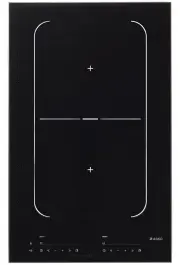
EN 4 Introduction This hob has been designed for the real lover of cooking. Cooking on an induction hob has a number of advantages. It is easy, because the hob reacts quickly and can also be set to a very low power level. Because, moreover, it can also be set to a high power level, it can bring dish...
Page 5 - Control panel
EN 5 Control panel 1. Pause button 2. Pause indicator 3. Childproof lock/Eco stand-by button 4. Childproof lock indicator/Eco stand-by indicator 5. Level indicator in cubes 6. On/off button 7. Reduce the power quickly 8. Reduce the power 9. Raise the power 10. Raise the power quickly 11. Boost 12. T...
Page 6 - Description
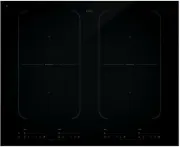
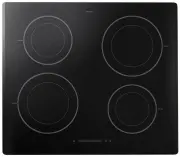
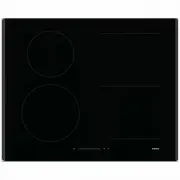
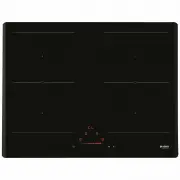
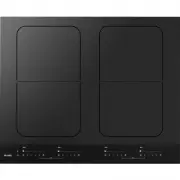
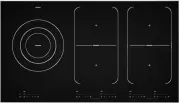
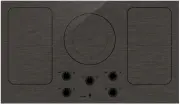
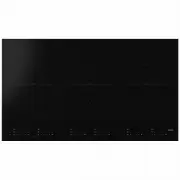
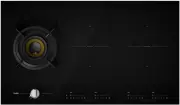
EN 6 Description HI1355G HI1655G/HI1655M HI1975G HI1995G YOUR INDUCTION HOB 1. Adaptive zone 180 x 220 mm 3,7kW (zones that can be connected) 2. Cooking zone Ø 260 5,5 kW (double ring) 1 1 1 1 1 1 1 1 1 2 1 1 1 1 1 1 1
Page 7 - Temperature safety; Setting; SAFETY
EN 7 Before use, read the separate safety instructions first! Temperature safety • A sensor continuously measures the temperature of certain parts of the hob. Every cooking zone is equipped with a sensor that measures the temperature of the bottom of the pan to avoid any risk of overheating when a p...
Page 8 - USE; Using the touch controls; Induction cooking is fast
EN 8 USE Using the touch controls The touch controls may take some getting used to if you are used to other (rotary) controls. Place the tip of your finger flat on the control to achieve the best results. You do not have to apply any pressure. The touch sensors only react to the light pressure of a ...
Page 9 - How does induction work
EN 9 USE How does induction work A magnetic field is generated in the appliance. By placing a pan with an iron base on a cooking zone, a current is induced in the pan base. This induced current generates heat in the base of the pan. Easy The electronic controls are accurate and easy to set. On the l...
Page 10 - Pans
EN 10 The fan is making noise To enlarge the lifespan of the electronics, the appliance is equiped with a fan. If you use the appliance intense, the fan is activated to cool down the appliance and you will hear a buzzing sound. The fan runs on for several minutes after the hob has been switched off....
Page 11 - Attention
EN 11 USE Attention Be careful with enamelled sheet-steel pans: • the enamel may chip (the enamel comes loose from the steel), if you switch the hob on at a high setting when the pan is (too) dry; • the base of the pan may warp - due, for example, to overheating or to the use of too high a power lev...
Page 12 - Switching on the hob and setting the power; You will hear a single beep.; Tips; Residual warmth indicator; OPERATION
EN 12 Switching on the hob and setting the power The cooking zones have 12 levels. Beside it there is a level ‘boost’. 1. Place a pan in the middle of a cooking zone. 2. Press the child lock button. You will hear a single beep. 3. Press the on/off button of the cooking zone concerned. A flashing ‘-’...
Page 13 - Boost; Switching on ‘boost’; Level 12 and ‘boost’ appear in the display.; Switching off ‘boost’; ‘Boost’ has been switched on, the display shows level 12 and ‘boost’.; Two cooking zones one in front of the other
EN 13 Boost You can use the ‘boost’ function to cook at the highest power level during a short period of time (max.10 minutes). After the maximum boost time the power will be reduced to setting 12. Switching on ‘boost’ 1. Put a pan on a cooking zone. 2. Press the >> button immediately after yo...
Page 14 - How to bridge the Vario induction zones; Activating the bridge mode; ‘BR’ will appear in the display on the rear zone. Then use the front; Deactivating the bridge mode; The front zone goes further on the level set in bridge function.
EN 14 OPERATION How to bridge the Vario induction zones The Vario induction zones can be bridged (linked) to each other. This creates 1 large zone that can be used for example for a large fish pan or one large cooking pan. • If the vario zones are bridged, they cannot be set to boost and the menu fu...
Page 15 - Switching off; Switching off one cooking zone; You will hear a beep and the level in the display disappears.; Switching off all cooking zones; lock button will blink very slowly.; Switching the hob from the eco stand-by mode to the standy-by; A single beep will be heard. All lights on the hob are out.; Did you know that
EN 15 Switching off Switching off one cooking zone Press the on/off button of the cooking zone you want to switch off. You will hear a beep and the level in the display disappears. • If all cooking zones have been switched off in this way, the hob will automatically be in the stand-by mode (also ref...
Page 16 - Child lock; Switching on the child lock
EN 16 Switching the hob to the eco stand-by mode • Press the child lock button. A will hear a single beep. The eco stand-by mode is active, the red light next to the child lock button keeps slowly going on and off. From the eco stand-by mode you can’t immediately start cooking. To be able to, the ho...
Page 17 - Pause; Switching the hob to the pause mode; Recognizing a mode; The eco stand-by mode
EN 17 Pause With this pause function, you can set the entire hob to ‘pause’ for 5 minutes during cooking. In this way you can leave or clean the hob in a safe way during a short period of time, without losing settings. Switching the hob to the pause mode • Press the pause button once. You will hear ...
Page 18 - Timer / Kitchen timer; The timer function; The display of the timer lights up and you’ll see three zeroes
EN 18 OPERATION Timer / Kitchen timer The timer/alarmclock button of each cooking zone has two functions: The timer function The kitchen timer function This function can be recognized by the red small arrow pointing up. This function can be recognized by the red small arrow pointing down. The time i...
Page 20 - Tip; You can press and hold the + or - button to set the desired cooking; Switching on and off the beep; The beep is now switched off for all button operations, except for; Switching on/off the automatic pan detection; If, after the hob has been turned on, a pan is placed in an inactive
EN 20 Tip You can press and hold the + or - button to set the desired cooking time quicker. Switching on and off the beep 1. Press the on/off button on the far left twice. 2. Press and hold the << button and the + button simultaneously until you hear a beep. The beep is now switched off for al...
Page 21 - Automatic cooking programs; To set an automatic program; The cooking zone is switched on.
EN 21 OPERATION Automatic cooking programs Your hob is fitted with 6 automatic cooking programs. You can set any end time of an automatic cooking program with the aid of the kitchen timer function (refer to page 22). The cooking programs are based on regular quantities. The tables are meant as a gui...
Page 22 - Switching off the chef function (HI1995G)
EN 22 OPERATION This function can only be switched on if the hob is not being used. To switch on this function, all zones first need to be switched off. With the far left-hand menu button, the function can be selected by releasing the menu button when the chef indicator (24) lights up. Switching off...
Page 24 - Function for keeping warm*; ture of 70 °C - 75 °C. The setting for keeping warm works best with a
EN 24 Function for keeping warm* The temperature of a dish is automatically kept at a constant tempera- ture of 70 °C - 75 °C. The setting for keeping warm works best with a lid on the pan. Larger quantities and thicker dishes need to be stirred ocassionally. The maximum time for keeping warm is 8 h...
Page 26 - Healthy cooking; Burning point of different types of oil; * This function works best with pans recommended by ASKO.
EN 26 Grill function*/** The grill setting provides the optimal grilling temperature. A beep can be heard when the pan has reached its temperature. Dish Number of people Quantity Pan Zone Meat, fi sh, vegetables 3 - 4 300 - 400 g Grill pan / plate Ø 210 / Vario 4 - 6 400 - 600 g Grill pan / plate Ø ...
Page 27 - Cooking settings; Use setting ‘boost’ and setting 11 and 12 to:
EN 27 Cooking settings Because the settings depend on the quantity and composition of the contents of the pan, the table below is intended as a guideline only. Use setting ‘boost’ and setting 11 and 12 to: • bring the food or liquid to the boil quickly; • ‘shrink’ greens; • heat oil and fat; • bring...
Page 29 - Cleaning; MAINTENANCE
EN 29 Cleaning Tip Set the child lock before you start cleaning the hob. Daily cleaning • Although food spills cannot burn into the glass, we nevertheless recommend you to clean the hob immediately after use. • Best for daily cleaning is a damp cloth with a mild cleaning agent. • Dry with kitchen pa...
Page 30 - General; If you notice a crack in the glass top (however small), switch the hob; Troubleshooting table; the points mentioned below.; Symptom; The preset time has ended.; TROUBLESHOOTING
EN 30 General If you notice a crack in the glass top (however small), switch the hob off immediately, unplug the hob, turn off the (automatic) fuse switch(es) in the meter cupboard or, in the event of a permanent connection, set the switch in the power supply lead to zero.) Contact the service depar...
Page 32 - Technical details; Hob type; TECHNICAL DETAILS
EN 32 Technical details This appliance complies with all relevant CE directives. Hob type HI1655G HI1655M Induction x x Connection 230V - 50Hz 230V - 50Hz Phases 2 2 Maximum capacity cooking zones Middle left Front left 3,7 kW (180x220) 3,7 kW (180x220) Rear left 3,7 kW (180x220) 3,7 kW (180x220) Re...
Page 34 - ENVIRONMENTAL ASPECTS; Disposal of packaging and appliance; Declaration of conformity
EN 34 ENVIRONMENTAL ASPECTS Disposal of packaging and appliance In the manufacturing of this appliance durable materials were used. Make sure to dispose of this equipment responsibly at the end of its lifecycle. Ask the authorities for more information regarding this. The appliance packaging is recy...