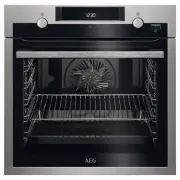
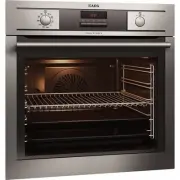
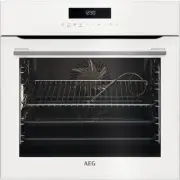
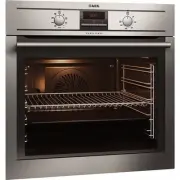
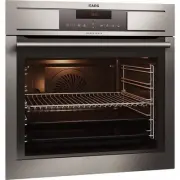
Page 2 - CUSTOMER CARE AND SERVICE; SAFETY INFORMATION; Before the installation and use of the appliance,
CONTENTS 1. SAFETY INFORMATION............................................................................................. 2 2. SAFETY INSTRUCTIONS.............................................................................................4 3. PRODUCT DESCRIPTION......................................
Page 4 - SAFETY INSTRUCTIONS; Installation
• Ensure that the appliance is switched off before replacing the lamp to avoid the possibility of electric shock. • Do not use a steam cleaner to clean the appliance. • Do not use harsh abrasive cleaners or sharp metal scrapers to clean the glass door since they can scratch the surface, which may re...
Page 6 - PRODUCT DESCRIPTION; General overview
• Replace immediately the door glass panels when they are damaged. Contact the Authorised Service Centre. • Be careful when you remove the door from the appliance. The door is heavy! • Clean regularly the appliance to prevent the deterioration of the surface material. • Clean the appliance with a mo...
Page 7 - BEFORE FIRST USE; Initial Cleaning; DAILY USE; Retractable knobs
4. BEFORE FIRST USE WARNING! Refer to Safety chapters. To set the Time of day refer to "Clock functions" chapter. 4.1 Initial Cleaning Remove all accessories and removable shelf supports from the appliance. Refer to "Care and cleaning" chapter. Clean the appliance and the accessories...
Page 8 - Oven functions; Display
5.3 Oven functions Oven function Application Off position The appliance is off. Light To activate the lamp without a cooking function. Top / BottomHeat / AquaCleaning To bake and roast food on one shelf position.For more information about Aqua Cleaning, refer tothe chapter "Care and cleaning"...
Page 9 - CLOCK FUNCTIONS
5.5 Buttons Button Function Description MINUS To set the time. CLOCK To set a clock function. PLUS To set the time. 6. CLOCK FUNCTIONS 6.1 Clock functions table Clock function Application TIME OF DAY To set, change or check the time of day. DURATION To set how long the appliance operates. END To set...
Page 10 - USING THE ACCESSORIES
4. When the time ends, flashes and an acoustic signal sounds. The appliance deactivates automatically. 5. Press any button to stop the signal. 6. Turn the knob for the oven functions and the knob for the temperature to the off position. 6.5 Setting the TIME DELAY 1. Set an oven function and temperat...
Page 11 - Telescopic Runners; ADDITIONAL FUNCTIONS; Cooling fan; HINTS AND TIPS
Small indentation at the top increase safety. The indentations are also anti-tip devices. The high rim around the shelf prevents cookware from slipping of the shelf. 7.2 Telescopic Runners Keep the installation instructions for the telescopic runners for future use. With telescopic runners you can p...
Page 16 - Grilling
Food Top / Bottom Heat True Fan Cooking Time (min) Comments Tempera-ture (°C) Shelf posi-tion Tempera-ture (°C) Shelf posi-tion Englishroast beef,well done 210 2 200 2 70 - 75 On a wireshelf Shoulderof pork 180 2 170 2 120 - 150 With rind Shin ofpork 180 2 160 2 100 - 120 2 pieces Lamb 190 2 175 2 1...
Page 17 - Turbo Grilling
Food Quantity Tempera-ture (°C) Time (min) Shelf posi-tion Pieces (g) 1st side 2nd side Filletsteaks 4 800 max. 12 - 15 12 - 14 4 Beef steaks 4 600 max. 10 - 12 6 - 8 4 Sausages 8 - max. 12 - 15 10 - 12 4 Pork chops 4 600 max. 12 - 16 12 - 14 4 Chicken(cut in 2) 2 1000 max. 30 - 35 25 - 30 4 Kebabs ...
Page 18 - Drying - True Fan Cooking
Food Quantity (kg) Temperature(°C) Time (min) Shelf position Meat loaf 0.75 - 1 160 - 170 50 - 60 1 or 2 Pork knuckle (pre-cooked) 0.75 - 1 150 - 170 90 - 120 1 or 2 Veal Food Quantity (kg) Temperature(°C) Time (min) Shelf position Roast veal 1 160 - 180 90 - 120 1 or 2 Knuckle of veal 1.5 - 2 160 -...
Page 19 - CARE AND CLEANING; Notes on cleaning
Vegetables Food Temperature(°C) Time (h) Shelf position 1 position 2 positions Beans 60 - 70 6 - 8 3 1 / 4 Peppers 60 - 70 5 - 6 3 1 / 4 Vegetables forsour 60 - 70 5 - 6 3 1 / 4 Mushrooms 50 - 60 6 - 8 3 1 / 4 Herbs 40 - 50 2 - 3 3 1 / 4 Fruit Food Temperature(°C) Time (h) Shelf position 1 position ...
Page 21 - Replacing the lamp
4. Put the door on a soft cloth on a stable surface. 5. Hold the door trim (B) on the top edge of the door at the two sides and push inwards to release the clip seal. 1 2 B 6. Pull the door trim to the front to remove it. 7. Hold the door glass panels by their top edge and carefully pull them out on...
Page 22 - The back lamp; TROUBLESHOOTING; Service data
CAUTION! Always hold the halogen lamp with a cloth to prevent grease residue from burning on the lamp. 1. Deactivate the appliance. 2. Remove the fuses from the fuse box or deactivate the circuit breaker. The back lamp 1. Turn the lamp glass cover counterclockwise to remove it. 2. Clean the glass co...
Page 23 - INSTALLATION; Building In
We recommend that you write the data here: Product number (PNC) ......................................... Serial number (S.N.) ......................................... 12. INSTALLATION WARNING! Refer to Safety chapters. 12.1 Building In 16 573 21 548 min. 550 20 600 min. 560 558 589 114 594 595 +/-...
Page 24 - ENERGY EFFICIENCY; Product Fiche and information according to EU 65-66/2014
The earth cord (green / yellow cable) must be 2 cm longer than phase and neutral cables (blue and brown cables). 13. ENERGY EFFICIENCY 13.1 Product Fiche and information according to EU 65-66/2014 Supplier's name AEG Model identification BEE431111MBEK431111MBES331111M Energy Efficiency Index 100.0 E...
Page 25 - ENVIRONMENTAL CONCERNS
14. ENVIRONMENTAL CONCERNS Recycle the materials with the symbol . Put the packaging in applicable containers to recycle it. Help protect the environment and human health and to recycle waste of electrical and electronic appliances. Do not dispose appliances marked with the symbol with the household...