BISSELL 2931F - User Manual
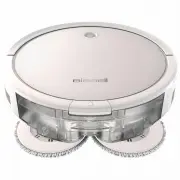
BISSELL 2931F Robot Vacuum – User Manual, read for free online in PDF format. We hope this helps you resolve any issues you may have. If you have further questions, please contact us through the contact form.


Table of Contents:
- Page 2 – WARNING; TO REDUCE THE RISK OF FIRE, ELECTRIC SHOCK OR INJURY:; READ ALL INSTRUCTIONS BEFORE USING YOUR APPLIANCE.; IMPORTANT SAFETY INSTRUCTIONS
- Page 3 – SAVE THESE INSTRUCTIONS; ORIGINAL INSTRUCTIONS.; THIS MODEL IS FOR HOUSEHOLD USE ONLY.; IMPORTANT INFORMATION; SYMBOL; Wet Mop Mode for Hard Surfaces
- Page 4 – Docking and Charging Your Robot; Status
- Page 5 – Connecting to the App; Automatic Cleaning
- Page 6 – Filling Your Mop Tank; Mop Mode; Choosing Your Formula; intended for use with this appliance.
- Page 7 – Sanitizing with Spot Mode; Manual Cleaning
- Page 8 – Maintaining the Mop Pads and Debris Trap
- Page 9 – Do not wash the filters.; Dry Vacuum Mode
- Page 10 – Maintaining the Brushes and Wheels; troubleshooting checks.
- Page 11 – Sensors and Contacts; Do not remove the plastic
- Page 12 – Troubleshooting; Problem; Error Notifications; Sound Button Light State Error; Storing Your Robot; NOTICE; components may result.
- Page 13 – Warranty; BISSELL® One-Year Warranty; For Australian Consumers Only:; Consumer Care; Australia
- Page 14 – Notes
Product Overview
1. Tank Release Button
2. Power Switch
3. Mop Pads
4. Bumper
5. Start/Pause Button
6. Edge Cleaning Brushes
Go online for a comprehensive walkthrough
of your product!
This guide has everything you need to get ready for first use,
including setting up, using and maintaining your machine,
but online you’ll find additional resources like tips and
troubleshooting, videos, product registration, parts, and more.
Go to
global.BISSELL.com
.
What’s in the Box? .......................................................... 4
Docking and Charging Your Robot ..................... 4
Connecting to the App ................................................ 5
Automatic Cleaning ........................................................ 5
Mop Mode ............................................................................. 6
Dry Vacuum Mode .......................................................... 8
Maintaining the Brushes and Wheels .............. 10
Cleaning the Sensors ..................................................... 11
Replacing the Battery ................................................... 11
Troubleshooting ...............................................................12
Storing Your Robot ........................................................12
Warranty ...............................................................................13
2
3
1
5
4
6
SPINWAVE ® ROBOT
MODEL 293 1 F
HO
ME
CL
EANING EXP
ER
TS
EST. 1
876 U.S
.A
.
"Loading the manual" means you need to wait until the file loads and becomes available for online reading. Some manuals are very large, and the time they take to appear depends on your internet speed.
Summary
2 BISSELL.com WARNING TO REDUCE THE RISK OF FIRE, ELECTRIC SHOCK OR INJURY: • This appliance can be used by children aged from 8 years and above and persons with reduced physical, sensory or mental capabilities or lack of experience and knowledge if they have been given supervision or instruction co...
BISSELL.com 3 SAVE THESE INSTRUCTIONS ORIGINAL INSTRUCTIONS. FOR OPERATION ON A 220-240 VOLT A.C. 50-60 HZ POWER SUPPLY ONLY. THIS MODEL IS FOR HOUSEHOLD USE ONLY. IMPORTANT INFORMATION • The software included in this product contains open source software. The open source licenses associated with th...
4 BISSELL.com Formula Water BISSELL® SpinWave® Robot with Dirt Bin Mop Tank with Mop Pads Docking Station Docking Tray Power Adapter Cleaning Tool Trial-Size Formula Replacement Edge Cleaning Brushes (select models) (2) Extra Mop Pads Extra Filter What’s in the Box? Standard accessories may vary by ...

