Baumatic BSO65 - User Manual
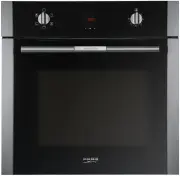
Baumatic BSO65 Oven – User Manual, read for free online in PDF format. We hope this helps you resolve any issues you may have. If you have further questions, please contact us through the contact form.


Table of Contents:
- Page 3 – SAFETY INSTRUCTIONS; H07RN-F supply cord for connection to the power supply.
- Page 4 – Unplug or disconnect your oven if it malfunctions.
- Page 5 – CAUTION
- Page 6 – Before First Use
- Page 7 – Cleaning the Oven Exterior and; Cleaning and Maintenance; Cleaning the Oven Interior
- Page 8 – Cleaning the Oven Door; Cleaning the Large Inner
- Page 9 – Changing the Oven Light bulb; If Something Goes Wrong
- Page 10 – Technical Specifications; Prior to Installation
- Page 11 – Control Panel; Oven Functions
- Page 12 – Using the Oven
- Page 15 – Shelf positions
- Page 16 – Figures
Installation and Instructions for Use
BSO65
"Loading the manual" means you need to wait until the file loads and becomes available for online reading. Some manuals are very large, and the time they take to appear depends on your internet speed.
Summary
3 SAFETY INSTRUCTIONS Read this Instruction Manual carefully to obtain thebest performance from your oven. Keep this manualso that it can be read by a new owner. Electrical Safety • The oven is supplied with a H05RR-F, H05SS-F or H07RN-F supply cord for connection to the power supply. • The oven sho...
4 • Unplug or disconnect your oven if it malfunctions. • In ovens combined with hobs, only those recommended by the manufacturer may be fitted. Child Safety During use, the appliance becomes hot. Care should betaken to avoid touching heating elements inside the oven. WARNING: Accessible parts may be...
5 • The grid has a system enabling partial removal easy for handling food. • The oven heats up when in use, so please use oven gloves when performing operations inside the oven and avoidtouching the heating elements. • Only use the temperature probe supplied to measure the temperature inside the ove...


