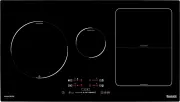
Page 2 - INDUCTION AND VITROCERAMIC HOBS
INSTALLATION INSTRUCTIONS AND USE AND MAINTENANCE RECOMMENDATIONS INDUCTION AND VITROCERAMIC HOBS BSIH 64-ANZ / 91102078 BSIH 95-ANZ / 91102079
Page 3 - Contents
3 Contents Introduction User Guide Installation Positioning the hobs Fixing the hob Connecting the electricity Technical information Dimensions and characteristics Use and Maintenance Touch Control Panel User Instructions Page 4 5 7 7 8 8 10 10 11 11 Suggestions and recommendations Cleaning and care...
Page 4 - Introduction
4 Introduction Notes about the cookware to be used with your induction hob. The size of the base of the cookware to be used should be large enough to completely cover the cooking zone drawn on the glass.Depending on the type of cookware (material and size), the induction zones may work with smaller ...
Page 5 - Guide to Using the Instructions Booklet
5 Guide to Using the Instructions Booklet Dear Customer, We are delighted that you have put your trust in us. We are confident that the new hob that you have purchased will fully satisfy your needs. This modern, functional and practical model has been manufactured using top- quality materials that h...
Page 7 - Positioning the hobs; Installation
7 INSTALLATION AND SETUP SHOULD BE CARRIED OUT BY AN AUTHORISED TECHNICIAN ACCORDING TO CURRENT INSTALLATION STANDARDS. Positioning the hobs To install these models, an opening with the dimensions shown in figure 1 should be cut into the unit's worktop. The system for fixing the hob is intended for ...
Page 10 - Technical data; Technical Information; Dimensions and characteristics
10 Technical data Class 3 Hob. Technical Information * Power of the induction elements with the Power function activated. BSIH 64- ANZ 50 / 60 7.400 60 600 510 560 490 55 2 1 1 Dimensions and characteristics Models Dimensions of the hob Height (mm) Length (mm) Width (mm) Dimensions for positioning i...
Page 11 - Use and Maintenance; The aesthetics
11 Touch control panel user instructions CONTROL PANEL ELEMENTS (see fig. 4) General on/off sensor. Cursor slider for controlling power. PLATE SELECTION SENSORS and power indicators. * Timer indicators. Direct access to Power Function . Activation sensor for Block Function . Activation sensor for St...
Page 12 - Pan detector
12 TURNING THE APPLIANCE ON The first time the cooktop is plugged in (or after a power outage), the Block function will appear as activated (pilot light 10 on). In this case, you must deactivate the block function in order to turn the cooktop on. To do this, push sensor (6) until pilot (10) turns of...
Page 13 - Power; Function
13 power level previously selected. The time for pan detection is 3 minutes. If a pan is not placed within this time period, or the pan is unsuitable, the cooking zone shuts off. The power indicator will go from showing the symbol "there is no pan" to showing 0. When finished, turn off the c...
Page 15 - Timer function; Table 1
15 When the "safety shut off" has occurred, the power indicator of the corresponding plate will show an H if there exists a burn risk. Otherwise, a 0 will be shown. COVERED SENSORS SAFETY The touch control is equipped with a func- tion to detect when an object (pan, cloth or certain liquids)...
Page 16 - Suggestions and; Right
16 Disconnecting the clock If you wish to stop the clock before the pro- grammed time is up, this can be done at any time by simply adjusting its value to '--'. 1 Select the plate you wish to stop the timer on by directly touching its corres- ponding indicator (3). 2 Adjust the value of the clock to...
Page 17 - Cleaning and care
17 * Do not drag over the glass cookware with corners or edges that could damage the glass. * The glass will withstand bangs from large cookware that does not have sharp edges. Please be careful with impacts from small, sharp utensils. * Please be careful not to let sugar or pro- ducts containing su...
Page 18 - Using the scraper
18 Sticky stains that have been burned in can be removed by using a scraper with a razor blade. Rainbow colouring: caused by cookware that has dry bits of grease on its base or when grease gets between the glass and the cookware while cooking. It can be removed from the surface of the glass using a ...
Page 19 - Environmental
19 alter its manuals in any way it deems necessary or useful while not altering their basic characteristics. Environmental considerations The symbol on the product or on its packaging indicates that this product may not be treated as household waste. Instead, it should be handed over to the applicab...
Page 20 - If something doesn't work
20 If something doesn't work Before calling the Technical Service, please check the following possible causes and solutions: Problem Possible cause Solution The cookware is inadequate (it doesn't have a ferromagne- tic base or it is too small). Make sure that the base of the cookware is attracted by...
Page 22 - DO NOT ATTEMPT TO REPAIR THE APPLIANCE YOURSELF.
IMPORTANT: If your appliance appears not to be operating correctly, then you should disconnect it from your mains supply and then contact the Customer Care Department. DO NOT ATTEMPT TO REPAIR THE APPLIANCE YOURSELF. Please note that if an engineer is asked to attend whilst the product is under guar...
Page 23 - United Kingdom
(AUS) Think Appliances Pty Ltd. 416-424 Barry Rd Coolaroo VIC 3048 Sales Telephone 1300 132 824 Service Telephone 1800 444 357 Website www.thinkappliances.com (NZ) Applico Ltd. Private Bag 92900 Onehunga, Auckland, New Zealand 1061 Website www.baumatic.co.nz (UK) United Kingdom Baumatic Ltd., Baumat...