AprilAire E070 - User Manual
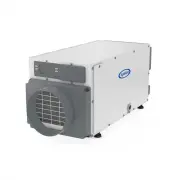
An Installation Manual for the Aprilaire Model E070 dehumidifier covers its primary function: removing moisture from crawl spaces to maintain optimal humidity levels. The guide addresses setup, operational principles–such as air intake, outlet discharge, and moisture extraction–and includes maintenance tips like filter cleaning or drain checks. It also outlines basic troubleshooting for common issues, including error codes displayed on the control panel.


Table of Contents:
- Page 1 – Installation and Operation of Dehumidifier
- Page 2 – Humidity Control and External Operation
- Page 3 – Maintenance and Troubleshooting
- Page 4 – Limited Warranty and Registration
Dehumidifer Control
ON /OFF
button
used to turn
dehumidifier on
and off
Up/ Down
buttons used to
change humidity
setting
MODE
button
used for optional
ventilation feature
Inlet
Filter Access
Door
Drain
Power
Switch
Outlet
P L E A S E L E AV E T H I S M A N U A L W I T H T H E H O M E O W N E R
CRAWL SPACE DEHUMIDIFICATION
The Aprilaire
®
dehumidifier controls the humidity level in your crawl space. A powerful blower inside the dehumidifier draws air into the
cabinet, filters the air and removes moisture, then discharges the dry air into the crawl space. Inside the cabinet, a sealed refrigeration system
removes moisture by moving the air through a series of tubes and fins that are kept colder than the dew point of the incoming air. The dew
point is the temperature at which moisture in the air will condense, much like what occurs on the outside of a cold glass on a hot summer
day. The condensed moisture drips into the dehumidifier drain pan to a drain tube routed to the nearest floor drain or condensate pump. After
the moisture is removed, the air moves through a second coil where it is reheated before being sent back into the space. The air leaving the
dehumidifier will be warmer and drier than the air entering the dehumidifier.
Installed by: _________________________________ Installer Phone: _______________________ Date Installed: _______________
90-2309
Model E070 Dehumidifier
Owner’s Manual
"Loading the manual" means you need to wait until the file loads and becomes available for online reading. Some manuals are very large, and the time they take to appear depends on your internet speed.
Was this manual helpful?
About this manual
- Brand
- AprilAire
- Model
- E070
- Document type
- User Manual
- Category
- Air Dryer
- Language(s)
- English
- Pages
- 4
- File size
- 428.1 KB
- Format
Summary
Instructions for installing the unit, identifying labeled parts including the control panel, inlet, outlet, and drain, and the process of crawl space dehumidification.
Methods for setting desired humidity levels, operational cycle details, and instructions for installing and using the optional external Model 76 control.
Instructions for cleaning or replacing the air filter, checking the drain system, and explanations for diagnostic codes displayed on the control screen.
Ask a question
Related manuals
More AprilAire Air Dryers models


Other AprilAire appliances
 AprilAire 65 Manual
 AprilAire 70 Manual
 AprilAire 76 Manual
 AprilAire 110 User Manual
- AprilAire 112 User Manual
- AprilAire 220 User Manual
- AprilAire 224 User Manual
 AprilAire 300 User Manual
- AprilAire 350 User Manual
- AprilAire 360 User Manual
 AprilAire 400A Manual
 AprilAire 400M User Manual
- AprilAire 440 User Manual
- AprilAire 445 User Manual
 AprilAire 500A Manual
- AprilAire 500M Manual
- AprilAire 550 User Manual
- AprilAire 560 User Manual