Page 2 - – Humidification automatic or manual control .; WARNING
TABLE OF CONTENTS FEATURES . . . . . . . . . . . . . . . . . . . . . . . . . . . . . . . . . . . . . . . . . . . . . . . . . 2 DISPLAY OVERVIEW . . . . . . . . . . . . . . . . . . . . . . . . . . . . . . . . . . . . . . . . 3 Home Screen . . . . . . . . . . . . . . . . . . . . . . . . . . . . . . . ...
Page 3 - DISPLAY OVERVIEW; HOME SCREEN; Touch; Display may differ depending on equipment/options installed.
DISPLAY OVERVIEW HOME SCREEN NOTE: SCREEN BRIGHTENS AFTER FIRST TOUCH . OUTDOOR TEMPERATURE & HUMIDITY HEATING AND COOLING EQUIPMENT STATUS HOLD MENU & STATUS DETAILED EQUIPMENT STATUS HEAT BLAST MODE & STATUS WEATHER FORECAST & ALLERGY REPORT ACTIVE ALERTS & ALERT SETTINGS CURRE...
Page 4 - Search and install the; Aprilaire Wi-Fi Thermostat App; from the App Store .; iOS; Open the app on your device .
WI-FI SETUP – iOS iOS DOWNLOAD THE APP 1. Search and install the Aprilaire Wi-Fi Thermostat App from the App Store . iOS CREATE A NEW APRILAIRE ACCOUNT 2. Open the app on your device . 3. Tap New User . 4. Fill out the form and tap Create . 5. A confirmation email will be sent to you . Click the c...
Page 5 - Select your home network.
WI-FI SETUP – iOS iOS CONNECT YOUR WI-FI THERMOSTAT TO YOUR HOME NETWORK 6. Confirm your thermostat is in Wi-Fi setup mode . The signal indicator will be strobing . 7. Open the app and select Connect a new thermostat from the Login screen . IMPORTANT: DO NOT LOG IN. 8. Open Settings . 9. Select Wi-...
Page 6 - Tap; ADDITIONAL RESOURCES; Visit
WI-FI SETUP – iOS iOS ADD THERMOSTAT TO USER ACCOUNT 16. Enter your Email Address and Password . 17. Tap Login . The MAC ID for the thermostat will be filled in the box . Do not change it . 18. Enter a name for your thermostat (i .e . Office, Den, Kitchen), thermostat location (i .e . House, Cabin,...
Page 7 - WI-FI SETUP – Android; Android
WI-FI SETUP – Android Android DOWNLOAD THE APP 1. Search and install the Aprilaire Wi-Fi Thermostat App from Google Play . Android CREATE A NEW APRILAIRE ACCOUNT 2. Open the app on your device . 3. Tap New User . 4. Fill out the form and tap Create . 5. A confirmation email will be sent to you . C...
Page 10 - THERMOSTAT OPERATION; SELECT SYSTEM MODE
THERMOSTAT OPERATION SELECT SYSTEM MODE 1. Touch MODE to open the Thermostat Mode screen . 2. Select the desired mode . 3. Touch Done to save any changes . Touch Back to discard your changes . The thermostat will automatically discard your changes if one minute elapses without touching Done . Note: ...
Page 11 - SELECT FAN SETTING; FAN
THERMOSTAT OPERATION SELECT FAN SETTING When the fan mode is changed during a scheduled event, it remains in that mode until the next event starts . To learn about scheduled events, see pages 14-17 . 1. Touch FAN to open the Fan Mode screen . 2. Select the desired mode . 3. Touch Done to save any ch...
Page 12 - SET TIME AND DATE; Menu
THERMOSTAT OPERATION SET TIME AND DATE The thermostat will automatically retrieve Time and Date from the internet (if connected and registered) . If the thermostat is used without an internet connection the time can be manually adjusted . To set the time: 1. Touch Menu to open the Menu screen . 2. T...
Page 13 - Done
THERMOSTAT OPERATION SET TIME AND DATE (continued) To set the date: 6. Touch the current date . The Set Date pop-up will appear . 7. Touch the or arrows to set correct month, date and year . 8. Touch Done to save any changes . Touch Back to discard your changes . The thermostat will automatically di...
Page 14 - SCHEDULE AND HOLDS; UNDERSTANDING SCHEDULES; AUTO
SCHEDULE AND HOLDS UNDERSTANDING SCHEDULES The daily schedule is split into four events: WAKE: Temperature when you wake up in the morning . LEAVE: Temperature when you are away from the house . RETURN: Temperature when you return home . SLEEP: Temperature you would prefer while sleeping . The times...
Page 15 - CHANGING SCHEDULES; To set the start time:
SCHEDULE AND HOLDS CHANGING SCHEDULES 1. Touch Menu to open the Menu screen . 2. Touch Schedule to open the Set Schedule screen . The current day of the week will be displayed on the Set Schedule screen . From this screen you can change the start time, heat and cool setpoints, and fan mode for each ...
Page 16 - To set the temperature:; To set the fan mode:
SCHEDULE AND HOLDS CHANGING SCHEDULES (continued) To set the temperature: 6. Touch the event heat or cool setpoint . The Set Temperature pop-up will appear . 7. Touch the or arrows to set the desired event temperature . 8. Touch Done to save any changes . Touch Back to discard your changes . To set ...
Page 17 - Copy this Day
SCHEDULE AND HOLDS CHANGING SCHEDULES (continued) To copy one day's schedule to other days: 1. Touch Copy this Day to open the Schedule Menu screen . 2. Select the day(s) you want to copy the schedule to . 3. Touch Done when finished . You will then be prompted to confirm your selections . 4. Touch ...
Page 18 - SCHEDULE HOLDS; Temporary Hold
SCHEDULE AND HOLDS SCHEDULE HOLDS Temporary Hold 1. Touch the or arrows to set your desired temperature . The Set Temporary Hold pop-up will appear . 2. The temporary hold will run until the current schedule event ends . You can select a different time by touching the or arrows on the Set Temporary ...
Page 19 - Vacation Hold; Cancel Hold
SCHEDULE AND HOLDS SCHEDULE HOLDS (continued) Vacation Hold This energy saving feature allows you to suspend the programmed schedule for extended periods of time . The temperature and dehumidification setpoint (optional) you select will be maintained continuously until the vacation hold end date and...
Page 20 - HEAT BLAST
SCHEDULE AND HOLDS SCHEDULE HOLDS (continued) Heat Blast® (if installed) Heat Blast will raise the current room temperature by 3°F to 5°F once, and then resume normal operation . This feature is only available if it was enabled by your installer and the thermostat is in Heat or Emergency Heat mode ....
Page 21 - STATUS
STATUS The Operating Status screen shows you the current status of all equipment controlled by this thermostat . ON indicates that the equipment is currently active . OFF indicates that the equipment is not active and cannot become active without changing its corresponding mode . IDLE means that the...
Page 22 - ALERTS
ALERTS Alerts are used to communicate special information to you . Some of the alerts are controlled by your settings (i .e . High/Low Temperature, High/Low Relative Humidity [RH]), and others are system alerts that may require a specific action by you or your installer to resolve .If any alerts are...
Page 24 - MAINTENANCE REMINDERS
ALERTS MAINTENANCE REMINDERS Maintenance reminders appear when it is time to service your equipment, based on the limits set by your installer . In some cases, you may need to service your installed equipment before the maintenance reminder has appeared on the thermostat . Any maintenance reminders ...
Page 25 - WEATHER
WEATHER The Weather screen displays the current weather, two-day forecast and current pollen information, if available . The information displayed is based on your postal code . 1. Touch WEATHER to open the Weather screen . 2. Touch Settings to open the Weather Settings screen . 3. Touch the postal ...
Page 26 - INDOOR AIR QUALITY FUNCTIONS; HUMIDITY CONTROL; Automatic Mode; Humidity Control
INDOOR AIR QUALITY FUNCTIONS HUMIDITY CONTROL This thermostat can control the relative humidity (RH) in your home when you have an additional humidifier and/or dehumidifier installed . Dehumidification can be achieved one of two ways, either with a whole-home dehumidifier or with your air conditioni...
Page 27 - Manual Mode; Dehumidification; Off
INDOOR AIR QUALITY FUNCTIONS HUMIDITY CONTROL (continued) Manual Mode In manual mode, it is important to anticipate a drop in outdoor temperature and to reduce the setting accordingly to avoid excessive condensation . Use the table on the right side of the Humidifier Control screen to determine the ...
Page 28 - EVENT BASEDTM AIR CLEANING; Air Cleaning
INDOOR AIR QUALITY FUNCTIONS EVENT BASED™ AIR CLEANING If an air cleaner is installed, the thermostat will activate the fan for the purpose of air cleaning . 1. Touch Air Cleaning on the home screen to open the Air Cleaner Control screen . TEMPORARY EVENTS Event Clean (3 Hour): When you need the fan...
Page 29 - FRESH AIR; Fresh Air
INDOOR AIR QUALITY FUNCTIONS FRESH AIR If ventilation is installed, fresh air is periodically drawn into your home through your heating and cooling system . The schedule is based on installer-calculated requirements . Occasionally, you may need more fresh air than what is scheduled . This thermostat...
Page 30 - USER PREFERENCES
USER PREFERENCES This thermostat comes with a programmable schedule, a temperature scale set to Fahrenheit, default Away settings and with no screen lockout in place . These settings may not suit every homeowner’s needs and can be adjusted in the User Preferences screen . 1. Touch Menu to open the M...
Page 31 - AWAY BUTTON; Away Button
USER PREFERENCES AWAY BUTTON While this thermostat has heating and cooling setpoints pre-programmed for use with the Away feature, you may prefer other temperatures . The steps below do not activate or deactivate the Away mode, but they do tell the thermostat what setpoints to use when you choose to...
Page 33 - LOCKOUTS; Lockouts
USER PREFERENCES LOCKOUTS A lockout is used to prevent any changes to the thermostat from the Home screen . 1. Touch Lockouts to open the Lockouts screen . 2. Select Full to enable the thermostat lockout . Select None to disable the thermostat lockout . 3. Touch Done to save the changes . Note: To t...
Page 34 - TEMPERATURE SCALE; Temperature Scale
USER PREFERENCES TEMPERATURE SCALE The temperature scale on the thermostat can be set to Fahrenheit or Celsius . This affects all settings in the thermostat . 1. Touch Temperature Scale to open the Temperature Scale screen . 2. Select Fahrenheit or Celsius . 3. Touch Done to save any changes . Touch...
Page 35 - SCHEDULE SETTINGS; Schedule Settings
USER PREFERENCES SCHEDULE SETTINGS While the schedule settings can be user-adjusted, it may become necessary to reset the schedule to the factory defaults or to disable the schedule entirely . 1. Touch Schedule Settings to open the Schedule Settings screen . 2. Select Off to disable the schedule . T...
Page 36 - CLEAN SCREEN
CLEAN SCREEN The touch screen can be temporarily disabled in order to clean it . Use a damp cloth with water or household glass cleaner . Do not spray liquids directly on the screen . 1. Touch Menu to open the Menu screen . 2. Touch Clean Screen to disable the touch screen for 30 seconds . The therm...
Page 37 - WI-FI MAINTENANCE AND TROUBLESHOOTING; WI-FI STATUS INDICATOR; You should have one to four bars .; Internet connection lost.; Thermostat is connected to the access
WI-FI MAINTENANCE AND TROUBLESHOOTING WI-FI STATUS INDICATOR Connected, operating normally. You should have one to four bars . Internet connection lost. Thermostat is connected to the access point/router, but not the internet . MP4 Strobing icon. Thermostat has not been configured to be used with a ...
Page 38 - CLEARING ROUTER SETTINGS; To clear router settings:
WI-FI MAINTENANCE AND TROUBLESHOOTING CLEARING ROUTER SETTINGS If you purchase a new Wi-Fi router or change the security settings on your existing router, the router settings in the thermostat need to be cleared so the new Wi-Fi router settings can be entered . To clear router settings: 1. Touch Men...
Page 39 - REMOVING THE THERMOSTAT FROM A USER ACCOUNT
WI-FI MAINTENANCE AND TROUBLESHOOTING REMOVING THE THERMOSTAT FROM A USER ACCOUNT This thermostat can only be registered to one User Account . If this thermostat has previously been registered to an account that is no longer active or no longer applicable to this home, it will need to be unregistere...
Page 40 - DISABLING THE WI-FI RADIO; To disable the thermostat’s Wi-Fi radio:
WI-FI MAINTENANCE AND TROUBLESHOOTING DISABLING THE WI-FI RADIO The Wi-Fi radio can be manually disabled while maintaining all other network settings . To disable the thermostat’s Wi-Fi radio: 1. Touch Menu to open the Menu screen . 2. Touch Wi-Fi Settings to open the Wi-Fi Settings screen . 3. Touc...
Page 41 - FIVE YEAR LIMITED WARRANTY; WARRANTY REGISTRATION
FIVE YEAR LIMITED WARRANTY Your Research Products Corporation Aprilaire® thermostat is expressly warranted for five (5) years from date of installation to be free from defects in materials or workmanship . Research Products Corporation’s exclusive obligation under this warranty shall be to supply, w...
Page 42 - FCC DECLARATION; IC STATEMENT
Aprilaire.com P .O . Box 1467 Madison, WI 53701-1467800-545-2219 F: 608-257-4357 U .S . Patent Numbers 8,146,376, 8,596,078 and other patents pending ©2017 Aprilaire – A division of Research Products Corporation 10011744 B2206994C 6 .17 FCC DECLARATION Compliance Statement (Part 15.19) This device c...
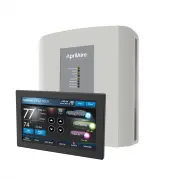


 AprilAire 65 Manual
 AprilAire 70 Manual
 AprilAire 76 Manual
 AprilAire 110 User Manual
 AprilAire 300 User Manual
 AprilAire 400A Manual
 AprilAire 400M User Manual
 AprilAire 500A Manual