ZOSI 2IPC-1828A-W-C-A2 - User Manual
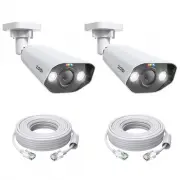
ZOSI 2IPC-1828A-W-C-A2 Security Camera – User Manual, read for free online in PDF format. We hope this helps you resolve any issues you may have. If you have further questions, please contact us through the contact form.


Table of Contents:
- Page 2 – What’s in the Box
- Page 3 – Camera Introduction; NOTE: Actual appearance and accessories are subject to the model
- Page 4 – Connection Diagram
- Page 5 – Set up the Camera
- Page 6 – Install the Camera
- Page 7 – DOME CAMERA:
- Page 8 – BULLET CAMERA:
- Page 9 – Installation Distance, Height and Angle; Terms of Use
- Page 10 – FCC Compliance Statement
- Page 11 – Correct Disposal of this Product
PoE Camera User Manual
This guide will get you going with your camera. For more details and information
of the camera, please contact us or your dealer.
"Loading the manual" means you need to wait until the file loads and becomes available for online reading. Some manuals are very large, and the time they take to appear depends on your internet speed.
Summary
01 1/ What’s in the Box NOTE: • The number of accessories varies with the camera model you purchased. Waterproof Lid×1 Quick Start Guide×1 Ethernet Cable×1 Mounting Screws×1 Camera×1 or Mounting Templates×1 or
02 2/ Camera Introduction NOTE: Actual appearance and accessories are subject to the model you purchased. Built-in Speaker Microphone Lens Spotlights*2 Power Port Network Port Infrared LEDs*4 Reset Button *Press and hold for 5 seconds to reset the camera to factory settings. Reset Button *Press and ...
03 3/ Connection Diagram NOTE: The cameras in the kit do not support connection via Method A.The PoE cameras are fully compatible only with our company's PoE NVR. 1. Connect the camera to the PoE switch or injector. Before initial setup, follow the steps below to connect the camera. A 1. Connect the...


