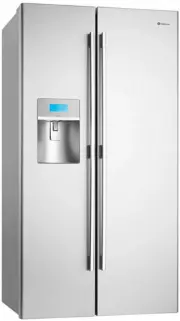
Congratulations
Dear customer, Congratulations and thank you for choosing our refrigerator. We are sure you will find your new appliance a pleasure to use. Before you use the appliance, we recommend that you read through the entire user manual, which provides the description of the appliance and its functions. To avoid the risks that are always present when you use an electrical appliance, it is important that the appliance is installed correctly and that you read the safety instructions carefully to avoid misuse and hazards. We recommend that you keep this instruction booklet for future reference and pass it on to any future owners. After unpacking the appliance, please check that it is not damaged. If in doubt, do not use the appliance but contact your local customer care centre.
Conditions of use
This appliance is intended to be used in household and similar applications such as:
- staff kitchen areas in shops, offices and other working environments.
- farm houses.
- by clients in hotels, motels and other residential type environments.
- bed and breakfast type environments
- catering and similar non retail-applications
- Most of the packing materials are recyclable. Please dispose of those materials through your local recycling depot or by placing them in appropriate collection containers.
- If you wish to discard this product, please contact your local authorities and ask for the correct method of disposal.

General warnings
Please read the user manual carefully and store in a handy place for later reference. Pass the user manual on to new owners of the refrigerator.
The symbols you will see in this booklet have these meanings:
- When you dispose of your old refrigerators and freezers, remove any doors. Children can suffocate if they get trapped inside.
- This appliance is not intended for use by persons (including children) with reduced physical, sensory or mental capabilities, or lack of experience and knowledge, unless they have been given supervision or instruction concerning use of the appliance by a person responsible for their safety. Children should be supervised to ensure that they do not play with the appliance.
- Don’t use a steam cleaner. If live components come into contact with condensing steam, they may short- circuit or cause an electric shock.
- Do not use mechanical devices or other means to accelerate the defrosting process other than those recommended by the manufacturer
- This appliance contains insulation formed with flammable blowing gases. Avoid safety hazards by carefully disposing of this appliance’.
R600A refrigerant warning
- This appliance may contain flammable R600a refrigerant. Avoid safety hazards by carefully installing, handling, servicing and disposing of this appliance. If your appliance contains R600a it will be indicated on the rating plate inside the appliance.
- Ensure that the tubing of the refrigerant circuit is not damaged during transportation and installation.
- In the event any damage accidentally occurs, keep the appliance away from open fires and any devices that produce sparks or arcs and luminaries during normal or abnormal operation, and unplug the appliance at the power point. Call authorised service for necessary action and advice.
- Leaking refrigerant may ignite vent area if leak occurs.
- The room for installing appliance must be at least 1m3 per 8g of refrigerant. The amount and type of refrigerant in the appliance can be found on the rating plate inside the appliance.
It is hazardous for anyone other than an authorised service person to service this appliance. In Queensland the authorised service person MUST hold a gas work authorisation for hydrocarbon refrigerants to carry out servicing or repairs which involve the removal of covers.
Read the following carefully to avoid damage or injury
 This symbol indicates never to do this
 This symbol indicates always do this
It is important to use your refrigerator safely. Check these safety points before using your refrigerator.
 | The appliance must be plugged into its own dedicated 220-240V, 50Hz AC electrical outlet. |
| Ensure that the electric outlet is properly earthed to ground. Consult a qualified electrician if you are unsure. |
| If the power cord is damaged, it must be replaced by the manufacturer, it’s service agent or similarly qualified persons in order to avoid a hazard. |
| Check the power cord can reach the power point. Don’t plug your refrigerator into an extension cord or double adaptor. |
| Unplug the appliance before cleaning and before changing the light bulb to avoid electric shock. |
| Choose a location that is not too cold – the ambient temperature should be above 10°C. |
| Put the refrigerator in a dry place avoiding areas of high moisture or humidity. |
| Keep ventilation openings, in the appliance enclosure or in the built-in structure, clear of obstruction. |
| It is recommended that the plug to the appliance should be accessible when the unit is in the installed position. |
 | Never unplug the appliance by pulling on the power cord. Always grip the plug firmly, and pull straight out of the receptacle to prevent damaging the power cord. |
| Don’t plug your refrigerator into a timer fitted to the power point. |
| Do not put the refrigerator in frosty or unprotected areas, for example in a garage or on a veranda. |
| Do not put the refrigerator in direct sunlight, near stoves, fires or heaters. |
| Do not put the refrigerator on an uneven surface. |
| Do not store explosive substances such as aerosol cans with a flammable propellant in this appliance. |
| Do not use electrical appliances inside the food storage compartments of the appliance, unless they are of the type recommended by the manufacturer. |
| Never store fizzy drinks in the freezer compartment. |
| Never try to repair the refrigerator yourself, only use a qualified or authorised service person for repairs. |
| Never use electric heaters or dryers to defrost the freezer because you can receive an electric shock. |
| Do not damage the refrigerant circuit. |
For ice & water models only
| Check for water leaks at all water connection points in the first two or three hours after installation. Re-check after 24 hours to ensure connection is watertight. If the connection is leaking, contact a licensed plumber. |
| Do not use with water that is microbiologically unsafe or with water of unknown quality without adequate disinfection. |
| Never connect the appliance to a hot water supply. |
| Never install the water filter in an area of the wall where there may be electrical wires and/or water supply pipes. |
| Never install the water filter in an area of direct sunlight. |
WSE7000 features

- Freezer light
- Twist ice & serve
- Ice cube storage bin
- Freezer door storage bins
- Wine rack
- Temperature sensors
- Glass shelves
- Telescopic freezer bins
- Fridge & freezer temperature control
- Light lens
- Dairy compartment
- Storesafe™ bin (lockable)
- Multiflow duct (with blue feature lighting)
- Door storage bins
- Deli bin
- Adjustable glass shelves
- Humidity controls
- Telescopic crisper bins
- Bottle bins
- Adjustable rollers
Features may vary depending on model. Not all models will have features listed.
WSE6970 features

Ice & Water Door Dispenser

- Freezer light
- Ice maker unit
- Ice bin
- Multiflow duct (with blue feature lighting)
- Air vents
- Glass shelves
- Temperature sensors
- Wine rack
- Freezer door storage bins
- Telescopic freezer bins
- Light lens
- Dairy compartment
- Storesafe™ bin (lockable)
- Deli bin
- Door storage bins
- Humidity controls
- Telescopic crisper bin
- Bottle bins
- Adjustable rollers
Features may vary depending on model. Not all models will have features listed.
WSE6100 features

- Freezer light
- Twist ice & serve
- Ice cube storage bin
- Freezer door storage bins
- Temperature sensors
- Glass shelves
- Roll out baskets
- Light lens
- Dairy compartment
- Storesafe™ bin (lockable)
- Deli bin
- Adjustable glass shelves
- Wine rack
- Door storage bins
- Humidity controls
- Crisper bins
- Bottle bins
- Adjustable rollers
Features may vary depending on model. Not all models will have features listed.
WSE6070 features

Ice & Water Door Dispenser

- Freezer light
- Ice maker unit
- Ice bin
- Wine rack
- Temperature sensors
- Glass shelves
- Freezer door storage bins
- Roll out baskets
- Light lens
- Dairy compartment
- Storesafe™ bin (lockable)
- Deli bin
- Adjustable glass shelves
- Door storage bins
- Humidity controls
- Crisper bins
- Bottle bins
- Adjustable rollers
Features may vary depending on model. Not all models will have features listed.
General installation
When correctly installed, your refrigerator should:
- Have adequate clearance to the back, sides and top for air circulation
- Be aligned to the surrounding cupboards
- Have doors that will self close from a partially open position
Clearances around your refrigerator
Your Side by Side refrigerator can be installed between cupboards or fixtures but you must allow for the following spaces around the cabinet.
- Allow a minimum of 5 millimetres clearance on both sides (see diagram 1)
- Allow a minimum of 5 millimetres clearance above hinge covers (see diagram 1)
- Allow 10 millimetres clearance at the back of the refrigerator (see diagram 1)

- Allow a 250 to 350 millimetre minimum clearance on the hinge side of the doors, if you place the refrigerator next to the wall. This will make cleaning easier (refer to diagram 2).
- Make sure that cupboards or fixtures do not stick out further than the refrigerator cabinet (refer to diagram 2).

Installation
The refrigerator should arrive with the front rollers wound down. We recommend that the appliance be tilted backwards by about 10 to 15 millimetres, this will allow the doors to self close providing a consistent door seal. To do this follow the instructions below.

When you want to install your appliance, take the following steps.
- Roll the refrigerator into it’s final position.
- If the refrigerator is not tilted back you can adjust the two front rollers by adjusting the large plastic roller nut (refer page 11). You may need two people, one to adjust rollers and one to tilt the refrigerator slightly back to take the weight of the appliance off the front rollers. This will increase or decrease the height of the rollers. One turn of the nut will change the tilt of the refrigerator by approximately 5mm.
- If the cabinet is level, then the side walls should be plumb or vertical. If the cabinet is built in or partly built in check the alignment of the cabinet side against the cupboard.

- If the appliance now rocks from one corner to the opposite rear corner, this means that the floor is uneven; you will need to put some packing under one of the rear rollers.
- You may now need to fine-tune the installation by adjusting the front rollers once again.
Adjusting door alignment
Each door is independently adjustable in the vertical direction by turning the adjustable bolts under the hinges using the spanner provided.

The doors can be adjusted up or down. Depending on the amount of adjustment required it may be sufficient to adjust only one door (refer to following diagrams).

Internal packaging
- Please remove all internal packaging material before use. Any glue or tape residue or the like should be removed with a solution of mild detergent and water.
- Clean your appliance thoroughly following the instructions on page 32 and wipe off any dust that has accumulated during shipping.
- It is recommended that the refrigerator is kept upright at all times. However if for any reason the refrigerator is laid down, let it stand for a minimum of 1 hour before turning on.
- Install accessories such as the egg tray. The accessories are packed together to prevent damage during delivery.
- Plug your appliance into the power point.
- We recommend that you let your refrigerator run for two to three hours before you put any food in it. This will allow you to check that it is operating properly and that enough cool air is circulating.
Ice & water installation
The external water filter kit
An external water filter and connection kit has been supplied for use with your Ice & Water refrigerator. The external filter design allows more space within the refrigerator and provides double the life of previous filters reducing the cost of replacement.
The filter is designed to significantly reduce chlorine, taste, odour, heavy metals, turbidity (cloudiness) and scale build up. The included plastic water tube allows quick connection to the filter and is designed for high durability and kink resistance.
This filter is designed only to be used with a potable water supply. It should not be used on water that is micro biologically unsafe or with water of unknown quality. The filter should be replaced every 12 months. The service life of the filter may be reduced in water supplies that contain an excess of particles or other impurities. Reduced flow rate is an indication that a new filter is required. Failure to replace the filter when required can affect the function of the ice maker. Service calls caused by a failure to replace the filter are not covered by warranty.
Contents of kit –install kit with pressure reducing valve.

1 x water filter with push fit connections

2 x mounting brackets and screws

4 + 1 metres of water tubing

1 x ½" tap fitting

2 x circlips
Before beginning installation, please read:
The water connection to your ice and water product can be self-installed. It is recommended that you seek advice from a licensed plumber (if necessary) before commencing the installation.
Water supply and plumbing
A drinkable water supply to suit a ½’ tap fitting is required adjacent to the refrigerator. It is recommended that a licensed plumber install a new water supply outlet nearer to the appliance should the tubing supplied not be long enough. It is not recommended that the tubing be extended as this could adversely affect the flow of water to the ice maker or water dispenser.
The water dispenser and automatic ice maker require a drinkable water supply with a pressure range of between 206kPa and 689kPa (30PSI and 100PSI). If the water supply pressure is below 206kPa (30PSI) then a separate pump will need to be installed.
It is recommended that a Noise Reduction Valve also be fitted in the water supply line. This will reduce water hammer and its effects from quick action house hold taps and fast acting valves on appliances. The refrigerator water valve is pre-fitted with a push-fit connector for inserting the water tube. Where the tap connection is other than 1/2’, adapters can be purchased from plumbing supply stores or good hardware stores.
Water filter
Locate the water filter within 1 metre of the water supply tap, in a vertical orientation where possible. The filter will need to be replaced every 12 months to prevent excess filtered micro-organism build-up, and thus ensure continuous purified water and ice supply for you and your family. Replacement water filters are available from Electrolux Home Products Spare Parts Centres and can be posted to you for your convenience (refer to back page for contact details).
Never connect the appliance to a hot water supply. Never install the water filter in an area of the wall where there may be electrical wires and/or water supply pipes. Never install the water filter in an area of direct sunlight.
Installing your ice & water filter
Check for water leaks at all water connection points in the first 2 to 3 hours after installation, and correct it in case of any water leak. Recheck after 24 hours; if leak still occurs, it is recommended to contact a licensed plumber for advice.
Water is to be connected as per diagram below.

Step 1. Ensure that the Ice Maker is switched OFF.

Step 2. Disconnect refrigerator from power supply.

Step 3. Connect tap fitting to water supply tap. Tap must be close to the refrigerator.

Step 4. Install brackets for filter within 1 metre of tap.

Step 5. Write date on filter. The filter will need to be replaced every 12 months.

Step 6. Extend the red collar and clip a circlip around the collar at both ends of the filter.

Step 7. Fit filter to brackets with water flow arrow pointing up.

Step 8. Push shorter tube into tap fitting past insertion mark.

Step 9. Push other end into filter inlet.

Step 10. Connect remaining tube length to filter outlet.

Step 11. Connect other end of remaining tube length to inlet on bottom right hand side of refrigerator back.

Ensure black circlip is fitted to the valve on the rear of the fridge when making this connection.
Step 12. Turn on water and check all joints and tubes for leaks.

Step 13. Reconnect the power.

Step 14. Move the refrigerator back into place being careful not to kink or split the tubing.

Step 15. Using a large container run the water dispenser to clear air from lines. This may take a few minutes. Purge and dispense a minimum of 2 litres of water or until the water runs clear. Initial water may be black in colour. This is residual carbon dust from the filter and is non-toxic. If the water is slow to shut off or the dispenser is dripping, air may still be in the lines. Either purge more water through the system to remove this air or allow some time for the air to be removed over subsequent dispensing.

Step 16. Switch ON Ice Maker, touch and hold ‘cubed/crushed ice’ button for 5 seconds.

Step 17. After 24 hours remove ice bin and dispose of first few batches of ice to ensure that impurities have been flushed from the system.

Tips and useful information
| Ensure that taps are turned off when replacing and fitting filters. Remember to turn the taps back on when filter fitting is complete. |
| Always fit filter as per manufacturer’s instructions, paying special attention to water flow direction. |
| If you need to replace water tube, only use approved water quality piping that meets the pressure requirements. |
| Do not allow the water tubing to become kinked or trapped under the refrigerator when moving the refrigerator back into position. |
| Make sure your refrigerator is level to avoid uneven or oversize cubes. Uneven ice cubes may lead to the dispenser chute becoming blocked. |
| After installation, run the water dispenser for a few minutes to ensure that all air bubbles have been purged from the tubing. Dripping may occur if air bubbles remain in the tube. |
| Replace filter at suggested intervals to avoid water/ice reduction and irregularities in taste. |
| Remove and clean ice bin once a month, discarding unused ice cubes. This will ensure fresh, clean ice and smooth operation of your ice maker. |
| Clean and empty the dispenser drip tray regularly to avoid overflow. |
| As the water/ice cut off is not instant, leave glass under dispenser briefly until water or ice has stopped flowing to avoid spills. |
| Always place ice in glass before filling with water to avoid splashing. |
| When dispensing ice hold the container close to the chute to avoid spray or spills. |
If you are using your refrigerator for the first time, or if you have not used the dispenser for some time:
- Discard the first seven or eight cups of water
- Discard any ice that the ice maker produces in the first 24 hours (contaminants could have settled in the water pipes)

Initial start-up
Refrigerator/freezer operation
A light frosting will occasionally occur on the interior of the freezer when the door is opened frequently. This is normal and will disappear after a few days in most climates. Make sure you fully close the freezer door after you load or remove food. If the door is left partly open, a heavy frost will coat the inside of the freezer. If a frost develops, remove it. Take care to properly close the door and the frost will not reoccur. Your new energy efficient appliance uses a high-speed compressor and other energy efficient components which may produce different noises to your old appliance. These sounds are normal and include:
- Compressor running noise.
- Air movement noise from the small fan motor.
- Occasional gurgling, similar to water boiling.
- A popping noise, heard during automatic defrosting.
- A clicking noise, just prior to the compressor starting up.
- A motorised air baffle used to adjust airflow.
These noises are normal and not cause for alarm. It is normal for the rear, sides and centre divider of the appliance to feel warm. These areas are warm because the appliance transfers heat from the food placed inside to the outside air. There is a cooling coil located behind the rear wall of the freezer section. This coil cools and removes moisture from the air. A fan at the rear of the freezer section then circulates cold, dry air throughout the refrigerator. The air circulation means that foods are refrigerated far more quickly than in refrigerators where there is less air circulation. Avoid placing food against air outlets as this will affect air circulation.
Using your refrigerator – general
Temperature sensors
Avoid loading food against your freezer temperature sensor. Doing so may adversely affect freezer temperatures. If warm food is inadvertently loaded against the sensor, it may also set off the freezer temperature alarm for up to 50 minutes after the food is loaded against the sensor.

Other electronic features
Your refrigerator:
- Controls the compressor and fan independently to provide the best performance
- Provides extra cooling depending on the number of door openings
- Automatically defrosts during periods when the door is not being opened frequently
Food compartment features
Door storage bins
Both the refrigerator and freezer have door storage bins. You can adjust the door bins to meet different storage needs. All the door bins can be removed for cleaning. To remove a fridge or freezer bin, lift it up from the support lugs on the inner door panel. Push the bin down over the support lugs to lock it in place.
Dairy compartment
Use the dairy compartment to store foods like butter, margarine and cheeses. The compartment is slightly warmer than the rest of the refrigerator compartment, while the lid provides protection against odours.
Store safe compartment (where fitted)
The store safe compartment is a coin-lockable compartment. To lock, rotate the coin slot anti-clockwise until the slot is horizontal. To unlock, turn the coin slot clockwise until the slot is vertical. To open the drawer, push the tab down with your thumb and pull the drawer forward.

Deli compartment
The deli compartment is an ideal place to keep deli items, such as cold meats. Additional cold air is directed into the deli compartment, keeping the contents fresher for longer. It can also be used for faster chilling of food or drinks. To remove the deli compartment, pull forward, then up and forward.

Slide out glass shelves
To make access to your food easier, both the refrigerator and freezer compartments are fitted with glass shelves. To remove the shelves
- Gently pull them forward until the shelf comes to a stop.
- Lift the shelf slightly to clear the stop.
- Continue pulling the shelf forward.
To return the shelf, make sure there is nothing behind it that may obstruct movement and gently push the shelf into the cabinet. It should slide back over the stops into its original position.

Freezer baskets (where fitted)
Freezer baskets and freezer shelves are fitted to freezer compartments. Wire baskets are used to provide easy visibility of the contents. All the baskets and the shelves pull out for easy access and have a stop to prevent the baskets and shelves being pulled out too far.

To remove the basket, pull it out until it hits the stop then lift the front to unhook the stop while continuing to pull forward, until the basket is free of the runners under the shelf.
Easy Glide (telescopic) crispers and freezer bins (where fitted)
Easy Glide (telescopic) crispers and freezer bins can be replaced as follows:
- With the telescopic slides pushed in all the way.
- Slide the drawer into place over the slides and push the bin in until it stops. The bin will not be closed all the way.
- Open the bin to access the finger tabs at the ends of the telescopic slides, on each side of the bin. Using your thumb and forefinger, lift the bin over the end of the slide and clip in place. If the drawer is not fully engaged on the slide, it’s possible the drawer won’t stay on the slide if fully extended.

- Fully close the bin. When replacing the drawers after cleaning, we recommend fitting the lower drawer first.
Crisper bin(s)
- Storing vegetables: You can use the crisper bin to store vegetables, fruit or smallgoods. The humidity inside the bin can be changed by sliding the humidity control.

- Storing fruit & smallgoods: You can also store fruit & smallgoods in the crisper bin remembering to set the humidity control to less humid (open).
Ice & water features (where fitted)
Twist ice & serve
To use, remove the tray, fill with water and place back in the freezer. Once ice has formed (approximately 3 hours) simply twist the knob at the front clockwise until the ice drops into the bin below.

Ice & water dispenser features
The ice and water dispenser conveniently dispenses cool, filtered water and ice cubes or crushed ice. To operate the ice dispenser, select an ice option using the electronic display and press glass against ice dispensing paddle. To stop dispensing ice, pull the glass away from the ice dispensing paddle. Remove the glass from the dispenser paddle when it is approximately half full. Ice already in the chute may cause the glass to overflow or back up into the chute and cause a blockage (refer to troubleshooting guide on how to unblock the ice chute).

To operate the water dispenser, press a glass against the dispensing paddle. To stop dispensing water, pull the glass away from the water dispensing paddle. As the ice and water cut-off is not instant, leave glass under the dispenser until the ice and water has completely stopped to avoid spills. A drip tray located at the base of the dispenser (see diagram above) will catch small spills and allow them to evaporate. The drip tray is removable and dishwasher safe. Opening the freezer door will de-activate the ice dispenser.
Bottle filling function
The Aqua Direct bottle filling function facilitates the flow of water directly into the mouth of a bottle, minimising splashing and spillage. Water flows from the water dispensing nozzle located on the underside of the ice and water dispenser

To use this function, place the mouth of the bottle over the water dispensing nozzle.

Once the mouth of the bottle is completely over the water dispensing nozzle (see diagram below) gently push bottle up to dispense water and fill bottle. Once the bottle is full, remove the bottle and the flow of water will stop automatically

Using your refrigerator – WSE6100
Changing Celcius or Farenheit display
The display temperature can be switched from °C to °F or °F to °C by touching and holding the ‘freezer temp’ & ‘eco/holiday’ buttons for 2 seconds.
Degree fahrenheit
| Freezer (°F) | Fridge (°F) |
|---|---|
| 8 | 45 |
| 6 | 43 |
| 4 | 41 |
| 2 | 39 |
| 0 | 37 |
| –2 | 35 |
| –4 | 33 |
| –6 | 31 |
| –8 | |
| –10 |
| Degree celcius | |
| Freezer (°C) | Fridge (°C) |
| –14 | 7 |
| –15 | 6 |
| –16 | 5 |
| –17 | 4 |
| –18 | 3 |
| –19 | 2 |
| –20 | 1 |
| –21 | 0 |
| –22 | |
| –23 |
Electronic display panel

Turning the clock on and off
Press the clock button to turn the clock display on or off.

Setting the clock
- Press and hold the clock button for two seconds. Hours and minutes will then appear on the display.

- While holding down the clock button, press the freezer button to advance the hours. Hold the freezer button down for continuous and fast advance. After the first 12 hours the pm indicator will appear.

- While holding down the clock button, press the fridge button to advance the minutes. Hold the fridge button down for continuous and fast advance.

- When the correct time is displayed release the clock button.
Controlling the temperature
The default temperature for the refrigerator is 3°C and -18°C for the freezer. If you want to change the temperature, follow the instructions below. Make only small adjustments and wait 24 hours to see if it’s correct. Checking the softness of ice cream is a good indication of whether your freezer is at the correct temperature, while feeling the coldness of water kept in your refrigerator is a good way of checking the temperature of the food compartment.
Changing the freezer temperature
Press the freezer button to make the freezer colder in 1ºC steps. Once –23ºC is reached the display will return to –14ºC with the next button press. You’ll notice that the bar graph gets smaller with colder freezer settings.
Changing the refrigerator temperature
Press the fridge button to make the fridge colder in 1ºC steps. Once 0ºC is reached the display will return to 7ºC with the next button press. The bar graph gets smaller with colder freezer settings.
Quick freeze function
Use the quick freeze function when you add a large amount of food to the freezer compartment. This freezes the food quickly but does not affect the temperature in the refrigerator compartment. To use this function, press the quick freeze button once. An animated icon above the button will light up. The quick freeze function will now operate for 90 minutes or until -25°C is reached. If you want to turn the quick freeze function off before 90 minutes have passed, simply press the quick freeze button again. The icon will disappear and the refrigerator will return to normal operation.
Freezer temperature alarm
If the freezer becomes too warm, a buzzer will sound and the icon above the Alarm Reset button, the freezer temperature and the bar graph will flash until the Alarm Reset button is pressed. After the Alarm Reset button has been pressed the freezer temperature setting and the bar graph will flash until normal operating temperatures are reached. Check that the freezer door has not been left open or warm food has not been placed too close to the temperature sensor in the freezer. See diagram on page 8 for the sensor location. If the freezer is still too warm the alarm will sound again in 50 minutes, indicating that something may be wrong with your refrigerator.

Door alarm
If the refrigerator door is left open for longer than two minutes a buzzer will sound and the icon above the alarm reset button will flash. The refrigerator temperature settings and bar graph will also flash. If you want to leave the door open while you load the fridge, you can turn the alarm off for 8 minutes by pressing the alarm reset button. If the alarm is sounding for no apparent reason, check whether anything is holding the door open. Closing the door resets the alarm for a further 2 minutes.

Drinks chill timer
The drinks chill timer is used to quickly chill a bottle. Place the bottle in the freezer and the timer can be set for a minimum of 5 minutes to a maximum of 30 minutes. To set, simply press the drinks chill button repeatedly for the number of minutes (in 5-minute intervals). Once set, an animated icon appears above the drinks chill button, with a timer that counts down one minute at a time. You can change the time or turn the timer off even after the countdown has started. A buzzer will tell you when the time is finished and the icon will flash until the alarm reset button is pressed. If your drink is not cold enough, reset the drinks chill function (remembering the drink is already partially chilled). Suggested chilling times:
- 10 minutes for cans of drink
- 20 minutes for bottles of wine
- 30 minutes for bottles of soft drink.
Energy efficiency
Your appliance has been designed to be energy efficient and can operate in any of two modes (normal and holiday), depending on the level of efficiency sought.
Normal mode
This is the mode which is entered automatically when the appliance is first turned on. Normal mode is the mode most suitable when the refrigerator door is opened often.
Holiday mode
Holiday mode is designed for maximum energy efficiency when you are away from your appliance for an extended period. The refrigerator minimises defrosting to save energy, but maintains temperature settings. To take advantage of maximum efficiency press the holiday button just before you leave – do this while in normal mode. The appliance will then enter holiday mode, as indicated by the umbrella symbol. Press holiday button again to return to ‘normal’ mode. Holiday mode is exited automatically once the refrigerator door is opened and normal mode resumes.
Using your refrigerator – WSE7000
Electronic display panel
The LCD panel has a blue backlight and 6 touch buttons. It also contains an infrared light sensor, which turns the lights in the fresh food section on and off. When the power is first turned on, you will see the default settings, with the backlighting on.

Controlling the temperature
The default temperature for the refrigerator is 3°C and -18°C for the freezer. If you want to change the temperature, follow the instructions below. Make only small adjustments and wait 24 hours to see if it’s correct. Checking the softness of ice cream is a good indication of whether your freezer is at the correct temperature, while feeling the coldness of water kept in your refrigerator is a good way of checking the temperature of the food compartment.
Changing the freezer temperature

Press the freezer button to make the freezer colder in 1°C steps. Once the maximum of -23°C is reached, the display will return to -14°C with the next press of the button. The bar graph gets smaller with colder freezer settings.
Changing the refrigerator temperature

Press the fridge button to make the refrigerator colder in 1°C steps. Once 0°C is reached, the display will return to 7°C with the next button press. The bar graph gets smaller with colder refrigerator settings.
Quick freeze function

Use the quick freeze function when you add a large amount of food to the freezer compartment. This freezes the food quickly but does not affect the temperature in the refrigerator compartment. To use this function, press the quick freeze button once. An animated icon will light up. The quick freeze function will now operate for 90 minutes or until -25°C is reached. If you want to turn the quick freeze function off before 90 minutes have passed, simply press the quick freeze button again. The icon will disappear and the freezer will return to normal operation.
Freezer temperature alarm

If the freezer becomes too warm a buzzer will sound and the icon adjacent to the alarm reset, the freezer set temperature and the bar graph will all flash. The alarm will continue until the alarm reset button is pressed. After the alarm reset button has been pressed, the alarm disable icon adjacent to the alarm button will illuminate for 50 minutes, or until the temperature drops to an acceptable level. Check that the freezer door has not been left open or warm food has not been placed too close to the temperature sensor in the freezer. If the freezer is still too warm after 50 minutes, the alarm will sound again, indicating that something may be wrong with the refrigerator.
Door alarm

If the fridge door is left open for more than two minutes, the alarm will buzz and an arrow pointing to an open door will flash, along with the temperature setting and bar graph. If you want to leave the door open while you load the refrigerator, you can turn the alarm off for 8 minutes by pressing the alarm reset button.
Child lock
Press and hold the freezer and fridge buttons together to activate the child lock. This will disable the display to prevent accidental changes to settings. To turn the child lock off, press and hold the freezer and fridge buttons together.

Drinks chill timer

The drinks chill timer is used to quickly chill a bottle. Place the bottle in the freezer and the timer can be set for a minimum of 5 minutes to a maximum of 30 minutes. To set, simply press the drinks chill button repeatedly for the number of minutes (in 5-minute intervals). Once set, an animated icon appears beside the drinks chill button, with a timer that counts down one minute at a time. You can change the time or turn the timer off even after the countdown has started. A buzzer will tell you when the time is finished and the icon will flash until the alarm reset button is pressed. If your drink is not cold enough, reset the drinks chill function (remembering the drink is already partially chilled). Suggested chilling times:
- 10 minutes for cans of drink
- 20 minutes for bottles of wine
- 30 minutes for bottles of soft drink.
Energy efficiency
Your appliance has been designed to be energy efficient and can operate in any of three modes (normal, eco, holiday), depending on the level of efficiency sought.
Normal mode

This is the mode which is entered automatically when the appliance is first turned on. Normal mode is the mode most suitable when the refrigerator door is opened often.
Eco mode

Eco mode is a more efficient mode than normal mode and will activate automatically or can also be manually activated. When activated the leaf icon will appear on the display.
Automatically: eco mode is automatically activated if the freezer door and the fridge door have not been opened for 30 hours. If eco mode is entered automatically, the appliance will revert back to normal mode when the refrigerator door is opened.
Manually: Touching the ‘eco/holiday’ button once will activate eco mode. If eco mode is entered manually, door openings will not cause the display to revert to normal mode. To exit eco mode, touch the ‘eco/holiday’ button twice (or until no leaf icon is displayed).
Holiday mode

Holiday mode is designed for maximum energy efficiency when you are away from your appliance for an extended period. The refrigerator minimises defrosting to save energy, but maintains temperature settings. To put the refrigerator into holiday mode, press the eco/holiday mode button until the aeroplane icon appears. The holiday mode will operate until the button is pressed again or the refrigerator door is opened.
Using your refrigerator – WSE6970 & WSE6070
Electronic display panel
When the power is first turned on the default settings are -18°C, 3°C with the ‘Icemaker off’. If power is turned off, all previous settings will be retained in memory. The first touch of any button will activate the display but no changes to the setting will be made until the button is touched again.
Controlling the temperature
The default temperature for the refrigerator is 3°C and -18°C for the freezer. If you want to change the temperature, follow the instructions below. Make only small adjustments and wait 24 hours to see if it’s correct. Checking the softness of ice cream is a good indication of whether your freezer is at the correct temperature, while feeling the coldness of water kept in your refrigerator is a good way of checking the temperature of the food compartment.
Changing the freezer temperature
Touch the ‘freezer temp.’ button twice to change the freezer temperature in 1°C decrements from -14°C to -23°C.

Changing the refrigerator temperature
Touch the ‘fridge temp.’ button twice to change the refrigerator temperature in 1°C steps from 0° to +7°C.

Quick freeze 
Use the quick freeze function when you add a large amount of food to the freezer compartment. This freezes the food quickly but does not affect the temperature in the refrigerator compartment. To use this function, touch the ‘quick freeze’ button twice. Three animated snowflake icons will light up. The quick freeze function will now operate for 90 minutes (or until -25°C is reached). If you want to turn the quick freeze function off before 90 minutes has passed, simply touch the ‘quick freeze’ button again. The icon will disappear and the freezer will return to normal operation.

Door alarm 
If the Freezer or Fridge door is left open for longer than 2 minutes a buzzer will sound and icon will flash. Close door to deactivate alarm. If you want to leave the door open while you load the fridge, the alarm can be muted for 8 minutes by pressing the ‘lock’ button.
The  icon indicates the food door is open.
The  icon indicates the freezer door is open.

Freezer temperature alarm 
If the freezer becomes too warm, a buzzer will sound, and the ‘Temp.’ icon, freezer set temperature and bar graph will flash until the alarm is reset by pressing the ‘lock’ button.

Once pressed the alarm is muted for 50 minutes but the ‘Temp’ icon will continue to flash until the temperature reaches an acceptable level.

Check that the freezer door has not been left open or warm food has not been placed too close to the temperature sensor in the freezer. See diagrams on page 7 & 9 for the sensor location. If the freezer is still too warm the alarm will sound again in 50 minutes, indicating that something may be wrong with your refrigerator.
The over temperature alarm can be silenced for 24 hours by touching and holding the lock button for 3 seconds when a second beep will sound. The ‘Temp’ icon will continue to flash and the alarm icon will remain on.
Drinks chill timer 
To use the Drinks Chill timer, touch the ‘drinks chill’ button twice. Each additional button touch will add 5 minutes to the chill time up to a maximum of 30 minutes.

Suggested chilling times:
- 10 minutes for cans of drink
- 20 minutes for bottles of wine
- 30 minutes for bottles of soft drink.
Once the set time has elapsed, the drinks chill timer will sound an alarm to remind you that you have left drinks in your freezer for quick chilling. The timer will count down in 1 minute decrements. You can change the time or turn the timer off even after the countdown has started. Touch the drinks chill button to stop or cancel the alarm.

Display (child) lock 
To activate the Display Lock function, touch and hold the ‘lock’ button for 5 seconds. This will disable and lock the display and disables ice and water dispensing. The padlock icon will appear on the electronic display when Display Lock is activated. To turn off the lock, activate display and then touch and hold the ‘lock’ button for 5 seconds.

Energy efficiency
Your appliance has been designed with energy efficiency in mind and can operate in any of three modes (normal, eco, holiday) depending on the level of efficiency sought.
Normal mode
This is the mode which is entered automatically when the appliance is first turned on. Normal mode is the mode most suitable when the refrigerator door is opened often.
Eco mode 
Eco mode is a more efficient mode than normal mode and will activate automatically or can also be manually activated. When activated the leaf icon will appear on the display.
Automatically: eco mode is automatically activated if the freezer door and the fridge door have not been opened for 30 hours. If eco mode is entered automatically, the appliance will revert back to normal mode when the refrigerator door is opened.
Manually: Touching the ‘eco/holiday’ button once will activate eco mode. If eco mode is entered manually, door openings will not cause the display to revert to normal mode. To exit eco mode, touch the ‘eco/ holiday’ button twice (or until no icon is displayed).

Holiday mode 
Holiday Mode is designed for maximum energy efficiency when you will be away from your appliance for an extended period. The refrigerator minimises defrosting to save energy, but maintains temperature settings. Holiday mode can be activated by touching the ‘eco/holiday’ button twice while in normal mode and the appliance will enter Holiday Mode, as indicated by the suitcase symbol. Holiday mode is exited automatically when the freezer door or fridge door is opened.

Icemaker off
The automatic ice maker can be turned on and off by touching and holding the ‘cubed/crushed ice’ button for 5 seconds. The ‘Icemaker Off’ icon will appear on the electronic display when the ice maker is off (A period of time after ice maker has been turned off, the ice maker will empty the ice tray but it will stop making more ice). To turn on the ice maker simply touch the ice maker cubed/crushed button again for 5 seconds. The ‘Icemaker Off’ icon will disappear. Ice can continue to be dispensed when ice maker has been turned off.

Adjusting ice cube size
Ice cube size will vary slightly with water pressure. Ice cube size can be adjusted using the settings below. As a guide ten ice cubes should weigh between 80 and 110 grams. After adjusting, wait 48 hours before checking ice cube size.
| Cube size Icon | Setting | Situation |
|---|---|---|
 | Medium (Default) | normal water pressure 50 –100 psi |
 | Large | low water pressures 30 – 50 psi |
 | Extra Large | very low water pressure – under 30 psi (Note that this is under the recommended water pressure range) |
 | Small | very high water pressure – over 100 psi (Note that this is over the recommended water pressure range and a pressure reducer should be fitted) |
To activate the Ice Cube Size Adjustment screen press ‘cubed/crushed’ and ‘eco/holiday’ buttons together for 3 seconds. The ‘cube size’ icon and ‘cubed ice’ icon will flash while adjusting. Use the ‘fridge temp.’ button to change the ice cube size from Medium, Large, Extra Large, Small with each button press. The display will return to Medium with the next button touch. To confirm or OK the setting press ‘lock’ button, then display returns to normal temperature display. After 30 seconds of inactivity, display will return to normal temperature display and setting stays as previously set. Changes must be confirmed to save new setting.

Cubed/crushed ice 
The ice dispenser can deliver both cubed and crushed ice.
If the  icon is highlighted, cubed ice will be dispensed.

dispensed. Switch to Cubed Ice or Crushed Ice by touching the Cubed/Crushed Ice button. When switching between dispensing cubed and crushed ice the dispenser may still contain whole ice cubes or pieces of ice cube. These will be dispensed the next time ice is taken.

Ice bin removed 
If the ice bin has been removed or not located properly in the correct position, the icon ‘ice bin’ will appear on the display. With the ice bin removed the automatic ice maker will stop harvesting ice and the ice dispenser system will stop. If the Ice Lever is pressed the console LED lights will flash 3 times to indicate that the ice bin is not in place.

Water filter replacement 
Water conditions vary throughout the world, but changing the water filter every 12 months will ensure the highest possible water quality. The electronics in the refrigerator will determine that the filter has been used for 12 months. After 12 month of use the ‘Replace water filter’ words and filter icon will appear and alarm will sound to advise the filter should be replaced.

You can choose whether to: Remind me later Touch the ‘quick freeze’ button, the ‘Replace water filter’ word will disappear but the ‘Filter icon’ will stay on and alarm sound will stop for 1 week.

Replace filter If you choose ‘OK’, reset filter timer by pressing ‘lock’ button. The alarm will stop, ‘Replace water filter’ and filter icon will disappear.
Ice & water dispenser
How the water dispenser works
The water dispenser water tank is located behind the upper crisper bin in the refrigerator compartment. After the refrigerator is connected to water fill the water tank by holding a large container against the dispenser paddle to run the water and clear air from lines. This may take a few minutes. Purge and dispense a minimum of 2 litres of water. Initial water may be black in colour. This is residual carbon dust from the filter and is non toxic. If the water is slow to shut off or the dispenser is dripping air may still be in the lines. Either purge more water through the system to remove the air or allow some time for the air to be removed over subsequent dispensing. The tank will automatically refill as you dispense water.
Normal operation — for cool water, add ice. To provide the convenience of filtered water in the same location as the ice dispenser, it is necessary to route the tubes from the refrigerator compartment. This means the first half glass of water will not be quite as cold as the following 3 or 4 glasses. If you require cool water from the first glass, we recommend that you first add crushed or cubed ice to your glass then the water. In times of high use, water may be dispensed before it has time to cool. Once this occurs, the dispensed water temperature will be similar to that of your normal tap water until the tank has had a chance to re-cool. The addition of cubed or crushed ice will allow you to still enjoy cool water should this occur.
How the ice dispenser works
The ice maker is located in the top section of the freezer compartment. After installation, switch the ice maker on at the controls on the door to begin making ice. A full tray of ice may not be created for the first few batches, due to air in the refrigerator’s new plumbing lines. The first batches of ice cubes may be discoloured or have an odd flavour, due to the refrigerator’s new plumbing connections. Discard this ice until batches are free of discolouration or taste problems. The ice maker turns off automatically when the ice container is full. To stop ice production, turn the ice maker off at the electronic display on the door.

- Ice cubes stored too long may develop an odd flavour. Remove the ice container and discard the ice cubes.
- Occasionally shake the ice container to keep ice separated.
- After you take delivery of the refrigerator, keep the ice maker switched off at the controls on the door until the refrigerator is connected to the water supply. The switch should also be kept in the OFF position whenever the water supply is turned off.
- If a large quantity of ice is needed at one time, it is best to remove cubes directly from the ice cube container
- When the ice maker is operating, it is normal to hear the sound of: – The motor running. – Ice dropping into the ice container. – The water valve opening or closing. – Ice loosening in the tray. – Running water.
Cleaning the ice dispenser
Clean the dispenser and ice container at regular intervals, particularly before you take a holiday or move, also clean the dispenser if it sticks. To clean the dispenser:
- Remove the ice container by lifting it up and out. Empty and carefully clean the container with mild detergent. Rinse carefully ensuring no traces of detergent remain. Do not use harsh or abrasive cleaners. Allow the ice container to dry completely before replacing it in the freezer. If ice has accumulated on the surface, remove with a warm, damp cloth or allow to defrost. Do not use sharp instruments to remove ice.
- Remove ice chips from the shelf and chute that support the ice container; clean these areas.
- Replace the ice container.


Remove and empty the ice storage bin if:
- An extended power failure (one hour or longer) causes ice cubes in the ice storage bin to melt and freeze together and jam the dispenser mechanism.
- If the ice dispenser is not used frequently, ice cubes will freeze together in the bin and jam the dispenser mechanism. If this happens remove the ice storage bin and dispose of the ice.
The water connection kit
The external water filter kit
An external water filter and connection kit has been supplied for use with your Ice & Water refrigerator. The external filter design allows more space within the refrigerator and provides double the life of previous filters reducing the cost of replacement. The filter is designed to significantly reduce chlorine, taste, odour, heavy metals, turbidity (cloudiness) and scale build up. The included water tube allows quick connection to the filter and is designed for high durability and kink resistance. This filter is designed only to be used with a potable water supply. It should not be used on water that is micro biologically unsafe or with water of unknown quality. The filter should be replaced every 12 months. The service life of the filter may be reduced in water supplies that contain an excess of particles or other impurities. Reduced flow rate is an indication that a new filter is required. Failure to replace the filter when required can affect the function of the ice maker. Service calls caused by a failure to replace the filter are not covered by warranty. To install refer to page the ‘Water Filter Kit Installation’ Instructions.
Changing the light bulb
Refrigerator light
- Switch off the power at the power point and remove the refrigerator’s power cord from the power point. Check the temperature settings and write them down.

- Unclip the light lens by inserting your fingers at point 1 in diagram A.
- Lift the light lens until it is clear of the housing and unscrew the light bulb.
- Unscrew the light bulb and replace it with a bulb that is the same as the original. If, when you remove the light bulb the small rubber ‘O’ ring comes out with the bulb, fit the ‘O’ ring over the new bulb and screw bulb into the socket (see diagram at the right of the page).
- Replace the light lens by inserting the tab on the lens at point 2 and pushing in the lens with both hands at point 3, see diagram B.
- Turn the refrigerator back on.
Freezer light (where fitted)
- Switch off the power at the power point and remove the refrigerator’s power cord from the power point.
- Carefully unclip the light cover by pulling the light cover tab at the rear, towards you. Unclip the light cover by pressing side tabs on both sides and pulling the light cover away from you (Ice & Water models).

Models WSE7000 & WSE6100

Models WSE6970 & WSE6070
- Unscrew the light bulb and replace it with a new bulb of the same type and wattage. If, when you remove the light bulb the small rubber ‘O’ ring comes out with the bulb, fit the ‘O’ ring over the new bulb and screw bulb into the socket (see diagram at bottom of page). Never insert your finger into the light bulb socket to W check for the presence of the ‘O’ ring.
- Replace the light cover by hooking the light cover lugs into the front of the housing and pressing the rear of the cover up until it clips in.
- Wait 5 minutes to ensure pressures in the refrigeration system are equalised before turning the refrigerator on at the power point.

Cleaning your refrigerator
Cleaning the exterior
Cabinet & painted doors – An occasional wipe over with a clean, damp cloth will help remove finger marks. You should only clean the doors with lukewarm, soapy water and a soft cloth. Rinse with clean water and then wipe the surface with a soft, clean cloth to remove any soapy residue.
Stainless Steel doors –Your stainless steel appliance is manufactured from a mark resistant stainless steel. This stainless steel has a special advanced protective coating that helps ease the removal of marks such as finger prints or water spots. To keep your stainless steel refrigerator looking its best, you should clean it regularly. You should only clean the stainless steel doors with lukewarm soapy water and a soft cloth. Rinse with clean water and then wipe the surface with clean water and a soft, clean cloth to remove any soap residue.
Drip tray
Water may accumulate in the sump located under the drip tray. If this occurs the sump can be sponged out to prevent water overflowing down the front of the door. For cleaning, remove the tray as described below:
- Press down at the back of the drip tray with the tips of your fingers.
- Pull the tray forward.
- To refit, slide the drip tray back into position and push into place (see Diagram below).

Cleaning the interior
You should clean the refrigerator interior regularly. It will be easiest to clean when the food supply is low. Wash the interior with a soft cloth and use an unscented mild soap with lukewarm water. Thoroughly dry all surfaces and removable parts. Avoid getting water on refrigerator controls. If you have taken out any removable parts, replace them and switch the power on before restocking the refrigerator with food. You should keep the interior of your refrigerator hygienic by promptly and thoroughly wiping up any food spills.
Keep door seals clean
Take care to keep door seals clean. Sticky food and drink can cause seals to stick to the cabinet and tear when you open the door. Wash the seal with a mild detergent and warm water. Rinse thoroughly with clean water and dry.
Energy consumption (electricity costs)
The following guide will help you reduce the running cost of your new refrigerator. This will save you money and help conserve our valuable energy resources.
- If you keep your old refrigerator, save power by switching it off when not in use.
- Do not set your freezer temperature too low. After 24 hours, ice cream should be firm but able to be scooped out with a spoon without bending the handle. If ice cream is firmer than this (or too soft), adjust the freezer temperature controls.
- Ensure that the refrigerator doors seal properly as you close them.
- Before you open the refrigerator doors, decide what you want to put in or take out. This will minimize the time you have the doors open.
- It is best to have the refrigerator in a place that is out of direct sunlight and away from heating appliances of any kind. For example, do not place the refrigerator next to a cooker, stove or dishwasher.
- Allow hot foods to cool to room temperature before you put them in your freezer.
- Thaw frozen food in the refrigerator section.
- If you keep the freezer compartment filled to capacity, your food mass will help maintain the freezer temperature when you open the door.
- Do not block air vents. Doing so may cause the refrigerator to run longer and use more energy.
Switching off your refrigerator
If you switch your refrigerator off for an extended period, follow these steps to reduce the chances of mould:
- Take all the food out of the refrigerator and freezer compartments.
- Switch off the refrigerator and remove the electric cord from the power point.
- Clean the inside.
- Leave the doors open. This prevents bacteria from growing and causing smells in the refrigerator.
Power failure
If there is a power failure in your area, keep the door to the freezer closed. Most foods in your freezer will stay frozen for 24 hours.
Safety
It is important to use your appliance safely. This means you need to supervise young children and infirm persons when they use it. You need to make sure that young children do not play with the appliance. Follow the tips below.
| Always do this | |
| Check the power point is properly earthed – if you are not sure get an electrician to check it. |
| Switch off and unplug the refrigerator at the power point before you clean or move it. |
| If the power supply cord is damaged, have it replaced by the manufacturer, service agent or similarly qualified person. |
| Never do this | |
| Never let children play with the refrigerator. |
| Never store spray cans, explosive fluids or flammable liquids in the refrigerator. |
| Never store fizzy drinks in the freezer compartment. |
| Never lick icy foods when they first come out of the freezer. This can burn your lips and mouth. |
| Never try to repair the refrigerator yourself. |
| Never use electric heaters, dryers or other mechanical devices to defrost the freezer because you can receive an electric shock. |
| Never use electrical appliances inside the food storage areas. |
| This appliance contains insulation formed with flammable blowing gases and flammable R600a refrigerant. For safety reasons, take care when you dispose of it. |
| Do not damage the appliance circuit. |
Helpful hints
Helpful hints for storing food
| Always do this | |
| Buy the freshest, best quality food and put it in the refrigerator as soon as possible. |
| Cover food with plastic wrap or foil to stop it drying out and to help prevent bad smells. |
| Rinse and wrap fish and poultry before you put them in the refrigerator. |
| Minimise bacteria by removing stuffing from poultry before you put it in the refrigerator. |
| When you store eggs in the refrigerator compartment, store them with the pointed end down. |
| Never do this | |
| Store bananas, avocados or mangoes in the refrigerator. This can cause them to go black or to go soft. |
| Put hot or warm food in the refrigerator. Allow it to cool first. |
Helpful hints for freezing food
You can use the freezer to store food which you buy in bulk when prices are low. You can also cook extra food and freeze it for later use.
| Always do this | |
| Buy the freshest, best quality food and put it in the freezer as soon as possible. |
| Place food in plastic bags or plastic wrap before you put it in the freezer. |
| Squeeze the air out of plastic bags as this prevents frost. |
| When you buy frozen foods in the supermarket, keep them in their packaging when you store them. |
| Defrost food, especially chicken and fish, in the refrigerator compartment. This stops bacteria from growing. |
| Leave food in its wrapping while it defrosts. |
| Use defrosted food immediately. |
| Never do this | |
| Never refreeze defrosted food. |
Troubleshooting
If you think something may be wrong with your refrigerator, you can carry out some easy checks before calling for service. You may locate the problem, sparing yourself any inconvenience and saving time and money.
| Problem | Solution |
|---|---|
| When your appliance is not operating |
|
| |
| |
| |
| When there is refrigerator/freezer noise | Modern refrigerators/freezers with increased storage capacity use high speed compressors. These can provide a seemingly high level of sound which is quite normal. Normal operational sounds include:
|
Other strange sounds may mean that you need to check and take action. For example, noises may mean that:
| |
| Remember it is quite normal for noise to seem louder just after the refrigerator starts operating and at night time. | |
| If there are odours inside the appliance |
|
| |
| |
| |
| When the motor seems to run more than expected | Your new appliance provides you with large capacities in both the refrigerator section and the separate freezer. It is normal for the motor to operate frequently. However, to keep operation to a minimum, check the following:
|
| |
| |
| If the temperature in the refrigerator is too warm |
|
| |
| |
| |
| If the temperature in the refrigerator is too cold |
|
| |
| If heavy frosting occurs in the freezer |
|
| If water drips on the floor |
|
| Fridge does not exit vacation mode | Turn appliance off at the powerpoint. Leave off for five (5) minutes for the memory to clear, then turn back on. |
| If your electronic display does not respond | If no buttons have been pressed for approximately 60 seconds there may be a delay of up to 2 seconds before the display reacts. This is normal and is to prevent accidental changes to the settings. |
| Door opens when other is closed | It is normal for a freezer or fridge door to momentarily pop open when the other door is closed, if the cabinet is adjusted properly the door will re-close quickly. |
Ice + water troubleshooting
| Problem | Possible causes | Solution |
|---|---|---|
| Automatic ice-maker | ||
| The ice maker is not making any ice |
|
|
|
| |
|
| |
|
| |
|
| |
| The ice-maker is not making enough ice |
|
|
|
| |
|
| |
|
| |
| Ice cubes are too small or too big |
|
|
| The ice has a bad odour and taste |
|
|
|
| |
|
| |
| Ice dispenser | ||
| The dispenser will not dispense ice |
|
|
| The ice dispenser is jammed |
|
|
|
| |
| Water leaking from ice dispenser |
|
|
| The flap on the ice dispenser does not close properly |
|
|
If you still require service
If you have a problem, and the problem persists after you have made the checks mentioned above, contact your nearest Electrolux approved Service Centre or dealer from whom you bought the refrigerator. Be ready to quote the model number and 8-digit serial number, which is stated on the label inside the refrigerator compartment.
Warranty
FOR SALES IN AUSTRALIA AND NEW ZEALAND APPLIANCE: REFRIGERATION
This document sets out the terms and conditions of the product warranties for Electrolux Appliances. It is an important document. Please keep it with your proof of purchase documents in a safe place for future reference should you require service for your Appliance.
- In this warranty
- ‘acceptable quality’ as referred to in clause 10 of this warranty has the same meaning referred to in the ACL;
- ‘ACL’ means Trade Practices Amendment (Australian Consumer Law) Act (No.2) 2010;
- ‘Appliance’ means any Electrolux product purchased by you accompanied by this document;
- ‘ASC’ means Electrolux’ authorised serviced centres;
- ‘Electrolux’ means Electrolux Home Products Pty Ltd of 163 O’Riordan Street, Mascot, NSW 2020, ABN 51 004 762 341 in respect of Appliances purchased in Australia and Electrolux (NZ) Limited of 3-5 Niall Burgess Road, Mount Wellington, in respect of Appliances purchased in New Zealand;
- ‘major failure’ as referred to in clause 10 of this warranty has the same meaning referred to in the ACL and includes a situation when an Appliance cannot be repaired or it is uneconomic for Electrolux, at its discretion, to repair an Appliance during the Warranty Period;
- ‘Warranty Period’ means:
- where the Appliance is used for personal, domestic or household use (i.e. normal single family use) as set out in the instruction manual, the Appliance is warranted against manufacturing defects in Australia and New Zealand for 24 months and for the Appliance’s compressor, condenser, evaporator and drier, an additional 36 months parts only warranty applies, following the date of original purchase of the Appliance;
- where the Appliance is used for commercial purposes (including being used to directly assist a business or where the Appliance is used in a multi-family communal or share type environment), the Appliance will then be warranted against manufacturing defects in Australia for 3 months and in New Zealand for 3 months, following the date of original purchase of the Appliance.
- ‘you’ means the purchaser of the Appliance not having purchased the Appliance for re-sale, and ‘your’ has a corresponding meaning.
- This warranty only applies to Appliances purchased and used in Australia or New Zealand and is in addition to (and does not exclude, restrict, or modify in any way) any non-excludable statutory warranties in Australia or New Zealand.
- During the Warranty Period Electrolux or its ASC will, at no extra charge if your Appliance is readily accessible for service, without special equipment and subject to these terms and conditions, repair or replace any parts which it considers to be defective. Electrolux or its ASC may use remanufactured parts to repair your Appliance. You agree that any replaced Appliances or parts become the property of Electrolux. This warranty does not apply to light globes, batteries, filters or similar perishable parts.
- Parts and Appliances not supplied by Electrolux are not covered by this warranty.
- You will bear the cost of transportation, travel and delivery of the Appliance to and from Electrolux or its ASC. If you reside outside of the service area, you will bear the cost of:
- travel of an authorised representative;
- transportation and delivery of the Appliance to and from Electrolux or its ASC,
In all instances, unless the Appliance is transported by Electrolux or an Electrolux authorised representative, the Appliance is transported at the owner’s cost and risk while in transit to and from Electrolux or its ASC.
- Proof of purchase is required before you can make a claim under this warranty.
- You may not make a claim under this warranty unless the defect claimed is due to faulty or defective parts or workmanship. Electrolux is not liable in the following situations (which are not exhaustive):
- the Appliance is damaged by:
- accident
- misuse or abuse, including failure to properly maintain or service
- normal wear and tear
- power surges, electrical storm damage or incorrect power supply
- incomplete or improper installation
- incorrect, improper or inappropriate operation
- insect or vermin infestation
- failure to comply with any additional instructions supplied with the Appliance;
- the Appliance is modified without authority from Electrolux in writing;
- the Appliance’s serial number or warranty seal has been removed or defaced;
- the Appliance was serviced or repaired by anyone other than Electrolux, an authorised repairer or ASC.
- the Appliance is damaged by:
- This warranty, the contract to which it relates and the relationship between you and Electrolux are governed by the law applicable where the Appliance was purchased. Where the Appliance was purchased in New Zealand for business purposes the Consumer Guarantee Act does not apply.
- To the extent permitted by law, Electrolux excludes all warranties and liabilities (other than as contained in this document) including liability for any loss or damage whether direct or indirect arising from your purchase, use or non use of the Appliance.
- For Appliances and services provided by Electrolux in Australia, the Appliances come with a guarantee by Electrolux that cannot be excluded under the Australian Consumer Law. You are entitled to a replacement or refund for a major failure and for compensation for any other reasonably foreseeable loss or damage. You are also entitled to have the Appliance repaired or replaced if the Appliance fails to be of acceptable quality and the failure does not amount to a major failure. The benefits to you given by this warranty are in addition to your other rights and remedies under a law in relation to the Appliances or services to which the warranty relates.
- At all times during the Warranty Period, Electrolux shall, at its discretion, determine whether repair, replacement or refund will apply if an Appliance has a valid warranty claim applicable to it.
- For Appliances and services provided by Electrolux in New Zealand, the Appliances come with a guarantee by Electrolux pursuant to the provisions of the Consumer Guarantees Act, the Sale of Goods Act and the Fair Trading Act.
- To enquire about claiming under this warranty, please follow these steps:
- carefully check the operating instructions, user manual and the terms of this warranty;
- have the model and serial number of the Appliance available;
- have the proof of purchase (eg an invoice) available;
- telephone the numbers shown below.
- You accept that if you make a warranty claim, Electrolux and its ASC may exchange information in relation to you to enable Electrolux to meet its obligations under this warranty.
Important Notice
Before calling for service, please ensure that the steps listed in point 13 above have been followed.
| FOR SERVICE or to find the address of your nearest state service centre in Australia Please call 13 13 49 For the cost of a local call (Australia only) | SERVICE AUSTRALIA ELECTROLUX HOME PRODUCTS www.electrolux.com.au | FOR SPARE PARTS or to find the address of your nearest state spare parts centre in Australia Please call 13 13 50 For the cost of a local call (Australia only) |
| FOR SERVICE or to find the address of your nearest authorised service centre in New Zealand Free call 0800 10 66 10 (New Zealand only) | SERVICE NEW ZEALAND ELECTROLUX HOME PRODUCTS www.electrolux.co.nz | FOR SPARE PARTS or to find the address of your nearest state spare parts centre in New Zealand Free call 0800 10 66 20 (New Zealand only) |


