Westinghouse WFE9515SD - User Manual
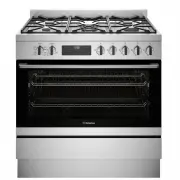
Westinghouse WFE9515SD Oven – User Manual, read for free online in PDF format. We hope this helps you resolve any issues you may have. If you have further questions, please contact us through the contact form.


Table of Contents:
- Page 2 – WARNING; WARNING; CAUTION; ENVIRONMENTAL TIPS; ENVIRONMENT; Conditions of use; CONTENTS; Installation, cleaning and servicing; WARNING; WARNING; General warnings; IMPORTANT SAFETY INSTRUCTIONS; IMPORTANT INFORMATION THAT MAY IMPACT
- Page 3 – Oven; Child safety; Control Panel
- Page 4 – INSTALLATION OF THE APPLIANCE
- Page 5 – Installation of screw-in feet; IMPORTANT; Leveling oven; INSTALLATION OF THE APPLIANCE (CONTINUED)
- Page 6 – Installation the anti-tilt brackets
- Page 7 – Installing the clip-on kick panel
- Page 9 – WIRING REQUIREMENTS; For New Zealand Only:; INSTALLING THE FREESTANDING COOKER
- Page 10 – LPG CONVERSION GAS COOKTOP; Checking gas supply
- Page 11 – BEFORE OPERATING YOUR APPLIANCE FOR THE FIRST TIME; Preparing your appliance for the first time; INSTALLING YOUR OVEN ACCESSORIES; Installing the slides (telescopic runners); Fitting grill dish and insert
- Page 12 – Trivet installation sequence; INSTALLING BURNERS AND TRIVETS; Installing burners; Installing trivets; GETTING TO KNOW YOUR COOKTOP; Using your gas hot plates
- Page 13 – USING YOUR OVEN; Rapid Heat
- Page 15 – Get to know your new oven with this; COOKING TEST; Oven shelf location
- Page 16 – COOKING GUIDE
- Page 17 – NOTE! When refitting the burners, ensure that they are; GENTLY
- Page 18 – CLEANING YOUR OVEN ACCESSORIES
- Page 19 – TROUBLESHOOTING; Faults; Further information
- Page 20 – Warranty; Important Notice; AUSTRALIA; NEW ZEALAND; NOTE
1
USER MANUAL
90cm COOKING
APPLIANCES
WFE9515SD
Enjoy peace of mind.
Register your appliance today.
Stay updated on better living services, safety notices and
shop for accessories.
1. O pen the camera app on your smartphone and
point at the QR code to scan
Product Registration QR code is located on the
front of your appliance or inside the door rim*.
2. Tap the notification or link to open the registration form
3. Complete your details and enjoy peace of mind
*Exact location of QR code may vary depending on oven model
"Loading the manual" means you need to wait until the file loads and becomes available for online reading. Some manuals are very large, and the time they take to appear depends on your internet speed.
Was this manual helpful?
About this manual
- Brand
- Westinghouse
- Model
- WFE9515SD
- Document type
- User Manual
- Category
- Oven
- Language(s)
- English
- Pages
- 21
- File size
- 12 MB
- Format
Summary
3 IMpoRtANt SAfEty INStRUctIoNS 2 coNGRAtULAtIoNS Please read the user manual carefully and store in a handy place for later reference. The symbols you will see in this booklet have these meanings: WARNING WARNING This symbol indicates information concerning your personal safety. WARNING CAUTION Thi...
4 5 pRoDUct DEScRIptIoN IMpoRtANt SAfEty INStRUctIoNS WARNING WARNING Oven • During use the appliance becomes hot. Care should be taken to avoid touching the hot surfaces inside the oven. • Switch the appliance off at the isolating switch before removing the oven light glass for globe replacement. •...
6 7 INStALLAtIoN of thE AppLIANcE INStALLAtIoN of thE AppLIANcE Cabinet requirement Model WFE9515SD is designed to fit into a 900mm wide gap between standard kitchen cabinets. The appliance integrates with the kitchen cabinets by matching the height, depth and kick panel. The cooker may also be insta...
Ask a question
Related manuals
Popular Westinghouse Ovens


More Westinghouse Ovens models
 Westinghouse WFE915SD User Manual
 Westinghouse WFE916DSD User Manual
 Westinghouse WFE916SA User Manual
 Westinghouse WFE946SA User Manual
 Westinghouse WFE946SB User Manual
 Westinghouse WFE946SD User Manual
 Westinghouse WFE9516DD User Manual
 Westinghouse WFE9546SD User Manual
 Westinghouse WFEP9717DD User Manual
 Westinghouse WLE525WA User Manual
 Westinghouse WLE525WB User Manual
 Westinghouse WLE547WA User Manual