VITEK VT-3530 - User Manual
VITEK VT-3530 Table Clock – User Manual, read for free online in PDF format. We hope this helps you resolve any issues you may have. If you have further questions, please contact us through the contact form.
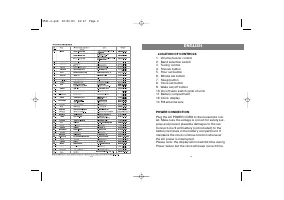
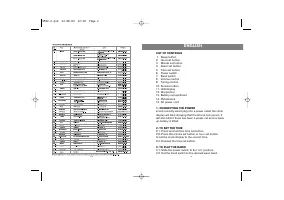
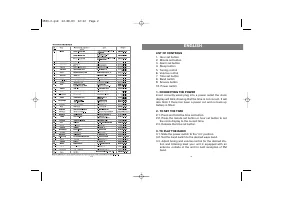
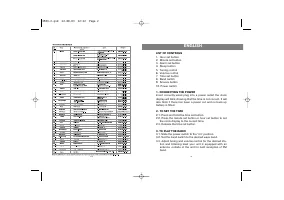
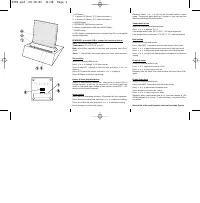
1. SET button
2.
!
button (12/24hour, °C/°F, Start stop button )
3.
"
button (12/24hour, °C/°F, Start stop button )
4. ALARM button
5. RETURN TO TIME function selector
6. Battery compartment: AAA-size (UM-4) Battery
7. RESET button
8. LCD display: to change functions, just press the LCD to change the
display respectively.
FEATURES: press the LCD to change the functions bellow
Time:
12/24-hour alarm clock.
Temperature:
-5° to 50°C/23° to 122°F.
Date:
Month/Day calendar & auto-leap year adjusted from 2000-
2099.
Timer:
1 - 199 minutes countdown timer & 24 hours count-up timer.
Time setting
Press LCD to enter TIME mode.
Press
!
or
"
to change 12/24-hour format.
Press & hold SET 1 second to flash the hour and press
!
or
"
to
adjust it.
Press SET to flash the minute, and press
!
or
"
to adjust it.
Press SET again to confirm the setting.
Return to time display function
Return to time function turned ON - every time you press LCD to
change function, it lasts for 10 seconds for your viewing and then
return to time mode again. Return to time function turned OFF - LCD
remains at the function selected.
Alarm setting
Press Alarm to enter alarm mode for 10 seconds (AL icon displayed).
Press set to flash the minute, and press
!
or
"
to adjust the setting.
Press set to flash the hour, and press
!
or
"
to adjust the setting.
Press set again to confirm the setting.
Remarks: Press
!
or
"
to turn on/off the alarm while in alarm
mode. The pre-set alarm lasts for 1 minute, or you can stop the
alarm by pressing LCD or any button.
Temperature mode
Press LCD to enter Temperature mode.
Press
!
or
"
to change °C or °F.
If the temperature is over 50°C (122°F), "HI" will be displayed.
If the temperature is lower than -5°C (23°F), "LO" will be displayed.
Date setting
Press LCD to enter date mode.
Press & hold SET 1 second to flash the year while in date mode.
Press
!
or
"
to adjust the year and press set to flash the month.
Press
!
or
"
to adjust the month and press set to flash the date.
Press
!
or
"
to adjust the date and press set again to confirm the
setting.
Count-up timer
Press LCD to enter timer mode.
Press
!
or
"
together to reset to 00.00.
Press
!
or
"
to start/stop count-up.
Remarks: after 24 hours, the count-up timer will count from 00.01
again.
Count-down timer
Press LCD to enter timer mode.
Press & hold SET 1 second to flash the timer minute.
Press
!
or
"
to adjust the countdown time.
Press set again to confirm the setting.
Press
!
or
"
to start/stop count-down.
Remarks: when count-down time is up, the timer alarms & LCD
(00.00) flashes for 1 minute. To stop the alarm, just press LCD or
any button.
Service life of the multi-function clock not less than 3 years
3530.qxd 29.10.03 12:28 Page 1
"Loading the manual" means you need to wait until the file loads and becomes available for online reading. Some manuals are very large, and the time they take to appear depends on your internet speed.