VEVOR G220V110V12V-VB18V5 - User Manual
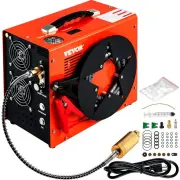
This user manual covers the Pneu-box (PB-300) portable high-pressure air compressor, designed for safe operation at up to 4350 PSI. The document emphasizes critical safety measures, including proper pressure limits, eye protection, and restrictions on non-air gas compression. It also outlines essential operational topics such as power setup–including electrical connections, battery use, and pressure adjustments–and maintenance procedures like lubrication, temperature monitoring, and filter replacements. Safety warnings about high-pressure releases and component failures are central to the guide’s focus on preventing accidents during use.


Table of Contents:
- Page 1 – Product Identification and Safety Notice
- Page 2 – Safety Precautions and Specifications
- Page 3 – Device Component Identification
- Page 4 – Power Connection Procedures
- Page 5 – Operating Procedure
- Page 6 – Temperature Protection and Maintenance
- Page 7 – Filter Element Replacement Procedure
- Page 8 – Burst Disc Replacement and Troubleshooting
1
PNEU-BOX (PB-300)
PROTABLE HIGH PRESSURE AIR COMPRESSOR 4350 PSI
Operation Manual
Please red all instructions and warnings in this manual before using this HPA compressor
RETAIN FOR FUTURE REFERENCE
"Loading the manual" means you need to wait until the file loads and becomes available for online reading. Some manuals are very large, and the time they take to appear depends on your internet speed.
Was this manual helpful?
Helpful for 3 of 3 readers
About this manual
- Brand
- VEVOR
- Model
- G220V110V12V-VB18V5
- Document type
- User Manual
- Category
- Compressor
- Language(s)
- English
- Pages
- 8
- File size
- 809.1 KB
- Format
Summary
Identifies the portable high-pressure air compressor and instructs users to read all instructions and warnings before operation.
Outlines critical safety warnings, maximum pressure limits, required eye protection, and electrical and performance specifications of the equipment.
Lists and illustrates the location of 11 key components on the unit, including power outlets, displays, gauges, fans, and handles.
Ask a question
Related manuals
More VEVOR Compressors models

Other VEVOR appliances
 VEVOR 68KGSYZBJ00000001V1 User Manual
 VEVOR BXSG550W512INKRV0V1 User Manual
 VEVOR BYCSPQSDJEC12J2DNV1 User Manual
 VEVOR CZJBBXGCLS0000001V1 User Manual
 VEVOR DDSYSCQPJMC7JI9B7V1 User Manual
 VEVOR FBZBJSKF-C66F0001V1 User Manual
 VEVOR FBZBJSKF-E150F001V1 User Manual
 VEVOR FSKF-C66F110V4REMV1 User Manual
 VEVOR FTSZBJFBFTJTB8B8WV1 User Manual
 VEVOR GYBGSFSYCSF203K0JV1 User Manual
 VEVOR J400MIN18W385RIUIV1 User Manual
 VEVOR JGJRJ850W42609QR8V1 User Manual
 VEVOR JJBTMSZB30LBS9VDUV1 User Manual
 VEVOR JJBTMSZB37LBSQ39LV1 User Manual
 VEVOR PGLCJKETTLE22IGNCV0 User Manual
 VEVOR Q24INCH6000W4P6Y3V4 User Manual
 VEVOR Q30450CFM110VIT8VV1 User Manual
 VEVOR QSYYTSFBZBJQ9PS5DV1 User Manual
 VEVOR QSYYTSFBZBJQN5G7LV1 User Manual