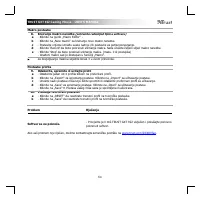
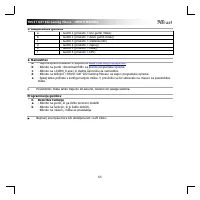
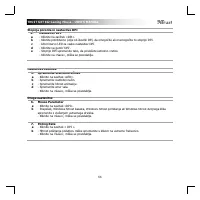
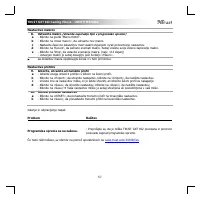
Page 3 - SUPPORT; Trust GXT
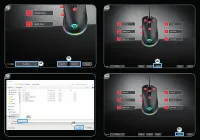
www.trust.com/24309/driver Trust.com - 24309 WINDOWS 10 (64-BIT) WINDOW 10 WINDOWS 8 (64-BIT) WINDOWS 8 WINDOWS 7 (64-BIT) WINDOWS 7 DOWNLOAD PDF (50,51 MB) DOWNLOAD PDF DOWNLOAD EXE (8 MB) PRODUCTS PRODUCTS CONTACT & SUPPORT ^ ^ ^ SUPPORT DOWNLOAD MANUALS PRODUCT INFORMATION SOFTWARE Select typ...
Page 7 - Español
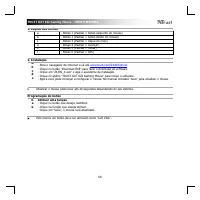
TRUST GXT 922 Gaming Mouse - USER’S MANUAL 1 Index Language Page English 2 Deutsch 5 Français 8 Italiano 11 Español 14 Português 17 Nederlands 20 Dansk 23 Suomi 26 Norsk 29 Svenska 32 Polski 35 Česky 38 Slovenčina 41 Magyar 44 Română 47 Български 50 Русский 53 Ελληνικά 56 Türkçe 59 Hrvatski 62 Slove...
Page 10 - (Store a sequence of keys in the software)
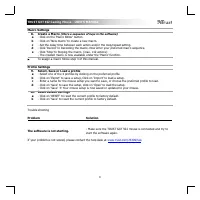
TRUST GXT 922 Gaming Mouse - USER’S MANUAL 4 Macro Settings 8. a b c d e Create a Macro (Store a sequence of keys in the software) - Click on the ‘ Macro Editor ’ b utton. - Click on ‘N ew macro ’ to create a new macro. - Set the delay time between each action and/or the loop/repeat setting. - Click...
Page 13 - (Speichern einer Tastenfolge in der Software); Profile auswählen, speichern und laden
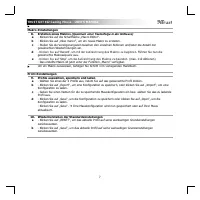
TRUST GXT 922 Gaming Mouse - USER’S MANUAL 7 Makro-Einstellungen 8. a b c d e Erstellen eines Makros (Speichern einer Tastenfolge in der Software) - Klicken Sie auf die Schalt fläche „M acro Editor “. - Klicken Sie auf „N ew marco “, um ein neues Makro zu erstel len. - Stellen Sie die Verzögerungsze...
Page 14 - à l’a; Programmation des boutons
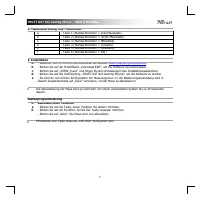
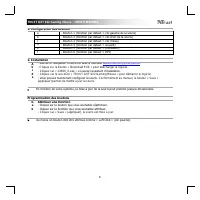
TRUST GXT 922 Gaming Mouse - USER’S MANUAL 8 1. Configuration des boutons a - Bouton 1 (fonction par défaut = clic gauche de la souris) b - Bouton 2 (fonction par défaut = clic droit de la souris) c - Bouton 3 (fonction par défaut = clic milieu) d - Bouton 4 (fonction par défaut = suivant) e - Bouto...
Page 15 - - Modifier le niveau de DPI en faisant glisser la barre concernée.; Modifier l’; Modifier le mode d’éclairage.
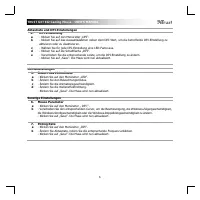
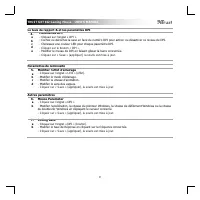
TRUST GXT 922 Gaming Mouse - USER’S MANUAL 9 Le taux de rapport & et les paramètres DPI 4. a b c d e Paramètres DPI - Cliquez sur l’onglet « DPI ». - Cochez ou décochez la case en face du numéro DPI pour activer ou désactiver ce niveau de DPI. - Choisissez une couleur LED pour chaque paramètre D...
Page 16 - Cliquez sur le bouton « Macro Editor ».
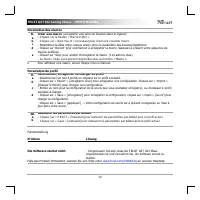
TRUST GXT 922 Gaming Mouse - USER’S MANUAL 10 Paramètres des macros 8. a b c d e Créer une macro (enregistrer une série de touches dans le logiciel) - Cliquez sur le bouton « Macro Editor ». - Cliquez sur « New macro » nouveau pour créer une nouvelle macro. - Paramétrez le délai entre chaque act...
Page 18 - ‘LED’
TRUST GXT 922 Gaming Mouse - USER’S MANUAL 12 Frequenza di report e impostazioni DPI 4. a b c d e Impostazione DPI - Fare clic sulla scheda ‘ DPI ’ . - Fare clic sulla casella accanto al numero DPI per attivare o disattivare questo livello DPI. - Scegliere un colore LED per ciascuna impostazione DPI...
Page 19 - (Memorizzazione di una sequenza di tasti nel software)
TRUST GXT 922 Gaming Mouse - USER’S MANUAL 13 Impostazioni delle macro 8. a b c d e Creazione di una Macro (Memorizzazione di una sequenza di tasti nel software) - Fare clic sul pulsante ‘ Macro Editor ’ . - Fare clic su ‘ New macro ’ per creare una nuova macro. - Impostare il ritardo tra un'azione ...
Page 22 - (guardar una secuencia de teclas en el software)
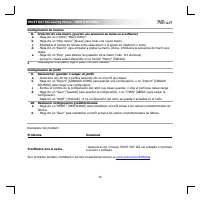
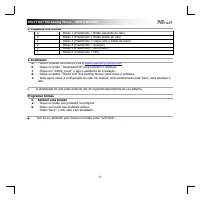
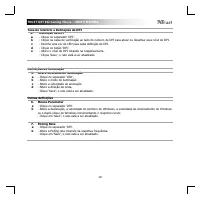
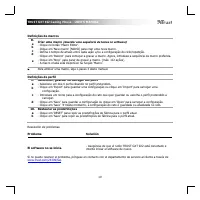
TRUST GXT 922 Gaming Mouse - USER’S MANUAL 16 o Configuración de macros 8. a b c d e Creación de una macro (guardar una secuencia de teclas en el software) - Haga clic en el bot ón “M acro Editor ”. - Haga clic en “N ew macro ” [Nueva] para crear una n ueva macro. - Establezca el tiempo de retraso e...
Page 25 - (Guardar uma sequência de teclas no software)
TRUST GXT 922 Gaming Mouse - USER’S MANUAL 19 Definições de macros 8. a b c d e Criar uma macro (Guardar uma sequência de teclas no software) - Clique no botão ‘M acro Editor ’. - Clique em ‘New macro ’ [NOVO] para criar uma nova macro. - Defina o tempo de atraso entre cada ação e/ou a configuração ...
Page 26 - - Open de internetbrowser en ga naar; Knoppen programmeren; - Klik op de knop waaraan u een nieuwe functie wilt toewijzen.
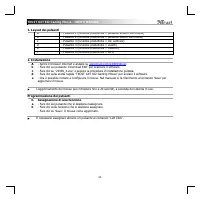
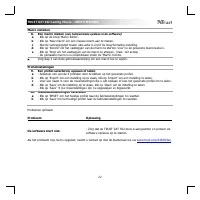
TRUST GXT 922 Gaming Mouse - USER’S MANUAL 20 1. Lay-out van de knoppen a - Knop 1 (standaardfunctie = linkermuisknop) b - Knop 2 (standaardfunctie = rechtermuisknop) c - Knop 3 (standaardfunctie = middelste muisknop) d - Knop 4 (standaardfunctie = vooruit) e - Knop 5 (standaardfunctie = achteruit) ...
Page 28 - (een toetsenreeks opslaan in de software)
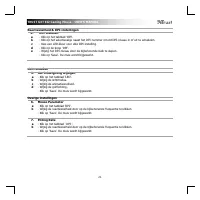
TRUST GXT 922 Gaming Mouse - USER’S MANUAL 22 Macro instellen 8. a b c d e Een macro maken (een toetsenreeks opslaan in de software) - Klik op de knop 'Macro Editor'. - Klik op 'New macro' om een nieuwe macro aan te maken. - Stel de vertragingstijd tussen elke actie in en/of de loop/herhaling-instel...
Page 29 - Klik på knappen Download EXE” for; Programmering af knapper
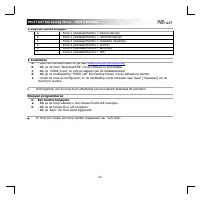
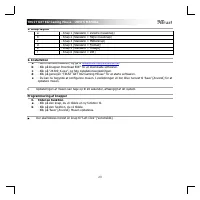
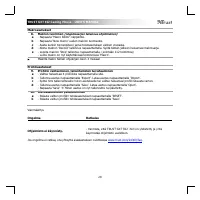
TRUST GXT 922 Gaming Mouse - USER’S MANUAL 23 1. Knap-layout a - Knap 1 (Standard = Venstre museknap) b - Knap 2 (Standard = Højre museknap) c - Knap 3 (Standard = Midterknap) d - Knap 4 (Standard = Fremad) e - Knap 5 (Standard = Tilbage) f - Knap 6 (Standard = DPI) 2. Installation a b c d e - Åbn i...
Page 32 - - Avaa verkkoselain ja siirry osoitteeseen; Painikkeen ohjelmoiminen; Save
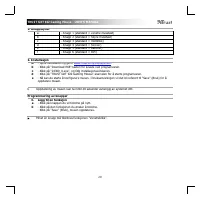
TRUST GXT 922 Gaming Mouse - USER’S MANUAL 26 1. Painikkeet a - Painike 1 (oletus = vasen hiiren painike) b - Painike 2 (oletus = oikea hiiren painike) c - Painike 3 (oletus = keskimmäisen painikkeen napsautus) d - Painike 4 (oletus = eteenpäin) e - Painike 5 (oletus = taaksepäin) f - Painike 6 (ole...
Page 35 - - Åpne nettleseren og gå til; Programmering av knapper; - Klikk på knappen du vil tilordne på nytt.
TRUST GXT 922 Gaming Mouse - USER’S MANUAL 29 1. Knapplayout a - Knapp 1 (standard = venstre musetast) b - Knapp 2 (standard = høyre musetast) c - Knapp 3 (standard = midtklikk) d - Knapp 4 (standard = forover) e - Knapp 5 (standard = bakover) f - Knapp 6 (standard = DPI) 2. Installasjon A b c d e -...
Page 36 - Klikk f
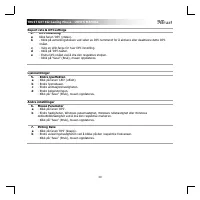
TRUST GXT 922 Gaming Mouse - USER’S MANUAL 30 Report rate & DPI settings 4. a b c d e DPI-innstilling Klikk f anen ‘ DPI ’ (ytelse). - Klikk på avmerkingsboksen ved siden av DPI-nummeret for å aktivere eller deaktivere dette DPI- nivået. - Velg en LED-farge for hver DPI-innstilling. - Klikk på '...
Page 37 - (lagre en sekvens av taster i programvaren)
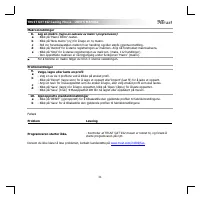
TRUST GXT 922 Gaming Mouse - USER’S MANUAL 31 Makroinnstillinger 8. a b c d e Lag en makro (lagre en sekvens av taster i programvaren) - Klikk på 'Macro Editor'-tasten. - Klikk på ‘N ew macro ’ (ny) for å lage en ny makro. - Still inn forsinkelsestiden mellom hver handling og/eller sløyfe-/gjenta-in...
Page 38 - till ‘; Knapprogrammering; Klicka på ‘
TRUST GXT 922 Gaming Mouse - USER’S MANUAL 32 1. Knapplayout a - Knapp 1 (standard = vänster musknapp) b - Knapp 2 (standard = höger musknapp) c - Knapp 3 (standard = mittenklick) d - Knapp 4 (standard = framåt) e - Knapp 5 (standard = bakåt) f - Knapp 6 (standard = DPI) 2. Installation A b c d e - ...
Page 41 - Kliknij przycisk „Download EXE”, aby pobrać; Programowanie przycisków; przypisany jako „Left Click”
TRUST GXT 922 Gaming Mouse - USER’S MANUAL 35 1. Uk ł ad przycisków a - Przycisk 1 (domy ś lnie = lewy przycisk myszy) b - Przycisk 2 (domy ś lnie = prawy przycisk myszy) c - Przycisk 3 (domy ś lnie = klikni ę cie ś rodkowym przyciskiem) d - Przycisk 4 (domy ś lnie = do przodu) e - Przycisk 5 (domy ...
Page 43 - (zapisywanie w oprogramowaniu sekwencji klawiszy)
TRUST GXT 922 Gaming Mouse - USER’S MANUAL 37 Ustawienia makro 8. a b c d e Tworzenie makra (zapisywanie w oprogramowaniu sekwencji klawiszy) - Kliknij przy cisk „M acro Editor ” [makro]. - Kliknij „N ew macro ”, aby utworzyć nowe makro. - Ustaw opó ź nienie mi ę dzy ka ż dym dzia ł aniem i/lub wpro...
Page 46 - ení kombinace kláves do softwaru); Řešení
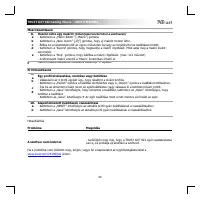
TRUST GXT 922 Gaming Mouse - USER’S MANUAL 40 Nastavení maker 8. a b c d e Vytvo ř ení makra (ulo ž ení kombinace kláves do softwaru) - Klikn ě te na tla čítko „M acro Editor “ [„MAKRO“]. - Kliknutím na „N ew macro “ vytvo ř íte nové makro. - Nastavte č as zpo ž d ě ní mezi ka ž dou akcí anebo nasta...
Page 49 - enie postupnosti tla; enie alebo na
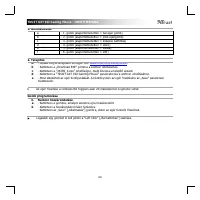
TRUST GXT 922 Gaming Mouse - USER’S MANUAL 43 Nastavenia makro 8. a b c d e Vytvorte makro (ulo ž enie postupnosti tla č idiel v softvéri) - Kliknite na tla č idl o „ Macro Editor “ . - Klik nite na „N ew macro “ a vy tvorte nové makro. - Nastavte čas omeškania medzi kaž dou č innos ť ou a/alebo nas...
Page 52 - sorozatot tárol a szoftveren)
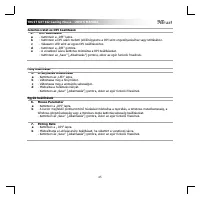
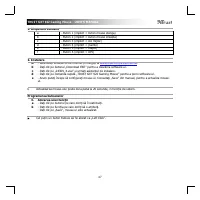
TRUST GXT 922 Gaming Mouse - USER’S MANUAL 46 Makróbeállítások 8. a b c d e Hozzon létre egy makrót (billenty ű sorozatot tárol a szoftveren) - Kattintson a „M acro Editor ” [„Makró”] gombra. - Kattintson a „N ew macro ” [„Új”] gombra, hogy új makrót hozzon létre. - Állítsa be a késleltetési id ő t ...
Page 55 - (stocarea în software a unei secven
TRUST GXT 922 Gaming Mouse - USER’S MANUAL 49 Set ă ri macrocomenzi 8. a b c d e Crearea unei macrocomenzi (stocarea în software a unei secven ţ e de taste) - Da ț i clic pe butonul „M acro Editor ” (macrocomandă ). - Da ţi clic pe „N ew macro ” pentru a crea o nou ă macrocomand ă . - Seta ț i timpu...
Page 56 - oad EX
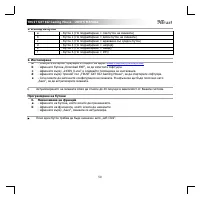
TRUST GXT 922 Gaming Mouse - USER’S MANUAL 50 1. Изглед на бутон a - Бутон 1 ( По подразбиране = ляв бутон на мишката ) b - Бутон 2 ( По подразбиране = десен бутон на мишката ) c - Бутон 3 ( По подразбиране = щракване със среден бутон ) d - Бутон 4 ( По подразбиране = напред ) e - Бутон 5 ( По подра...
Page 58 - запаметете
TRUST GXT 922 Gaming Mouse - USER’S MANUAL 52 Макро настройки 8. a b c d e Създаване на макрос ( запаметете последователност на клавиши в софтуера ) - Щракнете върху бутона „ Macro Editor “ [МАКРОС ]. - Щракнете върху „ New macro “, за да създадете нов макрос . - Задайте време за забавяне между всяк...
Page 59 - «Download EXE»
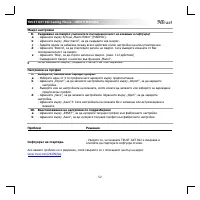
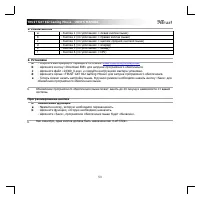
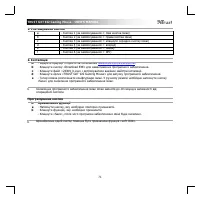
TRUST GXT 922 Gaming Mouse - USER’S MANUAL 53 1. Схема кнопок a - Кнопка 1 ( по умолчанию = левая кнопка мыши ) b - Кнопка 2 ( по умолчанию = правая кнопка мыши ) c - Кнопка 3 ( по умолчанию = щелчок средней кнопкой мыши ) d - Кнопка 4 ( по умолчанию = вперед ) e - Кнопка 5 ( по умолчанию = назад ) ...
Page 60 - Windows; Polling Rate
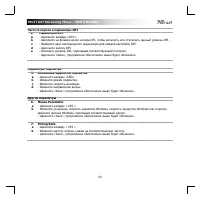
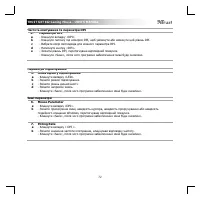
TRUST GXT 922 Gaming Mouse - USER’S MANUAL 54 Частота опроса и параметры DPI 4. a b c d e Параметры DPI - Щелкните вкладку «DPI ». - Щелкните на флажок возле номера DPI, чтобы включить или отключить данный уровень DPI. - Выберите цвет светодиодного индикатора для каждой настройки DPI. - Щелкните кно...
Page 61 - сохранение
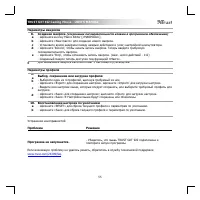
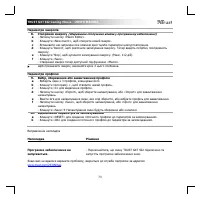
TRUST GXT 922 Gaming Mouse - USER’S MANUAL 55 Параметры макросов 8. a b c d e Создание макроса ( сохранение последовательности клавиш в программном обеспечении ) - Щелкните кнопку Macro Editor [« МАКРОСЫ »]. - Щелкните «New macro» для создания нового макроса . - Установите время задержки между кажды...
Page 62 - Internet
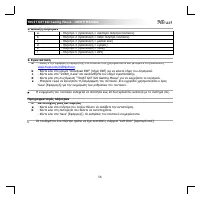
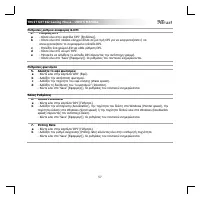
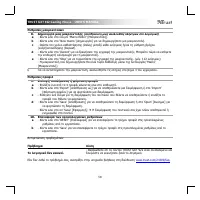
TRUST GXT 922 Gaming Mouse - USER’S MANUAL 56 1. Διάταξη πλήκτρων a - Πλήκτρο 1 ( προεπιλογή = αριστερό πλήκτρο ποντικιού ) b - Πλήκτρο 2 ( προεπιλογή = δεξιό πλήκτρο ποντικιού ) c - Πλήκτρο 3 ( προεπιλογή = μεσαίο κλικ ) d - Πλήκτρο 4 ( προεπιλογή = εμπρός ) e - Πλήκτρο 5 ( προεπιλογή = πίσω ) f - ...
Page 67 - mda bir tu
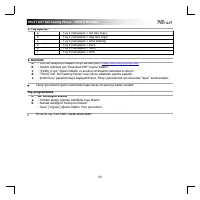
TRUST GXT 922 Gaming Mouse - USER’S MANUAL 61 Makro Ayarlar ı 8. a b c d e Bir makro yarat ı n (Yaz ı l ı mda bir tu ş dizisi kaydedin) - ‘M acro Editor ’ [MAKRO] dü ğ mesini t ı klat ı n. - Yeni bir makro olu ş t urmak için ‘N ew macro ’ [‘YE N İ’ ] ö ğ esini t ı klat ı n. - Her i ş lem aras ı ndak...
Page 71 - čnete s konfiguriranjem miške.; Programiranje gumbov
TRUST GXT 922 Gaming Mouse - USER’S MANUAL 65 1. Razporeditev gumbov a - Gumb 1 (privzeto = levi gumb miške) b - Gu mb 2 (privzeto = desni gumb miške ) c - Gumb 3 (privzeto = sredinski klik) d - Gumb 4 (privzeto = naprej) e - Gumb 5 (privzeto = nazaj) f - Gumb 6 (privzeto = DPI) 2. Namestitev A b c ...
Page 72 - Kliknite potrditveno polje ob številki DPI, da omogoč
TRUST GXT 922 Gaming Mouse - USER’S MANUAL 66 Stopnja poro č ila in nastavitve DPI 4. a b c d e Nastavitev DPI - Kliknite na zavihek »DPI«. - Kliknite potrditveno polje ob številki DPI, da omogoč ite ali onemogo č ite to stopnjo DPI. - Izberi barvo LED za vsako nastavitev DPI - Kliknite na gumb ‘ DP...
Page 73 - (shranite zaporedje tipk v programsko opremo); Rešitev
TRUST GXT 922 Gaming Mouse - USER’S MANUAL 67 Nastavitve makrov 8. a b c d e Ustvarite makro (shranite zaporedje tipk v programsko opremo) - Kliknite na gumb ‘M acro Editor ’. - Kliknite na »New macro«, da ustvarite nov makro. - Nastavite č asovno zakasnitev med vsakim dejanjem in/ali ponovitveno na...
Page 76 - (Armazenar uma sequência de teclas no software)
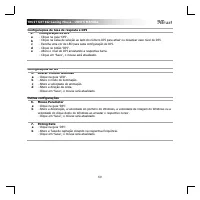
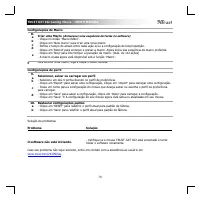
TRUST GXT 922 Gaming Mouse - USER’S MANUAL 70 Configurações de Macro 8. a b c d e Criar uma Macro (Armazenar uma sequência de teclas no software) - Clique no botão “ Macro Editor ” . - Clique em “ New macro ” para criar uma nova macro. - Defina o tempo de atraso entre cada ação e/ou a configuração d...
Page 79 - збереження
TRUST GXT 922 Gaming Mouse - USER’S MANUAL 73 Параметри макросів 8. a b c d e f Створення макросу ( збереження сполучення клавіш у програмному забезпеченні ) - Натиснути кнопку «Macro Editor». - Клацнути «New macro», щоб створити новий макрос . - Встановити час затримки між кожною дією та / або пара...