TP-Link TL-WR740N - Manual
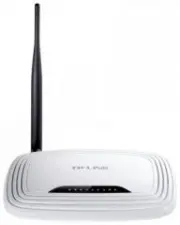
TP-Link TL-WR740N Router – Manual, read for free online in PDF format. We hope this helps you resolve any issues you may have. If you have further questions, please contact us through the contact form.


Connect the Hardware
If your Internet connection is through an Ethernet cable from the wall
instead of through a DSL / Cable / Satellite modem, connect the Ethernet
cable directly to the router’s Internet port.
7106505508 REV6.0.0
Quick Installation Guide
150Mbps Wireless N Router
TL-WR740N/TL-WR741ND
Power
On
WLAN
On
WAN
On (Green)
Verify that the hardware
connection is correct by
checking these LEDs.
4
Router
Connect the modem to the
Internet port on your router with
an Ethernet cable.
2
Modem
Power adapter
Power adapter
Turn off the modem and
remove the backup battery
if it has one.
1
Turn on the modem and
then wait about
2 minutes
for it to restart.
3
Internet
"Loading the manual" means you need to wait until the file loads and becomes available for online reading. Some manuals are very large, and the time they take to appear depends on your internet speed.
Was this manual helpful?
About this manual
- Brand
- TP-Link
- Model
- TL-WR740N
- Document type
- Manual
- Category
- Router
- Language(s)
- English
- Pages
- 2
- File size
- 10.2 MB
- Format
Ask a question
Related manuals
Popular TP-Link Routers


More TP-Link Routers models
 TP-Link TL-WN725N Manual
 TP-Link TL-WN751ND Manual
 TP-Link TL-WN851ND Manual
 TP-Link TL-WN881ND Manual
 TP-Link TL-WR702N Manual
 TP-Link TL-WR720N Manual
 TP-Link TL-WR741N User Manual
 TP-Link TL-WR741ND Manual
 TP-Link TL-WR841HP Manual
 TP-Link TL-WR841N Manual
 TP-Link TL-WR841ND Manual
 TP-Link TL-WR842ND Manual