TP-Link TL-SF1016DS - Manual
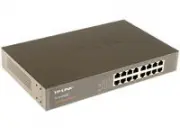
TP-Link TL-SF1016DS Switch – Manual, read for free online in PDF format. We hope this helps you resolve any issues you may have. If you have further questions, please contact us through the contact form.


Table of Contents:
- Page 2 – COPYRIGHT & TRADEMARKS; Specifications are subject to change without notice.; FCC STATEMENT; This device may not cause harmful interference.; CE Mark Warning
- Page 3 – Related Document
- Page 5 – Product Overview; duplex mode; ACCearance; Front Panel; The front panel of The TL-SF1016 is shown as the following figure.; The front panel of The TL-SF1016DS is shown as the following figure.
- Page 6 – The front panel of The TL-SF1024 is shown as the following figure.; The front panel of The TL-SF1024D is shown as the following figure.; The front panel of The TL-SF1048 is shown as the following figure.; A device is linked to the corresponding port
- Page 7 – The rear panel of the switch is shown as the following figure.; Grounding Terminal; Chapter 3 Lightning Protection; Power Socket; Please use the provided power cord.
- Page 8 – Package Contents; Safety Precautions
- Page 9 – Site Requirements; Clearness; Dust the device regularly, and keep the indoor air clean.; Electromagnetic Interference; transmitting station.
- Page 10 – Lightening Protection; C hapte r 3; Installation Site; Installation Tools
- Page 11 – Product Installation; Rack Installation
- Page 12 – Please set 5~10cm gaps around the device for air circulation.
- Page 13 – Cabling Reasonably; please use a signal lightning arrester.; Requirements for Cabling Outdoors; Aerial cabling without safeguard is not allowed.
- Page 14 – Requirements for Cabling Indoors; devices are in following tables.
- Page 15 – Connect to Ground
- Page 16 – Connecting to the Ground via the Power Supply; EquiCotential Bonding
- Page 17 – at least. The shorter cable the bet ter, and use a; Use Lightning Arrester
- Page 19 – Ethernet Port; Verify Installation; the air flow is adequate.; Power On
- Page 20 – Initialization; resetting of the system.; ACCendix A Troubleshooting; The Power LED is not lit; Make sure the AC power cord connected the switch with power source; The Link/Act LED is not lit when a device is connected to the; QQQQ; corresConding Cort; You are recommended to check the following items:
- Page 21 – ACCendix B Hardware SCecifications
- Page 22 – ACCendix C Technical SuCCort
Installation Guide
10/100Mbps Unmanaged Switch
TL-SF1016DS/TL-SF1016
Enterprise Networking Solution
TL-SF1024D/TL-SF1024
TL-SF1048
"Loading the manual" means you need to wait until the file loads and becomes available for online reading. Some manuals are very large, and the time they take to appear depends on your internet speed.
Was this manual helpful?
About this manual
- Brand
- TP-Link
- Model
- TL-SF1016DS
- Document type
- Manual
- Category
- Switch
- Language(s)
- English
- Pages
- 24
- File size
- 3.6 MB
- Format
Summary
I COPYRIGHT & TRADEMARKS Specifications are subject to change without notice. is a registered trademark of TP-LINK TECHNOLOGIES CO., LTD. Other brands and product names are trademarks of their respective holders. No part of the specifications may be reproduced in any form or by any means or used...
II Related Document This Installation Guide is also available in PDF on our website. To obtain the latest documentation and prodcut information, please visit our official website: http://www.tp-link.com About this Installation Guide This Installation Guide describes the hardware characteristics, ins...
01 10/100Mbps Fast Ethernet Switch Introduction ChaCter C Product Overview C1C TL-SF1016/TL-SF1016DS/TL-SF1024/TL-SF1024D/TL-SF1048 switch provides 16/24/48 10/100Mbps Auto-Negotiation RJ45 ports. Each port of the TL-SF1016/TL-SF1016DS/ TL-SF1024/TL-SF1024D/TL-SF1048 supports auto MDI/MDI-X function...
Ask a question
Related manuals
Popular TP-Link Switches



More TP-Link Switches models
 TP-Link TL-SF1006P User Manual
 TP-Link TL-SF1008D Manual
 TP-Link TL-SF1008LP User Manual
 TP-Link TL-SF1009P User Manual
 TP-Link TL-SF1016 Manual
 TP-Link TL-SF1016D Manual
 TP-Link TL-SF1024 Manual
 TP-Link TL-SF1024D Manual
 TP-Link TL-SF1048 Manual
 TP-Link TL-SG105 Manual
 TP-Link TL-SG105E User Manual
 TP-Link TL-SG105S User Manual
 TP-Link TL-SG108 Manual
 TP-Link TL-SG108E User Manual
 TP-Link TL-SG108PE v4.2 User Manual
 TP-Link TL-SG116 User Manual