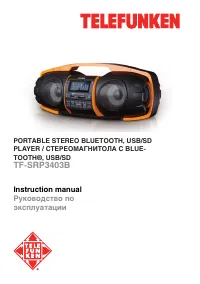
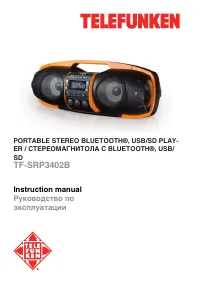
Telefunken TF-SRP3402B - User Manual
Telefunken TF-SRP3402B Car Radio – User Manual, read for free online in PDF format. We hope this helps you resolve any issues you may have. If you have further questions, please contact us through the contact form.
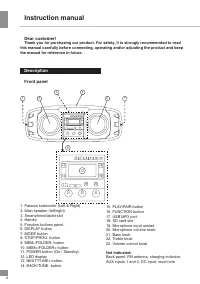
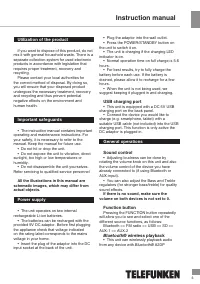
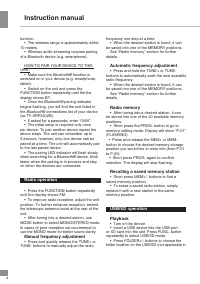
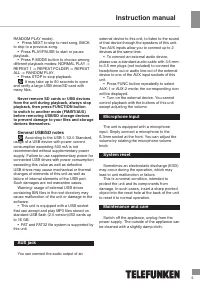
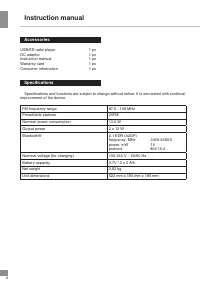
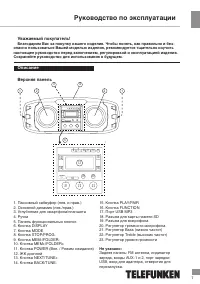
Table of Contents:
- Page 2 – Instruction manual; Description
- Page 3 – Utilization of the product; All the illustrations in this manual are; Power supply; If there is no sound, make sure the; Function button; wireless playback
- Page 4 – Radio operation
- Page 5 – Never remove SD cards or USB devices; AUX jack
- Page 6 – Accessories
- Page 7 – Руководство по эксплуатации; Описание
- Page 9 – Общие операции; Если при воспроизведении звук; Кнопка FUNCTION; Операции с радио
- Page 10 – накопители во время воспроизведения,; Общая информация по USB/SD
- Page 11 – Линейный разъем AUX
- Page 12 – Под контролем «ТЕХНО ЭЛЕКТРИК ЛИМИТЕД»; Технические характеристики
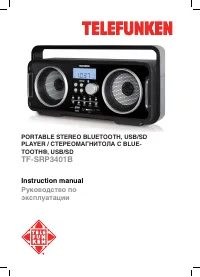
PORTABLE STEREO BLUETOOTH®, USB/SD PLAY-
ER / СТЕРЕОМАГНИТОЛА C BLUETOOTH®, USB/
SD
TF-SRP3402B
Instruction manual
Руководство по
эксплуатации
"Loading the manual" means you need to wait until the file loads and becomes available for online reading. Some manuals are very large, and the time they take to appear depends on your internet speed.
Summary
Instruction manual 2 Dear customer! Thank you for purchasing our product. For safety, it is strongly recommended to read this manual carefully before connecting, operating and/or adjusting the product and keep the manual for reference in future. Description Front panel : 5 2 3 4 2 1 1 6 7 8 9 1 0 11...
Instruction manual Utilization of the product If you want to dispose of this product, do not mix it with general household waste. There is a separate collection system for used electronic products in accordance with legislation that requires proper treatment, recovery and recycling. Please contact y...
4 Instruction manual function. • The wireless range is approximately within 10 meters. • Wireless audio streaming requires pairing of a Bluetooth device (e.g. smartphone). HOW TO PAIR YOUR DEVICE TO THIS UNIT: • Make sure the Bluetooth® function is switched on in your device (e.g. smartphone, tablet...