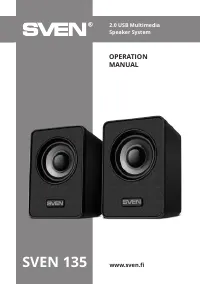
Sven 249 - User Manual

This user manual covers the SVEN 249 Multimedia Audio System 2.0–a compact yet versatile USB-powered speaker designed for connecting to PCs, laptops, and other audio devices. The guide emphasizes safety, setup, and troubleshooting, including proper placement of speakers, connection procedures for various sources (like headphones or microphones), and warnings about environmental risks such as moisture exposure. Key topics include technical specifications like power output, frequency range, and compatibility requirements, alongside practical advice on initial inspection, warranty handling, and maintenance to ensure reliable performance.


Table of Contents:
- Page 2 – Introduction and Table of Contents
- Page 3 – Included Items and System Specifications
- Page 4 – Active Speaker Connection Procedures
- Page 5 – Troubleshooting and Technical Specifications
- Page 7 – Buyer Recommendations and Support Information
- Page 8 – Product Contents, Safety, and Specifications
- Page 9 – System Setup and Cable Connection
- Page 10 – Troubleshooting and Technical Specifications Review
- Page 13 – Package Contents and Initial Setup
- Page 14 – Connecting to External Audio Sources
- Page 15 – Speaker Troubleshooting and Specifications
- Page 16 – Product Specification and Warranty Details
www.sven.
fi
РУКОВОДСТВО
ПО
ЭКСПЛУАТАЦИИ
Мультимедийная
акустическая
система
2.0
SVEN 249
"Loading the manual" means you need to wait until the file loads and becomes available for online reading. Some manuals are very large, and the time they take to appear depends on your internet speed.
Was this manual helpful?
Helpful for 3 of 3 readers
About this manual
- Brand
- Sven
- Model
- 249
- Document type
- User Manual
- Category
- Sound System
- Language(s)
- English, Russian
- Pages
- 16
- File size
- 643.6 KB
- Format
Summary
Introduction, copyright notices, disclaimer, and a detailed table of contents listing sections on buyer recommendations, safety measures, technical specifications, and troubleshooting.
Details regarding included items, safety precautions, system compatibility with PCs and laptops, and the control panel layout showing headphone jack, microphone input, and power/volume controls.
Instructions for preparing and connecting the active speaker, proper placement relative to the listener, connection methods for audio sources, and diagrams illustrating setup for active and passive speakers.