Summit Appliance HC30WW - User Manual
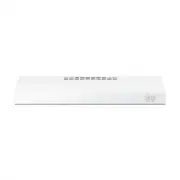
Summit Appliance HC30WW Range Hood – User Manual, read for free online in PDF format. We hope this helps you resolve any issues you may have. If you have further questions, please contact us through the contact form.


Table of Contents:
- Page 2 – CAUTION
- Page 3 – REMOTE ENABLE EQUIPMENT (on some models); How to Remove Protective Shipping Film and Packaging Tape; READ AND SAVE THESE INSTRUCTIONS
- Page 4 – Controls; On Some Models; TH; ont
- Page 5 – Filter; Charcoal Filter; E A; Filt
- Page 6 – Surfaces; Stainless Steel Surfaces (on some models); Lights; ND; Sur
- Page 7 – FOR YOUR SAFETY; WARNING; Installation; BEFORE YOU BEGIN; IMPORTANT; IN
- Page 8 – Installation Preparation; DUCTWORK REQUIREMENTS; Exhaust connection; Duct length; INSULATION AND/OR CAULK AROUND THE DUCTS
- Page 10 – TOOLS AND MATERIALS REQUIRED; INSTALLATION DIMENSIONS; REMOVE THE PACKAGING
- Page 11 – ADVANCE PLANNING; Vented Install Planning; POWER SUPPLY; Electrical supply
- Page 12 – PREPARING MOUNTING; SELECT VENT OPTION THAT
- Page 13 – PREPARE FOR ELECTRICAL
- Page 15 – Installation Instructions; 1 SECURE HOOD; FOR VENTED INSTALLATIONS
- Page 16 – 2 CONNECT DUCTWORK TO
- Page 17 – Before you call for service; SH
- Page 18 – DISCLAIMER OF IMPLIED WARRANTIES LIMITATION OF REMEDIES
SAFETY INFORMATION ....................
2
USING THE HOOD
Controls ………………..……………………………….4
CARE AND CLEANING
Filter ………………………………………………….. 5
Surfaces ………………………………………………. 6
INSTALLATION INSTRUCTIONS .......
TROUBLESHOOTING TIPS .............
17
LIMITED WARRANTY ........................
18
CUSTOMER SUPPORT ....................
26
Write the model and serial
numbers here:
Model #
Serial #
You can find them on a label
on the inside of the hood.
READ AND SAVE THESE INSTRUCTIONS
OWNER’S MANUAL
& INSTALLATION
INSTRUCTIONS
RA
NG
E
H
O
O
DS
MODELS:
HC20BB HC24BB
HC20SS HC24WW
HC20WW HC30WW
HC30BB
"Loading the manual" means you need to wait until the file loads and becomes available for online reading. Some manuals are very large, and the time they take to appear depends on your internet speed.
Summary
2 IMPORTANT SAFETY INFORMATION READ ALL INSTRUCTIONS BEFORE USING TO REDUCE THE RISK OF FIRE, ELECTRIC SHOCK, OR INJURY TO PERSONS, OBSERVE THE FOLLOWING: A. Use this unit only in the manner intended by the manufacturer. If you have questions, contact the manufacturer. B. Before servicing or cleanin...
3 IMPORTANT SAFETY INFORMATION READ ALL INSTRUCTIONS BEFORE USING REMOTE ENABLE EQUIPMENT (on some models) This device complies with part 15 of the FCC Rules. Operation is subject to the following two conditions: (1) This device may not cause harmful interference, and (2) this device must accept any...
4 Controls On Some Models 1. Rangehood Control Panel: The control panel is located on the front of the canopy. 2. Light Switch: The light switch toggles between the lightbulb On and Off. 3. Fan Power Switch: The power switch toggles between fan settings Hi, Lo, and Off. U SI N G TH E H O O D: C ont ...


