Page 2 - TABLE OF CONTENTS
2 TABLE OF CONTENTS Important Safeguards 3-7 Installation Instructions 8-13 Ceraminc Cooktop Layout 14-18 Induction Cooktop Layout 19-27 Operating your Cooktop 28-41 Choosing the Right Cookware 28-29 Using the Touch Controls 30-31 Using the Knob Control Models 31-32 Using the Extended Cooking Zone 3...
Page 3 - IMPORTANT SAFEGUARDS; these instructions for installation.
3 IMPORTANT SAFEGUARDS Please read all instructions carefully before use. Your safety is important to us. Please read the information below before installing or using your cooktop. • Read these instructions carefully before installing or using this appliance. • No combustible material or products sh...
Page 5 - Electrical Shock Hazard; out any work or maintenance on it.
5 working environments; -farm houses; -by clients in hotels, motels and other residential type environments; -bed and breakfast type environments. • Use Proper Pan Size – This appliance is equipped with one or more surface units of different size. Select utensils having flat bottoms large enough to ...
Page 6 - Hot Surface Hazard; • DO NOT TOUCH SURFACE UNITS OR AREAS NEAR UNITS – Surface
6 • Do not cook on a broken or cracked cooktop. If the cooktop surface should break or crack, switch the appliance off immediately at the main power supply (wall switch) and contact a qualified technician. • Switch the cooktop off at the wall before cleaning or maintenance. • Failure to follow this ...
Page 7 - Cut Hazard; • Failure to use caution could result in injury or cuts.; Health Hazard; Unattended cooking on a cooktop with fat or oil can be dangerous
7 Cut Hazard • Take care: panel edges are sharp. • Failure to use caution could result in injury or cuts. • The razor-sharp blade of a cooktop scraper is exposed when the safety cover is retracted. Use with extreme care and always store safely and out of reach of children. • Failure to use caution c...
Page 8 - INSTALLATION INSTRUCTIONS; local codes and regulations.; Cooktop Installation; around the cutout free and clear.
8 INSTALLATION INSTRUCTIONS • The cooktop must be installed and connected in accordance with all local codes and regulations. • After unpacking the appliance, ensure there is no visible damage. If it has been damaged during transit, DO NOT USE. Contact your appliance seller immediately. Cooktop Inst...
Page 10 - Installing the Foam Gasket; CAUTION: DO NOT install the cooktop without the foam gasket.
10 Make sure the electric cooktop is well ventilated and the air inlet and outlet are not blocked. Ensure the electric cooktop is in good work state. As shown below: Note: The safety distance between the hotplate and the cupboard above the hotplate should be at least 760mm (30”). A B C D E 760mm/ 30...
Page 11 - Before Installing the Fixing Brackets; • The unit should be placed on a stable, smooth surface (use the; Fix the clips to the cooktop:; Insert the fixing clips into the fixing; Fix the cooktop to the cabinet:; Insert the cooktop into the kitchen
11 3. The gasket must be attached along the entire length of the glass edge and should not overlap at the corners. 4. When installing the gasket, make sure that the glass does not come into contact with any sharp objects. Before Installing the Fixing Brackets • The unit should be placed on a stable,...
Page 12 - Connecting the Cooktop to the Power Supply; electricity by a Qualified Electrician.
12 Connecting the Cooktop to the Power Supply The power supply should be connected in compliance with National Electric Codes, as well as all state, municipal, and local codes. The supply must be from an individual grounded circuit that is protected by a circuit breaker. CAUTION: The appliance has a...
Page 14 - CERAMIC COOKTOP LAYOUT; Control Panel
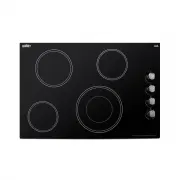
14 CERAMIC COOKTOP LAYOUT NOTE: Before your first use, remove any protective film that may still be on your cooktop. Model: CR4B30T11B/LCR4BTB Control Panel 3 4 5 1 8 7 2 4 2 6 1. 1800W Cooking Zone 2. 1200W Cooking Zone 3. 1200W Cooking Zone 4. 2500/1200W Cooking Zone 5. Glass plate 6. Control pane...
Page 19 - INDUCTION COOKTOP LAYOUT
19 INDUCTION COOKTOP LAYOUT Model: SINC2B230B/LNC2B230B Control Panel 1. 2000W Boost 2600W Cooking Zone 2. 1500W Boost 2000W Cooking Zone 3. Glass plate 4. Control panel 1. Cooking Zone selection button2. Stop & Go control button3. Timer control button4. Booster function control button5. Heating...
Page 28 - OPERATING YOUR COOKTOP; Choose the Right Cookware (Induction Models); • Only use cookware with a base suitable for induction
28 OPERATING YOUR COOKTOP Choose the Right Cookware (Induction Models) • Only use cookware with a base suitable for induction cooking. Look for the induction symbol on the packaging or on the bottom of the pan. • You can check whether your cookware is suitable by carrying out a magnet test. Move a m...
Page 29 - You can use any kind of pot or pan for Ceramic Hobs.; Suggested Pan dimensions for induction hob
29 Make sure that the base of your pan is smooth, sits flat against the glass, and is the same size as the cooking zone. If you use smaller pot efficiency could be less than expected. Always center your pan on the cooking zone. Always lift pans off the hob – do not slide, or they may scratch the gla...
Page 30 - Using the Touch Controls; For Touch/Slider Control Models; Press and hold the ON/OFF control button for about 3 seconds till
30 Using the Touch Controls • The controls respond to touch, so you don’t need to apply any pressure. Use the ball of your finger, not its tip. • You will hear a beep each time a touch is registered. • Make sure the controls are always clean, dry, and that there is no object (e.g. a utensil or a clo...
Page 31 - To Turn Off the Cooktop; indicator shows “; Power Management; Using the Knob Control Models; To Start Cooking
31 NOTES: 1. When the cooktop is in Standby mode, and no button is pressed for one minute, the cooktop will beep once, then automatically turn off. 2. The default power level setting is level 5. 3. The heat setting indicator of the selected zone will flash when the level is being adjusted or set. 4....
Page 32 - To Turn off the Cooktop; Using the Extended Cooking Zone; To use extended zone when cooktop is working, follows below:; particular zone will show the heat setting and alternately.; For Knob Control Models; • Push down and turn the control knob clockwise, toward the symbol to
32 NOTE: A hot surface indicator will glow when any radiant element is turned on and will remain on until the surface is cooled to a safe temperature to touch. To Turn off the Cooktop Be sure you turn the control knob to Off when you finish cooking. It will snap into the Off position. Using the Exte...
Page 33 - Using Booster Function (Induction Cooktop); Using the Booster Function when a Cooking Zone is Working; ) Active the cooking zone you want to use booster function.
33 • Adjust the power of the dual zone by adjusting the control knob to anywhere between symbol and the midpoint of the dial. • To deactivate the dual zone, turn the control knob past the midpoint to the left, toward the symbol to either use the single cooking zone or turn the cooking zone off. Note...
Page 34 - Stopping the Booster Function; Child Lock Safety Control; To Lock the Controls; Lo
34 2) Touch the Booster function control button , and the heating zone indicator will show “b” and flash for 5 seconds. The booster function is now active. Notes: 1. When using booster function, if the other cooking zone in vertical direction is also activated at a power level higher than 2, program...
Page 35 - To Unlock the Controls; Activate the Stop & Go Function
35 To Unlock the Controls 1. Make sure the electric cooktop is turned on. 2. Touch and hold the Child Lock control button for 3 seconds, the buzzer beeps once and “ Lo ” disappears in the timer indicator. The Child Lock is now inactive. You can now start using your electric cooktop. Under the child ...
Page 36 - Using the Timer; Timer function is for touch/slider control models only.; Using the Timer as a Reminder:; Touch control models:; down or up rapidly in a circle.; Slider Touch control models:; a. Touch the timer control button once, and the number in the
36 Using the Timer Note: Timer function is for touch/slider control models only. When the cooktop is turned on, you can use the timer in two different ways: • You can use it as a “minute minder” alert, which can be set for up to 99 minutes. In this case, the timer will not turn any cooking zone off ...
Page 37 - Setting the Timer to Turn off a Cooking Zone
37 NOTE: By continuously touching the timer control button, the slider works in this sequence: “Single Digit-Tens Digit -Confirm Setting-Single Digit-…” When the minute minder is set, it will begin to count down immediately and show the remaining time in the display. The buzzer will beep for 30 seco...
Page 38 - Residual Heat Warning; Beware of hot surfaces; Note for Knob Control Models
38 NOTES: • The red dot next to the power level indicator will illuminate for those zones set with a timer. • After adjusting, the setting in timer indicator will flashing for 5 seconds and then stop flashing, then the setting be confirmed. • The default setting of minute reminder and timer is 30 mi...
Page 39 - Auto Shutdown; Power level; Overheat Protection
39 Auto Shutdown Another safety feature for touch/slider control cooktop is auto shutdown. This occurs whenever you forget to switch off a cooking zone. The default shutdown times as below table: Power level 1 2 3 4 5 6 7 8 9 Default working timer (hour) 8 8 8 4 4 4 2 2 2 Overheat Protection A tempe...
Page 40 - Simmering; Simmering occurs below the boiling point, at around 85 ̊C; Searing steak; hot pan and then lower the meat onto the hot pan.
40 Simmering • Simmering occurs below the boiling point, at around 85˚C (185˚F), when bubbles are rising occasionally to the surface of the cooking liquid. It is the key to delicious soups and tender stews because flavors develop without overcooking the food. You should also cook egg-based and flour...
Page 41 - Heat Settings; Heat setting; • Pancakes
41 Heat Settings The settings below are guidelines only. The exact setting will depend on factors including your cookware and the amount you are cooking. Experiment with the cooktop to find the settings that best suit you. Heat setting Suitability 1 - 2 • Delicate warming for small amounts of food •...
Page 42 - CLEANING AND MAINTENANCE; CAUTION: Before any maintenance or cleaning work is carried out,; Cleaning the Cooktop Surface; Always ensure the surface is cool enough before cleaning.; Damage from Sugary Spills and Melted Plastic; permanent damage of the glass surface.; Tips to Keep your Cooktop Clean
42 CLEANING AND MAINTENANCE CAUTION: Before any maintenance or cleaning work is carried out, DISCONNECT the appliance from ELECTRICITY supply and ensure the appliances is completely cool. Cleaning the Cooktop Surface • Clean spillages from the cooktop surface as soon as possible after use. Always en...
Page 43 - Boil over melts and hot/sugary spills on the glass; a cool area of the cooktop.; Spillovers on the touch controls; The cooktop may beep and turn itself off, and the touch controls may
43 Notes: • When turning off the power supply of cooktop, there will be no ‘hot surface’ indication, but the cooking zone may still be hot! Take extreme care. • Heavy-duty scourers, some nylon scourers, and harsh/abrasive cleaning agents may scratch the glass. Always read the label to check if your ...
Page 44 - TROUBLESHOOTING
44 TROUBLESHOOTING If you encounter any issues with your cooktop, consult the table below for a quick resolution before contacting our service team: ISSUE: There is no power to the appliance CAUSE/RESOLUTION: Check whether there is a power outage. Check whether the appliance is properly connected to...
Page 45 - LIMITED WARRANTY
45 LIMITED WARRANTY ONE YEAR LIMITED WARRANTY W ith in th e 4 8 c o nti g uo us Un ite d Stat es , f or o n e y e ar fr o m t he d ate of p ur c h as e, w h en th is a p pli anc e is op er at ed an d m ai n t a i n e d ac c or d in g t o i ns tr uc t io ns att ac h ed to or f ur n is h ed w ith th e...