Page 2 - Added dimensions – More for your phone; BluetoothTM Headset HBH-PV710
Added dimensions – More for your phone Bluetooth™ Headset HBH-PV710 Stylish and compact handsfree solution with exceptional performance. Bluetooth™ Car Speakerphone HCB-120 A handsfree solution with caller display. For use in the car, office or home. Desk Stand CDS-65 Your phone’s best assistant: co...
Page 3 - Contents
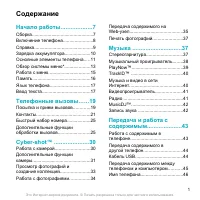
1 Contents Contents Getting started ................... 5 Assembly ........................................ 5 Turning on the phone ..................... 5 Help in your phone ........................ 7 Charging the battery ....................... 7 Phone overview ............................. 8 Menu ...
Page 6 - Instruction symbols; Note
4 Restrictions: Software is confidential copyrighted information of Sun and title to all copies is retained by Sun and/or its licensors. Customer shall not modify, decompile, disassemble, decrypt, extract, or otherwise reverse engineer Software. Software may not be leased, assigned, or sublicensed, ...
Page 7 - Getting started; Assembly; To insert the SIM card; Turning on the phone; To turn on the phone
5 Getting started Getting started Assembly Before you start using your phone, you need to insert a SIM card and the battery. To insert the SIM card 1 Remove the battery cover. 2 Slide the SIM card into its holder with the gold coloured contacts facing down. To insert the battery 1 Insert the battery...
Page 9 - Help in your phone; Navigation; Charging the battery; To charge the battery
7 Getting started Help in your phone Help and information are available in your phone. See Navigation on page 12. To use the set-up wizard 1 From stand-by select Menu > Settings > the General tab > Setup wizard . 2 Select an option. To view information about functions • Scroll to a function...
Page 10 - Phone overview
8 Getting started Phone overview 2 1 3 4 5 6 7 8 9 10 11 12 13 15 14 1 Ear speaker 2 Screen 3 Centre navigation key 4 Selection key 5 Green key 6 Camera key 7 C key (Clear) 8 Connector for charger, handsfree and USB cable 9 On/off key 10 Activity menu key 11 Red key 12 Selection key 13 Navigation ke...
Page 12 - Menu overview
10 Getting started Menu overview PlayNow™* Internet* Entertainment GamesTrackID™VideoDJ™PhotoDJ™MusicDJ™ Remote controlRecord soundDemo tour Camera Messaging Media Write newInboxEmailWeb feedsDraftsOutboxSent messagesSaved messagesMy friends*Call voicemailTemplatesManage messagesSettings Location se...
Page 14 - Shortcuts
12 Getting started Navigation The main menus are shown as icons. Some submenus include tabs. To navigate the phone menus 1 From stand-by select Menu . 2 Use the navigation key to move through the menus. To scroll between the tabs • Scroll to a tab by pressing the navigation key left or right. To sel...
Page 15 - Memory card
13 Getting started Activity menu The activity menu gives you quick access to certain functions. To open the activity menu • Press . Activity menu tabs • New events – missed calls and new messages. • Running apps – applications that are running in the background. • My shortcuts – add your favourite f...
Page 17 - Phone language
15 Getting started Phone language You can select a language to use in your phone. To change the phone language 1 From stand-by select Menu > Settings > the General tab > Language > Phone language . 2 Select an option. Entering text You can use multitap text input or T9™ Text Input to ent...
Page 18 - Calling; Making and receiving calls; Video call
16 Calling Calling Making and receiving calls You need to turn on your phone and be within range of a network. To make a call 1 From stand-by enter a phone number (with international country code and area code, if applicable). 2 Press .See Video call on page 17. To end a call • Press . To make inter...
Page 19 - Contacts
17 Calling Networks Your phone switches automatically between GSM and 3G (UMTS) networks depending on availability. Some network operators allow you to switch networks manually. To switch networks manually 1 From stand-by select Menu > Settings > the Connectivity tab > Mobile networks > ...
Page 23 - Call list; To call a number from the call list; Speed dial; To add contacts to speed dial numbers
21 Calling 3 Scroll to My contact info and select Send . 4 Select a transfer method. Groups You can create a group of phone numbers and email addresses from Phone contacts to send messages to . See Messaging on page 28. You can also use groups (with phone numbers) when you create accepted callers li...
Page 24 - Voicemail; To enter your voicemail number; Voice control; To re-record a voice command
22 Calling 3 Scroll to a position number and select Add . 4 Select a contact. To speed dial • From stand-by enter the position number and press . Voicemail If your subscription includes an answering service, callers can leave a voicemail message when you cannot answer a call. To enter your voicemail...
Page 25 - Voice dialling; To voice dial
23 Calling Voice dialling You can call a contact by saying the name. To voice dial 1 From stand-by press and hold down a volume key. 2 Wait for the tone and say a recorded name, for example “John mobile”. The name is played back to you and the call is connected. To make a call with a handsfree • Pre...
Page 26 - Diverting calls; Divert call options; More than one call; Call waiting
24 Calling 5 Select Yes to accept or No for a new recording. 6 Follow the instructions that appear and select Cont. 7 Select where your voice answering is to be activated. To answer a call using voice commands • Say “Answer”. To reject a call using voice commands • Say “Busy”. Diverting calls You ca...
Page 27 - My numbers
25 Calling To answer a second call • During the call, press . This puts the ongoing call on hold. To reject a second call • During the call, press and continue with the ongoing call. To end an ongoing call and answer a second call • During the call, select Replace active call . Handling two voice ca...
Page 28 - Accept calls; To accept all calls; Restricted dialling; Restrict calls options; Fixed dialling; Groups
26 Calling To check your phone numbers 1 From stand-by select Menu > Contacts . 2 Scroll to New contact and select Options > Special numbers > My numbers . 3 Select an option. Accept calls You can choose to receive calls from certain phone numbers only. To add numbers to the accepted caller...
Page 29 - Call time and cost; To check the call time; Open to answer; To turn Open to answer on
27 Calling To use fixed dialling 1 From stand-by select Menu > Contacts . 2 Scroll to New contact and select Options > Special numbers > Fixed dialling > Activate . 3 Enter your PIN2 and select OK . 4 Select OK again to confirm. To save a fixed number 1 From stand-by select Menu > Con...
Page 30 - Messaging; Receiving and saving messages; Text messages; Before you use messaging
28 Messaging Messaging Receiving and saving messages You are notified when you receive a message. Messages are automatically saved in the phone memory. When the phone memory is full, you can delete messages or save them on a memory card or on the SIM card. To save a message on a memory card • From s...
Page 31 - Picture messages; Before you use picture messaging
29 Messaging To copy and paste text in a text message 1 When you write the message, select Options > Copy & paste . 2 Select Copy all or Mark & copy . Scroll to and mark text in the message. 3 Select Options > Copy & paste > Paste . To add an item to a text message 1 When you wr...
Page 32 - Message options; To set text message options; Templates; To add a text message template
30 Messaging To create and send a picture message 1 From stand-by select Menu > Messaging > Write new > Picture msg . 2 Enter text. To add items to the message, press and hold down , scroll right and select an item. 3 Select Cont. > Contacts look-up . 4 Select a recipient and select Send...
Page 33 - Voice messages; To record and send a voice message; Email; Before you use email
31 Messaging 2 Insert text or select Options to add items. Select OK . 3 Enter a title and select OK . To use a picture message template 1 From stand-by select Menu > Messaging > Templates . 2 Scroll to a template and select Use . 3 When the message is ready, select Cont. > Contacts look-up...
Page 35 - My friends; Before you use My friends
33 Messaging To delete an email (POP3) 1 From stand-by select Menu > Messaging > Email > Inbox . 2 Scroll to the message and select Options > Mark for deletion . To delete an email (IMAP4) 1 From stand-by select Menu > Messaging > Email > Inbox . 2 Scroll to the message and sele...
Page 37 - Area and cell information; Imaging; Camera and video recorder; Viewfinder and camera keys
35 Imaging To save a conversation 1 From stand-by select Menu > Messaging > My friends > the Conversations tab. 2 Scroll to a conversation and select Options > Advanced > Save conversation . To view a saved conversation 1 From stand-by select Menu > Messaging > My friends > t...
Page 38 - Camera icons and settings; Transfer to and from your computer
36 Imaging To stop recording 1 Press . 2 The video clip is automatically saved on the memory card or in the phone memory. To use zoom • Press the navigation key up or down. To adjust brightness • Press the volume keys up or down. To view pictures and video clips 1 Activate the camera and use the nav...
Page 39 - Camera printing
37 Imaging Picture blog A picture blog is a personal Web page. If your subscription supports this service, you can send pictures to a blog. To send camera pictures to a blog 1 From stand-by select Media and scroll to Photo > Camera album . 2 Scroll to a month and a picture. Select View . 3 Select...
Page 40 - Pictures; Using pictures; PhotoDJTM and VideoDJTM; To edit and save a picture
38 Imaging Pictures You can view, add, edit or delete pictures in Media . Using pictures You can add a picture to a contact, use it during phone startup, as a wallpaper in standby or as a screen saver. To use pictures 1 From stand-by select Media and scroll to Photo > Camera album . 2 Scroll to a...
Page 41 - Themes; To set a theme; Entertainment; Stereo portable handsfree; To use the handsfree; Music and video players; To play music
39 Entertainment To edit and save a video clip 1 From stand-by select Menu > Organizer > File manager > Videos . 2 Scroll to a video clip and select Options > VideoDJ™ . 3 Edit the video clip. 4 Select Options > Save . To trim a video clip 1 From stand-by select Menu > Organizer &g...
Page 44 - TrackIDTM; To search for song information
42 Entertainment To install Media Manager 1 Turn on your computer and insert the CD. The CD starts automatically and the installation window opens. 2 Select a language and click OK . 3 Click Install Sony Ericsson Media Manager and follow the instructions. To use Media Manager 1 Connect the phone to ...
Page 45 - Radio; Saving channels; PlayNowTM; Before you use PlayNowTM
43 Entertainment Radio To listen to the radio 1 Connect the handsfree to the phone. 2 From stand-by select Menu > Radio . To change the volume • When the radio is playing, press the volume keys up or down. To automatically search for channels • When the radio is playing, select Search . To manual...
Page 46 - Ringtones and melodies
44 Entertainment To download a music file When you have listened to a music file preview, you can agree to accept the conditions. 1 Select Yes to download. 2 A text message is sent to confirm payment and the file is made available to download. Ringtones and melodies To set a ringtone 1 From stand-by...
Page 47 - Sound recorder
45 Entertainment To compose a melody 1 From stand-by select Menu > Entertainment > MusicDJ™ . 2 Select to Insert , Copy or Paste blocks. 3 Use , , or to scroll between the blocks. 4 Select Options > Save melody . To send a melody 1 From stand-by select Menu > Organizer > File manager ...
Page 48 - Applications; Before you use JavaTM applications
46 Entertainment Gaming control The keys on your phone can be used for different gaming control functions. Applications You can download and run Java applications. You can also view information or set different permissions. Before you use Java™ applications If settings are not already entered in you...
Page 49 - Connectivity; Settings
47 Connectivity Connectivity Settings Before you synchronize with an Internet service, use the Internet, PlayNow™, My friends, Java, picture messaging, email and picture blog you need to have settings in your phone. If settings are not already entered, you can download settings using the set-up wiza...
Page 50 - Web feeds; Key
48 Connectivity To send a link 1 When you browse the Internet, select Options > Tools > Send link . 2 Select an option. Using bookmarks You can create and edit bookmarks as quick links to your favourite Web pages. To create a bookmark 1 When you browse the Internet, select Options > Tools &...
Page 53 - Using the USB cable; Before you use the USB cable
51 Connectivity Using the USB cable You can connect your phone to a computer with the USB cable to transfer files using Mass storage or Media transfer . You can also synchronize, transfer files and use your phone as a modem using Phone mode . For more information go to the Getting started section at...
Page 54 - Synchronizing; Synchronization using a computer
52 Connectivity To disconnect the USB cable safely 1 Right-click the removable disk icon in Windows Explorer . 2 Select Eject . 3 Disconnect the USB cable when the following message is shown in the phone: Mass storage session ended. It is now safe to remove the USB cable. Phone mode Before synchroni...
Page 56 - Update service; Before you use the Update service
54 Connectivity Before you start to synchronize You must enter settings for Exchange ActiveSync to access a Microsoft Exchange Server. Settings that are required are: • Server address – server URL • Domain – server domain • Username – account username • Password – account password To enter settings ...
Page 57 - More features; Location services; Using location services
55 More features To use Update service using the phone 1 From stand-by select Menu > Settings > the General tab > Update service . 2 Select Search for update and follow the instructions that appear. To use Update service using a USB cable 1 Go to www.sonyericsson.com/support or click the So...
Page 59 - Alarms; The alarm in silent mode; Calendar
57 More features Alarms You can set a sound or the radio as an alarm signal. The alarm sounds even if the phone is turned off. When the alarm sounds you can silence it for 9 minutes or turn it off. To set the alarm 1 From stand-by select Menu > Organizer > Alarms . 2 Scroll to an alarm and sel...
Page 61 - Tasks
59 More features 3 Select Options > Advanced > Reminders . 4 Select an option. Tasks You can add new tasks or reuse existing tasks. To add a task 1 From stand-by select Menu > Organizer > Tasks . 2 Scroll to New task and select Add . 3 Select an option. 4 Enter details and confirm each e...
Page 62 - Code memo; Checkword
60 More features To send a note 1 From stand-by select Menu > Organizer > Notes . 2 Scroll to a note and select Options > Send . 3 Select a transfer method. To use an item in a note 1 When you view the note, select a phone number, email or Web address. 2 Select Options > Use . 3 Select a...
Page 63 - Profiles; You cannot rename the Normal profile.
61 More features To change a passcode 1 From stand-by select Menu > Organizer > Code memo . 2 Enter a passcode and select Options > Change passcode . 3 Enter your new passcode and select Cont. 4 Re-enter the new passcode and select Cont. 5 Enter a checkword and select Done . Forget your pas...
Page 64 - Locks; SIM card lock; To unblock the SIM card
62 More features To set the date 1 From stand-by select Menu > Settings > the General tab > Time & date > Date . 2 Enter the date and select Save . To set the time zone 1 From stand-by select Menu > Settings > the General tab > Time & date > My time zone . 2 Select th...
Page 65 - Troubleshooting; Common questions; Master reset
63 Troubleshooting To use the phone lock 1 From stand-by select Menu > Settings > the General tab > Security > Locks > Phone protection > Protection . 2 Select an option. 3 Enter the phone lock code and select OK . To unlock the phone • Enter your code and select OK . To change the...
Page 67 - Error messages; See
65 Troubleshooting The phone cannot be detected by other devices using Bluetooth wireless technology You have not turned the Bluetooth function on. Make sure that the visibility is set to show phone . See To receive an item on page 50. I cannot synchronize or transfer data between my phone and my co...
Page 68 - Important information; Sony Ericsson Consumer Web site; Service and support
66 Important information Your phone is not receiving any network signal, or the received signal is too weak. Contact your network operator and make sure that the network has coverage where you are. The SIM card is not working properly. Insert your SIM card in another phone. If this works, it is prob...
Page 71 - CHILDREN
69 Important information • Do not use your product in an area where a potentially explosive atmosphere exists. • Do not place your product or install wireless equipment in the area above an air bag in your car. • Caution: Cracked or broken displays may create sharp edges or splinters that could be h...
Page 74 - End User Licence Agreement
72 Important information • Do not press or bend the end of the memory card adapter with excessive force. • Do not let dirt, dust, or foreign objects get into the insert port of any memory card adapter. • Check you have inserted the memory card correctly. • Insert the memory card as far as it will go...
Page 75 - Limited Warranty; Our warranty
73 Important information the Software. Sony Ericsson, and, to the extent that the Software contains material or code of a third party, such third party, shall be entitled third party beneficiaries of these terms.The validity, construction and performance of this licence shall be governed by the laws...
Page 77 - FCC Statement
75 Important information * GEOGRAPHICAL SCOPE OF THE WARRANTY If you have purchased your Product in a country member of the European Economic Area (EEA) or in Switzerland or the Republic of Turkey, and such Product was intended for sale in the EEA or in Switzerland or in Turkey, you can have your Pr...
Page 78 - Index; battery
76 Index Index A activity menu ........................................ 13alarms .................................................. 57answering service ................................ 22applications .......................................... 46appointments ....................................... 58...






 Sony Ericsson Z530i Manual
 Sony Ericsson Z550 Manual
 Sony Ericsson Z555i User Manual
 Sony Ericsson Z600 Manual
 Sony Ericsson Z610i Manual
 Sony Ericsson Z710i Manual
 Sony Ericsson Z770 User Manual
 Sony Ericsson Z780 User Manual
 Sony Ericsson Z800i Manual
 Sony Ericsson C702 Manual
 Sony Ericsson C903 Manual
 Sony Ericsson F305 Manual