Page 2 - Accessories – More for your phone; BluetoothTM Headset HBH-PV715; Practical and stylish headset for your everyday life; M2 USB Adapter CCR-70; Transfer, store and share the content of your Memory Stick; Digital Photo Frame IDP-100; Share your photos the wireless way
Accessories – More for your phone Bluetooth™ Headset HBH-PV715 Practical and stylish headset for your everyday life M2 USB Adapter CCR-70 Transfer, store and share the content of your Memory Stick Micro™ (M2™) Digital Photo Frame IDP-100 Share your photos the wireless way These accessories can be pu...
Page 3 - Contents; Transferring and; Transferring content to and from
Contents Getting started......................6 Assembly............................................6Turning on the phone.........................7Help....................................................8Charging the battery..........................8Phone overview................................10M...
Page 5 - Sony Ericsson C510 Cyber-shotTM
Sony Ericsson C510 Cyber-shot™ UMTS/HSPA band 1 GSM/GPRS/EDGE 900/1800/1900 This User guide is published by Sony EricssonMobile Communications AB or its local affiliatedcompany, without any warranty. Improvements andchanges to this User guide necessitated bytypographical errors, inaccuracies of curr...
Page 7 - Instruction symbols; Navigation
252.227-7013(c) (1) (ii) and FAR 52.227-19(c) (2) asapplicable.Other product and company names mentionedherein may be the trademarks of their respectiveowners.Any rights not expressly granted herein are reserved.All illustrations are for illustration only and may notaccurately depict the actual phon...
Page 8 - Getting started; Assembly; To insert the SIM card
Getting started Assembly Before you start using your phone, you need to insert a SIM card and the battery. To insert the SIM card 1 Remove the battery cover. 2 Slide the SIM card into its holder with the gold-coloured contacts facing down. To insert the battery 1 Insert the battery with the label si...
Page 9 - Turning on the phone; To turn on the phone
2 Slide the battery cover into place. Turning on the phone To turn on the phone 1 Press and hold down . 2 Enter your SIM card PIN, if requested, and select OK . 3 Select a language. 4 Follow the instructions to use the setup wizard for basic settings and useful tips. If you want to correct a mistake...
Page 10 - Using other networks; Help; To view tips and tricks; Charging the battery; To charge the battery
Using other networks Making and receiving calls, using messaging, and data transfer, for example, Internet-based services, outside your home network (roaming), may incur additional costs. Contact your operator for more information. Help In addition to this User guide, Feature guides and more informa...
Page 11 - You can use your phone while it is
1 Connect the charger to the phone. It takes approximately 2.5 hours to fully charge the battery. Press a key to view the screen. 2 Remove the charger by tilting the plug upwards. You can use your phone while it is charging. You can charge the battery at any time and for more or less than 2.5 hours....
Page 12 - Phone overview
Phone overview 1 Ear speaker 1112 13 2 3 4 5 6 9 10 78 1 2 Video call camera 3 Connector for charger, handsfree and USB cable 4 Screen 5 Selection keys 6 Navigation key 7 Call key 8 Activity menu key 9 Memory card slot 10 Keylock key 11 End, on/off key 12 C key (Clear) 13 Silent key 10 Getting start...
Page 14 - Menu overview
Menu overview PlayNow™ * Cyber-shot™ Alarms Calls ** All Answered Dialled Missed Internet Messaging Write newInbox/Conversations*MessagesEmailIM*Call voicemail Contacts MyselfNew contact Organiser File manager ** ApplicationsVideo callCalendarTasksNotesSynchronisationTimerStopwatchCalculatorCode mem...
Page 16 - Menu
Navigation To navigate the phone menus 1 From standby select Menu . 2 Use the navigation key to move through the menus. To select actions on the screen • Press the left, centre or right selection key. To view options for an item • Select Options to, for example, edit. To end a function • Press . To ...
Page 17 - The; Activity menu; Memory; Memory card; You may have to purchase a memory card; Handling content in the phone
To edit a navigation key shortcut 1 From standby select Menu > Settings > the General tab > Shortcuts . 2 Scroll to an option and select Edit . 3 Scroll to a menu option and select Shortc. . Main menu shortcuts Menu numbering starts from the top left icon and moves across and then down row ...
Page 20 - Using the camera; To activate the camera
Cyber-shot™ You can take photos and record video clips to view, save or send. You find saved photos and video clips in Media and in File manager . Using the camera 1 2 3 6 7 4 5 1 Zoom in or out 2 Take photos/Record video 3 Photo: Flash Video: Light 4 Photo: Focus 5 Photo: Scenes Video: Night mode 6...
Page 21 - More camera features; Face detection
photo. The photo is automatically saved. To record a video clip 1 Activate the camera and press the navigation key to scroll to . 2 Press fully down to start recording. 3 To stop recording, press fully down. The video clip is automatically saved. To use zoom • Press the volume key. To adjust brightn...
Page 22 - Viewing and tagging photos; To view photos in a slide show
Smile Shutter™ Smile Shutter allows you to capture the smiles of family and friends. The camera detects up to three faces and selects one face for smile detection and auto focus. A yellow frame shows which face is selected. When the selected face smiles, the camera automatically takes a photo. To se...
Page 23 - You can only see the Java applications; Working with photos; AdobeTM
Photo tags You can tag photos to categorise them in Photo tags . For example, you can create a tag called vacation and add it to all your vacation photos. To create a new photo tag 1 From standby select Menu > Media > Photo > Camera album . 2 Select a month. 3 Scroll to a photo and select V...
Page 24 - Blogging; cannot use Internet-based services; Web services may require a separate; To send photos to an existing blog
PhotoDJ™ and VideoDJ™ You can edit photos and video clips. To edit and save a photo 1 From standby select Menu > Media > Photo > Camera album . 2 Select a month. 3 Scroll to a photo and select View . 4 Select Options > Edit in PhotoDJ™ . 5 Edit the photo. To edit and save a video clip 1 ...
Page 25 - Printing photos; You can also print using a Bluetooth
5 Select Blogger . 6 Enter a title and text and select OK > Publish . To send photos or videos you have just taken to a blog 1 When you have taken a photo, select Send > To Web site . 2 Select New Web site > Add . 3 Enter the email address account used for sending to your blog. 4 Enter the ...
Page 26 - You are not allowed to exchange some; To view memory status
7 Scroll to a photo and select Options > Print . You should disconnect and re-connect the USB cable if there is a printer error. Transferring and handling content You can transfer and handle content such as pictures and music. You are not allowed to exchange some copyright-protected material. ide...
Page 27 - Make sure the receiving device supports; Transferring content to and; Sony Ericsson Media; Sony Ericsson Media Manager software is; Required operating systems
To move items between the phone memory and the memory card 1 From standby select Menu > Organiser > File manager . 2 Find an item and select Options > Manage file > Move . 3 Select Memory card or Phone . 4 Scroll to a folder and select Open . 5 Select Paste . To view information about co...
Page 28 - Using the USB cable; Before using the USB cable
3 Click Install Sony Ericsson Media Manager and follow the instructions. To transfer content using Sony Ericsson Media Manager 1 Connect the phone to a computer with a USB cable supported by your phone. 2 Computer: Start/Programs/ Sony Ericsson/Sony Ericsson Media Manager . 3 Phone: Select Media tra...
Page 29 - Phone name; To enter a phone name; Using BluetoothTM wireless; solid objects in between, is; Before using Bluetooth wireless; Make sure that the device you want to pair; Transferring and handling content
Drag and drop content You can drag and drop content between your phone, a memory card and a computer in Microsoft Windows Explorer . To drag and drop content 1 Connect your phone to a computer using the USB cable. 2 Phone: Select Media transfer . The phone will remain activated during file transfer....
Page 30 - Power saving; Backing up and restoring; Sony Ericsson PC
function activated and Bluetooth visibility turned on. To pair the phone with a device 1 From standby select Menu > Settings > the Connectivity tab > Bluetooth > My devices . 2 Scroll to New device and select Add to search for available devices. 3 Select a device. 4 Enter a passcode, if ...
Page 32 - Calling; Making and receiving calls; To make a call
5 Select the files you want to back up and make a backup. You can also connect your phone to a computer using Bluetooth. To restore phone content using the Sony Ericsson Media Manager The Sony Ericsson Media Manager will compare your phone content with your computer backup and then restore files mis...
Page 34 - Contacts; You can synchronise your contacts using; Default contacts
To view your local emergency numbers 1 From standby select Menu > Contacts . 2 Scroll to New contact and select Options > Special numbers > Emergency nos. . Video call You can share experiences with friends and family as they happen or save them to share later. You see the person you are ta...
Page 35 - If your subscription supports Calling Line
To select default contacts 1 From standby select Menu > Contacts . 2 Scroll to New contact and select Options > Advanced > Default contacts . 3 Select an option. Phone contacts Phone contacts can contain names, phone numbers and personal information. They are saved in the phone memory. To a...
Page 36 - SIM contacts
To copy names and numbers to phone contacts 1 From standby select Menu > Contacts . 2 Scroll to New contact and select Options > Advanced > Copy from SIM . 3 Select an option. To copy names and numbers to the SIM card 1 From standby select Menu > Contacts . 2 Scroll to New contact and se...
Page 37 - Speed dial
Myself You can enter information about yourself and, for example, send your business card. To enter Myself information 1 From standby select Menu > Contacts . 2 Scroll to Myself and select Open . 3 Scroll to an option and edit the information. 4 Select Save . To add your own business card 1 From ...
Page 38 - More calling features; Voicemail; Restrict calls
More calling features Voicemail If your subscription includes an answering service, callers can leave a voicemail message when you cannot answer a call. To enter your voicemail number 1 From standby select Menu > Messaging > Messages > Settings > the Message settings tab > Voicemail n...
Page 40 - See Groups on page 35.; Restricted dialling; If you divert incoming calls, you cannot; Restrict calls options
Conference calls With a conference call, you can have a joint conversation with up to five people. To add a new participant 1 During the call, press . This puts the joined calls on hold. 2 Select Options > Add call . 3 Enter the number to call and press . 4 Select Options > Join calls to add t...
Page 42 - Messaging; Text and picture messages; I cannot use Internet-based; If you send a message to a group, you will; Receiving and saving messages
Messaging Text and picture messages Messages can contain text, pictures, sound effects, animations, and melodies. You can also create and use templates for your messages. When sending messages, the phone automatically selects the most suitable method (as a text or picture message) for sending the me...
Page 43 - Voice messages; The sender and recipient must have a
To call a number in a message • When you view the message, scroll to the phone number and press . Templates If you often use the same phrases and pictures in a message, you can save the message as a template. To add a message template 1 From standby select Menu > Messaging > Messages > Temp...
Page 44 - Email; Before using email
Email You can use standard email functions and your computer email address in your phone. You can synchronise your email using Microsoft® Exchange ActiveSync®. Before using email You can use the setup wizard to check if settings are available for your email account or you can enter them manually. Yo...
Page 45 - Instant messaging; I cannot use Internet-
To view an attachment in an email message • When you view the message, select Options > Attachments > Use > View . Active email account If you have several email accounts, you can change which one is active. To change the active email account 1 From standby select Menu > Messaging > E...
Page 46 - Conversation history is saved between
To send a chat message 1 From standby select Menu > Messaging > IM > the Contacts tab. 2 Scroll to a contact and select Chat . 3 Write the message and select Send . Status You can show your status, for example, Happy or Busy , to your contacts only. You can also show your status to all user...
Page 47 - Music; Sony Ericsson; Stereo portable handsfree; Playlists
Music You can listen to music, audio books and podcasts. Use Sony Ericsson Media Manager to transfer content to and from your phone. For more information, see Transferring content to and from a computer on page 25. Stereo portable handsfree To use the handsfree • Connect the portable handsfree. Musi...
Page 48 - Tracks; Buy Now; PlayNowTM
the memory, just the reference to the track in that list. It may take a few minutes for the phone to create a playlist. To create a playlist 1 From standby select Menu > Media > Music > Playlists . 2 Scroll to New playlist and select Add . 3 Enter a name and select OK . 4 For each track you...
Page 49 - This service is not available in all; TrackIDTM; For best results, use TrackIDTM in a quiet; Online music and video clips
themes and wallpapers. You can preview or listen to content before you purchase and download it to your phone. If you cannot use PlayNow™, see I cannot use Internet-based services on page 63. This service is not available in all countries. To use PlayNow™ 1 From standby select Menu > PlayNow™ . 2...
Page 50 - Radio; Do not use your phone as a radio in places; Saving channels; MusicDJTM; In some countries or states it is required
Radio Do not use your phone as a radio in places where this is prohibited. To turn on the radio 1 Connect a handsfree to the phone. 2 From standby select Menu > Radio . To search for channels automatically • Select Search . To search for channels manually • Press or . To change the volume • Press...
Page 51 - Bookmarks; Internet
To record a call 1 During an ongoing call, select Options > Record . 2 Select Save to save the recording. To listen to a recording 1 From standby select Menu > Organiser > File manager . 2 Scroll to Music and select Open . 3 Scroll to a recording and select Play . Internet If you cannot use...
Page 52 - To use pan and zoom,; Internet keypad shortcuts
History pages You can view Web pages you have browsed. To view history pages • From standby select Menu > Internet > Options > Go to > History . More browser features To use pan and zoom on a Web page 1 When you browse the Internet, press . 2 Use the navigation key to move the frame. 3 P...
Page 53 - You can also subscribe to and download; Updating Web feeds
To select Internet keypad shortcuts 1 From standby select Menu > Internet . 2 Select Options > Advanced > Keypad mode > Shortcuts . Internet security and certificates Your phone supports secure browsing. Certain Internet services, such as banking, require certificates in your phone. Your...
Page 54 - Frequent updates may be costly.; Web feeds in standby
3 Select an option. Frequent updates may be costly. Web feeds in standby You can show news updates on the standby screen. To show Web feeds in standby 1 From standby select Menu > Media > Web feeds . 2 Scroll to a feed and select Options > Settings > Standby ticker > Show in standby ....
Page 55 - Synchronising using a; To install the Sony Ericsson PC Suite; Synchronising using an; Synchronising
Synchronising You can synchronise in two different ways. You can synchronise your phone using a computer program or you can synchronise using an Internet service. Use only one of the synchronisation methods at a time with your phone. For more information, go to www.sonyericsson.com/support to read t...
Page 56 - Synchronisation; Flight mode; To activate the flight mode menu; Update Service; More features
Microsoft Exchange ActiveSync. For more information, go to www.sonyericsson.com/support to read the Synchronisation Feature guide. More features Flight mode In Flight mode the network and radio transceivers are turned off to prevent disturbance to sensitive equipment. When the flight mode menu is ac...
Page 57 - Location services
To view the current software in the phone 1 From standby select Menu > Settings > the General tab > Update service . 2 Select Software version . Update Service using the phone You can update your phone over the air using your phone. You do not lose personal or phone information. Update Serv...
Page 58 - Alarms; The alarm in silent mode
To view your location • When using Google Maps, press . To view a saved location on a map 1 From standby select Menu > Entertainment > Location services > My favourites . 2 Scroll to a location and select Go to . To access favourites from Google Maps • Press . Alarms You can set a sound or ...
Page 59 - Calendar; You can synchronise your calendar with; Appointments; A reminders option set in calendar affects; Notes
To set the snooze duration 1 From standby select Menu > Alarms . 2 Scroll to an alarm and select Edit . 3 Scroll to Snooze duration: and select Edit . 4 Select an option. Calendar You can synchronise your calendar with a computer calendar, with a calendar on the Web or with a Microsoft® Exchange ...
Page 60 - Tasks; A reminders option set in tasks affects a; Profiles; You cannot rename the; Time and date; Time and date may be reset if the battery
3 Write a note and select Save . To show a note in standby 1 From standby select Menu > Organiser > Notes . 2 Scroll to a note and select Options > Show in standby . To hide a note from standby 1 From standby select Menu > Organiser > Notes . 2 Scroll to the note shown in standby. Thi...
Page 61 - Theme; The alarm signal is not affected.; Screen orientation
To set the date 1 From standby select Menu > Settings > the General tab > Time & date > Date . 2 Enter the date and select Save . To set the time zone 1 From standby select Menu > Settings > the General tab > Time & date > My time zone . 2 Select the time zone you are...
Page 63 - Locks; SIM card lock; Codes do not match; To use the SIM card lock
2 Scroll to an application and select Options > Screen size . 3 Select an option. Locks SIM card lock This lock only protects your subscription. Your phone will work with a new SIM card. If the lock is on, you have to enter a PIN (Personal Identity Number). If you enter your PIN incorrectly three...
Page 64 - Calls to the international emergency; To use the automatic keylock
To unlock the phone • Enter your code and select OK . To change the phone lock code 1 From standby select Menu > Settings > the General tab > Security > Locks > Phone protection > Change code . 2 Enter the old code and select OK . 3 Enter the new code and select OK . 4 Repeat the c...
Page 65 - Troubleshooting; Common questions; To reset the phone
Troubleshooting Some problems will require you to call your network operator. For more support go to www.sonyericsson.com/support . Common questions I have problems with memory capacity or the phone is working slowly Restart your phone every day to free memory or do a Master reset . Master reset If ...
Page 66 - Contact your network operator or service; I cannot send messages from my
To download settings using the Setup wizard 1 From standby select Menu > Settings > the General tab > Setup wizard > Settings download . 2 Follow the instructions that appear. Contact your network operator or service provider for more information. I cannot send messages from my phone Mos...
Page 68 - Error messages; Insert SIM
Error messages Insert SIM There is no SIM card in your phone or you may have inserted it incorrectly. See To insert the SIM card on page 6. The SIM card connectors need cleaning. If the card is damaged, contact your network operator. Insert correct SIM card Your phone is set to work only with certai...
Page 69 - Sony Ericsson Consumer Web; Important information
Important information Sony Ericsson Consumer Web site At www.sonyericsson.com/support there is a support section where help and tips are only a fewclicks away. Here you will find the latest computersoftware updates and tips on how to use yourproduct more efficiently. Service and support You have acc...
Page 76 - Protection of personal information; End User Licence Agreement
• Do not use or store the memory card in humid or corrosive locations or in excessive heat such as a closed car in summer, in direct sunlight or near a heater, etc. • Do not press or bend the end of the memory card adapter with excessive force. • Do not let dirt, dust, or foreign objects get into th...
Page 79 - FCC Statement; Industry Canada Statement
for example, due to the fact that your Product mayhave an interior or exterior which is different fromequivalent models sold in other countries. Pleasenote in addition that it may sometimes not bepossible to repair SIM-locked Products.** In some countries/regions additional information(such as a val...
Page 80 - Declaration of Conformity for
Declaration of Conformity for C510 We, Sony Ericsson Mobile Communications AB of Nya VattentornetSE-221 88 Lund, Swedendeclare under our sole responsibility that ourproduct Sony Ericsson type AAD-3880009-BV and in combination with our accessories, to whichthis declaration relates is in conformity wi...
Page 81 - Index; battery
Index A activity menu ........................................15 alarms ...................................................56 answering service .................................36 applications ..........................................60 appointments .......................................57 assembl...



 Sony Ericsson Z610i Manual
 Sony Ericsson Z710i Manual
 Sony Ericsson Z750i Manual
 Sony Ericsson Z770 User Manual
 Sony Ericsson Z780 User Manual
 Sony Ericsson Z800i Manual
 Sony Ericsson C702 Manual
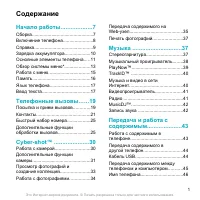 Sony Ericsson C903 Manual
 Sony Ericsson F305 Manual
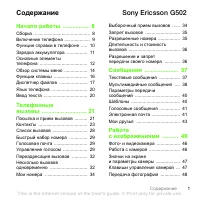 Sony Ericsson G502 Manual
 Sony Ericsson G700 Manual
 Sony Ericsson G900 Manual