Page 2 - WARNING; CAUTION
2 BDP-S5500/BDP-S4500/BDP-S1500 4-549-800- 11 (2) master page=left E:\SONY DVD\SD140038\4549800112_GB\020WAR.fm WARNING To reduce the risk of fire or electric shock, do not expose this appliance to dripping or splashing, and do not place objects filled with liquids, suchas vases, on the appliance. T...
Page 3 - Precautions
3 BDP-S5500/BDP-S4500/BDP-S1500 4-549-800- 11 (2) master page=right E:\SONY DVD\SD140038\4549800112_GB\020WAR.fm Disposal of waste batteries (applicable in the European Union and other European countries with separate collection systems) This symbol on the battery or on the packaging indicates that ...
Page 4 - On placement
4 BDP-S5500/BDP-S4500/BDP-S1500 4-549-800- 11 (2) master page=left E:\SONY DVD\SD140038\4549800112_GB\020WAR.fm Precautions This equipment has been tested and found to comply with the limits set out in the EMC Directive using a connection cable shorter than 3 metres. On placement • Place the player ...
Page 5 - IMPORTANT NOTICE
5 BDP-S5500/BDP-S4500/BDP-S1500 4-549-800- 11 (2) master page=right E:\SONY DVD\SD140038\4549800112_GB\020WAR.fm On adjusting volume Do not turn up the volume while listening to a section with very low level inputs or no audio signals. Your ears and the speakers may be damaged when the sound level r...
Page 9 - Contents; Getting Started
9 BDP-S5500/BDP-S4500/BDP-S1500 4-549-800- 11 (2) master page=right E:\SONY DVD\SD140038\4549800112_GB\010COVTOC.fm Contents 2 WARNING 4 Precautions Getting Started 11 Guide to Parts and Controls 16 Step 1: Connecting the Player 18 Step 2: Preparing for Network Connection 18 Step 3: Easy Setup Playb...
Page 10 - Software License Information
10 BDP-S5500/BDP-S4500/BDP-S1500 4-549-800- 11 (2) master page=left E:\SONY DVD\SD140038\4549800112_GB\010COVTOC.fm The Gracenote Software and each item of Gracenote Data are licensed to you “AS IS.” Gracenote makes no representations or warranties, express or implied, regarding the accuracy of any ...
Page 11 - Guide to Parts and Controls; Door tray; Connect a USB device to this jack.; Remote sensor; Front panel
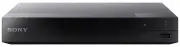
11 BDP-S5500/BDP-S4500/BDP-S1500 4-549-800- 11 (2) master page=right E:\SONY DVD\SD140038\4549800112_GB\030STU.fm Getting Star ted Getting Started Guide to Parts and Controls A Door tray B Z (open/close) C [ / 1 (on/standby) Turns on the player, or sets to standby mode. D Power indicator Lights up w...
Page 12 - Rear panel
12 BDP-S5500/BDP-S4500/BDP-S1500 4-549-800- 11 (2) master page=left E:\SONY DVD\SD140038\4549800112_GB\030STU.fm A Ventilation holes B DIGITAL OUT (COAXIAL) jack C HDMI OUT jack D LAN (100) terminal E DC IN 12 V (AC adaptor input) jack Rear panel
Page 13 - Opens or closes the disc tray.; TOP MENU; Returns to the previous display.; Enters the selected item.; HOME; Enters the player’s home screen.; Remote
13 BDP-S5500/BDP-S4500/BDP-S1500 4-549-800- 11 (2) master page=right E:\SONY DVD\SD140038\4549800112_GB\030STU.fm Getting Star ted The available functions of the remote are different depending on the disc or the situation. z N , 2 + , and AUDIO buttons have a tactile dot. Use the tactile dot as a re...
Page 14 - NETFLIX; • Fast reverse/fast forward the disc
14 BDP-S5500/BDP-S4500/BDP-S1500 4-549-800- 11 (2) master page=left E:\SONY DVD\SD140038\4549800112_GB\030STU.fm (favourite) (page 15) Accesses the application registered as favourite. NETFLIX Accesses the “NETFLIX” online service. For further NETFLIX online service details, visit the following webs...
Page 15 - Home screen display; Available options
15 BDP-S5500/BDP-S4500/BDP-S1500 4-549-800- 11 (2) master page=right E:\SONY DVD\SD140038\4549800112_GB\030STU.fm Getting Star ted The home screen appears when you press HOME. Select an application using < / M / m / , , and press ENTER. [My Apps]: Manages favourite application. You may add shortc...
Page 16 - Step 1: Connecting the Player; Connect the player to your TV with a High Speed HDMI Cable.; Connecting to your TV
16 BDP-S5500/BDP-S4500/BDP-S1500 4-549-800- 11 (2) master page=left E:\SONY DVD\SD140038\4549800112_GB\030STU.fm Step 1: Connecting the Player Do not connect the mains lead until you have made all the connections. Connect the player to your TV with a High Speed HDMI Cable. Connecting to your TV High...
Page 17 - Connecting to your AV amplifier (receiver)
17 BDP-S5500/BDP-S4500/BDP-S1500 4-549-800- 11 (2) master page=right E:\SONY DVD\SD140038\4549800112_GB\030STU.fm Getting Star ted Select one of the following connection methods according to the input jacks on your AV amplifier (receiver). When you select A or B , make the appropriate settings in th...
Page 18 - Wired Setup; When turned on for the first time
18 BDP-S5500/BDP-S4500/BDP-S1500 4-549-800- 11 (2) master page=left E:\SONY DVD\SD140038\4549800112_GB\030STU.fm Step 2: Preparing for Network Connection If you are not going to connect the player to a network, proceed to “Step 3: Easy Setup” (page 18). Use a LAN cable to connect to the LAN (100) te...
Page 19 - Press; and ENTER on the
19 BDP-S5500/BDP-S4500/BDP-S1500 4-549-800- 11 (2) master page=right E:\SONY DVD\SD140038\4549800112_GB\030STU.fm Getting Star ted 2 Connect the supplied AC adaptor and AC power cord (mains lead) in the numeric order shown below. When removing them, do so in reverse order. 3 Press [ / 1 to turn on t...
Page 20 - Playback; Playing a Disc; in
20 BDP-S5500/BDP-S4500/BDP-S1500 4-549-800- 11 (2) master page=left E:\SONY DVD\SD140038\4549800112_GB\040PLY.fm Playback Playing a Disc For playable discs, see page 40. 1 Switch the input selector on your TV so that the signal from the player appears on your TV screen. 2 Press Z , and place a disc ...
Page 21 - Play
21 BDP-S5500/BDP-S4500/BDP-S1500 4-549-800- 11 (2) master page=right E:\SONY DVD\SD140038\4549800112_GB\040PLY.fm Play back You can enjoy a Blu-ray 3D Disc with the “Blu-ray 3D” logo. 1 Prepare for Blu-ray 3D Disc playback. • Connect the player to your 3D-compatible devices using a High Speed HDMI C...
Page 22 - Playing via a Network; • Connect the player to a network
22 BDP-S5500/BDP-S4500/BDP-S1500 4-549-800- 11 (2) master page=left E:\SONY DVD\SD140038\4549800112_GB\040PLY.fm Playing from a USB Device For “Playable types of files”, see page 41. 1 Connect the USB device to the USB jack on the player (page 11). Refer to the instruction manual supplied with the U...
Page 23 - Available Options; Common options; Sets the repeat; Using
23 BDP-S5500/BDP-S4500/BDP-S1500 4-549-800- 11 (2) master page=right E:\SONY DVD\SD140038\4549800112_GB\040PLY.fm Play back “TV SideView” is a free mobile application for remote devices (such as smartphone, etc.). By using “TV SideView” with this player, you can easily enjoy the player by using the ...
Page 26 - Browsing Websites; Prepare the Internet Browser.; to display the; Internet browser display
26 BDP-S5500/BDP-S4500/BDP-S1500 4-549-800- 11 (2) master page=left E:\SONY DVD\SD140038\4549800112_GB\050INT.fm Internet (BDP-S5500/S4500 only) Browsing Websites You can connect to the Internet and enjoy websites. 1 Prepare the Internet Browser. Connect the player to a network (page 18). 2 Select [...
Page 27 - Inter
27 BDP-S5500/BDP-S4500/BDP-S1500 4-549-800- 11 (2) master page=right E:\SONY DVD\SD140038\4549800112_GB\050INT.fm Inter n e t ( B DP- S 5500/S4 500 o n ly) F Secured Connection IconDisplays when the website is protected and connected safely. G Progress BarAppears when the website is being load.
Page 28 - Settings and Adjustments; Select
28 BDP-S5500/BDP-S4500/BDP-S1500 4-549-800- 11 (2) master page=left E:\SONY DVD\SD140038\4549800112_GB\060ADJ.fm Settings and Adjustments Using the Settings Displays Select [Setup] on the home screen when you need to change the settings of the player.The default settings are underlined. 1 Select [Se...
Page 32 - Turns off the function.
32 BDP-S5500/BDP-S4500/BDP-S1500 4-549-800- 11 (2) master page=left E:\SONY DVD\SD140038\4549800112_GB\060ADJ.fm [System Settings] x [OSD Language] Selects on-screen display language for your player. x [HDMI Settings] By connecting Sony components that are compatible with HDMI functions with a High ...
Page 35 - Additional Informati; Additional Information; Troubleshooting; Picture
35 BDP-S5500/BDP-S4500/BDP-S1500 4-549-800- 11 (2) master page=right E:\SONY DVD\SD140038\4549800112_GB\070ADD.fm Additional Informati o n Additional Information Troubleshooting If you experience any of the following difficulties while using the player, use this troubleshooting guide to help remedy ...
Page 36 - Disc
36 BDP-S5500/BDP-S4500/BDP-S1500 4-549-800- 11 (2) master page=left E:\SONY DVD\SD140038\4549800112_GB\070ADD.fm , The device connected to the HDMI OUT jack does not support the audio format of the player. Check the audio settings (page 30). The HD Audio (Dolby Digital Plus, Dolby TrueHD, DTS-HD Hig...
Page 37 - Network connection
37 BDP-S5500/BDP-S4500/BDP-S1500 4-549-800- 11 (2) master page=right E:\SONY DVD\SD140038\4549800112_GB\070ADD.fm Additional Informati o n The player cannot connect to the network. , Check the network connection (page 18) and the network settings (page 33). The PC cannot connect to the Internet afte...
Page 38 - Others
38 BDP-S5500/BDP-S4500/BDP-S1500 4-549-800- 11 (2) master page=left E:\SONY DVD\SD140038\4549800112_GB\070ADD.fm , When you connect the player to a TV through an AV amplifier (receiver), – if the AV amplifier (receiver) is not compatible with the [Control for HDMI] function, you may be unable to con...
Page 39 - Specifications; System; Inputs and outputs; Wireless LAN standard:; General; Operating temperature:; Supplied accessories
39 BDP-S5500/BDP-S4500/BDP-S1500 4-549-800- 11 (2) master page=right E:\SONY DVD\SD140038\4549800112_GB\070ADD.fm Additional Informati o n Specifications System Laser: Semiconductor laser Inputs and outputs ( Jack name: Jack type/Output level/Load impedance) DIGITAL OUT (COAXIAL): Phono jack/0.5 Vp-...
Page 40 - Playable discs; DVD
40 BDP-S5500/BDP-S4500/BDP-S1500 4-549-800- 11 (2) master page=left E:\SONY DVD\SD140038\4549800112_GB\070ADD.fm *1 Since the Blu-ray Disc specifications are new and evolving, some discs may not be playable depending on the disc type and the version.The audio output differs depending on the source, ...
Page 41 - Video; Playable types of files; Codec; Format
41 BDP-S5500/BDP-S4500/BDP-S1500 4-549-800- 11 (2) master page=right E:\SONY DVD\SD140038\4549800112_GB\070ADD.fm Additional Informati o n Video Playable types of files Codec Container Extension With Audio MPEG-1 Video *1 PS .mpg, .mpeg Dolby Digital, DTS, LPCM, MPEG MKV .mkv Dolby Digital, LPCM, AA...
Page 43 - No Security; • To keep the disc; Notes About the Discs
43 BDP-S5500/BDP-S4500/BDP-S1500 4-549-800- 11 (2) master page=right E:\SONY DVD\SD140038\4549800112_GB\070ADD.fm Additional Informati o n • To avoid data corruption or damage to the USB memory or devices, turn off the player when connecting or removing the USB memory or devices. • The player may no...
Page 44 - Language code list; Code Language
44 BDP-S5500/BDP-S4500/BDP-S1500 4-549-800- 11 (2) master page=left E:\SONY DVD\SD140038\4549800112_GB\070ADD.fm • Do not use the following discs. – A lens cleaning disc.– A disc that has a non-standard shape (e.g., card, heart). – A disc with a label or sticker on it.– A disc that has cellophane ta...
Page 45 - Parental control/area code; Code Area
45 BDP-S5500/BDP-S4500/BDP-S1500 4-549-800- 11 (2) master page=right E:\SONY DVD\SD140038\4549800112_GB\070ADD.fm Additional Informati o n For details, see [Parental Control Area Code] (page 31). 1357 Malay 1358 Malese; Maltese 1363 Burmese 1365 Nauru 1369 Nepali 1376 Dutch 1379 Norwegian 1393 Occit...