Sonos SUBG3EU1 - User Manual
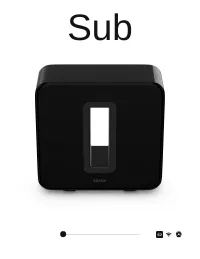
Sonos SUBG3EU1 Sound Bar – User Manual, read for free online in PDF format. We hope this helps you resolve any issues you may have. If you have further questions, please contact us through the contact form.
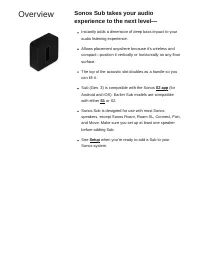
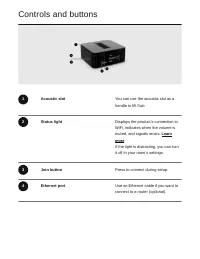
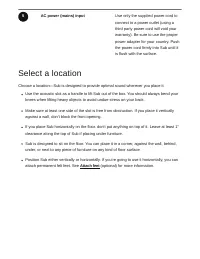
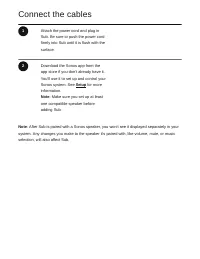
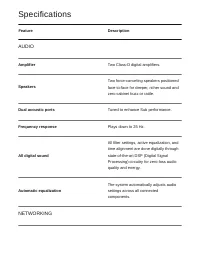
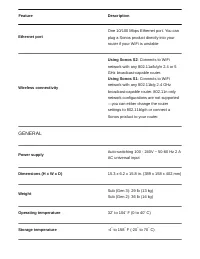
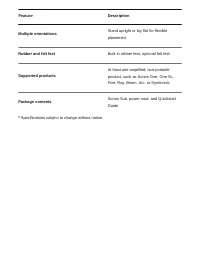
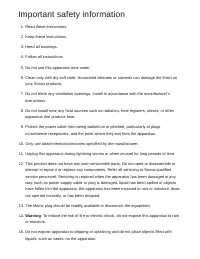
Table of Contents:
- Page 2 – Overview
- Page 3 – Controls and buttons
- Page 4 – Select a location
- Page 5 – Connect the cables
- Page 6 – Product settings
- Page 7 – Change speaker pairing
- Page 8 – Connect a second Sub
- Page 9 – Specifications; AUDIO; NETWORKING
- Page 10 – GENERAL
- Page 12 – Important safety information
Sub
"Loading the manual" means you need to wait until the file loads and becomes available for online reading. Some manuals are very large, and the time they take to appear depends on your internet speed.
Summary
Overview Sonos Sub takes your audioexperience to the next level— Instantly adds a dimension of deep bass impact to youraudio listening experience. Allows placement anywhere because it’s wireless andcompact—position it vertically or horizontally on any floorsurface. The top of the acoustic slot doubl...
Controls and buttons 1 Acoustic slot You can use the acoustic slot as ahandle to lift Sub. 2 Status light Displays the product's connection toWiFi, indicates when the volume ismuted, and signals errors. Learn more If the light is distracting, you can turnit off in your room’s settings. 3 Join button...
5 AC power (mains) input Use only the supplied power cord toconnect to a power outlet (using athird party power cord will void yourwarranty). Be sure to use the properpower adapter for your country. Pushthe power cord firmly into Sub until itis flush with the surface. Select a location Choose a loca...