Page 2 - Instructions; RISK OF INJURY
Instructions 4 1 Instructions 1.1 General safety instructions • During use the appliance and its accessible parts become very hot. Never touch the heating elements during use. • Protect your hands by wearing oven gloves when moving food inside the oven. • Never try to put out a fire or flames with w...
Page 3 - RISK OF DAMAGING THE
Instructions 5 EN • If you need to move food or at the end of cooking, open the door 5 cm for a few seconds, let the steam come out, then open it fully. • Do not insert pointed metal objects (cutlery or utensils) into the slots in the appliance. • Switch off the appliance immediately after use. • DO...
Page 5 - Installation and maintenance
Instructions 7 EN • Avoid exerting too much pressure on the oven door when open. • Do not use the handle to lift or move the appliance. Installation and maintenance • THIS APPLIANCE MUST NOT BE INSTALLED IN BOATS OR CARAVANS. • The appliance must not be installed on a pedestal. • Position the applia...
Page 6 - For this appliance; • This user manual is an integral part of the
Instructions 8 For this appliance • Ensure that the appliance is switched off before replacing the bulb. • Do not rest any weight or sit on the open door of the appliance. • Take care that no objects are stuck in the doors. • Do not install / use the appliance outdoors. • Only use the temperature pr...
Page 7 - • Deliver the appliance to the appropriate; Identification plate; Power voltage
Instructions 9 EN 1.5 Disposal This appliance conforms to the WEEE European directive (2012/19/EU) and must be disposed of separately from other waste at the end of its service life.The appliance does not contain substances in quantities sufficient to be considered hazardous to health and the enviro...
Page 8 - How to read the user manual
Instructions 10 1.7 How to read the user manual This user manual uses the following reading conventions: 1.8 To save energy • Only preheat the appliance if the recipe requires you to do so. • Unless otherwise indicated on the package, defrost frozen foods before placing them in the oven. • When cook...
Page 9 - Description; General description; Control panel
Description 11 EN 2 Description 2.1 General description 1 Control panel 2 Oven light3 Seal 4 Door 5 Fan 6 Rack/tray support frames Frame shelf
Page 10 - Function knob
Description 12 2.2 Control panel 1 Function knob This knob can be used to:• Turn the appliance on and off• Select a function. 2 Display Displays the current time, the function, the selected cooking temperature, power and any time that has been set. 3 Select knob This knob can be used to set:• The co...
Page 11 - Interior lighting; Available accessories; Rack
Description 13 EN 2.3 Other parts Interior lighting The appliance’s interior lighting comes on:• When the door is opened.• When any function, apart from the ECO , Pyrolytic and Vapor Clean functions are selected (depending on the model). Cooling fan The fan cools the appliance and comes into operati...
Page 12 - Deep tray
Description 14 Oven tray (on some models only) Useful for collecting fat from foods placed on the rack above and for cooking sweets, biscuits, etc. Deep tray Useful for collecting fat from foods placed on the rack above and for cooking pies, pizzas and baked desserts. Self-cleaning panels (on some m...
Page 13 - Use
Use 15 EN 3 Use Instructions Preliminary operations 1. Remove any protective film from the outside or inside of the appliance, including accessories. 2. Remove any labels (apart from the technical data plate) from the accessories and from the oven cavity. 3. Remove and wash all the appliance’s acces...
Page 14 - Using the accessories; Tray rack
Use 16 3.1 Using the accessories Tray rack The tray rack has to be inserted into the tray. In this way fat can be collected separately from the food which is being cooked. Racks and trays Racks and trays have to be inserted into the side guides until they come to a complete stop.• The mechanical saf...
Page 15 - Display
Use 17 EN 3.2 Using the oven Display The parameters and values for the currently selected function will be indicated on the display. To use it, simply turn the Function and Select knobs to select the values displayed. Clock indicator light Timer indicator light Cooking indicator light End of cooking...
Page 16 - Timer
Use 18 Timer 1. When the Function knob is on position 0 , press the Select knob . Digits appear on the display and the Timer indicator light flashes. 2. Turn the Select knob within 3 seconds to set the duration of the Timer (from 1 minute to 13 hours). 3. Wait 3 seconds or press the Select knob to s...
Page 17 - Switching on the oven
Use 19 EN Switching on the oven 1. Turn the Function knob to the right or left to select the required function (e.g. “ FAN ASSISTED ”). 2. Turn the Select knob to the right or left to select the required temperature (e.g. “ 200°C ”). 3. Wait 3 seconds to start cooking or press the Select knob to ent...
Page 18 - Timed Cooking
Use 20 Timed Cooking 1. After having selected a cooking function and a temperature, press the Select knob . Digits appear on the display and the Cooking and Clock indicator lights flash. 2. Turn the Select knob within 3 seconds to set the cooking duration (from 1 minute to 13 hours) (e.g. “ 25 minut...
Page 19 - Timer during cooking
Use 21 EN Timer during cooking 1. After having selected a cooking function and a temperature, press the Select knob twice. Digits appear on the display and the Timer indicator light flashes. 2. Turn the Select knob within 3 seconds to set the duration of the Timer (from 1 minute to 13 hours). 3. Wai...
Page 20 - Programmed Cooking
Use 22 Programmed Cooking 1. After having selected a cooking function and a temperature, press the Select knob . Digits appear on the display and the Cooking and Clock indicator lights flash. 2. Turn the Select knob within 3 seconds to set the cooking duration (from 1 minute to 13 hours) (e.g. “ 25 ...
Page 21 - Programmed Cooking End
Use 23 EN Programmed Cooking End At the end of cooking, flashes on the display and a buzzer will sound that can be deactivated by opening the door or pressing/turning one of the two knobs. How to clear Programmed Cooking 1. Press the Select knob . The Cooking indicator light flashes on the display. ...
Page 22 - General advice
Use 24 3.3 Cooking advice General advice • Use a fan assisted function to achieve consistent cooking at several levels. • It is not possible to shorten cooking times by increasing the temperature (the food could be overcooked on the outside and undercooked on the inside). • To prevent condensation f...
Page 23 - Advice for cooking meat
Use 25 EN Advice for cooking meat • Cooking times vary according to the thickness and quality of the food and to consumer taste. • Use a meat thermometer when roasting meat, or simply press on the roast with a spoon. If it is hard, it is ready; if not, it needs to be cooked for a few more minutes. •...
Page 24 - Cooking information table
Use 26 Cooking information table Food Weight (Kg) Function Shelf Temperature (°C) Time (minutes) Lasagne 3 - 4 Static 1 220 - 230 45 - 50 Pasta bake 3 - 4 Static 1 220 - 230 45 - 50 Veal roast 2 Turbo/Fan assisted 2 180 - 190 90 - 100 Pork loin 2 Turbo/Fan assisted 2 180 - 190 70 - 80 Sausages 1.5 F...
Page 25 - Special functions; Defrost
Use 27 EN 3.4 Special functions Defrost 1. Place the food inside the oven. 2. Turn the Function knob until the following appears on the display. 3. Press the Select knob to confirm that you wish to use the Special functions. The Defrost function screen appears on the display. 4. Press the Select kno...
Page 26 - Proving
Use 28 Proving 1. Position the dough to prove on the second level. 2. Turn the Function knob until the following appears on the display. 3. Press the Select knob to confirm that you wish to use the Special functions. The Defrost function screen appears on the display. 4. Turn the Select knob to sele...
Page 27 - Sabbath
Use 29 EN Sabbath 1. Place the food inside the oven. 2. Turn the Function knob until the following appears on the display. 3. Press the Select knob to confirm that you wish to use the Special functions. The Defrost function screen appears on the display. 4. Turn the Select knob to select the Sabbath...
Page 28 - PIZZA function
Use 30 6. Turn the Select knob to select the required temperature (from 60°C to 100°C) (for example “ 90°C ”). 7. Wait 3 seconds before starting the function. 8. Turn the Function knob to 0 to exit from the function. PIZZA function 1. Turn the Function knob until the following appears on the display...
Page 29 - Current time
Use 31 EN 3.5 Settings Current time 1. Turn the Function knob until the following appears on the display. 2. Press the Select knob to access the list of Settings . The Current time function screen appears on the display. 3. Press the Select knob to adjust the Current Time (for example “ 12:30 ”). 4....
Page 32 - Keep Warm
Use 34 Keep Warm 1. Turn the Function knob until the following appears on the display. 2. Press the Select knob to access the list of Settings . The Current time function screen appears on the display. 3. Turn the Select knob to select the Keep warm function. 4. Press the Select knob to confirm. 5. ...
Page 33 - Cleaning and maintenance; Cleaning the surfaces; Ordinary daily cleaning; Cleaning the door; Removing the door
Cleaning and maintenance 35 EN 4 Cleaning and maintenance Instructions 4.1 Cleaning the surfaces To keep the surfaces in good condition, they should be cleaned regularly after use. Let them cool first. Ordinary daily cleaning Always and only use specific products that do not contain abrasives or chl...
Page 34 - Grasp the door on both sides with both
Cleaning and maintenance 36 2. Grasp the door on both sides with both hands, lift it so that it forms an angle of around 30° and remove it. 3. To reassemble the door, put the hinges in the relevant slots in the oven, making sure that grooved sections A are resting completely in the slots. Lower the ...
Page 35 - Some models have an intermediate glass
Cleaning and maintenance 37 EN 3. Some models have an intermediate glass pane. Remove the intermediate glass pane by lifting it upwards. 4. Clean the external glass pane and the panes removed previously. Use absorbent kitchen roll. In case of stubborn dirt, wash with a damp sponge and neutral deterg...
Page 36 - Cleaning the oven cavity; Drying
Cleaning and maintenance 38 4.3 Cleaning the oven cavity In order to keep your oven in the best possible condition, clean it regularly after letting it cool down.Avoid letting food residue dry inside the oven cavity, as this could damage the enamel.Take out all removable parts before cleaning.For ea...
Page 37 - Removing rack/tray support frames
Cleaning and maintenance 39 EN Removing rack/tray support frames Removing the rack/tray support frames enables the sides to be cleaned more easily. This operation should be performed each time the automatic cleaning cycle is used (on some models only).To remove the rack/tray support frames:1. Pull t...
Page 38 - Danger of burns
Cleaning and maintenance 40 Regeneration of self-cleaning panels (catalytic cycle) (on some models only) The regeneration cycle of the self-cleaning panels is a cleaning method through heating suitable for removing small grease residues, not sugar-based ones.1. Clean the base and the upper guard fir...
Page 39 - Preliminary operations
Cleaning and maintenance 41 EN 4.4 Vapor Clean (on some models only) Preliminary operations Before starting the Vapor Clean cycle: • Completely remove all accessories from inside the oven. • Remove the self-cleaning panels, if present (see “Removing self-cleaning panels and rack/tray support frames ...
Page 40 - Vapor Clean cycle setting
Cleaning and maintenance 42 Vapor Clean cycle setting 1. Turn the Function knob until the following appears on the display. 2. Press the Select knob to confirm that you wish to use the Special functions. The Defrost function screen appears on the display. 3. Turn the Select knob to select the Vapor ...
Page 41 - Programmed Vapor Clean cycle
Cleaning and maintenance 43 EN 6. At the end of the Vapor Clean cycle, appears on the display and a buzzer will sound that can be deactivated by opening the door or pressing/turning one of the two knobs. 7. Turn the Function knob to 0 to exit from the function. Programmed Vapor Clean cycle It is pos...
Page 43 - Pyrolytic cycle
Cleaning and maintenance 45 EN 3. Turn the Select knob until the Pyrolytic function is selected. The duration of the Pyrolytic cycle appears on the display (factory set to 2 hours ). 4. Turn the Select knob to set the duration of the Pyrolytic cycle from a minimum of 2 hours to maximum of 3 hours . ...
Page 44 - Setting of a programmed Pyrolytic cycle
Cleaning and maintenance 46 Setting of a programmed Pyrolytic cycle It is possible to program the Pyrolytic cycle start time like all other cooking functions. 1. Turn the Function knob until the following appears on the display. 2. Press the Select knob to confirm that you wish to use the Special fu...
Page 45 - Extraordinary maintenance; Seal maintenance tips
Cleaning and maintenance 47 EN 4. Press the Select knob 5. Turn the Select knob (the End of Cooking Indicator light turns on) to set the time at which you want the Pyrolytic cycle to end. 6. Wait 3 seconds before confirming the settings. 7. The appliance waits until the set start time to start the P...
Page 46 - Replacing the internal light bulb
Cleaning and maintenance 48 Replacing the internal light bulb 1. Completely remove all accessories from inside the oven. 2. Remove the rack/tray support frames.3. Use a tool (e.g. a spoon) to remove the bulb cover. 4. Slide out and remove the light bulb. 5. Replace the light bulb with one of the sam...
Page 47 - Installation; Electrical connection; Unscrew the rear casing screws and
Installation 49 EN 5 Installation 5.1 Electrical connection General information Check the grid characteristics against the data indicated on the plate.The identification plate bearing the technical data, serial number and brand name is visibly positioned on the appliance.Do not remove this plate for...
Page 48 - Position of the power cable
Installation 50 5.2 Positioning Position of the power cable (rear view) Front panel seal Glue the supplied seal to the rear part of the front panel to avoid water or other liquids from leaking in. Heavy appliance Crushing hazard • Position the appliance into the cabinet cut-out with the help of a se...
Page 49 - Fastening bushings
Installation 51 EN Fastening bushings 1. Remove the bushing covers on the front of the appliance. 2. Mount the appliance into the recess.3. Secure the appliance to the carcase using the screws. 4. Cover the bushings with the previously removed covers. Appliance overall dimensions (mm)
Page 52 - deep at the
Installation 54 Mounting into a column (mm) Make sure that there is a space approx. 35-40 mm deep at the top / back of the unit. 9 1 4 7 7 9 3 1 0 / B
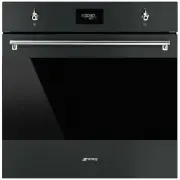


 Smeg SFP9395X1 User Manual
 Smeg SFPA6300TVX User Manual
 Smeg SFPA6309X User Manual
 Smeg SFPA7395X2 User Manual
 Smeg SFRA9300TVX User Manual
 Smeg SFRA9300X User Manual
 Smeg SO4102S3B3 User Manual
 Smeg SO6102S3PB3 User Manual
 Smeg SO6104APG User Manual
 Smeg SOPA3302TPX User Manual
 Smeg SOPA6301TN User Manual
 Smeg SOPA6301TX User Manual