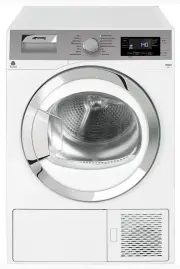
Page 2 - Please read this user manual first!; Explanation of symbols
Please read this user manual first! Dear Customer, Thank you for prefering a Smeg product. We hope that your product which has been manufactured with high quality and technology will give you the best results. We advise you to read through this manual and the other accompanying documentation careful...
Page 3 - Important safety and environmental instructions; Authorized Service Agent
3 / 32 EN Dryer / User Manual 1 Important safety and environmental instructions This section contains safety instructions that will help protect from risk of personal injury or property damage. Failure to follow these instructions shall void any warranty. 1.1 General safety • Dryer can be used by th...
Page 4 - Important instructions for safety and environment
4 / 32 EN Dryer / User Manual Important instructions for safety and environment 1.1.1 Electrical safety A Electrical safety instructions should be followed while electrical connection is made during the installation. • Connect the dryer to a grounded outlet protected by a fuse at the value specified...
Page 7 - • There must not be a lockable, sliding or hinged door that may block; Mounting over a washing machine; by the authorized service agent.
7 / 32 EN Dryer / User Manual Important instructions for safety and environment • There must not be a lockable, sliding or hinged door that may block the opening of the loading door in the place where your dryer is to be installed. • Install your dryer at places suitable for home use. (Bathroom, clo...
Page 8 - Installation Table for Washing Machine and Dryer; Dryer Depth; • Dryer has been designed for domestic use. It is not designed for
8 / 32 EN Dryer / User Manual Important instructions for safety and environment Installation Table for Washing Machine and Dryer Dryer Depth Washing Machine Depth 62cm 60 cm 54 cm 50 cm 49 cm 45 cm 40 cm 54 cm Can be installed Can be installed Can be installed Can be installed Can be installed Can b...
Page 9 - Compliance with the WEEE Directive and
9 / 32 EN Dryer / User Manual Important instructions for safety and environment 1.4 Children's safety • Packaging materials are dangerous to children. Keep packaging materials away from children. • Electrical products are dangerous for the children. Keep children away from the product when it is ope...
Page 10 - Technical Specifications; Values stated on markers on the dryer or in the other published
10 / 32 EN Dryer / User Manual Important instructions for safety and environment EN 2 Height (min. / max.) 84,6 cm / 86,6 cm* Width 59,5 cm Depth 60,9 cm Capacity (max.) 8 kg** Net weight (plastic front door usage) 50,5 kg Net weight (glass front door usage) 52,5 kg Voltage See type label*** Rated p...
Page 11 - Your Dryer; *It can be supplied with your machine depending on its model.
11 / 32 EN Dryer / User Manual 2 Your Dryer 2.1 Package Contents 1 2 3 5 4 1. Water drain hose * 2. Filter drawer spare sponge* 3. User Manual 4. Drying basket* 5. Drying basket user manual* *It can be supplied with your machine depending on its model.
Page 12 - Installation; Appropriate installation location; on the power; Removing the transportation; Connecting to the drain
12 / 32 EN Dryer / User Manual 3 Installation Before the calling the nearest Authorized Service for the installation of the dryer, ensure that electrical installation and water drain is appropriate referring to the user's manual. (See 3.3 Connecting to the drain and 3.5 Electrical connection) If the...
Page 14 - Preparation; LAUNDRY DRYING SYMBOLS
14 / 32 EN Dryer / User Manual 4 Preparation 4.1 Laundry suitable for drying in the dryer Always obey the instructions given on the garment tags. Dry only the laundry having a label stating that they are suitable for drying in a dryer and make sure that you select the appropriate programme. Drying S...
Page 15 - Correct load capacity
15 / 32 EN Dryer / User Manual Preparation • Clean the filter drawer regularly either when the Filter Drawer Cleaning warning symbol appears or after every 3 drying cycles. (See 6 Maintenance and cleaning) • Ventilate the room, where the dryer is located, well during drying. 4.5 Correct load capacit...
Page 16 - Operating the product
16 / 32 EN Dryer / User Manual 5 Operating the product 5.1 Control panel 1. Programme Selection knob 2. Dryness Level Adjustment button 3. Audio Warning Level button 4. Display 5. On /Off/Cancel button 6. Start/Pause button 7. End Time button 8. Favourite button 9. Timer Programmes Selection button ...
Page 17 - • Cottons; Additional programmes; • Jeans
17 / 32 EN Dryer / User Manual Operating the product 5.3 Preparing the machine 1. Plug in your machine. 2. Place the laundry in the machine. 3. Press the On/Off/Cancel button for 1 second (long). 4. When your machine is operated for the first time, it starts with the declaration programme (wardrobe ...
Page 20 - Volume level low; Dryness level adjustment selection; Drying level damp
20 / 32 EN Dryer / User Manual Operating the product5.8 Auxiliary functions Audio Warning The machine will give an audio warning when the programme comes to an end. Use the Audio Warning Level button to adjust the sound level. C You can change the sound level either before the programme starts or wh...
Page 21 - Favourite selection button; End time
21 / 32 EN Dryer / User Manual Operating the product C Anti-creasing symbol will illuminate at the end of the programme if Anti-creasing function is activated. Favourite selection button A programme with the set auxiliary function is saved with Favourite selection button.When the product is switched...
Page 23 - Changing the programme after it
23 / 32 EN Dryer / User Manual Operating the product5.10 Starting the programme Press the Start/Pause button to start the program. Start symbol will light up to indicate that the programme has started and “:” symbol in the middle of the remaining time will keep flashing. Drying and programme progres...
Page 24 - End of programme
24 / 32 EN Dryer / User Manual Operating the product C If you select a new programme by turning the Programme Selection knob while your drier is in Pause mode, then the current program is aborted and new programme information is displayed.Do not touch the inner surface of the drum when adding or tak...
Page 25 - Maintenance and cleaning; Inner Surface
25 / 32 EN Dryer / User Manual 6 Maintenance and cleaning Service life of product extends and frequently experienced problems will be reduced if it is cleaned at regular intervals. 6.1 Cleaning Lint Filter / Loading Door Inner Surface Lint and fiber released from the laundry to the air during the dr...
Page 28 - Cleaning the evaporator
28 / 32 EN Dryer / User Manual Maintenance and cleaning • Close the kick plate cover. A Drying without the filter drawer sponge in place will damage the machine! C A dirty lint filter and filter drawer will cause longer drying periods and higher energy consumption. 6.5 Cleaning the evaporator Clean ...
Page 29 - Troubleshooting
29 / 32 EN Dryer / User Manual 7 Troubleshooting Drying process takes too much time.• Pores of the lint filter are clogged. >>> Wash the lint filter with warm water. • Filter drawer is clogged. >>> Clean the sponge and the filter cloth in the filter drawer. • Ventilation grids on t...