Page 2 - Subject to change without notice at any time.; Copyright notice; Copyright © Siemens AG 2002
Remote-SAT User's Guide MC35_SAT_01_v02.00 Page 2 of 65 11.01.2002 Document Name: Remote-SAT User's Guide Version: 02.00 Date: 11.01.2002 DocId: MC35_SAT_01_v02.00 Status: Released General note W ith respect to any damages arising in connection with the described product or this document,Siemens sha...
Page 3 - Contents
Remote-SAT User's Guide MC35_SAT_01_v02.00 Page 3 of 65 11.01.2002 Contents 1 AT Commands for Remote-SAT in MC35 .................................................................................. 5 1.1 Introduction ........................................................................................
Page 4 - Page; Section “Termination of Proactive Commands (URCs, TA
Remote-SAT User's Guide MC35_SAT_01_v02.00 Page 4 of 65 11.01.2002 1.5.2.13 AT^SSTR Remote-SAT Response – Set Up Menu (37)................................... 541.5.2.14 AT^SSTR Remote-SAT Response – Set Up Idle Mode Text (40) .................... 551.5.3 Event Response Commands ........................
Page 5 - AT Commands for Remote-SAT in MC35
Remote-SAT User's Guide MC35_SAT_01_v02.00 Page 5 of 65 11.01.2002 1 AT Commands for Remote-SAT in MC35 This document presents the specification for AT commands and responses required for the SIMApplication Toolkit (SAT) implementation in MC35. 1.1 Introduction SIM Application Toolkit (SAT) is a tec...
Page 6 - Supported product versions and related documents; Related documents
Remote-SAT User's Guide MC35_SAT_01_v02.00 Page 6 of 65 11.01.2002 1.1.1 Supported product versions and related documents Please note that this document is intended for the MC35 software release 02.00. The SAT functionscan be used in conjunction with the MC35 Cellular Engine and the MC35 Terminal. R...
Page 7 - AT commands; IDLE; SAT
Remote-SAT User's Guide MC35_SAT_01_v02.00 Page 7 of 65 11.01.2002 SIM MC35 CustomerApplication (Running PC-SAT application) Air IF LCD KBD MMI Remote-SAT SAT ^SSTN:<pac> AT commands data SA algo IDLE WAIT PAC SAT-UI PC/PDA AT^SSTR:<pac> AT^SSTGI:<pac> ^SSTN:<pac> SAT -I F-H ...
Page 9 - Table 1 Command Type Identifiers; Command Name
Remote-SAT User's Guide MC35_SAT_01_v02.00 Page 9 of 65 11.01.2002 Table 1 Command Type Identifiers Command Types supported by Remote-SAT (i.e. UI related) <cmdType> value (decimal) ^SSTGI applicable Used as Next Action Indicator ^SSTR required Command Name Proactive Commands (TA ← ← ← ← ME ← ...
Page 10 - Types
Remote-SAT User's Guide MC35_SAT_01_v02.00 Page 10 of 65 11.01.2002 1.1.5 Parameter Types Strings are passed as UCS2 characters, usage of the GSM alphabet is also possible. However, use ofthe GSM alphabet is not recommended since a SIM can contain text which then is not displayable (e.g.Greek charac...
Page 11 - SIM sends PAC
Remote-SAT User's Guide MC35_SAT_01_v02.00 Page 11 of 65 11.01.2002 1.1.6.1 Remote-SAT State Transition Diagram A Event : SIM sends first ProactiveCommand IDLE /2 OFF /1 WAIT /4 PAC /3 RESET /0 B "AT^SSTA=1,x" "OK" C SIM sends PAC ^SSTN:<PAC>" (URC) POW ER ON (Hardware Rese...
Page 13 - // W e always have to acknowledge the proactive command; OK
Remote-SAT User's Guide MC35_SAT_01_v02.00 Page 13 of 65 11.01.2002 1.1.7 Examples: Using Remote-SAT To give you an idea of how to start and use Remote-SAT, you may follow the steps described below: // Start after switch on the module atOK // Switch on verbose error messages at+cmee=2OK // Enter the...
Page 15 - scenarios; Reset; Idle
Remote-SAT User's Guide MC35_SAT_01_v02.00 Page 15 of 65 11.01.2002 1.1.8 Sequence scenarios In the following sequence diagrams dashed lines refer to events which respond to a formerly issuedrequest. 1.1.8.1 Initialisation sequence TA: ME: SIM: Reset 0 Off 1 ^SSTN: 255 Release Sim Application AT^SST...
Page 16 - PAC; Wait
Remote-SAT User's Guide MC35_SAT_01_v02.00 Page 16 of 65 11.01.2002 1.1.8.2 Proactive Command sequence TA: ME: SIM: PAC 3 ^SSTN: <pac> Issue PAC AT^SSTGI: <pac> Wait 4 Idle 2 ^SSTGI: <pac>,..values.. AT^SSTR: <pac> TERMINAL RESPONSE: <pac> Idle 2 OK ^SSTN: 254 Upon rece...
Page 18 - SAT then returns to its “Idle” state.
Remote-SAT User's Guide MC35_SAT_01_v02.00 Page 18 of 65 11.01.2002 1.1.8.4 Envelope Command sequence (Call / MO / SMS Control) TA: ME: SIM: PAC 3 ^SSTN: <env> AT^SSTGI: <env> Wait 4 Idle 2 ^SSTGI: <env>,..values.. AT^SSTR: <env> ENVELOPE CMD Idle 2 OK RESPONSE Envelope comma...
Page 21 - character values will range from 32 to 255.; Siemens
Remote-SAT User's Guide MC35_SAT_01_v02.00 Page 21 of 65 11.01.2002 Parameter <mode> 1 Activate Remote-SAT (to enter state IDLE) <Alphabet> 0 GSM default alphabet (GSM 03.38)Input of a characterrequests one byte , e.g. “Y”. • On ME´s output of string parameter (e.g. ,”Examples”) characte...
Page 23 - There are two situations for use of the W rite command:
Remote-SAT User's Guide MC35_SAT_01_v02.00 Page 23 of 65 11.01.2002 1.4 AT^SSTGI Remote-SAT Get Information 1.4.1 AT^SSTGI Remote-SAT Get Information – Generic Format Test command AT^SSTGI=? Response ^SSTGI:(list of supported <state>s), (list of supported <cmdType>s) OK Read command AT^S...
Page 24 - – Proactive command ID, see Table 1
Remote-SAT User's Guide MC35_SAT_01_v02.00 Page 24 of 65 11.01.2002 1.4.2 AT^SSTGI Remote-SAT Get Information – Refresh (1) Write command AT^SSTGI=1 This command is to be used upon receiving an unsolicited result code ^SSTN:1. The response from the module indicates the type of REFRESH that is going ...
Page 25 - without previously
Remote-SAT User's Guide MC35_SAT_01_v02.00 Page 25 of 65 11.01.2002 1.4.3 AT^SSTGI Remote-SAT Get Information – Set Up Event List (5) Write command AT^SSTGI=5 This command is mainly to be used upon receiving an unsolicited result code^SSTN:5. However, please refer to note below. The response informs...
Page 28 - 7 – Proactive command ID, see Table 1
Remote-SAT User's Guide MC35_SAT_01_v02.00 Page 28 of 65 11.01.2002 1.4.5 AT^SSTGI Remote-SAT Get Information – Send SS (17) Write command AT^SSTGI=17 This command is to be used upon receiving an unsolicited result code^SSTN:17. The module is sending a supplementary service request to the network, a...
Page 29 - Response; 8 – Proactive command ID, see Table 1
Remote-SAT User's Guide MC35_SAT_01_v02.00 Page 29 of 65 11.01.2002 1.4.6 AT^SSTGI Remote-SAT Get Information – Send USSD (18) Write command AT^SSTGI=18 This command is to be used upon receiving an unsolicited result code^SSTN:18. The module is sending an unstructured supplementary service request t...
Page 30 - 9 – Proactive command ID, see Table 1
Remote-SAT User's Guide MC35_SAT_01_v02.00 Page 30 of 65 11.01.2002 1.4.7 AT^SSTGI Remote-SAT Get Information – Send Short Message (19) Write command AT^SSTGI=19 This command is to be used upon receiving an unsolicited result code^SSTN:19. The SIM Application is sending a Short Message and the TA is...
Page 31 - 0 – Proactive command ID see Table 1
Remote-SAT User's Guide MC35_SAT_01_v02.00 Page 31 of 65 11.01.2002 1.4.8 AT^SSTGI Remote-SAT Get Information – Send DTMF (20) Write command AT^SSTGI=20 This command is to be used upon receiving an unsolicited result code^SSTN:20. The SIM Application is sending DTMF tones to the network, and can pro...
Page 33 - 3 – Proactive command ID, see Table 1
Remote-SAT User's Guide MC35_SAT_01_v02.00 Page 33 of 65 11.01.2002 1.4.10 AT^SSTGI Remote-SAT Get Information – Display Text (33) Write command AT^SSTGI=33 This command is to be used upon receiving an unsolicited result code^SSTN:33. The TA is being passed a message to display to the user, which ca...
Page 34 - 4 – Proactive command ID, see Table 1
Remote-SAT User's Guide MC35_SAT_01_v02.00 Page 34 of 65 11.01.2002 1.4.11 AT^SSTGI Remote-SAT Get Information – Get Inkey (34) Write command AT^SSTGI=34 This command is to be used upon receiving an unsolicited result code^SSTN:34. The TA is asked to prompt the user for an input, which is a single c...
Page 35 - 5 – Proactive command ID, see Table 1
Remote-SAT User's Guide MC35_SAT_01_v02.00 Page 35 of 65 11.01.2002 1.4.12 AT^SSTGI Remote-SAT Get Information – Get Input (35) Write command AT^SSTGI=35 This command is to be used upon receiving an unsolicited result code^SSTN:35. The TA is asked to prompt the user for an input, of a specified leng...
Page 36 - Help can; The first line of output from the ME is:; 6 – Proactive command ID, see Table 1
Remote-SAT User's Guide MC35_SAT_01_v02.00 Page 36 of 65 11.01.2002 1.4.13 AT^SSTGI Remote-SAT Get Information – Select Item (36) Write command AT^SSTGI=36 This command is to be used upon receiving an unsolicited result code^SSTN:36. The TA is supplied with a list of items allowing the user to selec...
Page 37 - Title of item
Remote-SAT User's Guide MC35_SAT_01_v02.00 Page 37 of 65 11.01.2002 not 0 (an icon exists). bits 2-8: = RFU <titleIconQualifier> Unsigned Integer, range 0 – 255, used as a bitfield.bit 1: 0 = icon is self explanatory and replaces text1 = icon is not self-explanatory and shall bedisplayed with ...
Page 38 - 7 – Proactive command ID, see Table 1
Remote-SAT User's Guide MC35_SAT_01_v02.00 Page 38 of 65 11.01.2002 1.4.14 AT^SSTGI Remote-SAT Get Information – Setup Menu (37) Write command AT^SSTGI=37 This command is mainly to be used upon receiving an unsolicited result code^SSTN:37. However, please refer to note below. The response provides t...
Page 40 - Unsigned Integer, range 0 – 255
Remote-SAT User's Guide MC35_SAT_01_v02.00 Page 40 of 65 11.01.2002 1.5 AT^SSTR Remote-SAT Response – Generic Format Test command AT^SSTR=? Response ^SSTR:(list of supported <state>s), (list of supported <cmdType>s) OK Read command AT^SSTR? Response ^SSTR: <state>, <cmdType> ...
Page 41 - id of menu item selected by user
Remote-SAT User's Guide MC35_SAT_01_v02.00 Page 41 of 65 11.01.2002 Parameters <cmdType> Number related to Proactive command or event type, see table 1.1.4 Command Type Values, pg. 8. <status> Command status return regarding the type of action that has takenplace, e.g. action performed b...
Page 43 - Commands
Remote-SAT User's Guide MC35_SAT_01_v02.00 Page 43 of 65 11.01.2002 1.5.2 Proactive Commands 1.5.2.1 AT^SSTR Remote-SAT Response – Refresh (1) Write command AT^SSTR=1,<status> If <cmdDetail> reported by AT^SSTGI was 4, ME is performing a SIM reset.Therefore a Terminal Response should not...
Page 44 - Proactive SIM session terminated by user
Remote-SAT User's Guide MC35_SAT_01_v02.00 Page 44 of 65 11.01.2002 1.5.2.3 AT^SSTR Remote-SAT Response – Setup Call (16) Write command AT^SSTR=16,<status> The TA indicates if the call setup has been accepted by the user.For further details please refer to chapter “AT^SSTGI Remote-SAT GetInfor...
Page 45 - Command performed successfully
Remote-SAT User's Guide MC35_SAT_01_v02.00 Page 45 of 65 11.01.2002 1.5.2.4 AT^SSTR Remote-SAT Response – Send SS (17) Write command AT^SSTR=17,<status> The TA indicates if the Send SS command has been cancelled by the user. Response OK Parameters <cmdType> 17– Proactive command ID, see ...
Page 54 - TA currently unable to process command
Remote-SAT User's Guide MC35_SAT_01_v02.00 Page 54 of 65 11.01.2002 1.5.2.13 AT^SSTR Remote-SAT Response – Set Up Menu (37) Write command AT^SSTR=37,<status> Note:As with every proactive command the TA is expected to acknowledge the^SSTGI response with AT^SSTR to confirm that the proactive com...
Page 58 - Appendix; Appendix A – SAT Profile; For further information please refer to GSM 11.14 section 5.2.
Remote-SAT User's Guide MC35_SAT_01_v02.00 Page 58 of 65 11.01.2002 2 Appendix 2.1 Appendix A – SAT Profile SAT Profile download is used as a means of the ME telling the SIM what it is capable of. The Profiledownload instruction is sent to the SIM from the ME as part of the SIM initialisation proces...
Page 61 - Appendix B - UCS2 Character Set Options; UCS Character Set Rows; Value
Remote-SAT User's Guide MC35_SAT_01_v02.00 Page 61 of 65 11.01.2002 2.2 Appendix B - UCS2 Character Set Options UCS Character Set Rows Value Language A-ZONE (alphabetical characters and symbols) 00 (Control characters,) Basic Latin, Latin-1 Supplement (=ISO/IEC 8859-1) 01 Latin Extended-A, Latin Ext...
Page 63 - Appendix C – Language Codes; Language
Remote-SAT User's Guide MC35_SAT_01_v02.00 Page 63 of 65 11.01.2002 2.3 Appendix C – Language Codes Language ISO Code Win Code Mac Name Mac Code Abkhazian ab Afar aa Afrikaans af 0x0036 Albanian sq 0x001c langAlbanian 36 Amharic am langAmharic 85 Arabic ar 0x0001 langArabic 12 Armenian hy langArmeni...


 Siemens M1 User Manual
 Siemens M30 User Manual
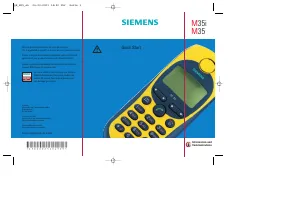 Siemens M35 User Manual
 Siemens M55 User Manual
 Siemens M56 User Manual
 Siemens M200D User Manual
 Siemens MC55 User Manual
 Siemens MC60 User Manual
 Siemens ME 45 User Manual
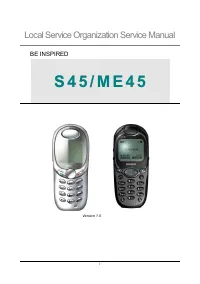 Siemens ME45 User Manual
 Siemens MICROMASTER User Manual
 Siemens MICROMASTER 420 User Manual