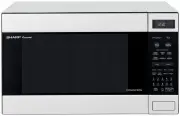
Page 2 - AUSTRALIA; NEW ZEALAND; WARRANTY; Consumer Electronic Products; Congratulations on Your Purchase!; IMPORTANT; DO NOT RETURN THIS DOCUMENT TO SHARP
1 A46951, SCA/SCNZ R990K(S)/(W) O/M FOR LOCATION ENQUIRIES WITHIN AUSTRALIA REGARDING YOUR LOCAL SHARP APPROVED SERVICE CENTRE VISIT OUR WEBSITE AT www.sharp.net.au OR CALL SHARP CUSTOMER CARE 1300 135 022 SHARP CORPORATION OF AUSTRALIA PTY LTD (LOCAL CALL COST APPLY WITHIN AUSTRALIA) FOR LOCATION E...
Page 3 - INTRODUCTION; INFO DISPLAY COOKING SYSTEM
2 A46951, SCA/SCNZ R990K(S)/(W) O/M ® INTRODUCTION The manual is divided into two sections: 1. OPERATION (P3~P26) This section describes your oven and teaches you how to use all the features. 2. COOKING GUIDE This section is at the back of the manual, it contains the more commonly used information s...
Page 4 - WARNING
3 A46951, SCA/SCNZ R990K(S)/(W) O/M WARNING IMPORTANT SAFETY INSTRUCTIONS : READ CAREFULLY AND KEEP FOR FUTURE REFERENCE. Do not put things on top of the oven or cover the outer cabinet. To reduce the risk of fire in the oven cavity: a. Do not overcook food.b. Remove wire twist-ties from paper or pl...
Page 5 - SPECIAL NOTES AND WARNING; DO
4 A46951, SCA/SCNZ R990K(S)/(W) O/M * Cook eggs in shells. This prevents "explosion", which may damage theoven or injure yourself. * Cook hard/soft boiled eggs.* Overcook oysters.* Dry nuts or seeds in shells. * Pop popcorn in regular brown bags or glass bowls. * Exceed maximum time on popco...
Page 6 - INSTALLATION INSTRUCTIONS; OVEN DIAGRAM
5 A46951, SCA/SCNZ R990K(S)/(W) O/M INSTALLATION INSTRUCTIONS 1. Remove all packing materials from the oven cavity, (do not remove the waveguide cover) , and the feature sticker from the outside of the door, if there is one. Check the unit for any damage, such as a misaligned door, damaged doorseals...
Page 7 - OPERATION OF TOUCH CONTROL PANEL; Control Panel Display
6 A46951, SCA/SCNZ R990K(S)/(W) O/M MIX CONVDEFROSTSENSOR COOK KG HELP OPERATION OF TOUCH CONTROL PANEL The operation of the oven is controlled by pressing the appropriate pads arranged on the surface of the controlpanel.An entry signal tone should be heard each time you press the control panel to m...
Page 8 - BEFORE OPERATING; Getting Started; Clock Setting
7 A46951, SCA/SCNZ R990K(S)/(W) O/M * This oven is preset with the INFORMATION GUIDE ON. To assist you in programming your oven, the information guide will appear in the display.In this manual, the display of information guide is abbreviated. * When you become familiar with your oven, the informatio...
Page 9 - Microwave Time Cooking; MICROWAVE COOKING
8 A46951, SCA/SCNZ R990K(S)/(W) O/M – – – – – – – – Microwave Time Cooking LOW HIGH MEDIUM M•LOW M•HIGH Power level 10% 30% 50% 70% 100% DefrostS o f t e n i n gbutter FruitVegetablesRice/Pasta Approximate percentage ofmicrowave power Examples of foods typical-ly cooked on microwaveoven power level ...
Page 10 - Sequence Cooking; Instant CookTM
9 A46951, SCA/SCNZ R990K(S)/(W) O/M Sequence Cooking Your oven can be programmed with up to 4 automatic cooking sequences, automatically switching from onevariable power setting to the next.Note that POWER LEVEL must be entered first when programming sequence cooking.* Suppose you want to cook for 1...
Page 11 - HEATING WITHOUT FOOD; To Cook by Convection
10 A46951, SCA/SCNZ R990K(S)/(W) O/M CONV CONV 0 0 0 2 6 180¡C 0 0 0 2 0 250¡C CONV Step Pad Order Procedure Place turntable in the oven.Press the CONVEC pad. (Operation guide off : ) CONV Enter desired temperature. CONV COOK CONV Press the INSTANT COOK/START pad. Enter desired cooking time. The tim...
Page 12 - To Preheat and Cook by Convection
11 A46951, SCA/SCNZ R990K(S)/(W) O/M 0 0 0 2 7 200¡C 7 200¡C * Suppose you want to preheat the oven to 200 ° C then cook for 20 minutes at 200 ° C. COOK CONV To Preheat and Cook by Convection Step Procedure Display CONV CONV CONV (Operation guide off : ) Press the PREHEAT pad. Press desired preheat ...
Page 13 - MIX COOKING; To Use Automatic Mix Settings
12 A46951, SCA/SCNZ R990K(S)/(W) O/M 0 0 0 2 MIX COOKING Your Convection Microwave Oven has two preprogrammed settings that make it easy to cook with bothconvection heat and microwaves automatically. The LOW MIX pad is preprogrammed for 180 ° C with 10% microwave power, while the HIGH MIX pad is pre...
Page 14 - To Preheat and Cook with Automatic Mix Settings
13 A46951, SCA/SCNZ R990K(S)/(W) O/M 0 0 0 2 7 200¡C COOK CONV COOK MIX MIX To Preheat and Cook with Automatic Mix Settings * Suppose you want to preheat the oven to 200 ° C and roast a chicken for 20 minutes on HIGH MIX. Step Procedure Pad Order Display CONV CONV CONV (Operation guide off : ) Press...
Page 15 - Convection and Microwave Cooking
14 A46951, SCA/SCNZ R990K(S)/(W) O/M 6 180¡C 8 0 0 COOK CONV CONV CONV CONV CONV Step Procedure Pad Order Display Press the CONVEC pad. (Operation guide off: ) Enter desired convection tempera-ture. Enter desired convection cookingtime. Select microwave cooking andpower level by pressing thePOWER LE...
Page 16 - GRILLING
15 A46951, SCA/SCNZ R990K(S)/(W) O/M The grill effect is achieved using fan forced heat at a temperature of 250 ° C. Preheating is automatic when the GRILL setting is used. Only actual cooking time is entered; the oven signalswhen it is preheated to 250 ° C. Use Grill setting for steaks, chops, chic...
Page 17 - PREHEATING
16 A46951, SCA/SCNZ R990K(S)/(W) O/M 0 0 0 2 7 200¡C 7 200¡C COOK CONV COOK CONV COOK CONV PREHEATING For best results, preheat to the required temperature with the turntable in the oven. Add food after preheating. * To preheat the oven to 200 ° C CONV CONV CONV Step Procedure Display Pad Order (Ope...
Page 18 - AUTOMATIC OPERATIONS; Notes for Automatic Operations
17 A46951, SCA/SCNZ R990K(S)/(W) O/M AUTOMATIC OPERATIONS 1. Wipe off any moisture from the outside of cooking containers and the interior of the oven with a dry cloth or paper towel prior to cooking on SENSOR INSTANT ACTION or REHEAT SENSOR. 2. After oven is plugged in, wait 2 minutes before using ...
Page 19 - Reheat Sensor
18 A46951, SCA/SCNZ R990K(S)/(W) O/M Reheat Sensor Press to select 3 popular reheat menus.Follow the instructions provided in REHEAT SENSOR MENU GUIDE onpage 9 of the cooking guides. SENSOR HELP SENSOR HELP SENSOR HELP SENSOR HELP SENSOR HELP Step Procedure Display To reheat a Dinner Plate, pressthe...
Page 20 - Multi Cook
19 A46951, SCA/SCNZ R990K(S)/(W) O/M COOK HELP MIX COOK HELP MIX 0 1 1 HELP MIX KG KG HELP MIX 6 5 3 1 * Suppose you want to cook 1.0 kg Roast Beef (Medium). Step Procedure Pad Order Display Press the MULTI COOK pad. Select food category for Multi Cook.Press 1 to cook Roast Beef. KG will flash on an...
Page 21 - Easy Defrost
20 A46951, SCA/SCNZ R990K(S)/(W) O/M DEFROST COOK HELP DEFROST COOK HELP 0 1 Step Procedure Display * Suppose you want to defrost 1.0 kg of Chicken Pieces. The Easy Defrost feature allows you to defrost meats by entering weight.Follow the instructions provided in EASY DEFROST MENU GUIDE on page C of...
Page 22 - Help Feature; Auto Start; OTHER CONVENIENT FEATURES
21 A46951, SCA/SCNZ R990K(S)/(W) O/M Help Feature Auto Start The Auto Start feature allows you to set your oven to start automatically. * Suppose you want to start cooking a casserole for 20 minutes on MEDIUM at 4:30 in the afternoon. (Check that the correct time of day is displayed.) The HELP featu...
Page 25 - Increasing or Decreasing Time During A Cooking Programme
24 A46951, SCA/SCNZ R990K(S)/(W) O/M COOK KG HELP MIX HELP MIX COOK HELP MIX COOK COOK KG HELP MIX KG HELP MIX Multi Cook The cooking times programmed into the automatic menus are tailored to the most popular tastes. To adjust thecooking time to your individual preference –use the “more” or “less” f...
Page 26 - Memory
25 A46951, SCA/SCNZ R990K(S)/(W) O/M MEMORY ENTRY/REPROGRAMME (Up to four stages can be memorised.) *Suppose you want to enter 2 minutes 20 seconds on M•HIGH into the memory. Press the MEMORY padtwice. Step Procedure Display Pad Order (Operation guide off: ) x 2 1 4 Press the MEMORY pad. NOTE : If y...
Page 28 - EASY DEFROST MENU GUIDE
A46951, SCA/SCNZ R990K(S)/(W) C/B 13 10-15 10-15 5-15 15-50 15-50 Standing Time (minutes) Menu Procedure Quantity min-max (kg's) 0.1-3.0 0.1-3.0 0.1-3.0 1.0-4.0 0.5-3.00.5-4.0 Minced Meat Beef Steak/Chops Chicken Pieces Poultry Roast Meat Beef/LambPork Foods not listed in the Guide can be defrosted ...
Page 29 - Indian Marinade; BISCUITS; Chocolate Chip Cookies; Spicy Plum Marinade; Multi Cook Recipes
A46951, SCA/SCNZ R990K(S)/(W) C/B 12 Indian Marinade 125 ml dry white wine 1 tablespoon lemon juice 3 tablespoons fruit chutneygarlic to taste 2 tablespoons mixed herbsfreshly ground black pepper Mix all ingredients together.Pour over meat and marinade 1 hour. BISCUITS Chocolate Chip Cookies 125g bu...
Page 30 - MULTI COOK MENU GUIDE
A46951, SCA/SCNZ R990K(S)/(W) C/B 11 MULTI COOK MENU GUIDE Menu No. Initial Temperature (approx.) Procedure Standing Time (minutes) Cooking Method Grilled Steak/Chops See recipes on page B +3°C Refrigerated Biscuits Recommendedbiscuits;anzacchocolate chipapricot wheatgerm crunchiesSee recipes on pag...
Page 32 - HINT; REHEAT SENSOR MENU GUIDE
A46951, SCA/SCNZ R990K(S)/(W) C/B 9 Standing Time (minutes) Menu Initial Temperature (approx.) Procedure Weight Range Dinner Plate +3°C Refrigerated MEAT POTATO VEGETABLES 175-180g 125g 100g Beef, Lamb sliced 2 varieties Chicken, T-Bone eg. sliced Carrot, ZucchiniBroccoli Cooking Method MICRO • Cove...
Page 33 - DESSERTS; Apple Crunch; Muesli Custard Delight
A46951, SCA/SCNZ R990K(S)/(W) C/B 8 Ingredients;Self-Raising Flourcocoa powdercaster sugarmilkdark cooking chocolate,meltedbutter, meltedbrown sugarcocoa, extraboiling water Serve 2-4 serves 4-6 serves 6-8 serves 1 / 2 cup 1 tbs 1 / 4 cup 1 / 4 cup 50 g 30 g 1 / 2 cup 1 tbs 1 cup 1 1 / 4 cups 3 tbs ...
Page 34 - Sensor Instant Action Recipes; CASSEROLES; Beef Stroganoff
A46951, SCA/SCNZ R990K(S)/(W) C/B 7 Sensor Instant Action Recipes CASSEROLES Beef Stroganoff 250 g 2 tbs to taste 1 / 2 (small) 2 ts 125 ml 60 ml 25 g 75 ml Serves Ingredients; rump steak, cubedplain floursalt and pepperonion, choppedtomato pureebeef stockred winemushroom, thinly slicedsour cream 1 ...
Page 35 - SENSOR INSTANT ACTION MENU GUIDE
A46951, SCA/SCNZ R990K(S)/(W) C/B 6 Standing Time (minutes) Menu Initial Temperature (approx.) Cooking Method Procedure Weight Range Fresh Vegetables CarrotsPotatoBeansBrussels SproutsBroccoliCauliflowerZucchiniSpinachCabbageSquash +20°C Room temperature • Wash the vegetables.• Pierce skin of squash...
Page 36 - COOKWARE & UTENSIL GUIDE
A46951, SCA/SCNZ R990K(S)/(W) C/B 5 YES YES YES YES YES YES YES NO NO NO NO NO NO NO YES YES YES YES YES For Shielding YES YES NO NO NO NO NO NO NONO COOKWARE & UTENSIL GUIDE GRILL MIX COOKING CONVECTION MICROWAVE METAL RACKS OVENPROOF GLASS PIZZA TRAY RING CENTRE DISH SQUARE DISH FOIL CAKE TIN ...
Page 37 - HELPFUL HINTS
A46951, SCA/SCNZ R990K(S)/(W) C/B 4 1. Use thick oven gloves when removing food or the turntable from the oven to PREVENT BURNS. Because accessible parts (e.g. oven door, oven cavity,dishes and accessories) will become hot when in use. 2. Preheat is automatic for this menu. Add food after pre-heatin...
Page 40 - CONTENTS COOKING GUIDE; QUICK REFERENCE GUIDE
SENSOR INSTANTACTIONMENU GUIDE QUICKREFERENCEGUIDE A46951, SCA/SCNZ R990K(S)/(W) C/B CONTENTS COOKING GUIDE TINSEB113WRRZ-J51 Printed in Thailand 2 - HELPFUL HINTS 4 COOKWARE AND UTENSIL GUIDE 5 8 REHEAT SENSOR MENU GUIDE 9 MULTI COOK MENU GUIDE 12 EASY DEFROST MENU GUIDE 13 SHARP CORPORATION OSAKA,...