Sharp AY-X9XEJ-AE-X9XEJ - User Manual
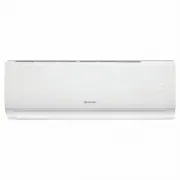
Sharp AY-X9XEJ-AE-X9XEJ Air Conditioner – User Manual, read for free online in PDF format. We hope this helps you resolve any issues you may have. If you have further questions, please contact us through the contact form.


Table of Contents:
- Page 7 – NAMES OF PARTS; Stick position optional; INDOOR UNIT; rightward and leftward mannually.
- Page 8 – INDOOR UNIT DISPLAY; Led; SLEEP mode
- Page 10 – REMOTE CONTROLLER; Button; Mode
- Page 12 – Meaning; SLEEP; TIMER; I FEEL
- Page 13 – Replacement of Batteries; Press TURBO button to change C and F.
- Page 14 – Press the button to activate the FLAP .; SWING; Never position; OPERATING INSTRUCTIONS; Filter
- Page 15 – COOLING MODE; COOL; HEATING MODE; DRY; DRY MODE
- Page 16 – FAN; AUTO MODE; AUTO; Switch on/off the LED display on panel.; SLEEP function; The sleep lamp is on, the display of temperature will become dark.
- Page 17 – Turbo function; t h e h i g h e s t f a n s e t t i n g t o b l o w s t r o n g a i r f l o w .; ECO function; I FEEL FUNCTION; fan setting to blow strong airflow.
- Page 18 – TIMER function; t half-hour intervals; the symbols
- Page 19 – We suggest operating this function per 3 months.; Room temp; heating function; Press OPTION at the first time , select the 8
- Page 28 – right
- Page 30 – k
- Page 33 – antidust filter
AY-X9XEJ / AE-X9XEJ
AY-X12XEJ / AE-X12XEJ
"Loading the manual" means you need to wait until the file loads and becomes available for online reading. Some manuals are very large, and the time they take to appear depends on your internet speed.
Was this manual helpful?
About this manual
- Brand
- Sharp
- Model
- AY-X9XEJ-AE-X9XEJ
- Document type
- User Manual
- Category
- Air Conditioner
- Language(s)
- English
- Pages
- 36
- File size
- 10.3 MB
- Format
Summary
NAMES OF PARTS No. Description 1 2 Front panel Air filter Optional filter (if installed) 3 Terminal block cover 4 Emergency button 5 6 LED Display Signal receiver 7 Airflow direction louver 8 Deflectors 9 Remote controller 10 Note: The above figures are only intended to be a simple diagram of the ap...
INDOOR UNIT DISPLAY The shape and position of switches and indicators may be different according to the model, but their function is the same. According to the model, it may only show 2 numbers on the indoor display though there are 3 numbers on display of the remote controller .(Example: it is on t...
REMOTE CONTROLLER To select the mode of operation(AUTO COOL DRY FAN HEAT) Press this button to activate/deactivate the Super function which enables the unit to reach the preset temperature in the shortest time. To decrease temperature, time setting or choose the function. To increase temperature , t...
Ask a question
Related manuals
Other Sharp appliances
 Sharp 2T-C42BD1X User Manual
 Sharp 2T-C42BG1X User Manual
 Sharp 3D User Manual
 Sharp 4T-C55EL8UR User Manual
- Sharp 4T-C65EL8UR User Manual
 Sharp 4T-C75EL8UR User Manual
 Sharp 10P02-MA-NM Manual
 Sharp 10P03-CH-NG User Manual
 Sharp 13L-M100B Manual
 Sharp 13VT-CR10 User Manual
 Sharp 19R-M100 User Manual
 Sharp 19SV111 User Manual
- Sharp 21B-FX1 User Manual
 Sharp 25N-M100 Manual
 Sharp 25N S180 Manual
 Sharp 27C241 User Manual
 Sharp 27F541 User Manual
 Sharp 27F543 User Manual
 Sharp 27F631 User Manual
 Sharp 27F640 User Manual