Page 2 - Index
Page 2 Index 1. Welcome 3 Your State Regulatory Authority 3 2. Important Safety Information 4 Before Installation 5 Product Use 6 Electrical Cord 6 3. Description 7 Rangehood 7 4. Operation 8 Touch Button Control Panel 8 Remote Control 8 Using the ON/OFF Button 8 Speed Control 8 5. Cleaning & Ma...
Page 3 - Welcome; Your State Regulatory Authority
Page 3 1. Welcome Thank you for purchasing your new Schweigen rangehood. To get the maximum output from this unit, please read through this guide before use. The guide contains important information on the use and maintenance of the unit, as well as important safety notes. This will ensure your pers...
Page 4 - Important Safety Information; WARNING
Page 4 2. Important Safety Information WARNING Please read this section thoroughly before attempting to operate the appliance. Inspect your product upon receipt. Any damage or defects MUST be reported within 48 hours, or no claim will be recognised. DO NOT INSTALL THIS APPLIANCE IF YOU FIND IT DAMAG...
Page 5 - Before Installation
Page 5 2. Important Safety Information 18. It is forbidden to use the rangehood as an aspirator. 19. Never cook foodstuff directly over the flame or have the gas burners on under the rangehood without using cookware. Before Installation 1. We recommend this appliance be installed or repaired by an e...
Page 6 - Product Use; Electrical Cord
Page 6 2. Important Safety Information Product Use This product is designed for household use and should not be used for commercial applications. After use, always ensure that all controls are in the “OFF” position. When frying with a gas flame, take particular care not to allow the oil or grease in...
Page 7 - Description; Rangehood; Cutout Size
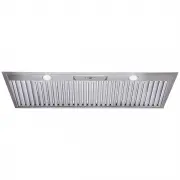
Page 7 3. Description Rangehood 1. Socket lead for Isodrive ® motor 2. Main Power Cord 3. 2x 200mm outlets 4. Body 5. Lights 6. Baffles 7. Remote Control NOTE: Filter and light quantity may vary from model to model. 2 1 3 4 5 CLUM212S: 1166mm / CLUM215S: 1470mm approx. 480mm appr ox. Note: Please ma...
Page 8 - Operation; T O U C H B U T T O N C O N T R O L P A N E L
Page 8 4. Operation T O U C H B U T T O N C O N T R O L P A N E L Remote control sensor Turn light on/off Fan speed setting Turn rangehood on/off R E M O T E C O N T R O L As well as the touch buttons, this rangehood comes with a remote control to operate the rangehood. 1. Use this button for activa...
Page 9 - Cleaning & Maintenance; Cleaning the Interior; OK; Warning
Page 9 5. Cleaning & Maintenance Cleaning the Interior Clean the interior of the rangehood with a damp cloth and a neutral detergent or denatured alcohol. NOTE: Do not use denatured alcohol on the exterior of the rangehood. Do not clean the electric parts or the motor with liquids or solvents Cl...
Page 10 - Baffles
Page 10 5. Cleaning & Maintenance Endure the baffles are cool before removing, to ensure no oil is spilt. To remove, push away from you until the near edge clears the slot. Then carefully pull down and back to remove. To replace, perform the same operation but in reverse. Baffles For this applia...
Page 11 - Danger
Page 11 5. Cleaning & Maintenance Danger Always switch off and disconnect the power cord before replacing any light bulbs. Failure to do so may cause serious injury. Please be aware that the light bulb will retain heat for a short period of time after being switched off. Replacing the Light Step...
Page 12 - Installation; Rangehood Size vs Cooktop Size; BBQ Installation
Page 12 6. Installation Rangehood Size vs Cooktop Size In addition to the size, the height of the rangehood above the cooktop is important to obtain the best performance. INADEQUATE Rangehood smaller than cooking zone ADEQUATE Rangehood same size as cooking zone OPTIMAL Rangehood larger than cooking...
Page 13 - Mounting Instructions – Outdoor/Alfresco; In addition to the information in this manual,
Page 13 6. Installation Mounting Instructions – Outdoor/Alfresco When installing in an outdoor kitchen or alfresco area,the rangehood MUST NOT be installed where it is directly exposed to the elements . It is STRONGLY RECOMMENDED that the rangehood be installed centrally over the cooktop. This will ...
Page 14 - Mounting Points for Body; FRONT VIEW; DANGER
Page 14 6. Installation Mounting Points for Body The diagrams below are a guide for all mounting points. FRONT VIEW SIDE VIEW FRONT VIEW SIDE VIEW DANGER Always switch off and disconnect the power supply before installing the rangehood. Failure to do so may cause serious injury. WARNING Please remov...
Page 15 - Installation Example; IMPORTANT
_n_. _RH Section_ Page 15 6. Installation Installation Example FRONT VIEW TOP VIEW BOTTOM VIEW SIDE VIEW SIDE VIEW FRONT VIEW TOP VIEW BOTTOM VIEW SIDE VIEW SIDE VIEW FRONT VIEW TOP VIEW BOTTOM VIEW SIDE VIEW SIDE VIEW FRONT VIE W TOP VIE W BOTT OM VIEW SIDE VIEW SIDE VIEW FRONT VIE W TOP VIE W BOTT...
Page 16 - Ducting
_n_. _LH Section_ Page 16 6. Installation Ducting Please DO NOT crush or kink the ducting. 1. Crushed or kinked ducting creates sharp corners that creates turbulence. This reduces the size and efficiency of the ducting, lowers extraction and may cause excessive noise. 2. Sweeping curves and taut duc...
Page 17 - Single Isodrive
Page 17 6. Installation Single Isodrive ® Motor Installation 1. Isodrive ® Motor 2. Roof Seal Kit (Dektite) (Not supplied)* 3. Support Straps (Not supplied)* 4. Isodrive ® Motor Power Lead (Plug) 5. Rangehood to Isodrive ® Motor Lead (Socket) 6. Multi-fit Y-Joint, cut to 250 x 200 x 200mm 7. Mains p...
Page 19 - Optional Wall Mounted Motor Installation
Page 19 6. Installation Optional Wall Mounted Motor Installation Bulkhead Rangehood Isodrive Motor Ducting The Isodrive motor can optionally be installed mounted to a wall if a roof mount is not possible. The construction of a bulkhead is also recommended. The position of the motor can be to an exte...
Page 20 - Troubleshooting
Page 20 7. Troubleshooting Before you contact the technical service department, make sure that the product is plugged in and power is supplied. • Do not take any action that will damage the product. Check electric c onnection. V oltage o f the electric ne tw ork should be be tw een 220 - 240V , r an...
Page 21 - Faulty Installation
Page 21 7. Troubleshooting Faulty Installation It is not the responsibility of Schweigen to rectify any incorrect installations. A service call out fee will be charged for any Schweigen technician that attends a call, whereby it is established that the fault is due to an incorrect installation or no...
Page 22 - Specifications; Technical Specifications; Dimensions
200 80 200 35 200 450 250 468 450 CLUM212S: 1160 / CLUM215S: 1460 CLUM212S: 1200 / CLUM215S: 1500 360 120 500 68.3 68.3 Page 22 8. Specifications Technical Specifications Model CLUM212S / CLUM212BS / CLUM215S / CLUM215BS Feeding Voltage 220–240V 50Hz Lamp Power — LED (W) CLUM212S : 2 x 3 W / CLUM215...
Page 23 - Disclaimer
Page 23 9. Disclaimer Disclaimer Under our policy of continuous product development, product specifications may change without notice. Prospective purchasers should therefore check with the retailer to ensure this publication correctly describes the products being offered for sale. All information s...