Schaefer TW24B-HD - User Manual
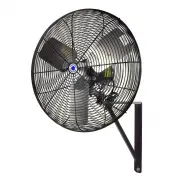
Schaefer TW24B-HD Fan – User Manual, read for free online in PDF format. We hope this helps you resolve any issues you may have. If you have further questions, please contact us through the contact form.


Table of Contents:
- Page 2 – The connecting bolt and threaded holes have left-hand threads.; Eccentric Hub
- Page 3 – INSTALLING THE FAN TO A PEDESTAL ASSEMBLY; Use the supplied hardware that came with your fan to attach the fan.; CAUTION: Inspect mounts and fasteners frequently for corrosion.; Safety Cable Kit sold separately
- Page 4 – Pinnacle Climate Technologies Limited Warranty Policy
- Page 5 – IMPORTANTE: LEA Y CONSERVE ESTAS INSTRUCCIONES; ventilador o lesiones graves al personal.; INFORMACIÓN GENERAL DE SEGURIDAD:
- Page 6 – Maza excéntrica
- Page 7 – INSTALACIÓN DEL VENTILADOR EN UN CONJUNTO DE PEDESTAL; de los lados de la pestaña de montaje.; PRECAUCIÓN: Los sujetadores se pueden aflojar con el tiempo.; El juego del cable de seguridad se vende por separado.)
- Page 8 – Póliza de garantía limitada de Pinnacle Climate Technologies
1
Oscillating Circulation
Fan Operators Manual
IMPORTANT: READ AND SAVE THESE INSTRUCTIONS
Read all instructions carefully before attempting to assemble, install, operate or service the
product described. Failure to comply with instructions could result in personal injury and/or
property damage.
Using this product for any other purpose than it was intended, or not within the operating
specifications in this manual will void the warranty and may cause damage to the fan or serious
injury to personnel.
WARNING - TO REDUCE THE RISK OF FIRE OR ELECTRIC SHOCK:
• Do not expose fan to water or rain.
• Do not use this fan with any speed control device.
• The power source must conform to the electrical requirements of the fan.
• The power cord has a 3-prong grounded plug that must be plugged into a GFCI (Ground Fault
Circuit Interrupter) protected circuit.
• Do not alter the plug to remove the grounding prong and never use a 2-prong adapter.
• Replace damaged or worn power cords immediately.
• Where possible, avoid using extension cords. If one must be used, the cord must be UL listed,
be the proper size (Amp rating), and have 3-prong grounded connections.
GENERAL SAFETY INFORMATION:
• Before operating this fan, check for worn, damaged, or missing parts and replace or repair as
needed.
• To avoid risk of fire, electric shock or personal injury, disconnect from power source before
servicing.
• This fan is intended for general use only. Do not use near hazardous or explosive materials or
vapors.
• Never insert fingers or any other objects through the guards when fan is in operation.
• Never operate fan without guards in place.
• Unplug the fan before moving from one location to another.
• All Warning and Caution labels must be kept in good condition and be replaced if not clearly
readable.
• Carefully read all safety messages in this manual and on your equipment safety labels. Follow
recommended precautions and safe operating practices.
!
1
SCVA-40
9
"Loading the manual" means you need to wait until the file loads and becomes available for online reading. Some manuals are very large, and the time they take to appear depends on your internet speed.
Summary
2 KEEP THIS MANUAL IN A CLEAN, DRY PLACE FOR FUTURE REFERENCE. All information, illustrations and specifications in this manual are based on the latest product information available at the time of printing. Product specifications subject to change. We reserve the right to make changes at any time wi...
3 INSTALLING THE FAN TO A PEDESTAL ASSEMBLY Use the supplied hardware that came with your fan to attach the fan. 1. Position the fan assembly with the Oscillator Base at either side of the mounting tab. 2. Install the 3/8" bolt through the center hole of the Oscillator Base and fasten with 3/8&#...
4 ©2017 Pinnacle Climate Technologies. All rights reserved. 3-1-2017 A DIVISION OF PINNACLE CLIMATE TECHNOLOGIES www.schaeferventilation.com • 1.800.779.3267 4 SYMPTOM POSSIBLE CAUSES CORRECTIVE ACTION Fan does not operate 1. Fan not plugged in2. Blown fuse or tripped circuit breaker3. Defective on...