Page 2 - Warning! Important Safety; Power; Installation
Before Reading This Simple User Guide This TV comes with this Simple User Guide and an embedded User guide ( > (left directional button) > Settings > Support > Open User guide ). Warning! Important Safety Instructions Please read the Safety Instructions before using your TV. Refer to the...
Page 4 - Operation; Caring for the TV
• Always educate about the dangers of climbing on furniture to reach the television set or its controls. • Always route cords and cables connected to your television so they cannot be tripped over, pulled or grabbed. • Never place a television set in an unstable location. • Never place the televisio...
Page 5 - 2 Connecting the TV to the One; 3 Initial Setup
01 What's in the Box? Make sure the following items are included with your TV. If any items are missing, contact your dealer. • Simple User Guide • Warranty Card / Regulatory Guide (Not available in some locations) • *Samsung Smart Remote • *Remote Control & Batteries • *CI Card Adapter • *TV Po...
Page 6 - Using the TV Controller; Connecting the camera to the product; 4 Troubleshooting and; Troubleshooting
• You will need a Samsung Account to access our network-based smart services. If you choose not to log in, you will only get a connection to terrestrial TV (applicable to devices with tuners only) and external devices, e.g. via HDMI. • When installing the 43LS03D model as a wall mount, it can be ins...
Page 7 - 5 Specifications and Other; Specifications
The TV won’t turn on. • Make sure that the power cord is securely plugged into the product and the wall outlet. • Make sure that the wall outlet is working and the remote control sensor at the bottom of the TV is lit and glowing a solid red. • Try pressing the TV Controller button at the bottom of t...
Page 8 - Decreasing power consumption
[QN9**D/QN8**D Series] 100 mW at 2.4 GHz - 2.4835 GHz, 200 mW at 5.15 GHz - 5.25 GHz & 5.47 GHz - 5.725 GHz, 100 mW at 5.25 GHz - 5.35 GHz, 200 mW at 5.945 GHz - 6.425 GHz. [S9*D/S8*D/QN9*D/QN8*D/Q8*D/Q7*D/Q6*D/DU8/DU7 Series] 100 mW at 2.4 GHz - 2.4835 GHz, 200 mW at 5.15 GHz - 5.25 GHz & 5...
Page 9 - Declaration of Conformity
Declaration of Conformity Manufacturer Name: SamsungRegistered Trade Name: Samsung Electronics Co., LtdAddress: 129 Samsung-ro, Yeongtong-gu, Suwon-si, Gyeonggi-do, Korea Product Details Product: Smart ControlModel(s): VG-TM2360S Declaration and applicable standards We hereby declare under our sole ...
Page 10 - Avertissement ! Consignes de; Alimentation
Avant de lire ce Guide d'utilisation simplifié Ce téléviseur est livré avec ce Guide d'utilisation simplifié et un Guide utilisateur intégré ( > (bouton directionnel gauche) > Paramètres > Assistance > Ouvrir le Guide utilisateur ). Avertissement ! Consignes de sécurité importantes Veuil...
Page 12 - Opération; Entretien du téléviseur
• Informez toujours des dangers de monter sur des meubles pour atteindre le téléviseur ou ses commandes. • Positionnez les câbles connectés à votre téléviseur de manière à ce qu'ils ne puissent pas être tirés ou attrapés, et que personne ne trébuche dessus. • N'installez jamais de téléviseur dans un...
Page 13 - 1 Contenu de la boîte; 2 Connexion du téléviseur à la; 3 Configuration initiale
01 Contenu de la boîte Vérifiez que vous avez bien reçu les éléments suivants avec votre téléviseur. S'il manque des éléments, contactez votre revendeur. • Guide d'utilisation simplifié • Carte de garantie / Guide réglementaire (non disponible dans tous les pays) • *Samsung Smart Remote • *Télécomma...
Page 14 - Utilisation de contrôleur TV; Connexion de la caméra au produit; 4 Résolution des problèmes et; Résolution des problèmes
• Vous aurez besoin d'un compte Samsung pour accéder à nos services intelligents basés sur le réseau. Si vous choisissez de ne pas vous connecter, vous pourrez uniquement vous connecter à la télévision terrestre (valable uniquement pour les appareils avec tuners) et aux appareils externes, par ex. v...
Page 15 - 5 Spécifications et informations; Caractéristiques techniques
Le téléviseur ne s'allume pas. • Vérifiez que le cordon d’alimentation est correctement branché au produit et à la prise murale. • Assurez-vous que la prise murale fonctionne et que le capteur de la télécommande au bas du téléviseur est allumé en rouge. • Appuyez sur le bouton contrôleur TV en bas d...
Page 16 - Réduction de la consommation d'énergie
[Série QN9**D/QN8**D] 100 mW à 2,4 GHz - 2,4835 GHz, 200 mW à 5,15 GHz - 5,25 GHz & 5,47 GHz - 5,725 GHz, 100 mW à 5,25 GHz - 5,35 GHz, 200 mW à 5,945 GHz - 6,425 GHz. [Série S9*D/S8*D/QN9*D/QN8*D/Q8*D/Q7*D/Q6*D/DU8/DU7] 100 mW à 2,4 GHz - 2,4835 GHz, 200 mW à 5,15 GHz - 5,25 GHz & 5,47 GHz ...
Page 17 - Déclaration de conformité
Déclaration de conformité Fabricant Nom: SamsungNom commercial depose: Samsung Electronics Co., LtdAdresse: 129 Samsung-ro, Yeongtong-gu, Suwon-si, Gyeonggi-do, Korea Détails du produit Produit : Smart Control Modèle(s) : VG-TM2360S Déclaration et normes applicables Par la présente, nous déclarons s...
Page 18 - ¡Advertencia! Instrucciones; Alimentación; Instalación
Antes de leer esta Guía del usuario sencilla El televisor se suministra con esta Guía del usuario sencilla y una Guía del usuario integrada ( > (botón de dirección izquierda) > Configuración > Asistencia > Abrir la guía del usuario ). ¡Advertencia! Instrucciones importantes de seguridad ...
Page 20 - Funcionamiento; Cuidado del televisor
• Informe siempre de los peligros de subirse al mueble para llegar al televisor o a sus mandos. • Recoja siempre los cables conectados al televisor de manera que no exista riesgo de tropezarse, engancharse ni tirar de ellos. • Nunca coloque el televisor en un lugar inestable. • Nunca coloque el tele...
Page 21 - 1 ¿Qué hay en la caja?; 2 Conexión del televisor a la caja; 3 Configuración inicial
01 ¿Qué hay en la caja? Compruebe que los artículos siguientes vengan incluidos con su televisor. Si falta alguno, póngase en contacto con su distribuidor. • Guía del usuario sencilla • Tarjeta de garantía / Guía de información legal (no disponible en algunos lugares) • *Samsung Smart Remote • *Mand...
Page 22 - Uso del Controlador TV; Conectar la cámara al producto; 4 Solución de problemas y; Solución de problemas
• Necesitará una cuenta de Samsung para acceder a nuestros servicios inteligentes basados en la red. Si decide no iniciar sesión, solo tendrá conexión a la TV terrestre (únicamente aplicable a aparatos con sintonizador) y a dispositivos externos, por ejemplo, a través de HDMI. • Si se utiliza el mon...
Page 23 - Sensor económico y brillo de la pantalla; 5 Especificaciones e; Especificaciones
El televisor no se enciende. • Compruebe si el cable de alimentación está bien conectado en el producto y en la toma de la pared. • Compruebe si la toma de la pared funciona y si el sensor del mando a distancia de la parte inferior del televisor está encendido y muestra un color rojo continuo. • Pul...
Page 24 - Reducción del consumo de energía
[Serie QN9**D/QN8**D] 100 mW a 2,4 GHz - 2,4835 GHz, 200 mW a 5,15 GHz - 5,25 GHz, & 5,47 GHz - 5,725 GHz, 100 mW a 5,25 GHz - 5,35 GHz, 200 mW a 5,945 GHz - 6,425 GHz. [Serie S9*D/S8*D/QN9*D/QN8*D/Q8*D/Q7*D/Q6*D/DU8/DU7] 100 mW a 2,4 GHz - 2,4835 GHz, 200 mW a 5,15 GHz - 5,25 GHz, & 5,47 GH...
Page 25 - Declaración de conformidad
Declaración de conformidad Fabricante Nombre: SamsungNombre comercial registrado: Samsung Electronics Co., LtdDireccion: 129 Samsung-ro, Yeongtong-gu, Suwon-si, Gyeonggi-do, Korea Detalles del producto Producto : Smart ControlModelo(s) : VG-TM2360S Declaración y estándares aplicables Por la presente...
Page 26 - Aviso! Instruções de segurança; Potência
Antes de ler este Guia prático do utilizador Este televisor vem acompanhado deste Guia prático do utilizador e de um Guia do utilizador incluído ( > [botão direcional para a esquerda] > Definições > Assistência > Abrir Guia do utilizador ). Aviso! Instruções de segurança importantes Leia...
Page 28 - Operação; Cuidados a ter com o televisor
• Informar sempre sobre os perigos de subir para a mobília para chegar ao televisor ou aos telecomandos. • Colocar sempre os fios e os cabos ligados ao televisor de forma a que ninguém os puxe, segure ou tropece neles. • Nunca coloque o televisor num local instável. • Nunca colocar o televisor em ci...
Page 29 - 1 O que está incluído na caixa?; 2 Ligação do televisor à One; 3 Configuração inicial
01 O que está incluído na caixa? Verifique se os acessórios abaixo indicados foram enviados com o televisor. Se faltar algum acessório, contacte o seu revendedor. • Guia prático do utilizador • Certificado de garantia / Guia de regulamentação (não estão disponíveis em alguns locais) • *Controlo Remo...
Page 30 - Utilização do Controlador da TV; Ligar a câmara ao produto; 4 Resolução de problemas e; Resolução de problemas
• Vai precisar de uma conta Samsung para aceder aos nossos serviços inteligentes baseados em rede. Se decidir não iniciar sessão, só terá ligação à TV terrestre (aplicável apenas a dispositivos com sintonizador) e dispositivos externos como, por exemplo, através de HDMI. • Ao instalar o modelo 43LS0...
Page 31 - 5 Características técnicas e; Características técnicas
O televisor não liga. • Certifique-se de que o cabo de alimentação está ligado corretamente ao produto e à tomada. • Certifique-se de que a tomada elétrica se encontra a funcionar e que o sensor do telecomando na parte inferior do televisor está aceso a vermelho. • Experimente carregar no botão Cont...
Page 32 - Redução do consumo de energia
[Série QN9**D/QN8**D] 100 mW a 2,4 GHz - 2,4835 GHz, 200 mW a 5,15 GHz - 5,25 GHz & 5,47 GHz - 5,725 GHz, 100 mW a 5,25 GHz - 5,35 GHz, 200 mW a 5,945 GHz - 6,425 GHz. [Série S9*D/S8*D/QN9*D/QN8*D/Q8*D/Q7*D/Q6*D/DU8/DU7] 100 mW a 2,4 GHz - 2,4835 GHz, 200 mW a 5,15 GHz - 5,25 GHz & 5,47 GHz ...
Page 33 - Declaração de Conformidade
Declaração de Conformidade Fabricante Nome: SamsungDesignacao comercial registada: Samsung Electronics Co., LtdEndereco: 129 Samsung-ro, Yeongtong-gu, Suwon-si, Gyeonggi-do, Korea Detalhes do produto Produto : Smart ControlModelo(s) : VG-TM2360S Declarações e Normas aplicáveis Declaramos, sob nossa ...
Page 34 - Sicherheitshinweise; Stromversorgung
Vor dem Lesen dieses Einfaches Benutzerhandbuch Dieser Fernseher wird mit diesem Einfaches Benutzerhandbuch und einem eingebetteten Benutzerhandbuch ( > (Richtungstaste nach links) > Einstellungen > Unterstützung > Benutzerhandbuch öffnen ) geliefert. Achtung! Wichtige Sicherheitshinweis...
Page 36 - Funktion; Pflegen des Fernsehgeräts
• Informieren Sie über die Gefahren beim Klettern auf Möbel, um das Fernsehgerät oder seine Bedienelemente zu erreichen. • Verlegen Sie die an Ihr Fernsehgerät angeschlossenen Kabel und Leitungen immer so, dass Sie nicht darüber stolpern, nicht daran ziehen und sie nicht greifen können. • Stellen Si...
Page 37 - 1 Lieferumfang; 2 Herstellen einer Verbindung; 3 Anfangseinstellung
01 Lieferumfang Vergewissern Sie sich, dass die folgenden Teile im Lieferumfang des Geräts enthalten sind. Falls Komponenten fehlen sollten, setzen Sie sich bitte mit Ihrem Händler in Verbindung. • Einfaches Benutzerhandbuch • Garantiekarte / Rechtshinweise (nicht überall verfügbar) • *Samsung Smart...
Page 38 - Verwenden des TV-Steuerung; Verbinden der Kamera mit dem Produkt; 4 Fehlerbehebung und Wartung; Fehlerbehebung
• Für den Zugriff auf unsere netzwerkbasierten Smart-Dienste ist ein Samsung-Konto erforderlich. Wenn Sie sich nicht anmelden möchten, können Sie nur Verbindungen mit terrestrischen TV-Geräten (gilt nur für Geräte mit Tunern) und externen Geräten herstellen, z. B. über HDMI. • Beim Anbringen des Mod...
Page 39 - Öko-Sensor und Bildschirmhelligkeit; 5 Technische Daten und weitere; Technische Daten
Der Fernseher kann nicht eingeschaltet werden. • Vergewissern Sie sich, dass das Netzkabel sicher mit dem Produkt und der Wandsteckdose verbunden ist. • Stellen Sie sicher, dass die Steckdose funktioniert und der Fernbedienungssensor unten am Fernsehgerät durchgehend rot leuchtet. • Drücken Sie den ...
Page 40 - Verringern des Stromverbrauchs
[Modellreihe QN9**D/QN8**D] 100 mW bei 2,4 GHz - 2,4835 GHz, 200 mW bei 5,15 GHz - 5,25 GHz & 5,47 GHz - 5,725 GHz, 100 mW bei 5,25 GHz - 5,35 GHz, 200 mW bei 5,945 GHz - 6,425 GHz. [Modellreihe S9*D/S8*D/QN9*D/QN8*D/Q8*D/Q7*D/Q6*D/DU8/DU7] 100 mW bei 2,4 GHz - 2,4835 GHz, 200 mW bei 5,15 GHz - ...
Page 41 - Konformitätserklärung
Konformitätserklärung Hersteller Bezeichnung: SamsungEingetragener Handelsname: Samsung Electronics Co., LtdAdresse: 129 Samsung-ro, Yeongtong-gu, Suwon-si, Gyeonggi-do, Korea Produktdetails Produkt : Smart ControlModell(e) : VG-TM2360S Erklärung und gültige Normen Wir erklären hiermit in unserer al...
Page 42 - säkerhetsanvisningar; Effekt
Innan du läser den Enkel användarhandbok Den här tv:n levereras med den här Enkel användarhandbok och en inbäddad Användarguide ( > (vänster riktningsknapp) > Inställningar > Support > Öppna användarguiden ). Varning! Viktiga säkerhetsanvisningar Läs igenom säkerhetsanvisningarna innan d...
Page 44 - Användning
• Utbilda alltid i de faror som finns när det gäller att klättra på möbler för att nå tv:n eller dess kontroller. • Dra alltid sladdar och kablar som är anslutna till din tv så att det inte kan vältas, dras eller greppas. • Placera aldrig en tv på en instabil plats. • Placera aldrig tv:n på höga möb...
Page 45 - 1 Vad finns i förpackningen?; boxen; 3 Startinställningar
01 Vad finns i förpackningen? Försäkra dig om att följande delar följer med tv:n. Kontakta din återförsäljare om det saknas något. • Enkel användarhandbok • Garantibevis / Säkerhetsmanual (inte tillgänglig på alla platser) • *Samsung Smart Remote • *Fjärrkontroll & Batterier • *CI-kortadapter • ...
Page 46 - Ansluta kameran till produkten; 4 Felsökning och underhåll; Felsökning
• Du måste ha ett Samsung-konto för att få åtkomst till våra nätverksbaserade smarta tjänster. Om du väljer att inte logga in kan du endast ansluta till marksänd TV (gäller endast enheter med mottagare) och externa enheter, t.ex. via HDMI. • När du installerar 43LS03D-modellen på väggen kan den inst...
Page 47 - Ekosensor och skärmljusstyrka; 5 Specifikationer och annan; Specifikationer
Det går inte att slå på TV:n. • Se till att strömsladden sitter fast ordentligt i produkten och vägguttaget. • Kontrollera att vägguttaget fungerar och att strömindikatorn längst ner på tv:n är tänd och lyser med ett fast rött sken. • Prova att trycka på knappen TV-kontroll längst ned på tv:n för at...
Page 48 - Minska strömförbrukningen
[QN9**D/QN8**D Serien] 100 mW vid 2,4 GHz - 2,4835 GHz, 200 mW vid 5,15 GHz - 5,25 GHz & 5,47 GHz - 5,725 GHz, 100 mW vid 5,25 GHz - 5,35 GHz, 200 mW vid 5,945 GHz - 6,425 GHz. [S9*D/S8*D/QN9*D/QN8*D/Q8*D/Q7*D/Q6*D/DU8/DU7 Serien] 100 mW vid 2,4 GHz - 2,4835 GHz, 200 mW vid 5,15 GHz - 5,25 GHz &...
Page 50 - sikkerhedsinstruktioner
Før du læser denne Enkel brugervejledning Dette tv leveres med denne Enkel brugervejledning og en indbygget Brugervejledning ( > (venstre retningsknap) > Indstillinger > Support > Åbn brugervejledning ). Advarsel! Vigtige sikkerhedsinstruktioner Læs sikkerhedsinstruktionerne, inden du an...
Page 52 - Handling
• Fortæl altid om farerne ved at klatre på møbler for at nå tv'et eller dets funktionsknapper. • Før altid ledninger og kabler, der er sluttet til dit tv på en sådan måde, at man ikke kan falde over dem, eller hænge i dem. • Stil aldrig et tv på en ustabil placering. • Anbring aldrig tv'et på høje m...
Page 53 - 1 Hvad er der i kassen?; 2 Tilslutning af tv'et til One; 3 Første indstilling
01 Hvad er der i kassen? Kontrollér, at følgende dele leveres sammen med dit tv. Kontakt forhandleren, hvis der mangler nogle dele. • Enkel brugervejledning • Garantibevis / Lovgivningsmæssig vejledning (ikke tilgængelig i visse områder) • *Samsung Smart-fjernbetjening • *Batterier & fjernbetjen...
Page 54 - Sådan bruger du Tv-fjernbetjening; Tilslutning af kameraet til produktet; 4 Problemløsning og; Problemløsning
• Du skal bruge en Samsung-konto for at få adgang til vores netværksbaserede smarte tjenester. Hvis du vælger ikke at logge på, får du kun forbindelse til terrestrisk tv (gælder kun for enheder med tunere) og eksterne enheder, f.eks. via HDMI. • Når du installerer 43LS03D-modellen som et vægbeslag, ...
Page 55 - Økosensor og skærmens lysstyrke; 5 Specifikationer og andre
Tv'et vil ikke tænde. • Sørg for, at strømledningen er sluttet korrekt til både produktet og stikkontakten. • Sørg for, at strømstikket virker, og at fjernbetjeningssensoren i bunden af tv'et er tændt og lyser med en solid rød farve. • Prøv at trykke på knappen Tv-fjernbetjening nederst på tv'et for...
Page 56 - Nedsættelse af strømforbruget
[QN9**D/QN8**D Serien] 100 mW ved 2,4 GHz - 2,4835 GHz, 200 mW ved 5,15 GHz - 5,25 GHz & 5,47 GHz - 5,725 GHz, 100 mW ved 5,25 GHz - 5,35 GHz, 200 mW ved 5,945 GHz - 6,425 GHz. [S9*D/S8*D/QN9*D/QN8*D/Q8*D/Q7*D/Q6*D/DU8/DU7 Serien] 100 mW ved 2,4 GHz - 2,4835 GHz, 200 mW ved 5,15 GHz - 5,25 GHz &...
Page 57 - Overensstemmelseserklæring
Overensstemmelseserklæring Producent Navn: SamsungRegistreret handelsnavn: Samsung Electronics Co., LtdAdresse: 129 Samsung-ro, Yeongtong-gu, Suwon-si, Gyeonggi-do, Korea Produktdetaljer Produkt : Smart ControlModel(ler) : VG-TM2360S Erklæring og gældende standarder Vi erklærer herved under vores en...
Page 58 - sikkerhetsinstruksjoner; Installasjon
Før du leser denne Enkel brukerveiledning Denne TV-en leveres med denne Enkel brukerveiledning og en innebygd Brukerveiledning ( > (venstre retningsknapp) > Innstillinger > Kundesupport > Åpne brukerveiledningen ). Advarsel! Viktige sikkerhetsinstruksjoner Les sikkerhetsinstruksjonene fø...
Page 60 - Operasjon
• Instruer alltid om farene som kan oppstå ved å klatre på møbler for å nå TV-en eller kontrollene til TV-en. • Før alltid ledninger og kabler som er tilkoblet TV-en slik at de ikke kan snubles over eller trekkes i. • Aldri plasser en TV på et ustabilt sted. • Plasser aldri TV-en på høye møbler (f.e...
Page 61 - boksen; 3 Innledende oppsett
01 Hva er i esken? Kontroller at følgende deler følger med TV-en. Kontakt forhandleren hvis det mangler noen deler. • Enkel brukerveiledning • Garantikort / Sikkerhetsveiledning (ikke tilgjengelig alle steder) • *Samsung-smartkontroll • *Fjernkontroll & batterier • *CI kort-adapter • *TV-strømle...
Page 62 - Koble kameraet til produktet; 4 Feilsøking og vedlikehold; Feilsøking
• Du må ha en Samsung-konto for å få tilgang til de nettverksbaserte smarttjenestene. Hvis du velger ikke å logge på, får du bare tilkobling til bakkenett-TV (gjelder bare enheter med tunere) og eksterne enheter, f.eks. via HDMI. • Når du installerer 43LS03D-modellen som en veggmontering, kan den in...
Page 63 - Økosensoren og lysstyrken til skjermen; 5 Spesifikasjoner og annen; Spesifikasjoner
TV-en slår seg ikke på. • Sørg for at strømledningen er ordentlig koblet til produktet og stikkontakten. • Kontroller at stikkontakten fungerer og at fjernkontrollsensoren nederst på TV-en er tent og lyser rødt. • Prøv å trykke på TV-kontroll -knappen nederst på TV-en for å kontrollere at det ikke e...
Page 64 - Redusert strømforbruk
[QN9**D/QN8**D-serien] 100 mW på 2,4 GHz - 2,4835 GHz, 200 mW på 5,15 GHz - 5,25 GHz & 5,47 GHz - 5,725 GHz, 100 mW på 5,25 GHz - 5,35 GHz, 200 mW på 5,945 GHz - 6,425 GHz. [S9*D/S8*D/QN9*D/QN8*D/Q8*D/Q7*D/Q6*D/DU8/DU7-serien] 100 mW på 2,4 GHz - 2,4835 GHz, 200 mW på 5,15 GHz - 5,25 GHz & 5...
Page 65 - Samsvarserklæring
Samsvarserklæring Produsent Navn: SamsungRegistrert handelsnavn: Samsung Electronics Co., LtdAdresse: 129 Samsung-ro, Yeongtong-gu, Suwon-si, Gyeonggi-do, Korea Produktdetaljer Produkt: Smart ControlModell(er): VG-TM2360S Erklæring og gjeldende standarder Vi erklærer herved under eget ansvar at prod...
Page 66 - turvallisuusohjeita; Virta; Asentaminen
Ennen tämän Helppo käyttöopas lukemista Television mukana toimitetaan tämä Helppo käyttöopas sekä sisäänrakennettu Käyttöopas ( > (vasen-suuntapainike) > Asetukset > Tuki > Avaa käyttöopas ). Varoitus! Tärkeitä turvallisuusohjeita Lue turvallisuusohjeet ennen television käyttöä. Katso se...
Page 68 - Toiminto; Television huoltaminen
• Kerro aina, kuinka vaarallista on kiivetä huonekalujen päälle televisioon tai sen säätimiin ylettymiseksi. • Vedä televisioon kytketyt johdot ja kaapelit aina siten, ettei niihin voi kompastua tai tarttua eikä niitä voi vetää. • Älä milloinkaan aseta televisiota epävakaalle alustalle. • Älä koskaa...
Page 69 - 1 Pakkauksen sisältö; 2 Television yhdistäminen One; 3 Käyttöönotto
01 Pakkauksen sisältö Varmista, että television mukana toimitetaan alla mainitut osat. Jos osia puuttuu, ota yhteyttä jälleenmyyjään. • Helppo käyttöopas • Takuukortti ja määräysopas (ei saatavissa kaikkialla) • *Samsung Smart Remote • *Kaukosäätimen & paristot • *CI-kortinlukija • *TV:n virtajo...
Page 70 - Television kaukosäädin-oppaan käyttö; Kameran kytkeminen tuotteeseen; 4 Vianmääritys ja huolto; Vianmääritys
• Tarvitset Samsung-tilin verkkopohjaisten älypalveluidemme käyttöön. Jos päätät olla kirjautumatta sisään, voit muodostaa yhteyden vain maanpäälliseen televisioon (koskee vain laitteita, joissa on viritin) ja ulkoisiin laitteisiin, esim. HDMI-liitännän kautta. • Kun asennat 43LS03D-mallin seinäteli...
Page 71 - 5 Tekniset tiedot ja muita tietoja; Tekniset tiedot
Televisio ei käynnisty. • Varmista, että virtajohto on kunnolla kiinni sekä tuotteessa että pistorasiassa. • Varmista, että pistorasia toimii ja television pohjassa oleva kaukosäätimen anturi palaa punaisena. • Varmista TV-vastaanottimen pohjassa olevaa Television kaukosäädin -painiketta painamalla,...
Page 72 - Virrankulutuksen vähentäminen
[QN9**D/QN8**D-sarja] 100 mW, 2,4 - 2,4835 GHz, 200 mW, 5,15 - 5,25 GHz, & 5,47 - 5,725 GHz, 100 mW, 5,25 - 5,35 GHz, 200 mW, 5,945 - 6,425 GHz. [S9*D/S8*D/QN9*D/QN8*D/Q8*D/Q7*D/Q6*D/DU8/DU7-sarja] 100 mW, 2,4 - 2,4835 GHz, 200 mW, 5,15 - 5,25 GHz, & 5,47 - 5,725 GHz, 100 mW, 5,25 - 5,35 GHz...
Page 73 - Vaatimuksenmuk-aisuusvakuutus
Vaatimuksenmuk-aisuusvakuutus Valmistaja Nimi: SamsungRekisteroity kauppanimi: Samsung Electronics Co., LtdOsoite: 129 Samsung-ro, Yeongtong-gu, Suwon-si, Gyeonggi-do, Korea Tuotetiedot Tuote : Smart ControlMalli(t) : VG-TM2360S Asiakirja ja sovellettavat standardit Vakuutamme täten yksin vastuullam...
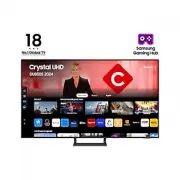


 Samsung TU65CU7025K User Manual
 Samsung TU65DU7105K User Manual
 Samsung TU85CU7105K Quick Guide
 Samsung TW-J5500 User Manual
 Samsung TX-P2028, TX-P2030, TX-P2034, TX-P2036 Manual
 Samsung TX-P2028, TX-P2030, TX-P2034, TX-P2036, TX-P1430, TX-P1634 Manual