Samsung SWA-W500/XU - User Manual
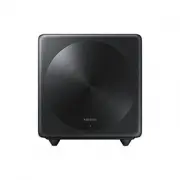
Samsung SWA-W500/XU Subwoofer – User Manual, read for free online in PDF format. We hope this helps you resolve any issues you may have. If you have further questions, please contact us through the contact form.


Table of Contents:
- Page 2 – Safety Information; To avoid electric shock, never touch the inside
- Page 3 – of this apparatus. Only a qualified technician
- Page 4 – Wiring the Main Power Supply; IMPORTANT NOTICE; Precautions
- Page 6 – Checking the Components; Subwoofer; Specifications; NOTES; Weight and dimensions are approximate.; Open Source Licence Notice; Connecting the SWA-W500 to a Soundbar; ID SET; bottom of the body. You can deform or damage the; Turn off the Soundbar
- Page 8 – Configure “ID SET” using the Soundbar’s remote control; ” in turn. When the connection is complete, “; Check if the LINK LED is solid blue (connection complete); Soundbar and the Wireless Subwoofer.; NOTE; Compatible Models
- Page 10 – (Applicable in countries with separate collection systems); UNITED KINGDOM
- Page 11 – United Kingdom
SWA-W500
USER MANUAL
"Loading the manual" means you need to wait until the file loads and becomes available for online reading. Some manuals are very large, and the time they take to appear depends on your internet speed.
Summary
ENG - 2 ENG - 3 Safety Information Thank you for purchasing this product (SWA-W500). CAUTION RISK OF ELECTRIC SHOCK. DO NOT OPEN. This symbol indicates that high voltage is present inside. It is dangerous to make any kind of contact with any internal part of this product. CAUTION : TO REDUCE THE RIS...
ENG - 2 ENG - 3 Safety Information Thank you for purchasing this product (SWA-W500). CAUTION RISK OF ELECTRIC SHOCK. DO NOT OPEN. This symbol indicates that high voltage is present inside. It is dangerous to make any kind of contact with any internal part of this product. CAUTION : TO REDUCE THE RIS...
ENG - 4 ENG - 5 • Do not install the product in an unstable location such as a shaky self, a slanted floor, or a location exposed to vibration. • Do not drop or strike the product. If the product is damaged, disconnect the power cord and contact a service centre. • To clean this apparatus, unplug th...

