Samsung SM-X710 - Repair Manual
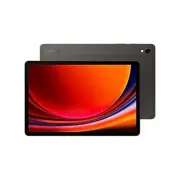
Samsung SM-X710 Tablet – Repair Manual, read for free online in PDF format. We hope this helps you resolve any issues you may have. If you have further questions, please contact us through the contact form.


Table of Contents:
- Page 2 – Table of Contents; Usage Notices; Quality Test
- Page 3 – Exploded View and Parts List
- Page 4 – Precautions for Repair
- Page 5 – ESD (Electrostatic Discharge) Precautions
- Page 6 – Instructional Icons
- Page 7 – Software Update
- Page 9 – Performing a Factory Data Reset
- Page 11 – Quality Test Using the Samsung Members App
- Page 12 – Test Items
- Page 25 – Calibrations
- Page 26 – Using the Self Repair Assistant App
- Page 31 – Optical Fingerprint Sensor Calibration
- Page 34 – Resetting the Battery Cycle Count
- Page 37 – Range Sensor Calibration
- Page 39 – Touch Screen Panel Calibration
- Page 41 – Speaker Calibration
- Page 45 – Digital Hall Sensor Calibration (Fold and Flip Models Only)
- Page 48 – Exploded View
- Page 49 – Parts List
- Page 51 – Disassembly and Assembly
- Page 54 – Fasteners (Adhesives and Materials) for Assembly
- Page 56 – Disassembly for Replacement; Before disassembling:
- Page 57 – SIM Card Tray Remove
- Page 59 – Button Remove
- Page 63 – Screen Remove
- Page 77 – Charging Port Remove
- Page 85 – Main Board Remove
- Page 89 – Camera Remove
- Page 92 – Speaker Remove
- Page 101 – Vibrator Motor Remove
- Page 102 – SIM Card Socket Remove
- Page 104 – Back Cover Module
- Page 105 – Reassembly for Replacement
- Page 106 – SIM Card Socket Assembly
- Page 108 – Speaker Assembly
- Page 126 – Main Board Assembly
- Page 130 – Charging Port Assembly
- Page 146 – Button Assembly
- Page 150 – SIM Card Tray Assembly
"Loading the manual" means you need to wait until the file loads and becomes available for online reading. Some manuals are very large, and the time they take to appear depends on your internet speed.
Was this manual helpful?
About this manual
- Brand
- Samsung
- Model
- SM-X710
- Document type
- Repair Manual
- Category
- Tablet
- Language(s)
- English
- Pages
- 152
- File size
- 33.4 MB
- Format
Other Manuals for Samsung SM-X710
Summary
2 Table of Contents Usage Notices 4 Precautions for Repair5 ESD (Electrostatic Discharge) Precautions6 Instructional Icons Software Update 7 Updating Software through FOTA 7 Software Update Failure 7 Updating Software through Smart Switch 8 Recovering from a Software Update Failure8 Recovering on An...
3 Table of Contents 43 Under-display Camera Calibration (Fold Models Only)45 Digital Hall Sensor Calibration (Fold and Flip Models Only) Exploded View and Parts List 48 Exploded View49 Parts List Disassembly and Assembly 51 Tools for Disassembly and Assembly54 Fasteners (Adhesives and Materials) for...
Usage Notices 4 Usage Notices All functionality, features, specifications, and other device information provided in this document, including but not limited to, benefits, design, pricing, components, performance, availability, and capabilities of the device are subject to change without notice. Sams...
Ask a question
Related manuals
Popular Samsung Tablets


More Samsung Tablets models
 Samsung SM-X115 Repair Manual
 Samsung SM-X205 User Manual
 Samsung SM-X210 Repair Manual
 Samsung SM-X700 User Manual
 Samsung SM-X706B User Manual
 Samsung SM-X716B Repair Manual
 Samsung SM-X800 User Manual
- Samsung SM-X806B User Manual
 Samsung SM-X810 Repair Manual
 Samsung SM-X816B Repair Manual
- Samsung SM-X900 User Manual
 Samsung SM-X906B User Manual