Samsung OM46N - User Manual
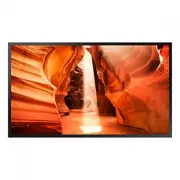
This installation manual covers Samsung’s OMN series smart signage displays (models OM46N/OM55N and OMN-D variants), focusing on setup, safety, and technical specifications. The document outlines essential preparation steps–such as verifying included components like the remote control, batteries, and mounting hardware–and provides detailed guidance for secure installation, including ventilation requirements, clearance distances, and prohibited surfaces. It also includes port configurations (e.g., RS232C, HDMI) and compatibility details for timing modes, signal standards, and environmental conditions to ensure proper operation. Safety warnings emphasize authorized installation practices, anti-theft measures, and adherence to manufacturer-specific locking mechanisms. Technical specifications cover panel dimensions, power requirements, and regulatory compliance, while appendices address licensing terms and legal notices.


Table of Contents:
- Page 1 – Product Identification and Support Information
- Page 2 – Instruction Manual Table of Contents
- Page 3 – Component Checklist and Setup Notes
- Page 4 – OM46N/OM55N Port Functions
- Page 5 – OM46N-D/OM55N-D Port Setup
- Page 6 – Anti-theft Lock Usage Guide
- Page 7 – Installation Safety and Environmental Requirements
- Page 8 – Refrigerator Installation Safety Guidelines
- Page 9 – Top Cover Installation Procedure
- Page 10 – Enclosure Installation Precautions
- Page 11 – Wall Mount Installation Guide
- Page 12 – Monitor Technical Specifications
- Page 13 – Preset Timing Modes
- Page 14 – Standard Signal Modes Compatibility
- Page 15 – Legal and Trademark Licensing Information
Smart Signage User Manual (By Model)
This manual provides information about your Smart Signage including supported types and product specifications per model.
© Samsung Electronics
Samsung Electronics owns the copyright for this manual. Use or reproduction of this manual in parts or entirety without the authorization of Samsung Electronics is prohibited. Trademarks other than Samsung Electronics are
property of their respective owners.
OMN (OM46N OM55N)
OMN-D (OM46N-D OM55N-D)
The colour and the appearance may differ depending on the product, and the content in the
manual is subject to change without prior notice to improve the performance.
An administration fee may be charged in the following situations:
(a) An engineer is called out at your request, but it is found that the product has no defect (i.e.,
where the user manual has not been read).
(b) You bring the unit to a repair centre, but it is found that the product has no defect (i.e.,
where the user manual has not been read).
You will be informed of the administration fee amount before a technician visits.
"Loading the manual" means you need to wait until the file loads and becomes available for online reading. Some manuals are very large, and the time they take to appear depends on your internet speed.
Was this manual helpful?
About this manual
- Brand
- Samsung
- Model
- OM46N
- Document type
- User Manual
- Language(s)
- English
- Pages
- 15
- File size
- 609.5 KB
- Format
Other Manuals for Samsung OM46N
Summary
Details regarding product specifications, supported types per model, and information on potential service fees for unread manuals.
Outline of the manual sections including preparations, specifications, appendix, and corresponding page numbers.
Listing and illustration of included components such as setup guides, remote control, power cord, mounting hardware, and usage notes regarding tape application.


