Page 2 - Contents
2 English C ontents Using Auto Cook 20 Using Keep Warm 23 Using Deodorization 23 Using Child Lock 24 Switching the beeper off 24 Cookware guide 25 Cooking guide 26 Microwaves 26Cooking 26 Troubleshooting and information code 27 Troubleshooting 27Information code 30 Technical specifications 31 Conten...
Page 3 - Safety instructions; IMPORTANT SAFETY INSTRUCTIONS
English 3 Safety ins truc tions Safety instructions IMPORTANT SAFETY INSTRUCTIONS READ CAREFULLY AND KEEP FOR FUTURE REFERENCE. WARNING : If the door or door seals are damaged, the oven must not be operated until it has been repaired by a competent person. WARNING : It is hazardous for anyone other ...
Page 5 - General safety
English 5 Safety ins truc tions Microwave warning Microwave heating of beverages may result in delayed eruptive boiling; always use caution when handling the container. Always allow beverages to stand at least 20 seconds before handling. If necessary, stir during heating. Always stir after heating.I...
Page 6 - Microwave operation precautions
6 English Safety ins truc tions Safety instructions Microwave operation precautions Failure to observe the following safety precautions may result in harmful exposure to microwave energy. • Do not operate the oven with the door open. Do not tamper with the safety interlocks (door latches). Do not in...
Page 7 - Limited warranty
English 7 Safety ins truc tions Correct Disposal of This Product (Waste Electrical & Electronic Equipment) (Applicable in countries with separate collection systems) This marking on the product, accessories or literature indicates that the product and its electronic accessories (e.g. charger, he...
Page 8 - Installation; Accessories; Installation site; Turntable
8 English Installation Installation Accessories Depending on the model that you have purchased, you are supplied with several accessories that can be used in a variety of ways. 01 01 Roller ring , to be placed in the centre of the microwave oven.The roller ring supports the turntable. 02 02 Turntabl...
Page 9 - Maintenance; Cleaning; Care against an extended period of disuse
English 9 Maint enanc e Maintenance Cleaning Clean the microwave oven regularly to prevent impurities from building up on or inside the microwave oven. Also pay special attention to the door, door sealing, and turntable and roller ring (applicable models only).If the door won’t open or close smoothl...
Page 10 - Microwave oven features; Microwave oven
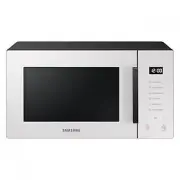
10 English Micr o w ave ov en f eatur es Microwave oven features Microwave oven 01 02 03 04 05 08 09 06 07 10 01 Door handle 02 Door 03 Ventilation holes 04 Light 05 Door latches 06 Turntable 07 Coupler 08 Roller ring 09 Safety interlock holes 10 Control panel Control panel 08 10 09 08 11 02 01 03 0...
Page 11 - Microwave oven use; How a microwave oven works; Checking that your microwave oven is operating correctly
English 11 Micr o w ave ov en use Microwave oven use How a microwave oven works Microwaves are high-frequency electromagnetic waves; the energy released enables food to be cooked or reheated without changing either the form or the colour.You can use your microwave oven to: • Defrost • Reheat • Cook ...
Page 13 - Setting the time
English 13 Micr o w ave ov en use Setting the time When power is supplied, “88:88” and then “12:00” is automatically displayed on the display. Please set the current time. The time can be displayed in either the 24-hour or 12-hour clock. You must set the clock: • When you first install your microwav...
Page 14 - Adjusting the cooking time; Stopping the cooking
14 English Micr o w ave ov en use Microwave oven use Adjusting the cooking time You can increase or decrease the cooking time while the microwave oven is cooking. • Check how cooking is progressing at any time simply by opening the door, and then increase or decrease the cooking time if necessary. M...
Page 15 - Setting the energy save mode
English 15 Micr o w ave ov en use Setting the energy save mode The microwave oven has an energy save mode. • Press STOP/Eco . The control panel display turns off. • To cancel the energy save mode, open the door or press STOP/Eco . The control panel display shows the current time. NOTE Auto energy sa...
Page 17 - Using Home Dessert
English 17 Micr o w ave ov en use Using Home Dessert Home Dessert has 10 pre-programmed cook settings. You do not need to set either the cooking times or the power level. CAUTION Use only containers that are microwave-safe. 3 1. Pull the handle to open the microwave oven door. 2. Place the food on t...
Page 20 - Using Auto Cook
20 English Micr o w ave ov en use Microwave oven use 6 6. Press START/+30s to start Auto Cook. • The microwave oven cooks the food according to the selected pre-programmed setting. • When the cooking is complete, the microwave oven beeps 4 times and the control panel display shows the current time. ...
Page 23 - Using Deodorization; Using Keep Warm
English 23 Micr o w ave ov en use Using Deodorization Use this features after cooking odorous food or when there is a lot of smoke in the oven interior.First clean the oven interior. 1. Press the Deodorization button, and then press the START/+30s button. • When it has finished, the oven beeps. NOTE...
Page 24 - Switching the beeper off
24 English Micr o w ave ov en use Microwave oven use Switching the beeper off You can switch the beeper off whenever you want. • To turn the beeping sound off, press < and > ( Decrease/Increase ) at the same time. • To turn the beeping sound back on, press < and > ( Decrease/Increase ) a...
Page 25 - Cookware guide
English 25 C ookw ar e guide Cookware Microwave- safe Comments • Glass jars ✓ Must remove the lid. Suitable for warming only. Metal • Dishes ✗ May cause arcing or fire. • Freezer bag twist ties ✗ Paper • Plates, cups, napkins and kitchen paper ✓ For short cooking times and warming. Also to absorb ex...
Page 26 - Cooking guide; Microwaves
26 English C ooking g uide Reheating Liquids and Food Use the power levels and times in this table as a guide lines for reheating. Food Serving Size Power Time (min.) Drinks (Coffee, Tea and Water) 150 ml (1 cup) 250 ml (1 mug) 800 W 1-1½1½-2 Instructions Pour into cup and reheat uncovered. Put cup ...
Page 27 - Troubleshooting and information code
English 27 C ooking g uide Food Serving Size Power Time (min.) Plated Meal (Chilled) 350 g 600 W 5½-6½ Instructions Plate a meal of 2-3 chilled components on a ceramic dish. Cover with microwave cling-film. Stand for 3 minutes. Pasta (Frozen) (Cannelloni, Macaroni, Lasagne) 400 g 450 W 16-16½ Instru...
Page 30 - Information code
30 English Tr ouble shoo ting and inf ormation c ode Troubleshooting and information code Problem Cause Action The microwave oven does not cook properly. The microwave oven door is frequently opened during cooking. If you open the door often, the interior temperature will be lowered and this may aff...
Page 31 - Technical specifications; Memo
English 31 Technic al speci fications Technical specifications Samsung strives to improve its products at all times. Both the design specifications and these user instructions are thus subject to change without notice. Model MS23T5018A* Power source 230 V ~ 50 Hz AC Power consumption Maximum powerMi...