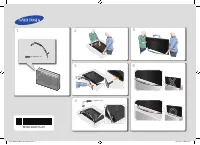
Page 2 - English; Digital TV notice; Securing the Installation Space; Installation with a stand.
2 English Figures and illustrations in this User Manual are provided for reference only and may differ from actual product appearance. Product design and specifications may be changed without notice. Digital TV notice 1. Functionalities related to Digital TV (DVB) are only available in countries/are...
Page 3 - Contents; Getting Started; Note
3 English Contents Getting Started 4 4 Accessories4 Viewing the Control Panel5 Viewing the Remote Control6 Connecting to an Antenna6 Plug & Play (Initial Setup) Connections 7 7 Connecting to an AV Device8 Connecting to an Audio Device9 Changing the Input Source Basic Features 9 9 How to Navigate...
Page 4 - Accessories; SOURCE
4 English Getting Started Accessories Please make sure the following items are included with your LCD TV. If any items are missing, contact your dealer. ✎ The items’ colours and shapes may vary depending on the models. ✎ Remote Control & Batteries (AAA x 2) y Owner’s Instructions y Cleaning Clot...
Page 5 - Viewing the Remote Control; NOTE
5 01 Getting Started English Viewing the Remote Control Installing batteries (Battery size: AAA) NOTE ✎ Use the remote control within 23 feet from the TV. x Bright light may affect the performance of the remote x control. Avoid using nearby special fluorescent light or neon signs.The colour and shap...
Page 6 - Connecting to an Antenna; Cable
6 Getting Started English Connecting to an Antenna When the TV is initially powered on, basic settings proceed automatically. Preset: Connecting the mains and antenna. ✎ Plug & Play (Initial Setup) When the TV is initially powered on, a sequence of on-screen prompts will assist in configuring ba...
Page 7 - Connections; Connecting to an AV Device; HDMI; DVD
7 English 02 Connections Connections Connecting to an AV Device Using an HDMI / DVI Cable: HD connection (up to 1080p) Available devices: DVD, Blu-ray player, HD cable box, HD STB (Set-Top-Box) satellite receiver, cable box, satellite receiver (STB) HDMI ✎ (DVI) IN 1, 2, 3 / PC/DVI AUDIO IN When usi...
Page 8 - Connecting to an Audio Device; Using an Optical or Audio Cable Connection; Headphone
8 English Connections Connecting to an Audio Device Using an Optical or Audio Cable Connection Available devices: digital audio system, amplifier, DVD home theatre The product colour and shape may vary depending on the model. ✎ DIGITAL AUDIO OUT (OPTICAL) ✎ When a digital audio system is connected t...
Page 9 - Changing the Input Source; Source List; Basic Features; How to Navigate Menus
9 English 02 Connections Changing the Input Source Source List Use to select TV or other external input sources such as DVD / Blu-ray players / cable box / STB satellite receiver connected to the TV. TV / Ext. / AV / Component / PC / ■ HDMI1/DVI / HDMI2 / HDMI3 / USB In the ✎ Source List , connected...
Page 10 - Planning Your Viewing; Guide; Guide; Guide
10 English Basic Features Using the INFO button (Now & Next guide) The display identifies the current channel and the status of certain audio-video settings.The Now & Next guide shows daily TV programme information for each channel according to the broadcasting time. Scroll y ◄ , ► to view i...
Page 11 - Basic Featur; Channel Manager; Using Favourite Channels; My Channels; TOOLS; TV; Channels
11 English 03 Basic Featur es Channel Manager Delete or set favourites channels and use the programme guide for digital broadcasts. Select a channel in the Channels, My Channels or Scheduled screen. ■ Channels : Shows the channel list according to channel type. * ■ My Channels : Shows the group of t...
Page 12 - Channel Menu; Retuning channels; Country; Editing channels; Other Features; Cable Search Option
12 English Basic Features Channel Menu Retuning channels ¦ Antenna (Air / Cable) Before your television can begin memorizing the available channels, you must specify the type of signal source that is connected to the TV (i.e. an Air or a Cable system). Country The PIN input screen appears. Enter you...
Page 13 - Scheduled; Picture Menu; Changing the Preset Picture Mode; Mode; Adjusting picture settings
13 English 03 Basic Featur es Channel Manager Option Menu (in Channel Manager ) Set each channel using the Channel Manager menu options ( Lock / Unlock, Timer Viewing, Sort, Delete, Select All / Deselect All ). Option menu items may differ depending on the channel status. 1. Select a channel and pre...
Page 14 - Economical Solutions; ECO Solution; Changing the Picture Options; Picture Options; Advanced Settings
14 English Basic Features Economical Solutions ¦ ECO Solution Energy Saving (Off / Low / Medium / High / Picture ■ Off / Auto) t : Adjust the brightness of the TV in order to reduce power consumption. If you select Picture Off , the screen is turned off, but the sound remains on. Press any button ex...
Page 15 - Setting up the TV with Your PC; Auto Adjustment
15 English 03 Basic Featur es Size ■ : Your cable box/satellite receiver may have its own set of screen sizes as well. However, we highly recommend you use 16:9 mode most of the time. Auto Wide : Automatically adjusts the picture size to the 16:9 aspect ratio. 16:9 : Adjusts the picture size to 16:9...
Page 16 - Screen; Sound Menu; Changing the Preset Sound Mode; Adjusting sound settings; Equalizer
16 English Basic Features Screen Coarse / Fine ■ : Removes or reduces picture noise. If the noise is not removed by Fine-tuning alone, then adjust the frequency as best as possible ( Coarse ) and Fine- tune again. After the noise has been reduced, readjust the picture so that it is aligned to the ce...
Page 17 - Audio Description; MUTE; Additional Setting; Selecting
17 English 03 Basic Featur es Audio Description (not available in all locations) (digital channels only)This function handles the Audio Stream for the AD (Audio Description) which is sent along with the Main audio from the broadcaster. Audio Description (Off / On) ■ : Turn the audio description func...
Page 18 - Setup Menu; Setting the Time; Time; INFO; Using the Sleep Timer; Security; Timer 1
18 English Basic Features Setup Menu Setting the Time ¦ Time Clock ■ : Setting the clock is for using various timer features of the TV. The current time will appear every time you press O the INFO button. If you disconnect the power cord, you have to set ✎ the clock again. Clock Mode (Auto / Manual)...
Page 20 - PIP; Support Menu; Self Diagnosis; Software Upgrade
20 English Basic Features Picture In Picture (PIP) ¦ PIP t Watches simultaneously the TV tuner and one external video source. PIP (Picture-in-Picture) does not function in the same mode. NOTE ✎ If you turn the TV off while watching in x PIP mode, the PIP window will disappear.You may notice that the...
Page 21 - By Channel; HD Connection Guide
21 English 03 Basic Featur es By Channel ■ : Upgrade the software using the broadcasting signal. If the function is selected during the software ✎ transmission period, software will be automatically searched and downloaded. The time required to download the software is ✎ determined by the signal sta...
Page 22 - Connecting to a PC; Advanced Features
22 English Advanced Features Connecting to a PC Using an HDMI/DVI Cable / a D-sub Cable Display Modes (D-Sub and HDMI/DVI Input) Optimal resolution is 1360 X 768 @ 60 Hz. Mode Resolution Horizontal Frequency (KHz) Vertical Frequency (Hz) Pixel Clock Frequency (MHz) Sync Polarity (H/V) IBM 640 x 350 ...
Page 23 - Advanced Featur; Connecting a USB Device; USB
23 English 04 Advanced Featur es Media Play Connecting a USB Device ¦ 1. Turn on your TV. 2. Connect a USB device containing photo, music and/or movie files to the USB (HDD) jack on the side of the TV. 3. When USB is connected to the TV, popup window appears. Then you can select Media Play . It migh...
Page 24 - Screen Display; Videos
24 English Advanced Features Screen Display ¦ Move to the desired file using the up/down/right/left buttons and then press the ENTER E or � (Play) button. The file is played. Supports the ✎ Device Mode and Contents Mode in Media Play homepage. Videos Playing a Video1. Press the ◄ or ► button to sele...
Page 25 - Supported Video Formats
25 English 04 Advanced Featur es Supported Video Formats y File Extention Container Video Codec Resolution Frame rate (fps) Bit rate (Mbsp) Audio Codec *.avi *.mkv AVI MKV Divx 3.11 / 4.x / 5.1 / 6.0 1920x1080 6 ~ 30 8 MP3 / AC3 / LPCM / ADPCM / DTS HD XviD 1920x1080 6 ~ 30 8 H.264 BP / MP / HP 1920...
Page 26 - Music
26 English Advanced Features Playing movie continuously (Resume Play) If you exit the playing movie function, the movie can be played later from the point where it was stopped. 1. Select the movie file you want to play continuously by pressing the ◄ or ► button to select it from the file list sectio...
Page 27 - Playing the multiple files; Media Play Additional Function; Sorting the file list
27 English 04 Advanced Featur es Playing the multiple files ¦ Playing the selected video/music/photo files1. Press the Yellow button in the file list to select the desired file. 2. Repeat the above operation to select multiple files. NOTE ✎ The ( x c ) mark appears to the left of the selected files....
Page 28 - Settings
28 English Advanced Features Videos/Music/Photos Play Option menu During playing a file, press the TOOLS button. Category Operation Videos Music Photos Title You can move the other file directly. ✓ Repeat Mode You can play movie and music files repeatedly. ✓ ✓ Picture Size (Mode1 / Mode2 / Original)...
Page 29 - Anynet
29 English 04 Advanced Featur es Anynet + What is Anynet + ? t Anynet + is a function that enables you to control all connected Samsung devices that support Anynet + with your Samsung TV’s remote. The Anynet + system can be used only with Samsung devices that have the Anynet + feature. To be sure yo...
Page 30 - Setting Up Anynet; Recording; EXIT
30 English Advanced Features Setting Up Anynet ¦ + Setup ■ Anynet + (HDMI-CEC) (Off / On) : To use the Anynet + Function, Anynet + (HDMI-CEC) must be set to On . When the ✎ Anynet + (HDMI-CEC) function is disabled, all the Anynet + related operations are deactivated. Auto Turn Off (No / Yes) : Setti...
Page 31 - Listening through a Receiver; Receiver; Troubleshooting for Anynet
31 English 04 Advanced Featur es Listening through a Receiver ¦ You can listen to sound through a receiver (i.e Home Theatre) instead of the TV speaker. 1. Select Receiver and set to On . 2. Press the EXIT button to exit. If your receiver supports audio only, it may not appear in the device list. ✎ ...
Page 32 - Analogue Channel Teletext Feature; Other Information; The Teletext pages are organized according to six categories:
32 English Other Information Analogue Channel Teletext Feature The index page of the Teletext service gives you information on how to use the service. For Teletext information to be displayedcorrectly, channel reception must be stable. Otherwise, information may be missing or some pages may not be d...
Page 33 - Installing the Wall Mount; Installing the Wall Mount Kit; Wall mount kit is not supplied but sold separately.
33 English 05 Other Information Installing the Wall Mount Installing the Wall Mount Kit ¦ Wall mount items (sold separately) allow you to mount the TV on the wall.For detailed information on installing the wall mount, see the instructions provided with the Wall Mount items. Contact a technician for ...
Page 34 - Anti-Theft Kensington Lock; Caution; To avoid the TV from falling
34 English Other Information Anti-Theft Kensington Lock The Kensington Lock is a device used to physically fix the system when using it in a public place. The appearance and locking method may differ from the illustration depending on the manufacturer. Refer to the manual provided with the Kensingto...
Page 35 - Troubleshooting; Issues
35 English 05 Other Information Troubleshooting If you have any questions about the TV, first refer to this list. If none of these troubleshooting tips apply, please visit “www.samsung.com,” then click on Support, or contact the call centre listed on the back-cover of this manual. Issues Solutions a...
Page 37 - Licence; ABOUT DIVX VIDEO: DivX
37 English 05 Other Information Issues Solutions and Explanations Your settings are lost after 30 minutes or every time the TV is turned off. If the TV is in the • Store Demo mode, it will reset audio and picture settings every 30 minutes. Change the settings from Store Demo mode to Home Use mode in...
Page 38 - Specifications
38 English Other Information Specifications Panel native 1360 X 768 @ 60 Hz Environmental ConsiderationsOperating TemperatureOperating HumidityStorage TemperatureStorage Humidity 10°C to 40°C (50°F to 104°F) 10% to 80%, non-condensing -20°C to 45°C (-4°F to 113°F) 5% to 95%, non-condensing TV System...
Page 39 - Index
39 English 05 Other Information Index A Amplify 16 Antenna 12 Anynet + 29 Audio Out 8, 29 Auto Adjustment 15 Auto Volume 17 B Background Music 27 Balance L/R 16 Basic View 27 Batteries 5 Black Tone 14 Blanking Bracket 33 Brightness 13 C Change PIN 6, 19 Channel Manager 11 Clock 18 Colour Tone 15 Com...
Page 40 - WARNING - TO PREVENT THE SPREAD OF FIRE,; Warning! Important Safety Instructions
• The slots and openings in the cabinet and in the back or bottom are provided for necessary ventilation. To ensure reliable operation of this apparatus, and to protect it from overheating, these slots and openings must never be blocked or covered. - Do not cover the slots and openings with a cloth ...
Page 41 - Wiring the Mains Power Supply Plug (UK Only); UNITED KINGDOM; details of our Authorised Service Centres are available from:; WARRANTY CONDITIONS; the product was originally designed and manufactured.; Warranty Card
IMPORTANT NOTICE The mains lead on this equipment is supplied with a moulded plug incorporating a fuse. The value of the fuse is indicated on the pin face of the plug and, if it requires replacing, a fuse approved to BSI1362 of the same rating must be used.Never use the plug with the fuse cover omit...
Page 42 - This page is intention-
This page is intention- ally left blank. BN68-02592D_00Eng.indb 42 2010-03-16 �� 9:47:44


 Samsung J4000 User Manual
 Samsung J5100 User Manual
 Samsung J5500 User Manual
 Samsung LA32C350D1 User Manual
 Samsung LE22C450E1W User Manual
 Samsung LE26C450E1W User Manual
 Samsung LE32D404E2W User Manual
 Samsung LE32D450G1W User Manual
 Samsung LE40C530F1W User Manual
 Samsung LE40C750R2W User Manual
 Samsung LE40C750R2Z User Manual