Page 2 - Safety Information; CAUTION
2 - English Safety Information ● The slots and openings in the cabinet and in the back or bottom are provided for necessary ventilation. To ensure reliable operation of this apparatus, and to protect it from overheating, these slots and openings must never be blocked or covered. - Do not place this ...
Page 3 - CLASS 1 LASER pROdUCT; D Precautions
3 - English Safety Information ● To turn this apparatus off completely, you must disconnect it from the wall outlet. Consequently, the wall outlet and power plug must be readily accessible at all times. ● Do not allow children to hang on the product. ● Store the accessories (battery, etc.) in a loca...
Page 4 - Contents
4 - English Contents GETTING STARTEd 5 Accessories 5 Speaker Components 6 Front Panel 7 Rear Panel 8 Remote Control CONNECTIONS 9 Connecting the Speakers 13 Connecting to a TV and External Devices 14 Connecting to a Network Router SETTINGS 15 The Initial Settings Procedure 15 The Home Screen at a Gl...
Page 5 - have failed to read this user manual); Accessories; Getting Started
5 - English Getting Started ■ Figures and illustrations in this User Manual are provided for reference only and may differ from actual product appearance. ■ An administration fee may be charged if eithera. an engineer is called out at your request and there is no defect in the product (i.e. where yo...
Page 6 - Front Panel; dISpLAy ICONS
6 - English Getting Started HT-J7750W - 7.1CH SURROUND SPEAKERS OUT SPEAKER IMPEDANCE : 3Ω ID SET L R Speaker Cable x 2 Screw (5x20) x 16 Stand Base x 4 Centre Front/ Front Top x 2 Stand x 4 Surround x 2 Subwoofer Wireless Receiver Module (SWA-7000) Front Panel HIGH -END V ACUUM TUBE SOUN D 5V 0.5A ...
Page 7 - Ok; SOURCE; Rear Panel
7 - English Getting Started ✎ When the product displays a Blu-ray Disc menu, you cannot start the movie by pressing the HIGH -END V ACUUM TUBE SOUN D 5V 0.5A button on the product or the remote. To play the movie, you must select Play Movie or Start in the disc menu, and then press the Ok button. ✎ ...
Page 8 - Remote Control; Tour of the Remote Control; SAMSUNG AppS; Installing batteries in the Remote Control
8 - English Getting Started Remote Control Tour of the Remote Control ✎ While playing multimedia content in SAMSUNG AppS , press and hold 5 button on the remote to pause playback. To stop playback, press and hold e ( ExIT ) button on the remote. Installing batteries in the Remote Control 1 Use a coi...
Page 9 - Connecting the Speakers; Connections
9 - English Connections This section describes various methods of connecting the product to other external components. Before moving or installing the product, be sure to turn off the power and disconnect the power cord. Connecting the Speakers Surround (L) Surround (R) product Centre Subwoofer Wire...
Page 10 - Surround Speakers; Installing the Speakers on the Tallboy Stands
10 - English Connections Surround Speakers Place these speakers to the side of your listening position. If there isn't enough room, place these speakers so they face each other. Position them about 60 to 90cm above your ear, facing slightly downward.* Unlike the front and centre speakers, the surrou...
Page 11 - Speaker Cable Connections
11 - English Connections Speaker Cable Connections 1. Match each speaker cable bundle to the correct speaker by matching the coloured band on each bundle to the coloured sticker on the bottom or back of each speaker. 2. Connect the speaker wire plugs from each speaker to the back of the product by m...
Page 12 - MUTE
12 - English Connections ✎ If you place a speaker near your TV set, the screen colour may be distorted because of the magnetic field. ✎ Place the wireless receiver module at the rear of the listening position. If the wireless receiver module is too close to the product, sound from the speakers may b...
Page 13 - Connecting to a TV and External Devices; Connecting to a Tv; Method 2 AUx IN : Connecting an External Analogue Component; Selecting an External device to Use
13 - English Connections Connecting to a TV and External Devices HDMI OUT HDMI IN 1 2 LAN AUX IN FM ANT OPTICAL DIGITAL AUDIO IN L R OPTICAL OUT AUDIO OUT HDMI OUT HDMI IN (ARC) HDMI OUT HDMI IN 1 2 LAN POWER AUX IN FM ANT OPTICAL DIGITAL AUDIO IN L R SPEAKERS OUT CENTER SUBWOOFER FRONT L FRONT R FR...
Page 14 - Connecting to a Network Router; Wired Network; Wireless Network
14 - English Connections Connecting to a Network Router You can connect your product to your network router using one of the methods illustrated below. Wired Network Broadband service Broadband service Broadband modem (with integrated router) Broadband modem Router Or HDMI OUT HDMI IN 1 2 LAN POWER ...
Page 15 - The Initial Settings Procedure; ExIT; The Home Screen at a Glance; Settings
15 - English Settings The Initial Settings Procedure ● The Home menu will not appear if you do not configure the initial settings. ● The OSD (On Screen Display) may change in this product after you upgrade the software version. ● The access steps may differ depending on the menu you selected. After ...
Page 16 - Accessing the Settings Screen; detailed Function Information; Settings Menu Functions
16 - English Settings ■ Selecting an Option on the Home Screen 1. To select an option on the Home screen, move the cursor using the 78:; buttons until it highlights the option of your choice, and then press the Ok button. ✎ If you leave the product in the stop mode for more than 5 minutes without us...
Page 22 - Radio Setup; Selecting Mono or Stereo
22 - English Settings Radio Setup ● To listen to the radio, you must connect the supplied FM antenna. Operating the Radio with the Remote Control 1. Press the SOURCE button to select FM . 2. Tune to the desired station. ● Preset Tuning 1 : Press the pRESET button to select pRESET , and then press th...
Page 23 - Network Setup; Configuring your Network Connection
23 - English Settings Network Setup When you connect this product to a network, you can use network based applications and functions such as Smart Hub and BD-LIVE, and upgrade the product's software through the network connection. For more information about accessing and using Internet services, see...
Page 26 - Through the Wi-Fi device; Upgrading Software
26 - English Settings Refresh Wi-Fi direct device Name : [HTS]J7500WSelect your Wi-Fi direct device to connect to. AndroidXXXXXXX Disconnected Close Settings 5. You have three ways to complete the Wi-Fi connection: ● Through the Wi-Fi device. ● Through the product using PBC. ● Through the product us...
Page 27 - Update now; Auto update; Update by USB
27 - English Settings Update now You can use Update now to update the software through your network connection or by using a USB flash drive. The network instructions are below. The USB flash drive instructions are on this page. 1. Select Update now , and then press the Ok button. The Update now pop...
Page 28 - Playing Content; Playing Commercial Discs; disc Storage & Management; Playing Multimedia Files
28 - English Playing Content Your home cinema can play content located on Blu-ray/DVD/CD discs, USB devices, PCs, smart phones, tablets, and on the Web.To play content located on your PC or a mobile device, you must connect the PC or mobile device and the product to your network. To play content on ...
Page 29 - playing Content; playing Files on a Storage device
29 - English playing Content ✎ In the Filter( ) drop down, select photos , videos , or Music . ✎ Even though the product will display folders that contain all content types, it will only display files of the content type you selected For example, if you selected Music , you will only be able to see ...
Page 30 - Controlling Video Playback
30 - English Playing Content 1. In the Home screen, select MULTIMEdIA , and then press the Ok button. 2. Select Network device at the bottom of the screen, and then press the Ok button. Storages devices connected to the same network as the Home cinema are listed. 3. Select a storage device, and then...
Page 31 - Using the TOOLS Menu; Commercial discs
31 - English playing Content p Starts/Pauses playback. e ( ExIT ) Stops playback. Fast Motion play During playback, press and hold the [ or ] button. Each time you press and hold the [ or ] button, the playback speed will change. Slow Motion play In pause mode, press and hold the ] button. Each time...
Page 33 - Using the Sort By & Options Menus; Controlling Music Playback
33 - English playing Content Using the Sort By & Options Menus Select the Filter( ) function, and then videos to display videos only. ✎ Even though the product will display folders that contain all content types, it will only display files of the content type you selected For example, if you sel...
Page 34 - Music Screen Controls; RETURN; On Screen Music Controls
34 - English Playing Content Music Screen Controls 00:00/00:00 TRACk 001 00:43 TRACk 002 03:56 TRACk 003 04:41 TRACk 004 04:02 TRACk 005 03:43 TRACk 006 03:40 TRACk 007 04:06 TRACk 008 03:52 TRACk 009 03:04 TRACk 010 04:02 TRACk 001 The Track List screen appears initially, and the first track begins...
Page 35 - Repeating Tracks on an Audio Cd
35 - English playing Content On the screen that lists the music files, use the 78:; buttons to select Sort By or Options in the upper right, and then press the Ok button. Music Sort By ■ Track Displays all the music tracks on the media or storage device. ■ Album Displays all the music on the media o...
Page 36 - Shuffling Tracks on an Audio Cd
36 - English Playing Content Shuffling Tracks on an Audio Cd You can set the product to play tracks on an audio CD (CD-DA/MP3) at random. 1. During playback, use the ,. :; buttons to select 1 in the lower left corner of the screen, and then press the Ok button. 2. Use the 78 to set the Shuffle mode ...
Page 37 - Creating a playlist
37 - English playing Content ✎ If you want to use play Selected to watch videos, use the Filter( ) function to select videos instead of Music . Using play Selected Starting from the Home Screen ✎ Select pLAy dISC or MULTIMEdIA depending on the media you are using. - If you selected pLAy dISC , the T...
Page 38 - Ripping; Using Bluetooth
38 - English Playing Content 4. When finished, select delete at the bottom left of the screen, and then press the Ok button. A confirmation pop-up appears. 5. Select yes , and then press the Ok button. ✎ Deleting all files included in a playlist will delete the playlist itself, too. ✎ You can save u...
Page 39 - Connect; To disconnect the Home Cinema from the; BT
39 - English playing Content ● The Home Cinema has an effective reception range of up to 10 meters in all directions if there are no obstacles. The connection will be automatically cut off if the device is out of this range. Even within this range, the sound quality may be degraded by obstacles such...
Page 40 - Using the Bluetooth Quick start; Playing Photo Content; Using the Tools Menu; TOOLS
40 - English Playing Content ✎ In Bluetooth connection mode, the Bluetooth connection will be lost if the distance between the Home Cinema System and the Bluetooth device exceeds 10 meters. When the Bluetooth device comes back into effective range or you restart the Bluetooth device, you will have t...
Page 41 - Using the Send Function
41 - English playing Content Send Select Send to upload selected files to on-line sites (Picasa, Facebook, etc.) or devices. To use Send with an on-line site, you need to establish an account with the on-line site, and then log in using the Log In function. Send works essentially the same way for mu...
Page 42 - Using the Special Effects Remote; SOUNd EFFECT
42 - English Playing Content 5. When done, press the 78 button to select Send , and then press the Ok button. The Send pop-up appears listing the on-line sites (Picasa, Facebook, etc.) or devices that you can send the photos to. 6. Select a destination, and then press the Ok button. 7. If you are se...
Page 43 - Logging In to Your Samsung; Network Services
43 - English Network Services You can enjoy various network services such as streaming video or on-line apps by connecting the product to your network. To use network services, you must first: 1. Connect the product to a network. (See page 14) 2. Configure the network settings. (See pages 23~25) Log...
Page 44 - Using SAMSUNG APPS; The SAMSUNG AppS Screen at a Glance; downloading an App
44 - English Network Services Using SAMSUNG APPS Through the SAMSUNG AppS screen, you can download applications from the Internet, and launch and run downloaded applications on your TV. To access some applications, you need to have a Samsung account. ✎ While playing multimedia content in SAMSUNG App...
Page 45 - Starting an Application
45 - English Network Services Starting an Application 1. Select SAMSUNG AppS on the Home screen, and then press the Ok button. 2. On the SAMSUNG AppS screen, use the 78:; buttons to select an app, and then press the Ok button. The app starts. The Option Menu The Option menu lets you add apps to and ...
Page 46 - Update Apps
46 - English Network Services 5. Repeat Step 4 to select other apps. Use Select All or deselect All on the bottom of the screen to select or deselect all apps at once. To deselect individual apps, select the app again, and then press the Ok button. The check mark disappears. 6. When you have finishe...
Page 47 - Link Browsing and pointer Browsing; The Control panel at a Glance
47 - English Network Services Link Browsing and pointer Browsing The Web Browser provides two types of browsing, Pointer Browsing and Link Browsing. When you launch the browser for the first time, Pointer Browsing is active. If you are using a mouse to navigate in the Web Browser, we recommend leavi...
Page 48 - Using the keyboard pop-up; Options on the keyboard pop-Up
48 - English Network Services Using the keyboard pop-up When you click the http://www.samsung.com 100% , the http://www.samsung.com 100% or access a data or text entry field, and then press the Ok button, the keyboard pop-up appears. http://www.samsung.com As you enter characters, recommended text w...
Page 49 - Using the Settings Menu
49 - English Network Services Using the Settings Menu The Settings menu contains functions that control how the Browser operates and Browser security functions. To open the Settings menu, highlight the http://www.samsung.com 100% icon in the Control Panel, and then press the Ok button. To select an ...
Page 50 - Linking your Internet Service
50 - English Network Services ✎ Depending on the web site, some of the Web Browser Settings functions may not be activated. Functions that are not activated are greyed out and cannot be used. Linking your Internet Service Accounts to the Product The Link Accounts function lets you link your product ...
Page 51 - Additional Information; Notes; Appendix
51 - English Appendix Additional Information Notes Connections HdMI OUT ● Certain HDMI output resolutions may not work, depending on your TV. ● You must have an HDMI connection to enjoy videos with 3D technology. ● A long HDMI cable may cause screen noise. If this occurs, set HdMI deep Colour to Off...
Page 52 - Disk and Format Compatibility
52 - English Appendix Front display ● You cannot change the brightness of the HIGH -END V ACUUM TUBE SOUN D 5V 0.5A button and the vOL + , - button. Speaker Settings ● When Sound Output is set to Tv Speaker , audio is produced by the TV speakers. HdMI audio ● When HDMI audio is output to the TV spea...
Page 53 - disc Types your product cannot play
53 - English Appendix ✎ The product may not play certain CD-RW/-R and DVD-R because of the disc type or recording conditions. ✎ If a DVD-RW/-R disc has not been recorded properly in DVD video format, it will not be playable. ✎ Your product will not play content that has been recorded on a DVD-R at a...
Page 54 - Supported Formats; Notes on the USB connection
54 - English Appendix dvd- vIdEO 1 The U.S., U.S. territories and Canada 2 Europe, Japan, the Middle East, Egypt, Africa, Greenland 3 Taiwan, Korea, the Philippines, Indonesia, Hong Kong 4 Mexico, South America, Central America, Australia, New Zealand, Pacific Islands, Caribbean 5 Russia, Eastern Eu...
Page 55 - video File Support
55 - English Appendix video File Support File Extension Container video Codec Resolution Frame rate (fps) Bitrate (Mbps) Audio Codec *.avi *.mkv *.asf *.wmv *.mp4 *.mov *.3gp *.vro *.mpg *.mpeg *.ts *.tp *.trp *.mov *.flv *.vob *.svi *.m2ts *.mts *.divx *.ps AVI MKV ASF MP4 3GP MOV FLV VROVOB PSTS S...
Page 56 - Music File Support
56 - English Appendix Music File Support File Extension Type Codec Comments *.mp3 MPEG MPEG1 Audio Layer 3 - *.m4a*.mpa *.aac MPEG4 AAC - *.flac FLAC FLAC Supports up to 2ch *.ogg OGG Vorbis Supports up to 2ch *.wma WMA WMA Supports WMA 10 Pro (Up to 5.1) Does not support WMA lossless audio Supports...
Page 57 - digital Output Selections
57 - English Appendix digital Output Selections Setup pCM Bitstream (Unprocessed) Bitstream (Re-encoded dTS) Bitstream (Re-encoded dolby d) Connection HdMI supported Av receiver Audio Stream on Blu-ray Disc PCM Up to PCM 7.1ch PCM DTS re-encoded Re-encoded Dolby Digital * Dolby Digital Up to PCM 5.1...
Page 58 - Resolution according to the content type
58 - English Appendix Resolution according to the content type Content Type Setup Blu-ray disc E-contents/ digital contents BD Wise Resolution of Blu-ray Disc 1080p@60F Auto Movie Frame : Auto UHD Output : Auto 2160p@24F 2160p@24F UHD Output : Off 1080p@24F 1080p@24F Movie Frame : Off Max. Resolutio...
Page 59 - Troubleshooting
59 - English Appendix Troubleshooting Refer to the table below when this product does not function properly. If the problem you are experiencing is not listed below or if the instructions below do not help, turn off the product, disconnect the power cord and contact the nearest authorized dealer or ...
Page 62 - Specifications
62 - English Appendix Specifications General Weight 2.7 kg Dimensions 430.0 (W) x 55.0 (H) x 312.0 (D) mm Operating Temperature Range +5°C to +35°C Operating Humidity Range 10 % to 75 % FM Tuner Signal/noise ratio 55 dB Usable sensitivity 12 dB Total harmonic distortion 0.5 % HDMI Video 2D : 2160p, ...
Page 64 - Licences
64 - English Appendix Licences Manufactured under license from Dolby Laboratories. Dolby and the double-D symbol are trademarks of Dolby Laboratories. For DTS patents, see http://patents.dts.com. Manufactured under license from DTS Licencing Limited. DTS, DTS-HD, the Symbol, DTS and the Symbol toget...
Page 66 - Correct disposal of batteries in this product
Contact SAMSUNG WORLD WIDE If you have any questions or comments relating to Samsung products, please contact the SAMSUNG customer care centre. Correct Disposal of This Product (Waste Electrical & Electronic Equipment) (Applicable in countries with separate collection systems)This marking on the...
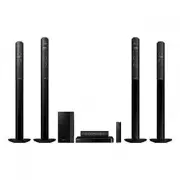


 Samsung HT-J4530 User Manual
 Samsung HT-J4550 User Manual
 Samsung HT-J5150 User Manual
 Samsung HT-J5500 User Manual
 Samsung HT-J7500W User Manual
 Samsung HT-P1200 Manual
 Samsung HT-Q9 Manual
 Samsung HT-Q20 Manual
 Samsung HT-A100 User Manual
 Samsung HT-BD1255 User Manual
 Samsung HT-BD8200 Manual