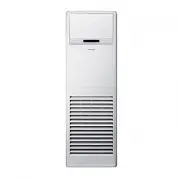
Page 2 - Contents; Safety Information; Basic Operation; Quick Smart Features
2 English Contents Safety Information 4 At a Glance 12 Indoor Unit Overview 12 Control Panel Overview 13 Indoor unit displayLocking the control panel Remote Control Overview 14 Replacing batteriesStoring the remote control Remote Control Operation 16 Turning on or off the air conditionerOperation mo...
Page 3 - Cleaning and Maintenance
3 English Correct Disposal of This Product (Waste Electrical & Electronic Equipment) (Applicable in countries with separate collection systems) This marking on the product, accessories or literature indicates that the product and its electronic accessories (e.g. charger, headset, USB cable) shou...
Page 4 - Important safety symbols and precautions:; WARNING
4 English Safety Information Safety Inf ormation Safety Information Before using your new air conditioner, please read this manual thoroughly to ensure that you know how to safely and efficiently operate the extensive features and functions of your new appliance.Because the following operating instr...
Page 5 - FOR INSTALLATION; Use the power line with the power specifications of the product or
5 English Safety Inf ormation Safety Information FOR INSTALLATION WARNING Use the power line with the power specifications of the product or higher and use the power line for this appliance only. In addition, do not use an extension line. • Extending the power line may result in electric shock or fi...
Page 6 - This appliance must be properly grounded. Do not ground the; CAUTION; hose so that draining is performed correctly.
6 English Safety Information Safety Inf ormation This appliance must be properly grounded. Do not ground the appliance to a gas pipe, plastic water pipe, or telephone line. • Failure to do so may result in electric shock, fire, an explosion, or other problems with the product. • Never plug the power...
Page 7 - FOR POWER SUPPLY; When the circuit breaker is damaged, contact your nearest service; a thunder/lightning storm, cut the power at the circuit breaker.; FOR USING; • Failing to do so may result in electric shock or fire.
7 English Safety Inf ormation FOR POWER SUPPLY WARNING When the circuit breaker is damaged, contact your nearest service centre. Do not pull or excessively bend the power line. Do not twist or tie the power line. Do not hook the power line over a metal object, place a heavy object on the power line,...
Page 8 - Do not touch the circuit breaker with wet hands.
8 English Safety Information Safety Inf ormation To reinstall the air conditioner, please contact your nearest service centre. • Failing to do so may result in problems with the product, water leakage, electric shock, or fire. • A delivery service for the product is not provided. If you reinstall th...
Page 10 - Do not operate the appliance with wet hands.
10 English Safety Information Safety Inf ormation Do not stand on top of the appliance or place objects (such as laundry, lighted candles, lighted cigarettes, dishes, chemicals, metal objects, etc.) on the appliance. • This may result in electric shock, fire, problems with the product, or injury. Do...
Page 11 - FOR CLEANING; ‘Cleaning and maintaining the air conditioner’ section.
11 English Safety Inf ormation For use in Europe: This appliance can be used by children aged from 8 years and above and persons with reduced physical, sensory or mental capabilities or lack of experience and knowledge if they have been given supervision or instruction concerning use of the applianc...
Page 13 - Indoor unit display; Locking the control panel; Control Panel Overview
13 English A t a Glanc e At a Glance 01 02 03 04 05 06 07 08 01 Turbo button 02 Vertical air swing button 03 Horizontal air swing button 04 Fan speed button 05 Indoor unit display 06 Mode button 07 Temperature buttons 08 Power button Indoor unit display 01 03 04 07 08 05 06 02 02 01 Remote control s...
Page 14 - Remote Control Overview
14 English Remote Control Overview A t a Glanc e 01 05 06 07 08 15 16 17 19 20 02 03 04 10 11 13 14 12 18 09 01 Set temperature indicator 02 Timed on/off indicator 03 Operation mode indicator 04 Unsupported functions NOTE • The Single user, Heater and Purity functions are not supported by this model...
Page 15 - Replacing batteries; Storing the remote control
15 English A t a Glanc e Replacing batteries When the icon appears in the remote control display, replace the batteries with new ones. Two 1.5V AAA type batteries are required. Two 1.5V AAA type batteries Correct disposal of batteries in this product (Applicable in countries with separate collection...
Page 16 - Turning on or off the air conditioner; Operation modes; Remote Control Operation
16 English Remote Control Operation A t a Glanc e Turning on or off the air conditioner You can turn on or off the air conditioner by pressing the (Power) button. Operation modes You can change the current mode between Auto, Cool, Dry, Fan, and Heat by pressing the button. ► ► ► ► You can use the ai...
Page 17 - Controlling fan speed
17 English A t a Glanc e Controlling fan speed You can select the following fan speeds in each mode: Mode Available fan speeds Auto Dry (Auto) Cool Heat (Auto), (Med), (High), (Turbo) Fan (Med), (High), (Turbo) Controlling temperature You can control the temperature in each mode as follows: Mode Tem...
Page 19 - Timed on/Timed off function
19 English Quick Smar t Featur es Basic Operation Timed on/Timed off function Use the Timed on/off function to turn the air conditioner on or off after the time that you set. ► ► Select On or Off. ► (Set the on/off time.) ► NOTE • You can set a time between 0.5 and 24 hours. • To cancel the Timed on...
Page 20 - Turbo function; Long reach function
20 English Quick Smar t Featur es Turbo function Use the Turbo function to quickly cool your room. This function provides the most powerful cooling air. ► NOTE • To turn off the Turbo function, press (Turbo) button again. • This function is only available in the Auto and Cool / Heat modes. • When th...
Page 21 - Cleaning the indoor unit exterior and outdoor unit heat exterior
21 English Cleaning and Maint enanc e Cleaning the indoor unit exterior and outdoor unit heat exterior Tepid damp cloth Soft brush Before cleaning, be sure to turn off the air conditioner. Spray water to clean the dust. CAUTION • Do not open the panel when the air conditioner is operating. This acti...
Page 22 - Cleaning the filter
22 English Cleaning at a Glance Cleaning and Maint enanc e Cleaning the filter Vacuum cleaner CAUTION • Do not scrub the air filter with a brush or other cleaning utensil. This may damage the filter. • Do not expose the air filter to direct sunlight when drying it. NOTE • Clean the air filter every ...
Page 23 - Periodical maintenance
23 English Cleaning and Maint enanc e Periodical maintenance Unit Maintenance item Interval Requires qualified technicians Indoor unit Clean the air filter. Once every 2 weeks Clean the condensate drain pan. Once a year Required Clean up the heat exchange. Once a year Required Clean the condensate d...
Page 24 - Troubleshooting
24 English Troubleshooting Cleaning and Maint enanc e Refer to the following chart if the air conditioner operates abnormally. This may save time and unnecessary expense. Troubleshooting Problem Solution The air conditioner does not operate at all. • Check if the power plug is properly connected.• C...
Page 26 - Technical specifications
26 English Troubleshooting Cleaning and Maint enanc e Problem Solution Unpleasant odours permeate the room. • If the air conditioner is running in a smoky area or if there is a smell entering from outside, ventilate the room properly. • If the air conditioner has not been operated for an extended pe...
Page 27 - Memo
27 English Cleaning and Maint enanc e Memo PAC_IB_ENG.indd 27 2016-06-22 오전 11:13:34