Page 3 - GENERAL SAFETy RULES; READ ALL INSTRUCTIONS
3 GENERAL SAFETy RULES WARNING: Read and understand all instructions. Failure to follow all instructions listed below, may result in electric shock, fire and/or serious personal injury. READ ALL INSTRUCTIONS KNOW yOUR POWER TOOL. Read the operator’s manual carefully. Learn the applications and lim...
Page 5 - SPECIFIC SAFETy RULES
5 SPECIFIC SAFETy RULES WARNING: Some dust created by power sanding, sawing, grinding, drilling, and other construction activities contains chemicals known to cause cancer, birth defects or other reproductive harm. Some examples of these chemicals are: • lead from lead-based paints,• crystalline sil...
Page 6 - SyMBOLS
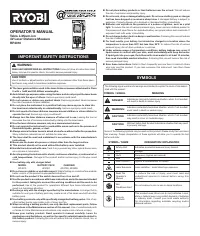
6 SyMBOLS Some of the following symbols may be used on this tool. Please study them and learn their meaning. Proper interpreta-tion of these symbols will allow you to operate the tool better and safer. Read The Operator’s Manual Safety Alert No Hands Symbol SyMBOL NAME DESIGNATION/EXPLANATION Voltag...
Page 7 - SERVICE; SAVE THESE INSTRUCTIONS
7 SyMBOLS SERVICE Servicing requires extreme care and knowledge and should be performed only by a qualified service technician. For service we suggest you return the product to your nearest AUTHORIZED SERVICE CENTER for repair. When servic-ing, use only identical replacement parts. WARNING: SAVE THE...
Page 8 - ELECTRICAL; SPEED AND WIRING; ELECTRICAL CONNECTION
8 ELECTRICAL SPEED AND WIRING The no-load speed of this tool is approximately 3,000 rpm. This speed is not constant and decreases under a load or with lower voltage. For voltage, the wiring in a shop is as important as the motor’s horsepower rating. A line intended only for lights cannot properly ca...
Page 9 - GLOSSARy OF TERMS
9 GLOSSARy OF TERMS Anti-Kickback Pawls (radial arm and table saws)A device which, when properly installed and maintained, is designed to stop the workpiece from being kicked back toward the front of the saw during a ripping operation.ArborThe shaft on which a blade or cutting tool is mounted.Bevel ...
Page 10 - FEATURES; PRODUCT SPECIFICATIONS
10 FEATURES Fig. Spindle Travel ............................................................... 3 in.Table Size ...................................................... 10-3/4 in. dia.Table Movement ............................... 45° bevel, 360° swivelOverall Height .....................................
Page 11 - TOOLS NEEDED
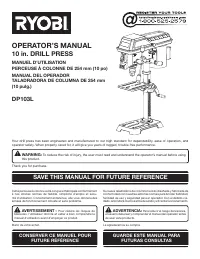
11 FEATURES KNOW yOUR DRILL PRESS See Figure 2. Before attempting to use this product, familiarize yourself with all operating features and safety rules. BEVEL SCALE The bevel scale indicates the degree the table is tilted. CHUCK Your drill press features a standard three-jaw type chuck with a self-...
Page 12 - LOOSE PARTS
1 LOOSE PARTS Fig. 4 The following items are included with the drill press: Head Assembly .................................................................1Column Assembly .............................................................1Table ...............................................................
Page 13 - UNPACKING; ASSEMBLy; ATTACHING COLUMN ASSEMBLy TO BASE
13 UNPACKING This product requires assembly. Carefully remove the tool and any accessories from the box. Place it on a level work surface. NOTE: This tool is heavy. To avoid back injury, lift with your legs, not your back, and get help when needed. Inspect the tool carefully to make sure no brea...
Page 14 - INSTALLING TABLE ASSEMBLy
14 ASSEMBLy INSTALLING TABLE ASSEMBLy See Figures 6 - 8. Loosen the set screw in the column collar. Remove the column collar and gear rack from the column and set aside. Locate the worm gear and feed the D-shaft through the hole in the table support. Install table adjustment handle over the ...
Page 16 - INSTALLING/CHANGING WORKLIGHT BULB
16 ASSEMBLy Fig. 13 mountinG bolts INSTALLING/CHANGING WORKLIGHT BULB See Figure 12. The integrated worklight can be used to help illuminate the work area. The worklight requires a 15-watt, 10-volt, candelabra-base bulb (not included). To install, insert the bulb into the worklight receptacle and tw...
Page 17 - CHECKING/ADJUSTING LASER ALIGNMENT
17 ASSEMBLy laser adjustment knob laser housinG set screw INSTALLING/USING THE SPINDLE LOCK LEVER See Figure 14. The spindle lock is installed by aligning the threaded post on the lock lever with the hole on the left side of the tool then turning the post clockwise. Securely tightening the spindle l...
Page 18 - OPERATION; APPLICATIONS; POWER SWITCH
18 OPERATION WARNING: Do not allow familiarity with tools to make you care-less. Remember that a careless fraction of a second is sufficient to inflict serious injury. WARNING: Always wear safety goggles or safety glasses with side shields when operating power tools. Failure to do so could result in...
Page 19 - SELF-EJECTING CHUCK KEy
19 OPERATION SELF-EJECTING CHUCK KEy See Figure 17. The self-ejecting chuck key ensures the chuck key is removed from the chuck before the drill press is turned on.In order to loosen or tighten the chuck using the chuck key, push the key into the key hole located on the chuck. Rotate the key clockwi...
Page 20 - DRILLING
0 OPERATION DRILLING See Figures 20 - 21. Using the vise provided (or similar clamping devices), secure the workpiece to the table. To protect the top surface of the workpiece, use a piece of scrap wood between the vise and the workpiece. Select the proper drill bit based on the hole size desire...
Page 21 - ADJUSTMENTS; ADJUSTING TABLE HEIGHT; ADJUSTING THE DRILLING DEPTH
1 ADJUSTMENTS WARNING: Before performing any adjustment, make sure the tool is unplugged from the power supply. Failure to heed this warning could result in serious personal injury. ADJUSTING TABLE HEIGHT See Figure 22. Hold the table with one hand and loosen the table lock handle. Rotate the ta...
Page 22 - MAINTENANCE; GENERAL MAINTENANCE; HEAD ASSEMBLy AND MOTOR HOUSING
MAINTENANCE WARNING: When servicing, use only identical replacement parts. Use of any other parts may create a hazard or cause product damage. WARNING: Always wear safety goggles or safety glasses with side shields during power tool operation or when blowing dust. If operation is dusty, also wear a ...
Page 23 - TROUBLESHOOTING; Problem
3 TROUBLESHOOTING Problem Possible Cause Solution Noisy operation Incorrect belt tensionDry spindleLoose spindle pulley or motor pulley Adjust belt tension.Lubricate spindle.Tighten set screws in pulleys. Bit burns or smokes Incorrect speedChips not coming out of hole Dull bitFeeding too slowNot lub...
Page 24 - OPERATOR’S MANUAL; 2 in. DIGITAL DRILL PRESS; • SERVICE; • MODEL NUMBER; TECHTRONIC INDUSTRIES NORTH AMERICA, INC.
4 OPERATOR’S MANUAL 12 in. DIGITAL DRILL PRESS DP121L 983000-6411-03-05 (REV: 01) • SERVICE Now that you have purchased your tool, should a need ever exist for repair parts or service, simply contact your nearest Authorized Service Center. Be sure to provide all pertinent facts when you call or visi...