Russell Hobbs RHRV100 - User Manual
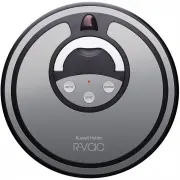
Russell Hobbs RHRV100 Vacuum – User Manual, read for free online in PDF format. We hope this helps you resolve any issues you may have. If you have further questions, please contact us through the contact form.


Table of Contents:
- Page 2 – Warranty Against Defects
- Page 4 – INSTRUCTIONS; and keep it for future reference.; Pass it on if you pass on the appliance.; Components; Function Introduction:
- Page 6 – BATTERY INSTALLATION AND REPLACEMENT; Installing and replacing the rechargeable battery:; IMPORTANT; they are not correctly aligned.; or; OFF; QUICK START GUIDE
- Page 7 – rechargeable batteries for this vacuum.; Old batteries should be recycled safely.; the cleaner is not in use.; Battery Replacement & Installment; the cleaner is not in use.
- Page 8 – The vacuum will charge when the Power switch is in the ON; The power indicator will flash when the vacuum is charging.; FUNCTIONS; The power indicator with flash when the vacuum is charging.
- Page 9 – from the charging station.; Press the AUTO button to let R-Vac start cleaning.; CHARGE button; Ensure you have the Charging Station set up.
- Page 10 – REMOTE CONTROL: BATTERY INSTALLATION & REPLACEMENT; Ensure the batteries are installed in your remote control.; If your remote control isn’t operating correctly; , it may be necessary to re-synchronise
- Page 11 – To set the current weekday:; SCHEDULE/PROGRAM YOUR VACUUM; The numbers at the top of the screen represent days of the week:
- Page 12 – NOTE: Underlined numbers represent days that are scheduled.; release the code check button, then the code
- Page 13 – SPACE ISOLATOR: BATTERY INSTALLATION & REPLACEMENT; If your space isolator isn’t operating correctly; , it may be necessary to re-synchronise it with; Positioning your Space Isolator
- Page 14 – CHARGING STATION; Docking Station; indicator; on the right and left.; Figure 1
- Page 15 – vacuum, making it difficult for the cleaner to dock and charge.; If your charging station isn’t operating correctly; REMOVING AND REPLACING THE DUST BIN:; and extract the bin by pulling
- Page 16 – CLEANING THE DUST BIN:; bin to release the gate.; Slide Clip; Figure 4
- Page 17 – Reinstall the filter in the original position.; CLEANING THE MAIN BRUSH AND FLOOR BRUSH:; PROLONG THE LIFE OF YOUR; Lift the main brush & floor brush up and away from the; correctly located into their corresponding recesses.
- Page 18 – REMOVING, REPLACING AND CLEANING UNDER THE SIDE BRUSH:; TROUBLE SHOOTING: Error codes will appear on the remote control; ERROR; Middle brush; REMOVING, REPLACING AND CLEANING THE FRONT WHEEL:
RHR
V100 _F
A_210314
2 YEAR LIMITED REPLACEMENT WARRANTY*
ROBOTIC VACUUM
RHRV100
INSTRUCTIONS & WARRANTY
"Loading the manual" means you need to wait until the file loads and becomes available for online reading. Some manuals are very large, and the time they take to appear depends on your internet speed.
Summary
Spectrum Brands Australia Pty Ltd Locked Bag 3004 BraesideVictoria 3195 Australia Customer Service in Australia Toll Free: 1800 623 118 Email: [email protected] Website: www.spectrumbrands.com.au Spectrum Brands New Zealand Ltd PO Box 9817 NewmarketAuckland 1149 New Zealand Customer Service in New Z...
4 INSTRUCTIONS Congratulations on the purchase of your appliance. Each unit is manufactured to ensure safety and reliability. Before using the appliance for the first time, please read the instruction booklet carefully and keep it for future reference. Pass it on if you pass on the appliance. When u...
6 BATTERY INSTALLATION AND REPLACEMENT Installing and replacing the rechargeable battery: 1. Place the robotic vacuum cleaner upside down on a flat stable surface.2. Using the screwdriver provided, remove the screws on the battery cover. (Refer to Figure 1)3. Lift the battery cover away from the uni...