Robinhood IC1300WH - User Manual
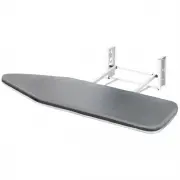
This Installation Manual covers the setup and assembly of the Robinhood Ironing Centre (model IC1300), including mounting options like recessed or surface installation, cabinet door assembly, and electrical connections. The guide also addresses key operational aspects such as adjusting the ironing board height, swiveling it for storage, and basic maintenance tasks like rotating the board or replacing the lamp. Safety considerations–including weight limits, electrical precautions, and care instructions–are prominently featured alongside detailed diagrams of dimensions and component placement.


Table of Contents:
- Page 1 – Installation and Operating Instructions
- Page 2 – Pre-installation Overview and Dimensions
- Page 3 – Mounting Installation Methods
- Page 4 – Electrical Connection and Handle Mounting
- Page 5 – Cabinet Door Assembly
- Page 6 – Ironing Board Operation and Storage
- Page 7 – Maintenance Procedures
- Page 8 – Product Features and Safety Guidelines
- Page 9 – New Zealand Warranty Certificate
- Page 10 – Australia Warranty Certificate
1
Description:
ROBINHOOD
IRONING CENTRE
Model Number:
IC1300
Model pictured:
ICI300
IC1300
Issue: 3
All dimensions in mm
Model may vary slightly from images pictured
"Loading the manual" means you need to wait until the file loads and becomes available for online reading. Some manuals are very large, and the time they take to appear depends on your internet speed.
Was this manual helpful?
About this manual
- Brand
- Robinhood
- Model
- IC1300WH
- Document type
- User Manual
- Category
- Iron
- Language(s)
- English
- Pages
- 10
- File size
- 658.9 KB
- Format
Summary
Installation and operating instructions for the Ironing Centre, including technical dimensions.
Overview and pre-installation guidance, including mounting options, packing removal, and recommended height specifications for average adult use.
Instructions for mounting the ironing centre using surface mount and recess mount methods, including setup procedures and required tools.


