remo+ DCM2MG - User Manual
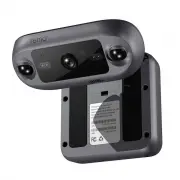
remo+ DCM2MG Security Camera – User Manual, read for free online in PDF format. We hope this helps you resolve any issues you may have. If you have further questions, please contact us through the contact form.


Table of Contents:
- Page 2 – WHAT’S IN THE BOX; BATTERY COVER SCREW
- Page 3 – MEET DOORCAMTM 2
- Page 4 – CREATE AN ACCOUNT; Make sure your mobile device is connected to
- Page 5 – REGISTER DOORCAMTM 2
- Page 6 – PHYSICAL INSTALLATION
- Page 7 – ADJUST DOORCAMTM 2; DoorCamTM 2 supports both push-to-enter and; Option A on page 8; INSIDE
- Page 8 – Option A
- Page 9 – Option B
- Page 11 – POWER SOURCE; BATTERIES; Install the batteries in accordance with the
- Page 13 – FAQ; * Once your DoorCamTM 2 is registered, you can return
Quick Start Guide
DoorCam™ 2
"Loading the manual" means you need to wait until the file loads and becomes available for online reading. Some manuals are very large, and the time they take to appear depends on your internet speed.
Summary
2 WHAT’S IN THE BOX 3 D-CELL BATTERIES BATTERY COVER SCREW "PROTECTED BY REMO+" STICKER MOUNTING SCREWS (Optional) HEX WRENCH DOORCAM™ 2
3 MEET DOORCAM™ 2 *Remove the protective film before use**Optional to secure the Battery Cover***Optional for mounting 9 10 11 12 13 14 15 Camera’s Bracket Adjustment Screw Mounting Holes*** Body’s Bracket Adjustment Screws Status Button Status LED Wi-Fi Antenna Battery Cover 1 2 3 4 5 6 7 8 PIR Sen...
4 CREATE AN ACCOUNT 1. Make sure your mobile device is connected to your home’s 2.4GHz Wi-Fi (5GHz not supported). 2. Download and launch the Remo+ app. 3. Press "Sign Up" at the bottom of the login page. 4. Enter your email and create a password. Then press "Sign Up". For Help, pres...