Pioneer VREC - User Manual
A user manual for the Pioneer VRE-DZ700DC dash camera covers essential topics like installation, operation, and safety. The guide includes detailed instructions on mounting the device in vehicles, handling microSD cards, and using its built-in app, alongside compliance information with global regulations such as FCC and Canadian standards. Key functional areas addressed include system setup, recording controls, and troubleshooting common issues related to connectivity and power supply.


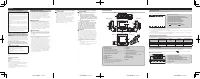
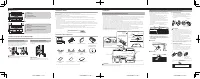
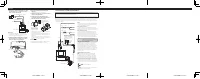
Table of Contents:
- Page 1 – Product Identification and Compliance Information
- Page 2 – Device Operation and Accessory Information
- Page 3 – Rear-View Camera System Installation
- Page 4 – Audio System Component Identification and Troubleshooting
- Page 5 – Wall/Ceiling Mounting Installation
- Page 6 – Vehicle Electrical System Wiring
CYR1298-A < 1 >
CYR1298-A < 2 >
CYR1298-A < 3 >
CYR1298-A < 4 >
Quick Start Guide
Guide de démarrage rapide
DASH CAMERA
CAMÉRA EMBARQUÉE
VREC-DZ700DC
© 2021 PIONEER CORPORATION.
< KYTZ21B >< CYR1298-A >
PIONEER CORPORATION
28-8, Honkomagome 2-chome, Bunkyo-ku,
Tokyo 113-0021, Japan
PIONEER ELECTRONICS (USA) INC.
P.O. Box 1540, Long Beach, California 90801-1540, U.S.A.
TEL: (800) 421-1404
This guide is intended to guide you through the basic functions of this unit.
For details, please refer to the Owner’s manual stored on the website.
https://www.pioneerelectronics.com
in Canada
https://www.pioneerelectronics.ca
Ce guide est destiné à vous guider à travers les fonctions de base de cette unité.
Pour plus de détails, veuillez consulter le mode d’emploi stocké sur le site Web.
https://www.pioneerelectronics.com
au Canada
https://www.pioneerelectronics.ca
User Information
Alteration or modifications carried out without
appropriate authorization may invalidate the
user’s right to operate the equipment.
Note
This equipment has been tested and found
to comply with the limits for a Class B
digital device, pursuant to Part 15 of the FCC
Rules. These limits are designed to provide
reasonable protection against harmful
interference in a residential installation. This
equipment generates, uses and can radiate
radio frequency energy and, if not installed
and used in accordance with the instruc-
tions, may cause harmful interference to
radio communications. However, there is no
guarantee that interference will not occur in a
particular installation. If this equipment does
cause harmful interference to radio or televi-
sion reception, which can be determined by
turning the equipment off and on, the user is
encouraged to try to correct the interference
by one or more of the following measures:
— Reorient or relocate the receiving
antenna.
— Increase the separation between the
equipment and receiver.
— Connect the equipment into an outlet on
a circuit different from that to which the
receiver is connected.
— Consult the dealer or an experienced
radio/TV technician for help.
Changes or modifications not expressly
approved by the party responsible for compli-
ance could void the user’s authority to operate
the equipment.
This device complies with Part 15 of the FCC
Rules. Operation is subject to the following
two conditions:
(1) this device may not cause harmful inter-
ference, and (2) this device must accept any
interference received, including interference
that may cause undesired operation.
This equipment complies with FCC radiation
exposure limits set forth for an uncontrolled
environment. This equipment shall be in-
stalled and operated with minimum distance
20cm between the radiator & body.
This device contains license-exempt transmit-
ter(s)/receiver(s) that comply with Innova-
tion, Science and Economic Development
Canada’s license-exempt RSS(s). Operation is
subject to the following two conditions:
(1) This device may not cause interference.
(2) This device must accept any interference,
including interference that may cause unde-
sired operation of the device.
This equipment complies with IC exposure
limits set forth for an uncontrolled envi-
ronment. This equipment shall be installed
and operated with minimum distance 20cm
between the radiator & body.
FEDERAL COMMUNICATIONS COMMISSION
SUPPLIER’S DECLARATION OF CONFORMITY
Product Name: DASH CAMERA
Model Number: VREC-DZ700DC
Responsible Party Name: PIONEER ELEC-
TRONICS (USA) INC.
SERVICE SUPPORT DIVISION
Address: 2050 W. 190TH STREET, SUITE 100,
TORRANCE, CA 90504, U.S.A.
Phone: 1-800-421-1404
URL: https://www.pioneerelectronics.com
After-sales service for Pioneer
products
Please contact the authorized Pioneer dealer from
which you purchased this unit or an authorized Pioneer
service company for aftersales service or questions you
may have about the product. You may contact Pioneer
directly as follows:
Do not ship your unit in for repair without
contacting Pioneer first. Units sent without a return
authorization number will be refused.
USA & CANADA
Pioneer Electronics (USA) Inc.
CUSTOMER SUPPORT DIVISION
P.O. Box 1760
Long Beach, CA 90801-1760 U.S.A.
800-421-1404
For warranty information, please see the Limited
Warranty sheet included with this unit.
English
Visit our website
U.S.:
https://www.pioneerelectronics.com
Canada:
https://www.pioneerelectronics.ca
•
Learn about product updates (such as firmware
updates) for your product.
•
Register your product.
•
Access owner’s manuals, spare par ts information,
service information, and much more.
Safety Precautions
Cer tain country, state and provincial laws may prohibit or
restrict the placement and use of this product in your
vehicle. Please comply with all applicable laws and
regulations regarding the use, installation and operation
of this product. It is the user’s responsibility to comply
with all applicable laws, rules, regulations and
ordinances.
WARNING
•
Do not install this product in your vehicle if its location
or use would obstruct the driver’s clear view of the
road or the operation of any vehicle airbag. It is also
the driver’s responsibility to know and comply with the
laws, rules, and regulations of the driving location,
including, for example, passenger privacy rights,
and not to use the device in any location where its
installation or use is prohibited.
WARNING
•
Do not allow this product to come into contact with
liquids. Electrical shock could result. Also, damage to
the product, smoke, and overheating could result from
contact with liquids.
Before using this product, be sure to read and fully
understand the following safety information:
•
Do not operate this product if doing so will diver t
your attention in any way from the safe operation of
your vehicle. Always observe safe driving rules and
follow all existing traffic regulations. If you experience
difficulty in operating this product or reading the
display, park your vehicle in a safe location and apply
the parking brake before making the necessary
adjustments.
•
Cer tain functions (such as viewing of screen and
cer tain button operations) offered by this product
could be dangerous (possibly resulting in serious
injury or death) and/or unlawful if used while driving.
Screen display is disabled for this product while the
vehicle is moving.
Precautions before connecting the system
WARNING
•
Firmly install this product so it does not fall off the
inside of the front windshield. If this product is not
firmly installed, it may fall off the windshield while
driving and cause an accident. Periodically inspect
this product.
•
Pioneer recommends that only authorized service
company personnel, who have special training and
experience in mobile electronics, set up and install
this product.
•
Secure all wiring with cable clamps or electrical tape.
Do not allow any bare wiring to remain exposed.
Precautions before installation
WARNING
•
Do not install this product where it may
(i) obstruct the driver’s vision,
(ii) impair the performance of any of the vehicle’s
operating systems or safety features,
including airbags, hazard lamp buttons or
(iii) impair the driver’s ability to safely operate the
vehicle.
•
Never install this product in front of or next to the
place in the dashboard, door, or pillar from which
one of your vehicle’s airbags would deploy. Please
refer to your vehicle’s owner’s manual for reference
to the deployment area of the frontal airbags.
CAUTION
•
To ensure proper installation, be sure to use the
supplied par ts in the manner specified. If any par ts
are not supplied with this product, use compatible
par ts in the manner specified after you have the par ts’
compatibility checked by your dealer. If par ts other
than supplied or compatible ones are used, they may
damage internal par ts of this product or they may
work loose and the product may become detached.
•
Do not install this product in places subject to high
temperatures or humidity, such as:
—
Places close to a heater, vent or air conditioner.
—
Places that may be exposed to rain, such as close
to the door.
"Loading the manual" means you need to wait until the file loads and becomes available for online reading. Some manuals are very large, and the time they take to appear depends on your internet speed.
Was this manual helpful?
About this manual
- Brand
- Pioneer
- Model
- VREC
- Document type
- User Manual
- Language(s)
- English
- Pages
- 6
- File size
- 2.3 MB
- Format
Summary
Introduction to the dash camera user manual, including product identification, quick start guide, safety precautions, installation instructions, and regulatory compliance details.
Details on device part names, status displays, system indicators, function buttons, recording/playback operations, microSD card handling, dedicated application, and accessories checklist.
Instructions and diagrams for installing a rear-view camera system, including mounting positions on windshields, connecting power and video cables, angle adjustment, and setup safety notes.
Ask a question
Related manuals
Popular Pioneer Other


More Pioneer Other models
 Pioneer TS G690 User Manual
 Pioneer TS G6930F User Manual
 Pioneer TSG6930F User Manual
 Pioneer TSSWX2502 User Manual
 Pioneer TSW3002D4 Manual
 Pioneer TS WX130DA User Manual
 Pioneer VREC DH200 User Manual
 Pioneer VREC DZ700DC User Manual
 Pioneer VSA-AX10 Manual
 Pioneer VSA-AX10Ai Manual
 Pioneer VSA-E03 Manual
 Pioneer vsa-e08 Manual